ScreenPal is a powerful and user-friendly video creation platform that helps businesses create engaging marketing, training, and communication videos with ease. With ScreenPal, teams can record their screens and webcams, edit videos, add captions and visual elements, and share professional content with their audience. Whether you want to create product demonstrations, software tutorials, employee onboarding videos, training materials, or promotional content, ScreenPal simplifies the entire video creation process. Its accessible recording and editing tools make it easier for businesses to communicate ideas visually, improve employee learning, engage customers, and build effective video content without requiring advanced production skills.
Table of Contents
- What Is ScreenPal and Why Does It Matter for Businesses?
- Why Video Content Is Now Crucial for Contemporary Companies
- How ScreenPal Simplifies Business Video Creation
- How ScreenPal Helps Create Engaging Marketing Videos
- How ScreenPal Improves Business Training Videos
- ScreenPal AI Features and Their Role in Video Production
- Video Hosting, Sharing, and Content Management
- ScreenPal Pricing and Business Value
- Best Practices for Creating Better Marketing and Training Videos
- Conclusion
- Frequently Asked Questions
What Is ScreenPal and Why Does It Matter for Businesses?
ScreenPal is a video creation and visual communication platform designed to make recording, editing, managing, and sharing video more accessible. One of its biggest practical advantages is that users do not necessarily need advanced video-production knowledge to begin creating content. According to ScreenPal, its screen recording tools are available across Mac, Windows, Chromebook, Android, and iOS devices, helping businesses support employees who work across different devices and locations. The recorder can capture the screen and webcam together, making picture-in-picture presentations possible for tutorials, demonstrations, and training sessions.
For businesses, accessibility matters because the people who need to create videos are not always professional editors. A product manager may need to demonstrate a new feature. A salesperson might want to record a personalized product walkthrough. An HR manager may need to explain the employee onboarding process. A customer-support specialist could create a short troubleshooting tutorial. If every video request has to travel through a dedicated production department, content creation quickly becomes a bottleneck.
ScreenPal helps reduce that barrier by bringing several parts of the video workflow into a connected environment. Businesses can record visual information, edit footage, add captions and supporting elements, and then distribute the content. Think of it as replacing a complicated chain of separate tools with a more streamlined production desk. The result can be particularly valuable for small and medium-sized businesses that want professional-looking communication without building a full-scale video studio.
From Simple Screen Recording to an All-in-One Video Platform
Screen recording remains one of ScreenPal’s core capabilities, but the platform extends beyond simply capturing what happens on a computer screen. Its video editor supports common editing operations such as cutting, cropping, resizing, changing clip speed, adjusting audio, recording voice-over narration, and adding visual overlays. Users can also incorporate elements such as text, images, shapes, transitions, captions, background music, and effects. ScreenPal states that its editor can export video at resolutions including 720p, 1080p, and 4K, depending on user requirements.
That combination changes how businesses can approach content creation. Imagine that your company has just launched a new analytics dashboard. Instead of writing a 2,000-word document explaining every button, you could record your screen while navigating the dashboard, add webcam commentary for a more personal presentation, remove mistakes during editing, highlight important areas, and provide captions. The finished video could then become part of your customer onboarding, employee training, sales enablement, or support library.
This workflow can also improve content reuse. A longer presentation might become a series of shorter training modules, while a product walkthrough could support both marketing and customer education. Businesses increasingly need content that works across departments, and a flexible video creation platform can help teams get more value from every recording.
Why Video Content Is Now Crucial for Contemporary Companies
Modern audiences are surrounded by information. Emails compete with notifications, presentations compete with meetings, and marketing messages compete with thousands of pieces of digital content. Businesses therefore face a basic communication problem: how do you explain something quickly without overwhelming the audience? Video often provides a strong answer because it combines visual demonstration, spoken explanation, text, and personality in a single format.
Consider the difference between reading instructions for navigating a software dashboard and watching someone demonstrate the process. Written instructions might say, “Open settings, select integrations, choose your platform, enter your credentials, and save your configuration.” A video can show the exact buttons while the narrator explains why each step matters. The viewer receives both instruction and context.
The same principle applies to employee training. New hires may receive dozens of documents during their first week, but important information can easily disappear inside long PDFs and email threads. A structured library of short training videos can make information easier to revisit. Employees can pause, replay, and review sections at their own pace rather than relying entirely on one-time live sessions.
The Growing Importance of Video in Marketing
Marketing is fundamentally about attention, communication, and trust. Video can contribute to all three because it allows companies to show products and ideas rather than merely describe them. A software company, for example, can demonstrate how its platform solves a particular problem. A consultant can explain a complicated concept using screen visuals and narration. An e-commerce business can create product education content that answers common questions before customers make purchasing decisions.
ScreenPal can support this approach through screen and webcam recording combined with editing tools. Marketers can capture software interfaces, presentations, websites, or other visual material while adding narration and webcam footage. Once recorded, the content can be polished by removing unnecessary sections and incorporating captions, text, images, music, and other visual elements supported by the editor.
The real advantage is speed. Marketing opportunities do not always wait for a lengthy production cycle. When a product feature launches or customers repeatedly ask the same question, teams may need to create useful content quickly. An accessible recording-and-editing workflow gives businesses the ability to respond without turning every video into a major production project.
Why Employee Training with Video Is So Effective
Employee training is another area where video can provide long-term value. Traditional training often depends heavily on live presentations. While live sessions encourage interaction, they also create repetition. If ten new employees join at different times, a trainer may end up delivering essentially the same explanation ten times.
Recorded training changes the equation. A company can create a high-quality explanation once and reuse it whenever necessary. The trainer can then spend live sessions answering questions, discussing real scenarios, and helping employees apply what they learned instead of repeatedly covering basic information.
ScreenPal’s combination of screen capture and webcam recording is particularly useful for process-oriented training. A trainer can demonstrate software while explaining each action, creating an experience that resembles sitting beside an experienced colleague. Captions can also make content easier to follow in environments where employees cannot listen to audio or where accessibility is important. ScreenPal provides multiple caption workflows, including uploaded caption files and automated speech-to-text capabilities on eligible paid plans.
How ScreenPal Simplifies Business Video Creation
The phrase “video production” can sound intimidating because people often imagine cameras, lighting rigs, editing timelines, and specialized technical skills. Yet many business videos do not require cinematic production. What they need is clarity. The viewer should understand what is being explained, see the important information, hear understandable narration, and know what to do next.
ScreenPal focuses on making this everyday type of video creation approachable. A business professional can record a computer screen to demonstrate a process, include webcam footage to add a human presence, and use editing tools to refine the result. This makes the platform useful for departments that need frequent video communication rather than occasional large-scale productions.
Another advantage is the ability to work across different types of content. A recorded meeting might need editing before being shared internally. A training video might need captions. A marketing tutorial might require text overlays and music. Having these capabilities within a connected workflow can reduce the friction of moving files repeatedly between unrelated applications.
Screen and Webcam Recording for Fast Content Production
Screen recording is particularly valuable when a business needs to explain something digital. Software demonstrations, website tutorials, product walkthroughs, internal system training, customer-support instructions, and presentation recordings are natural use cases.
ScreenPal’s recorder allows users to capture the screen, webcam, or both. Users can select the full screen or a custom recording area, and webcam footage can be positioned over the screen for a picture-in-picture presentation. According to ScreenPal, the recorder supports major desktop and mobile platforms, and the free recorder does not add a ScreenPal watermark to recordings.
The combination of screen and webcam can make business videos feel more personal. Watching a cursor move across a screen is informative, but seeing the presenter can add a human connection. This is useful for sales demonstrations, leadership messages, customer onboarding, and employee training.
For businesses operating remotely, recorded communication can also complement meetings. Instead of scheduling a 30-minute call simply to demonstrate a five-minute process, an employee can record the explanation and share it asynchronously. The recipient watches when convenient and can revisit the information later.
Built-In Video Editing Without a Complicated Learning Curve
Recording is only the first half of creating a useful business video. Mistakes happen. Presenters pause, repeat sentences, open the wrong window, or include sections that ultimately feel unnecessary. Editing allows creators to transform a rough recording into focused communication.
ScreenPal’s editor provides tools for cutting and cropping video, adjusting speed, working with audio, adding voice-over narration, incorporating overlays, and using transitions and captions. The platform also offers background-related capabilities such as green-screen effects, virtual backgrounds, and background removal.
For marketing teams, these tools can help transform straightforward recordings into more polished content. For training departments, editing can remove distractions and keep lessons focused on essential information.
The goal should not be to add effects simply because they are available. Good business video editing is similar to editing good writing: remove what does not help the audience and emphasize what does.
How ScreenPal Helps Create Engaging Marketing Videos
Marketing videos need to capture attention while communicating value. ScreenPal can be particularly useful for businesses whose products or services benefit from explanation. SaaS companies, agencies, consultants, online educators, technology businesses, and service providers often need to demonstrate ideas that are difficult to communicate through static images alone.
With screen capture, businesses can show a product in action. Webcam recording can introduce a presenter. Editing tools can add supporting text and visual emphasis. Captions can improve accessibility and help audiences follow the message.
The platform can therefore support multiple stages of the marketing funnel. Educational videos can attract people researching a problem, demonstrations can help prospects evaluate a solution, and onboarding videos can help customers succeed after purchasing.
Creating Product Demonstrations and Software Walkthroughs
A strong product demonstration answers a simple customer question: “What will this actually do for me?” Instead of relying only on feature lists, businesses can visually demonstrate how a product works.
A SaaS company might record the journey from logging in to completing an important task. A presenter could demonstrate how to create a project, invite team members, configure settings, and review results. Screen recording shows the actual workflow, while narration explains the business benefit behind each action.
These videos can serve several purposes simultaneously. Prospects can receive them from sales teams. Marketing teams can embed them in educational campaigns. Support teams can direct customers to relevant tutorials. Training departments can reuse similar material internally.
This is where video becomes more than content—it becomes a reusable business asset.
Producing Social Media and Promotional Content
Businesses can also use ScreenPal’s editing capabilities to prepare videos for broader promotional use. The editor’s ability to combine recordings with text, images, shapes, music, transitions, and stock assets on applicable plans gives creators options for turning basic footage into more engaging visual content.
The key is to adapt the message to the audience. A detailed product tutorial might be appropriate for a knowledge base, while social content usually benefits from a faster opening and a narrower message. Instead of explaining ten features in one video, a business could create ten focused clips, each addressing a specific problem.
This approach also supports content repurposing. A longer webinar or product demonstration can become the source material for shorter educational videos. Rather than constantly asking, “What should we create next?” Marketing teams can leverage pre-existing recordings to find valuable moments that should be turned into stand-alone content.
Strengthening Brand Consistency with Professional Videos
Consistency plays an important role in building brand recognition. When customers repeatedly encounter similar visual language, presentation styles, and messaging, the company begins to feel more familiar.
Businesses should therefore establish simple guidelines for their ScreenPal videos. These might cover opening and closing sequences, logo placement, presenter backgrounds, preferred terminology, caption style, and calls to action.
The objective is not to make every video identical. Instead, viewers should feel that different videos belong to the same organization. Think of a brand like a recognizable voice: the words can change, but the personality remains familiar.
For teams creating content frequently, a standardized workflow can also improve efficiency. Employees spend less time deciding how each video should look and more time focusing on the actual message.
How ScreenPal Improves Business Training Videos
Training videos should do more than transfer information. They should help employees understand, remember, and apply what they learn.
ScreenPal is well suited to training scenarios involving visual processes. Software tutorials, internal platform walkthroughs, compliance explanations, customer-service procedures, and operational processes can all benefit from seeing the task performed.
A company can build a searchable library of training videos organized around specific employee needs. Instead of creating one enormous two-hour orientation video, it may be better to produce focused modules covering individual topics. Employees can then find exactly what they need without searching through an entire presentation.
Creating Employee Onboarding and Instructional Content
Onboarding is often a new employee’s first structured experience with a company’s internal processes. Unfortunately, it can become an information avalanche. New hires receive introductions, policies, tools, passwords, procedures, and expectations within a very short period.
Video can help distribute this information more gradually. Businesses can create separate recordings for company introductions, software setup, communication practices, department workflows, security procedures, and role-specific processes.
ScreenPal’s screen recorder is particularly useful when employees need to learn digital tools. A trainer can demonstrate the exact process while narrating the reasoning behind each step. If the interface changes later, the relevant video can be updated rather than rebuilding an entire training program.
This creates a more scalable onboarding system, especially for distributed teams where employees may join from different locations and time zones.
Making Training More Interactive and Accessible
Accessibility should be part of video design from the beginning rather than treated as an afterthought. Captions can support viewers who are deaf or hard of hearing, employees working without audio, and people who understand information better when they can read along.
ScreenPal offers captioning capabilities, including caption-file uploads and automated speech-to-text features on paid plans. Its AI tools can also generate elements such as titles, summaries, transcripts for captions, and video chapters for eligible plans, according to ScreenPal’s current AI information.
Training teams can also improve engagement by breaking lessons into smaller sections and combining explanations with visual demonstrations. When interactive features are available within the chosen plan, they can provide additional ways to engage viewers.
The larger lesson is that effective training video design should respect the viewer’s attention. Shorter, focused modules with clear objectives often provide a better learning experience than long recordings with no structure.
ScreenPal AI Features and Their Role in Video Production
Artificial intelligence is increasingly becoming part of everyday content workflows, and ScreenPal has introduced AI-assisted capabilities designed to reduce some repetitive production tasks. According to ScreenPal, eligible AI-enabled plans can automatically generate a video title, summary, transcript for captions, and video chapters. The company currently states that its AI features are available with Solo Max and Team Business plans and offers limited free uses for trying the tools.
These capabilities can be useful because video production does not end when recording stops. A creator may still need to write a title, summarize the content, create captions, and organize a longer recording into logical sections. Automating part of this workflow can reduce administrative effort.
For marketing teams, AI-generated transcripts can also create opportunities for content repurposing. The transcript of a product tutorial might inspire a blog article, support documentation, email copy, or social content. For training departments, chapters can help employees navigate longer educational videos.
AI should still be treated as an assistant rather than an automatic guarantee of quality. Teams should review generated titles, summaries, transcripts, and chapters before publishing, particularly when videos contain technical terminology, product names, or sensitive business information.
Video Hosting, Sharing, and Content Management
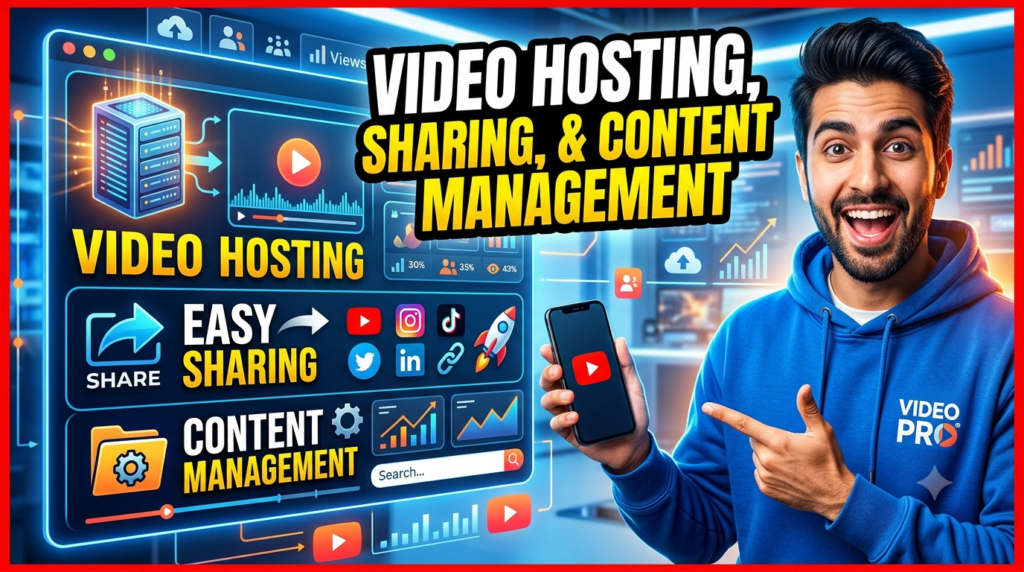
Creating a video is useful only if the intended audience can access it conveniently. For businesses producing videos regularly, content organization becomes increasingly important.
A marketing department may accumulate product demonstrations, campaign videos, customer education content, and webinars. An HR department might maintain onboarding materials, policy explanations, and internal training. Without an organized system, useful videos can become difficult to find.
ScreenPal combines video creation with hosting and sharing capabilities, helping businesses manage visual content beyond the editing stage. Privacy and visibility controls can also matter when organizations need to distinguish between public marketing content and internal materials. ScreenPal states that its hosting environment provides visibility, password, and privacy settings for controlling access to videos.
Businesses should develop a clear organizational structure before their video library becomes large. Naming conventions, categories, ownership rules, review dates, and archiving procedures can prevent outdated training videos from circulating.
Read More:-
Building Your Dream Website with Site123
Boost Your E-commerce Strategy with YITH Plugins
Maximize Your Customer Engagement with LiveAgent’s Features
Why STRIPO is Essential for Digital Product Marketersa
How Does Strikingly Simplify the Website Building Process?
ScreenPal Pricing and Business Value
Pricing can change, so organizations should verify current rates before purchasing. As of the current ScreenPal pricing information available during this article’s research, the platform offers a free option alongside paid individual and team plans. ScreenPal’s Team Business page currently advertises pricing starting at $8 per user per month when paid annually for teams of three or more, while the broader plans page lists different individual tiers and feature levels.
| Consideration | Free/Basic Use | Paid Individual Plans | Team Business |
| Best suited for | Testing and basic creation | Regular individual creators | Business teams |
| Screen recording | Available | Available | Available |
| Video editing | Core capabilities | Expanded capabilities by tier | Team-oriented capabilities |
| AI capabilities | Limited trial availability | Available on eligible tier | Available on eligible business plan |
| Team collaboration | Limited | Primarily individual | Designed for teams |
| Current advertised business pricing | N/A | Varies by plan | $8/user/month annually for 3+ users |
The true value, however, should be measured against workflow efficiency rather than subscription price alone. If a platform allows an employee to replace repeated 30-minute demonstrations with reusable five-minute videos, the time savings can accumulate quickly.
Businesses should evaluate ScreenPal based on how frequently employees create videos, how many team members require access, which editing and AI features are necessary, and whether hosting and management capabilities match organizational requirements.
Best Practices for Creating Better Marketing and Training Videos
Having good software does not automatically create good content. A microphone does not make someone a great speaker, just as a word processor does not automatically produce a great article. The tool provides the canvas; strategy determines what appears on it.
Start every video with a specific objective. A marketing video might aim to demonstrate one product benefit, while a training video might teach one repeatable process. Avoid trying to explain everything at once. If the subject is complicated, divide it into smaller videos.
Keep introductions focused. Viewers should quickly understand what they will learn or gain from watching. Use screen highlights and supporting visuals when they genuinely improve understanding, but avoid overwhelming viewers with unnecessary effects.
Audio quality deserves particular attention because audiences may tolerate imperfect visuals more easily than unclear narration. Record in a quiet environment, speak naturally, and review the recording before publishing.
Captions should also be considered wherever appropriate. They can improve accessibility and make content easier to consume in different environments.
Finally, review older videos periodically. Marketing messages evolve, software interfaces change, and internal processes get updated. A video library should be treated like a garden rather than a museum—it needs occasional maintenance to remain useful.




Conclusion
ScreenPal helps businesses create engaging marketing and training videos by bringing screen recording, webcam capture, editing, captioning, hosting, sharing, and AI-assisted capabilities into an accessible video workflow. Instead of requiring every employee to become a professional video producer, it gives teams practical tools for turning knowledge and demonstrations into reusable visual content.
For marketing teams, ScreenPal can support product demonstrations, tutorials, customer education, promotional content, and visual storytelling. For training teams, it can help create employee onboarding resources, software walkthroughs, instructional videos, and reusable learning libraries.
The strongest business case comes from scalability. A useful explanation that previously had to be repeated during multiple meetings can become a video available whenever someone needs it. A complicated product feature can be demonstrated rather than described. A training process can become consistent across teams and locations.
Businesses considering ScreenPal should explore its current features and pricing through the official ScreenPal website and choose a plan based on actual recording, editing, AI, hosting, and collaboration requirements. The best video platform is ultimately the one that makes it easier for your team to communicate clearly—and encourages people to actually create and share useful content.
Frequently Asked Questions
Q. What is ScreenPal mainly used for?
A. ScreenPal is used for screen and webcam recording, video editing, visual communication, video hosting, and sharing. Businesses can use it to produce marketing videos, software demonstrations, tutorials, employee training, onboarding materials, customer education, and internal communication.
Q. Can ScreenPal be used for marketing videos?
A. Yes. Businesses can use ScreenPal to record product demonstrations, software walkthroughs, educational videos, presentations, and other marketing content. Its editing tools can add elements such as captions, text, images, shapes, music, overlays, and transitions to enhance recordings.
Q. Is ScreenPal useful for employee training?
A. Yes. ScreenPal can be particularly useful for creating software tutorials, process demonstrations, onboarding videos, and instructional content. Screen and webcam recording allows trainers to visually demonstrate a process while explaining it, which can make complicated digital workflows easier to understand.
Q. Does ScreenPal offer AI features?
A. Yes. ScreenPal states that its AI tools can automatically generate elements including video titles, summaries, transcripts for captions, and video chapters on eligible plans. Businesses should check the current plan details to determine exactly which AI features are included.
Q. How much does ScreenPal cost for businesses?
A. ScreenPal’s Team Business page currently lists a starting price of $8 per user per month, paid annually, for teams of three or more. Pricing and included features may change, so businesses should confirm the latest information on the official pricing pages before subscribing.