Discover how AppyPie.com helps businesses simplify app creation and accelerate digital growth with AI-powered tools and no-code technology. Learn about its key features, pricing, benefits, and app-building solutions for startups, entrepreneurs, and small businesses looking to improve customer engagement, streamline operations, and build a stronger digital presence without extensive coding knowledge.
Table of Contents
- Introduction to Appy Pie and the No-Code Revolution
- What Is AppyPie.com?
- Why Businesses Need Mobile Apps for Digital Growth
- Key Features of Appy Pie
- How Appy Pie Helps Different Industries
- Benefits of Using Appy Pie for Business Growth
- How to Create a Business App With Appy Pie
- Appy Pie Pricing: What Should Businesses Consider?
- Limitations and Best Practices for Using Appy Pie
- Conclusion
- Frequently Asked Questions (FAQs)
Introduction to Appy Pie and the No-Code Revolution
Businesses today need more than a website to build a strong digital presence. Customers expect convenient mobile experiences, quick access to information, personalized offers, easy booking options, and reliable customer support. However, developing a mobile application traditionally requires technical expertise, significant investment, and ongoing maintenance. For startups and small businesses, these requirements can make digital transformation feel expensive and complicated. This is where no-code platforms such as AppyPie.com can make a difference by helping businesses turn ideas into digital products without building everything from scratch.
The rise of artificial intelligence (AI) has made app development even more accessible. Instead of beginning with programming languages and complicated development environments, business owners can describe their requirements and use AI-assisted tools to create an initial application. Appy Pie combines AI-powered generation with visual editing, allowing users to customize their app before preparing it for publication. Its official website describes a process that starts with a plain-language prompt and continues through customization and app-store publishing.
For businesses interested in improving customer engagement, simplifying daily operations, and exploring new revenue opportunities, this approach offers a practical starting point. A local restaurant could develop an app for menus and reservations, while a fitness instructor could provide workout resources and membership information through a mobile platform. The goal is not simply to have an app; it is to create a useful digital experience that supports business objectives and makes life easier for customers.
What Is AppyPie.com?
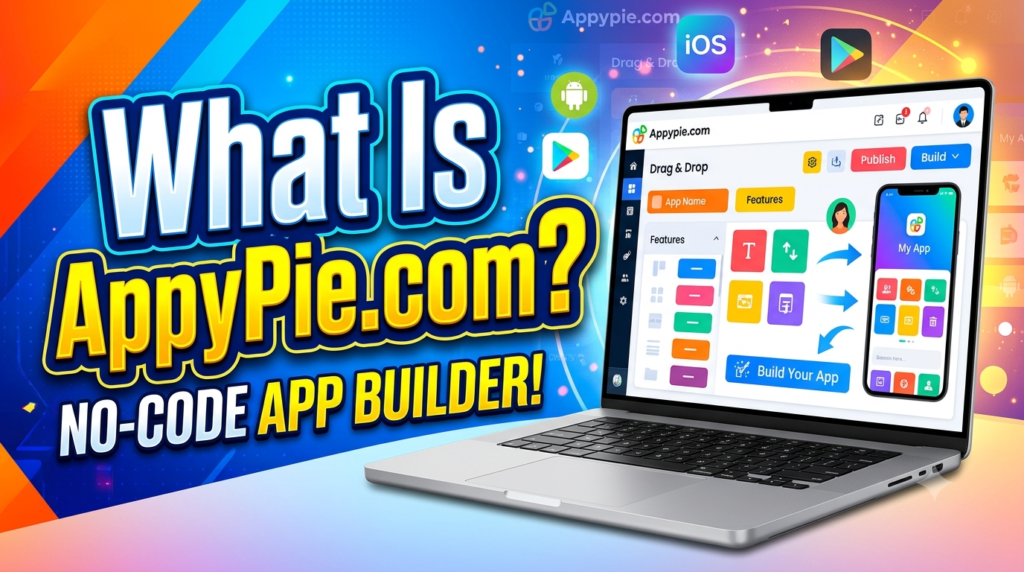
Appy Pie is a technology platform that provides no-code tools for creating mobile applications and other digital experiences. Its app builder is designed for people who want to develop applications without writing traditional programming code. Instead of requiring users to build every component manually, the platform offers AI-assisted creation and visual customization to help users assemble an application around their business needs. Appy Pie was founded in 2016 and has expanded its offerings to include several AI and no-code solutions.
The platform is particularly relevant to entrepreneurs, small businesses, independent professionals, educational organizations, and startups that want to experiment with mobile technology. For example, a beauty salon might want to display its services, share promotional offers, and allow customers to request appointments. Rather than immediately hiring a development team, the owner can explore whether a no-code builder provides the necessary features and flexibility.
Appy Pie also supports different app concepts, including restaurant applications, shopping experiences, educational resources, fitness applications, and event-related services. The available functionality depends on the selected product, plan, and configuration, so businesses should check the latest specifications before committing to a project.
How AI and No-Code Technology Work Together
No-code development replaces much of the traditional programming process with visual tools, reusable components, and configurable features. AI can simplify the first stage by turning a written description into an initial app structure. For instance, a business owner might describe an application for a bakery that needs product listings, store information, customer notifications, and ordering options. The AI-assisted builder can use that description to generate a starting point that the owner can review and refine.
This does not mean that every business requirement can be solved automatically. AI-generated screens and workflows still need human review, accurate business information, and practical testing. A payment process must work correctly, customer information must be handled responsibly, and the design should make sense to the intended audience. AI is most useful when it reduces repetitive setup work and helps people move from an idea to a testable prototype.
Combining AI with no-code editing gives businesses a more approachable way to experiment. They can refine the layout, adjust content, and review the customer journey before deciding whether the application is ready for launch. This makes app creation less intimidating for nontechnical teams while keeping business owners involved in important decisions.
Why Businesses Need Mobile Apps for Digital Growth
A mobile app can give customers a convenient way to interact with a business. Instead of repeatedly searching for a website, customers may be able to access services, view products, check updates, or manage bookings directly from their phones. For businesses with repeat customers, this convenience can help strengthen relationships and encourage people to return. However, an app is only valuable when it solves a real customer problem rather than duplicating information that is already easy to access elsewhere.
Consider a small clothing store that receives frequent questions about new arrivals, available sizes, and seasonal discounts. A well-planned app could organize product information, present current offers, and provide a direct communication channel. Customers would have an easier way to discover products, while the business could maintain a more consistent digital presence. The app would work best alongside the store’s website, social media accounts, and existing customer service channels.
Mobile applications can also support operational improvements. A service provider might use an app to share appointment information, while an educational organization could distribute announcements and learning resources. Businesses can evaluate engagement, collect appropriate feedback, and identify which features customers actually use. These insights help them make informed improvements instead of relying entirely on assumptions.
Digital growth, therefore, is not simply about publishing an application in an app store. It involves understanding customer needs, delivering a useful experience, and continuously improving the service. A no-code platform can simplify the development process, but the business still needs a clear strategy for attracting users and encouraging continued engagement.
Key Features of Appy Pie
Appy Pie combines several tools intended to make application creation more accessible. The official app-builder pages describe AI-assisted generation, a visual editor, mobile app publishing, and a range of modules for business-oriented functionality. The exact features available depend on the selected product and subscription.
AI-Powered App Creation
One of the main attractions of Appy Pie is its AI-assisted app creation process. Rather than starting with an empty workspace, users can describe their business idea and receive an initial application structure. This can help clarify the screens, navigation, and functionality required for a first version of the product.
For example, a travel agency could describe an app that showcases tour packages, provides destination information, displays contact details, and lets customers submit enquiries. The generated result would serve as a draft rather than a finished business solution. The agency would still need to check that package details are correct, contact forms work, and customers can find essential information without confusion.
AI-assisted creation can be particularly helpful during early experimentation. Entrepreneurs can explore an idea, review a prototype, and discover missing requirements before investing more time or money. Instead of treating the generated app as automatically perfect, businesses should use it as a foundation for careful customization and testing.
Drag-and-Drop Customization
A business application should reflect its brand and serve its audience. Appy Pie’s visual editing approach lets users adjust application elements through a graphical interface instead of directly changing traditional source code. According to the official platform description, users can customize screens, content, design elements, and features using its visual editor.
This is useful for businesses that want control over their app’s appearance without hiring a designer for every small change. A salon, for instance, could use its brand colors, add service descriptions, and organize appointment information in a clear menu. A retailer could prioritize product categories, promotional banners, and customer support.
Good customization should prioritize usability rather than decoration alone. Text needs to be readable, navigation should be consistent, and important actions should be easy to locate. Businesses should also test the app on different screen sizes and ask potential users for feedback. A clean, practical interface is more likely to help customers than a crowded design filled with unnecessary features.
Android and iOS App Publishing
Reaching customers across mobile devices is an important consideration when selecting an app-building platform. Appy Pie supports publishing workflows for Android and iOS, although access to each platform depends on the subscription selected. Its official information identifies Google Play publishing on lower paid tiers and iOS publishing on its Platinum plan.
For a business, appearing in the relevant app stores can create another channel through which customers discover and install its application. However, publication is not guaranteed simply because an app has been created. Businesses need to follow store requirements, provide accurate listing information, test functionality, and complete any required review process.
App-store publication should also be part of a wider distribution strategy. A business can promote its app through its website, email communications, social media, and in-store materials. Providing a clear reason to install the app, such as easier booking or useful updates, can be more effective than simply announcing that the business has launched one.
How Appy Pie Helps Different Industries
One reason no-code development appeals to businesses is its flexibility. Different industries have different customer expectations, and an application should reflect the way a business operates. A restaurant needs different features from a coaching institute, while an online retailer has different priorities from a fitness professional. Appy Pie offers industry-oriented app-building options that businesses can explore according to their requirements.
The most effective approach is to start with a specific business challenge. Instead of adding every available feature, identify the tasks customers perform most frequently and make those tasks easier. This keeps the app focused, reduces unnecessary complexity, and helps businesses understand whether their investment is delivering meaningful results.
Retail, Restaurants, and E-Commerce
Retailers can use mobile applications to showcase products, organize categories, communicate promotions, and create a more convenient shopping experience. A small clothing boutique, for example, could use an app to introduce new collections, share product details, and direct customers toward purchasing options. A well-organized product catalogue can help customers explore available items without needing to visit a physical store first. Depending on the platform’s available integrations and features, businesses may also be able to support transactions and customer engagement through their applications.
Restaurants have a different set of priorities. Customers often want to check menus, explore meal options, find opening hours, and make reservations without calling the restaurant. A restaurant app could bring these activities together in one convenient place. Restaurants that offer takeaway or delivery may also investigate ordering-related functionality, but they should verify payment integrations, order management capabilities, and any additional costs before launching.
For e-commerce businesses, the opportunity extends beyond displaying products. A mobile app can become part of the customer retention strategy by making it easier to discover new items, receive relevant updates, and return to the business. For example, a skincare store might highlight product categories and seasonal promotions while providing useful information about each product. Businesses should ensure that their descriptions, prices, availability, and policies remain accurate across all sales channels.
The main advantage is convenience. When customers can complete common tasks with fewer steps, interacting with the business becomes easier. However, companies should not assume that creating an app automatically increases sales. The app needs to offer genuine value, function reliably, and reach the right audience through effective marketing.
Education, Fitness, and Service Businesses
Educational institutions can use mobile applications to organize announcements, learning resources, schedules, and other student-facing information. A coaching centre, for instance, might want learners to access course details, receive class reminders, and check important updates from their phones. By offering a consolidated communication channel, an app can lessen the need to disseminate the same information across several platforms.
Fitness businesses can explore applications that provide workout information, exercise guidance, class schedules, and membership-related content. An independent trainer could organize training resources and communicate with clients through a more structured digital experience. Before adding subscriptions, progress tracking, or other advanced functions, the trainer should confirm which features the chosen platform supports and whether any integrations are required.
Service businesses, including beauty salons, consultants, repair professionals, and local agencies, can also benefit from simplifying customer interactions. A salon might use an app to present its services and encourage appointment enquiries, while a repair company could provide service information and customer contact options. These functions can help customers understand what the business offers before contacting its team.
The broader lesson is that digital tools work best when they fit existing business processes. An app should save time, reduce friction, or improve communication rather than create additional administrative work. Businesses should select features according to their customers’ needs, then evaluate their effectiveness after launch.
Benefits of Using Appy Pie for Business Growth
The value of a no-code platform goes beyond making app development easier. It can change how a business experiments with technology, manages resources, and responds to customer feedback. By simplifying parts of the development process, Appy Pie may help businesses test ideas without immediately committing to a fully custom-built application. Whether that approach produces a good return depends on the business model, the selected plan, and the usefulness of the finished app.
Lower barriers to app development. Traditional development can involve designers, developers, project managers, testing specialists, and infrastructure decisions. A no-code platform brings many common app-building activities into a more accessible workflow. Small businesses can begin exploring digital products without needing to assemble a large technical team. This does not eliminate every cost, but it can make an initial experiment more manageable.
Faster prototyping and experimentation. Business ideas often change once people see a working example. A written concept may sound excellent, but customers might find its navigation confusing or its main feature unnecessary. AI-assisted generation and visual editing can help businesses create an initial version, test it, and revise the experience. This creates an opportunity to learn before making a larger investment.
Improved customer communication. Depending on the app’s configuration, businesses can use features such as notifications, contact options, and content updates to communicate with users. For example, a restaurant could share menu updates, while a training provider might announce changes to class schedules. Communication should remain relevant and appropriately timed; excessive notifications can frustrate users and encourage them to disable alerts.
More organized customer experiences. An app can bring information and services into a consistent interface. Instead of navigating several pages or searching through old messages, customers may be able to find the information they need in one place. This is particularly useful when customers frequently interact with the same business. Still, the app should complement existing channels so customers can choose whichever method suits them best.
Opportunities to support revenue. Apps can support commercial activities through product discovery, bookings, subscriptions, and other suitable features. A business might use an app to make purchasing more convenient or encourage repeat visits. Revenue growth is not automatic, though. Companies need to understand acquisition costs, customer behaviour, conversion rates, and the ongoing cost of maintaining their digital offering.
Room to improve through feedback. Launching an app creates an opportunity to learn from actual usage. Businesses can monitor appropriate performance indicators, collect customer feedback, and identify confusing screens or underused features. These findings can guide future updates. Rather than assuming the first version is the final version, successful digital teams treat their apps as products that evolve alongside customer expectations.
Together, these benefits make Appy Pie worth considering for organizations that need a practical way to explore mobile applications. The platform can simplify the process of getting started, while business strategy, customer understanding, and consistent improvement remain the responsibility of the organization.
How to Create a Business App With Appy Pie
Creating a useful application begins with planning, not clicking buttons. Before opening a builder, businesses should identify their target audience, define the problem they want to solve, and decide how they will measure success. These decisions help prevent a common mistake: creating an app with numerous features but no clear purpose.
Appy Pie’s official app-building workflow includes describing the idea, generating an initial version, customizing the app, testing it, and preparing it for publication.
Businesses can adapt this general process to their own requirements.
1. Define the app’s purpose. Decide whether the application will support sales, bookings, customer communication, education, or another business goal. Choose one or two primary outcomes rather than trying to solve every problem at once.
2. Describe the requirements clearly. Explain who will use the app, what they need to do, and which features are essential. For example, a salon might request service listings, business hours, appointment enquiries, and customer notifications.
3. Generate the initial app. Use the AI-assisted builder to create a starting structure. Review the screens, navigation, and suggested functionality rather than accepting the first draft without evaluation.
4. Customize the experience. Add accurate business content, logos, colors, service information, and appropriate features. Remove unnecessary sections and make important actions easy to find.
5. Test before launch. Check links, forms, navigation, notifications, payment workflows where applicable, and the display on different devices. Ask a small group of representative users to try the app and report problems.
6. Prepare for publication. Review the platform’s publishing requirements and the rules of the relevant app stores. Confirm developer account requirements, subscription costs, privacy disclosures, and any other applicable fees before submitting.
7. Promote and improve the app. Explain the benefits to customers, provide straightforward installation instructions, and monitor meaningful indicators such as active users, completed bookings, purchases, or customer feedback.
This process makes app development more structured. It also ensures that businesses remain focused on delivering value instead of treating publication as the only measure of success.
Read More:-
How Does Strikingly Simplify the Website Building Process?
Building Your Dream Website with Site123
Boost Your E-commerce Strategy with YITH Plugins
Maximize Your Customer Engagement with LiveAgent’s Features
Why STRIPO is Essential for Digital Product Marketersa
Appy Pie Pricing: What Should Businesses Consider?
Pricing is an important part of deciding whether a no-code app builder is suitable for a business. Companies should look beyond the initial subscription and calculate the total cost of building, publishing, promoting, and maintaining their application.
According to Appy Pie’s official app-builder page, the plans listed at the time of research were as follows. These are the vendor’s published US-dollar prices and may change, so verify the current offer, billing terms, and regional availability before purchasing.
| Plan | Listed price | General publishing options |
| Free trial | $0 | Build, edit, and preview during the trial |
| Basic | $16 per app/month | Google Play publishing |
| Gold | $36 per app/month | Google Play publishing with premium features |
| Platinum | $60 per app/month | Android and iOS publishing with premium features |
Prices are based on the vendor’s published US pricing, not a guaranteed quote for every country or billing arrangement. Additional charges may apply.
The platform’s published information also identifies separate developer account costs for app-store publication, including a one-time Google Play developer registration fee and an annual Apple Developer Program membership fee. Businesses should confirm current charges directly with the respective providers before budgeting.
For a small business, the right plan depends on the app’s purpose. A business that only needs an Android application may not need the same subscription as a company that intends to publish on both major mobile platforms. Similarly, businesses that require premium functionality should confirm which plan includes the features they need instead of assuming everything is available at the lowest price.
The smartest way to assess affordability is to compare the total expected cost with the business value the app could deliver. If the application reduces administrative effort, increases completed bookings, or improves customer retention, it may justify the expense. If it offers little improvement over an existing website, investing in a better website or customer communication system might be more practical.
Limitations and Best Practices for Using Appy Pie
No-code platforms are not the ideal option for every organization, even while they make application development more accessible. Appy Pie is designed around its platform’s tools and supported features, so companies requiring unusual integrations, highly specialized functionality, or complete control over application source code should evaluate the limitations carefully. According to its official app-builder material, the platform is not designed for all sophisticated applications and does not offer source-code export.
Additionally, companies should keep in mind that developing an app does not guaranty a consumer base. Marketing, onboarding, customer support, and regular improvements still matter. An application that is difficult to navigate or provides outdated information may damage trust rather than improve it. Before launch, businesses should establish who will maintain the content, respond to customer enquiries, and manage updates.
Privacy and security deserve particular attention. If an application collects contact details, payment information, booking records, or other personal data, the business should understand how that information is collected, processed, stored, and accessed. Review the platform’s documentation, configure available security controls appropriately, and ensure the app complies with relevant privacy and consumer-protection requirements.Steer clear of gathering data that the company does not actually require.
Here are several best practices worth following:
- Start small: Build the core experience first and introduce additional features only when they serve a clear purpose.
- Test with real users: Observe how customers navigate the app and identify problems before a wider launch.
- Measure meaningful results: Track relevant outcomes, such as bookings completed, orders placed, repeat visits, or support requests resolved.
- Plan for ongoing costs: Account for subscriptions, store fees, marketing, integrations, support, and future improvements.
- Keep information current: Regularly review prices, product listings, schedules, contact details, and promotional content.
- Maintain a backup plan: Understand the platform’s data-export options, migration limitations, cancellation terms, and the consequences of changing providers.
These practices help businesses make informed decisions and reduce avoidable risks. The objective is not to build an application as quickly as possible at any cost. It is to create a dependable digital service that remains useful as the business grows.


Conclusion
AppyPie.com offers businesses a more accessible way to explore mobile app development through AI-assisted creation, visual customization, and app-publishing tools. For startups, independent professionals, and small businesses, these capabilities can reduce the technical barriers involved in turning an idea into a working application. Businesses can investigate solutions for customer engagement, bookings, shopping, education, and other everyday needs without necessarily building every component from scratch.
The biggest advantage comes from combining accessible technology with a clear business strategy. Companies should identify their customers’ needs, select appropriate features, test the experience, and evaluate results after launch. They should also consider pricing, privacy, platform limitations, and long-term maintenance before making a commitment.
Ultimately, Appy Pie can be a useful starting point for businesses that want to simplify app creation and support digital growth. The best results come when the technology serves a genuine customer need, the business measures what works, and the application continues to improve over time.
Frequently Asked Questions (FAQs)
Q. What is AppyPie.com used for?
A. AppyPie.com provides tools for creating mobile applications and other digital experiences without requiring traditional coding. Businesses can use its app builder to develop applications for purposes such as retail, restaurants, education, fitness, and customer engagement. The available functionality depends on the selected product and subscription.
Q. Can beginners create an app using Appy Pie?
A. Yes. Appy Pie is designed to help people with limited programming experience create applications using AI-assisted generation and visual editing. Beginners should still plan their requirements, review the generated content, test important features, and understand the publishing process before launching.
Q. Does Appy Pie support Android and iOS apps?
A. Yes. Appy Pie provides publishing options for Android and iOS applications, with availability depending on the selected plan. Businesses should check the latest subscription details, developer account requirements, and app-store guidelines before starting.
Q. Is Appy Pie suitable for small businesses and startups?
A. It can be suitable for small businesses and startups that want to develop a relatively straightforward customer-facing app without managing a traditional software development project. Companies with complex technical requirements, unusual integrations, or a need to export source code should compare alternative platforms before deciding.
Q. Can Appy Pie help a business grow online?
A. Appy Pie can help a business establish another digital channel for customer communication, product discovery, bookings, and other supported activities. However, growth depends on factors such as customer demand, app quality, promotion, usability, and ongoing improvements. Creating an app alone does not guarantee more sales or customers.