explores how Woodpecker helps businesses streamline outreach, automate cold email campaigns, and improve lead generation with smart follow-ups and advanced personalization. This blog highlights Woodpecker’s key features, including inbox rotation, email verification, deliverability monitoring, and campaign analytics, while comparing it with competitors like Mailshake and Lemlist. Whether you are a startup, marketing agency, sales team, or freelancer, this guide explains how Woodpecker can save time, boost response rates, and transform your overall marketing strategy for better results.
Table of Contents
- What is Woodpecker?
- Why Email Outreach Still Matters in Marketing
- Key Features of Woodpecker
- Benefits of Using Woodpecker
- Who Should Use Woodpecker?
- Woodpecker Pricing Plans
- Woodpecker vs Competitors
- Best Practices for Using Woodpecker
- Common Mistakes to Avoid
- How Woodpecker Revolutionizes Your Marketing Strategy
- Conclusion
- FAQs
What is Woodpecker?
Woodpecker is a cloud-based email outreach and automation platform primarily designed for B2B businesses, sales teams, recruiters, and marketing professionals. It helps users create and manage personalized cold email campaigns at scale while maintaining a human touch.
Unlike traditional email marketing tools that focus on newsletters and promotional campaigns, Woodpecker is built specifically for one-to-one outreach. This means every email can feel individually crafted, even when sent to hundreds or thousands of prospects. The platform automates repetitive tasks like follow-ups, tracking opens, and stopping campaigns when someone replies.
For example, if you’re reaching out to 500 potential clients, manually sending each email and remembering to follow up would be exhausting. Woodpecker automates this process so you can focus on strategy instead of repetitive admin work. It’s like having a virtual sales representative that never sleeps.
Why Email Outreach Still Matters in Marketing
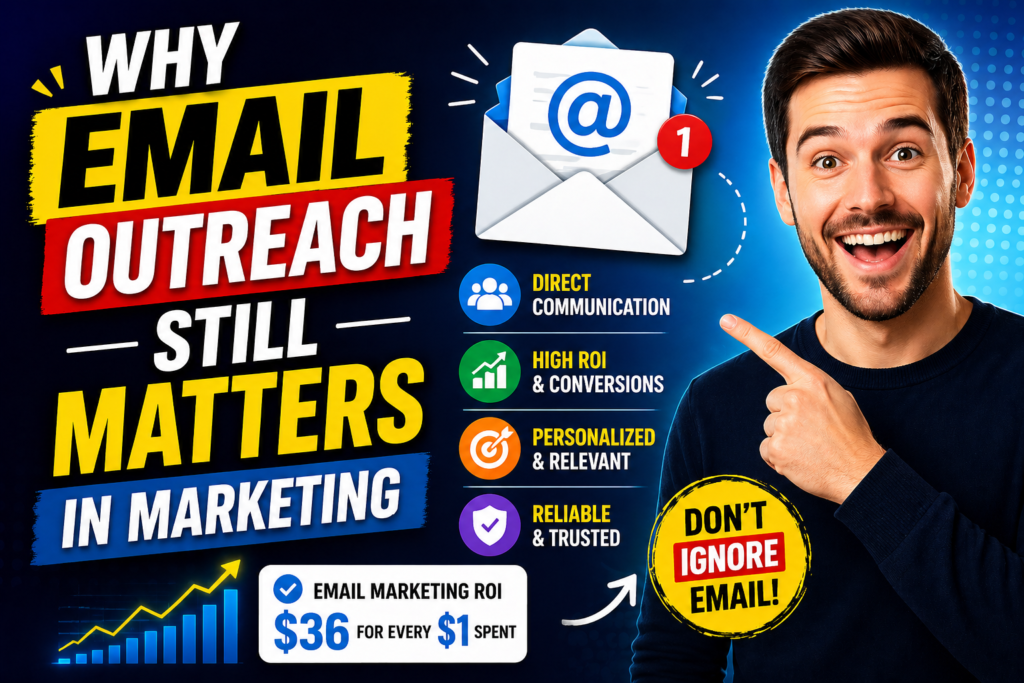
Some people believe email marketing is outdated, but the numbers tell a different story. Email remains one of the highest ROI marketing channels available. According to industry studies, businesses earn an average of $36 for every $1 spent on email marketing.
Why is email so powerful?
Because it’s direct, personal, and measurable. Unlike social media algorithms that decide who sees your content, email lands straight in the recipient’s inbox. If your message is compelling and well-timed, it can drive conversations, meetings, and sales.
However, manual outreach has limitations:
- It consumes a lot of time.
- Human error leads to missed follow-ups.
- Generic templates often feel impersonal.
- Poor deliverability can send emails to spam.
Woodpecker solves all these problems by combining automation with smart personalization.
Key Features of Woodpecker
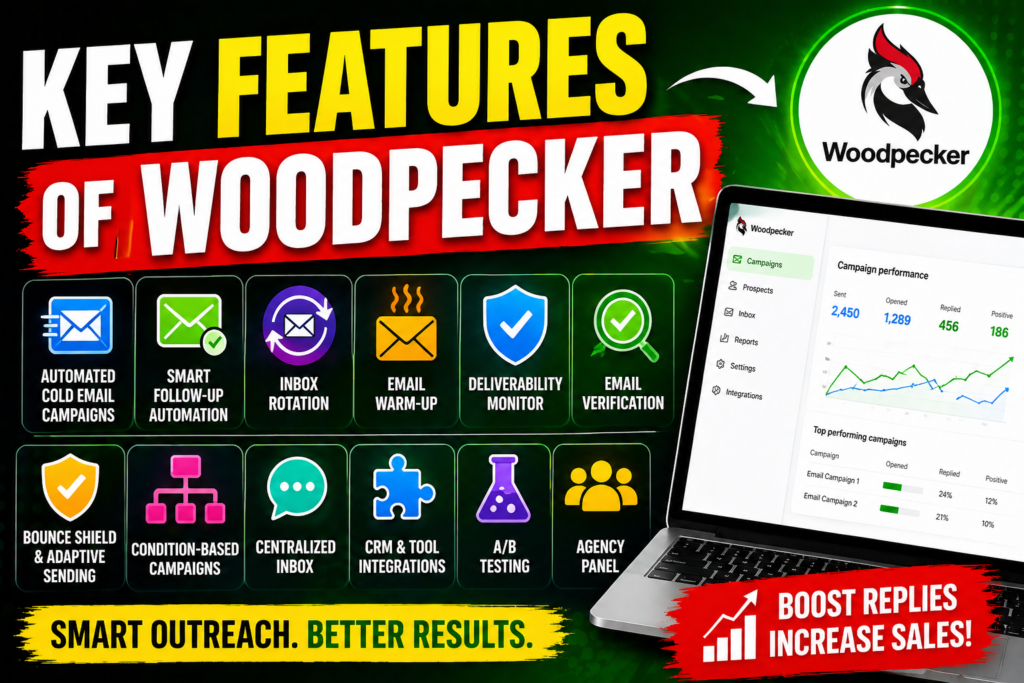
1. Automated Cold Email Campaigns
Woodpecker allows users to create automated cold email sequences. You can draft one email and send it to hundreds of prospects using custom personalization fields such as:
- First name
- Company name
- Industry
- Job title
- Custom notes
This makes every email feel tailored.
For example:
“Hi John, I noticed your company, XYZ Solutions, is expanding rapidly in the SaaS market…”
That simple personalization can dramatically improve open and response rates.
Automation saves hours of manual work and ensures consistency in your outreach.
2. Smart Follow-Up Sequences
Most conversions don’t happen after the first email. In fact, many prospects respond after the second or third follow-up.
Woodpecker automatically sends follow-up emails based on recipient behavior. If someone:
- Opens but doesn’t reply → send reminder.
- Clicks a link → send more info.
- Replies → stop sequence automatically.
This keeps outreach relevant and timely without being annoying.
Think of it like knocking on a door politely instead of banging repeatedly.
3. Email Deliverability Monitoring
Even the best-written email is useless if it lands in spam.
Woodpecker includes deliverability tools to monitor:
- Sender reputation
- Spam score
- Inbox placement
- Bounce rates
This helps businesses protect their domain reputation and maintain healthy campaigns.
By identifying issues early, marketers can adjust strategies before performance drops.
4. Inbox Rotation
Sending too many emails from one account can trigger spam filters.
Woodpecker’s Inbox Rotation spreads emails across multiple accounts. This reduces risk and improves deliverability.
It’s like dividing heavy luggage into multiple bags so none become too heavy to carry.
5. Email Verification and Bounce Shield
Invalid email addresses can damage your sender score.
Woodpecker verifies email addresses before sending and shields your account from hard bounces. This keeps your campaigns clean and effective.
6. Personalization at Scale
Modern consumers expect personalized communication.
Woodpecker allows advanced personalization with:
- Dynamic fields
- Conditional text
- Behavior-based messaging
This means businesses can scale outreach without sounding robotic.
Benefits of Using Woodpecker
Saves Time
One of the most important commodities in business is time.
Without automation, sending 100 emails and following up manually could take hours or even days. Woodpecker reduces that workload significantly.
This allows teams to focus on:
- Strategy
- Lead qualification
- Closing deals
- Analytics
Improves Response Rates
Personalized messages and timely follow-ups naturally increase engagement.
Woodpecker’s tracking features show:
- Open rates
- Click rates
- Reply rates
This data helps optimize future campaigns.
Boosts Productivity
Sales and marketing teams can manage more leads in less time.
Instead of hiring more staff, businesses can scale with automation.
Reduces Human Error
People forget things.
Woodpecker never forgets to follow up, never sends duplicates, and stops campaigns when someone replies.
Improves ROI
Higher response rates + less manual labor = better ROI.
Businesses spend less while generating more leads.
Who Should Use Woodpecker?

Woodpecker is ideal for:
Startups
Startups need fast growth with limited resources.
Woodpecker helps generate leads without hiring large teams.
Marketing Agencies
Agencies managing multiple clients can automate outreach campaigns efficiently.
Sales Teams
Sales reps can spend less time emailing and more time closing deals.
Recruiters
Recruiters can contact candidates at scale with personalized messages.
Freelancers and Consultants
Independent professionals can use Woodpecker to generate new business opportunities.
Woodpecker Pricing Plans
Woodpecker offers flexible pricing based on needs.
| Plan | Price | Best For | Features |
| Starter | Affordable | Small businesses | Basic automation |
| Growth | Mid-range | Growing teams | Advanced analytics |
| Scale | Premium | Large teams/agencies | Team tools & integrations |
The flexibility allows businesses to scale gradually.
Woodpecker vs Competitors
Woodpecker vs Mailshake
Mailshake is another cold outreach platform.
Comparison:
| Feature | Woodpecker | Mailshake |
| Deliverability Tools | Strong | Moderate |
| Pricing | Affordable | Higher |
| Ease of Use | Simple | Moderate |
| Automation | Advanced | Advanced |
Woodpecker often wins for affordability and deliverability.
Woodpecker vs Lemlist
Lemlist focuses on visual personalization.
Comparison:
| Feature | Woodpecker | Lemlist |
| Simplicity | High | Medium |
| Multichannel | Medium | High |
| Deliverability | High | High |
| Personalization | Strong | Very Strong |
Woodpecker is ideal for straightforward email outreach.



Best Practices for Using Woodpecker
To maximize results:
Write Strong Subject Lines
Your subject line determines whether emails get opened.
Examples:
- Quick question about your business
- Idea to increase your leads
- Can I help with [problem]?
Keep Emails Short
Busy professionals don’t read long emails.
Be clear and concise.
Focus on Value
Don’t talk only about yourself.
Explain how you solve their problem.
Use Clear CTAs
Tell prospects what to do next.
Examples:
- Book a call
- Reply for details
- Schedule a demo
Test and Optimize
A/B test:
- Subject lines
- CTA wording
- Follow-up timing
Data-driven optimization improves results.
Common Mistakes to Avoid
Avoid these mistakes:
- Sending too many emails too quickly
- Overusing spammy words
- Ignoring analytics
- Using poor-quality lead lists
- Not personalizing enough
These mistakes can hurt performance.
Read More:-
Why STRIPO is Essential for Digital Product Marketers
Maximize Your Customer Engagement with LiveAgent’s Features
Boost Your E-commerce Strategy with YITH Plugins
Building Your Dream Website with Site123
How Does Strikingly Simplify the Website Building Process?
Why ContentStudio & Leadpages Are Essential for E-commerce Success
How Woodpecker Revolutionizes Your Marketing Strategy
Woodpecker changes marketing by making outreach smarter, faster, and more effective.
Instead of:
- Sending emails manually
- Forgetting follow-ups
- Guessing what works
You can:
- Automate campaigns
- Track results
- Improve performance
- Scale outreach
It turns chaos into a system.
Think of it as replacing a bicycle with a sports car—both move forward, but one gets there much faster.
Conclusion
If your business relies on lead generation, sales outreach, or relationship-building, Woodpecker can be a powerful addition to your marketing stack. It automates repetitive tasks, improves deliverability, boosts response rates, and saves valuable time.
In a world where attention is scarce and competition is fierce, having the right outreach tool can make all the difference. Woodpecker doesn’t just help you send emails—it helps you build connections, create opportunities, and drive growth.
For startups, agencies, sales teams, and freelancers alike, Woodpecker offers a smarter way to market.
FAQs
Q. Is Woodpecker good for beginners?
A. Yes, it has an easy-to-use interface suitable for beginners.
Q. Does Woodpecker offer a free trial?
A. Yes, users can test features before purchasing.
Q. Can Woodpecker improve deliverability?
A. Yes, through inbox rotation and monitoring tools.
Q. Is Woodpecker better than Lemlist?
A. It depends on your needs, but it’s great for pure email outreach.
Q. Can agencies use Woodpecker for multiple clients?
A. Yes, agencies often use it for managing campaigns efficiently.