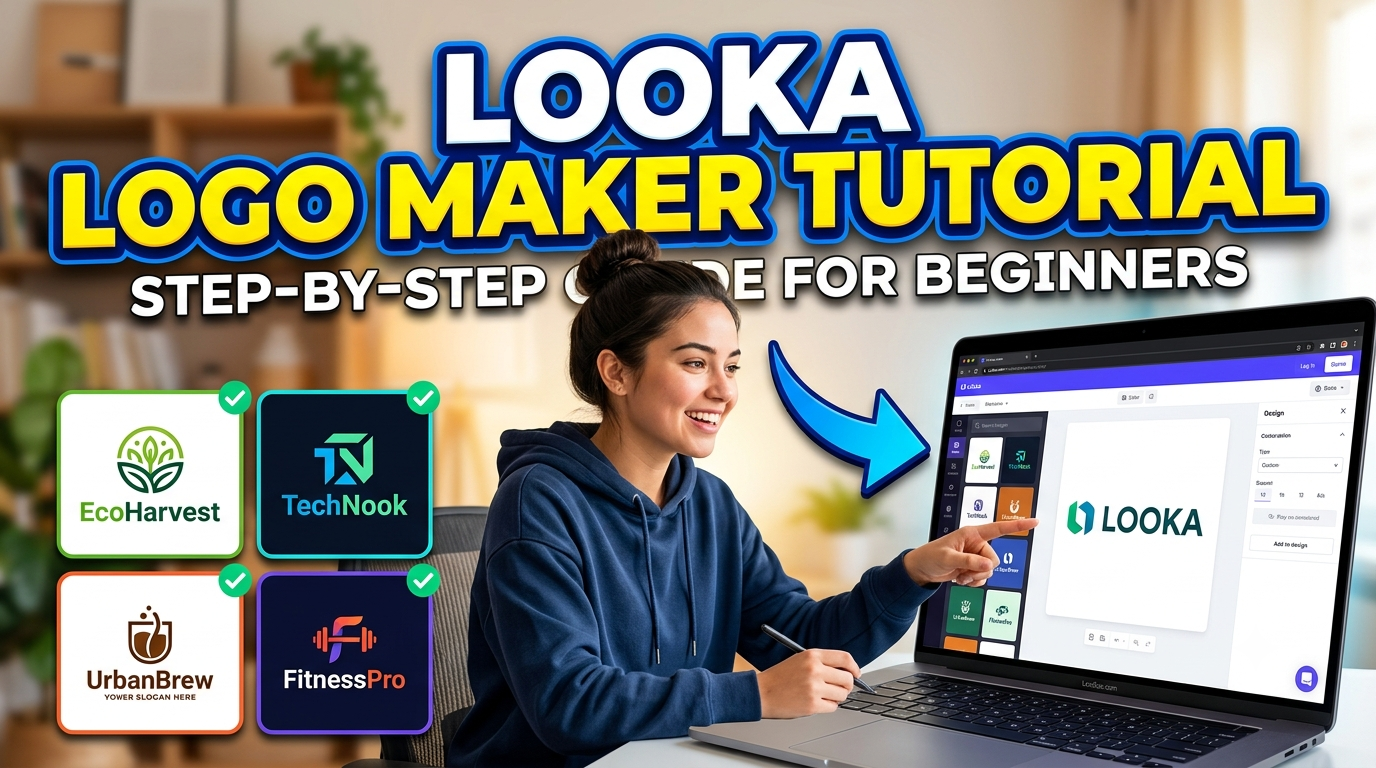
Looka is an AI-powered logo maker that enables entrepreneurs, startups, freelancers, and small businesses to create professional logos and complete brand identities without any design experience. This comprehensive guide explores how Looka works, its key features, pricing plans, customization options, and the Brand Kit while providing a step-by-step tutorial for beginners. Whether you’re launching a new business or refreshing your existing brand, this article will help you use Looka to design a unique, high-quality logo that reflects your brand identity quickly and affordably.
What Is Looka Logo Maker?
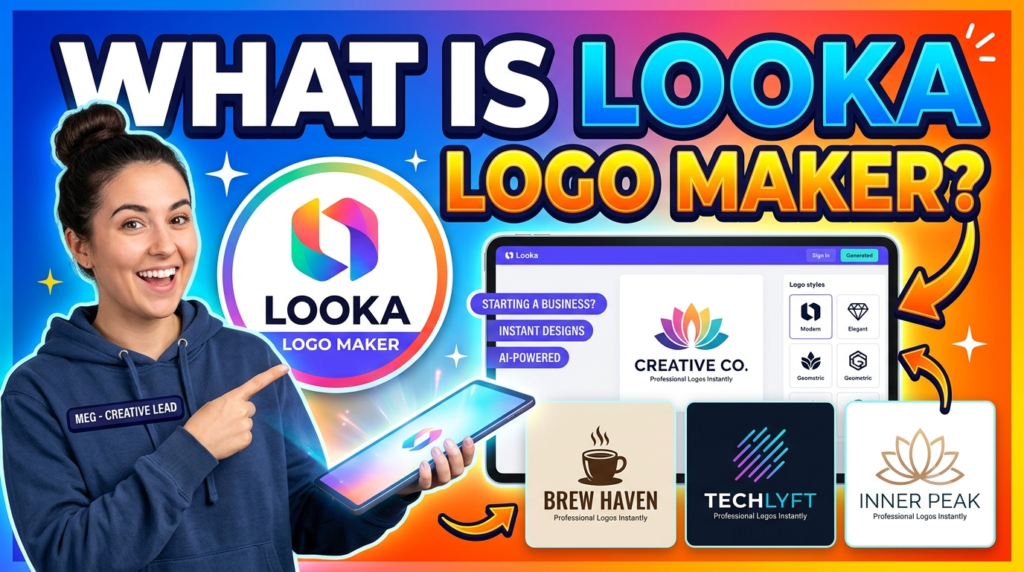
Looka Logo Maker is an AI-powered online logo design platform that helps anyone create professional logos without requiring graphic design experience. Instead of starting with a blank canvas, the platform asks a few simple questions about your business, preferred design style, colors, icons, and industry. Using artificial intelligence, it instantly generates dozens of unique logo concepts tailored to your preferences. This dramatically reduces the time and effort traditionally needed to create a visually appealing brand identity.
One of the biggest reasons for Looka’s popularity is its ease of use. You don’t need to install any software or learn complicated design tools. Everything works directly from your web browser, making it accessible on Windows, Mac, and even tablets. Whether you’re launching an eCommerce store, starting a YouTube channel, opening a local business, or creating a personal brand, Looka provides an efficient way to establish a professional visual identity.
Unlike many free logo generators that offer generic templates, Looka uses AI to generate personalized combinations of typography, layouts, colors, and symbols. While some designs may resemble common branding trends, users can customize nearly every aspect before purchasing. This flexibility makes the platform suitable for entrepreneurs who want a polished logo without spending hundreds of dollars on a professional designer.
Another significant advantage is that Looka goes beyond logo creation. The platform also offers a complete branding toolkit that includes business cards, social media templates, email signatures, invoices, presentation templates, letterheads, and various marketing assets. Instead of designing each item separately, users receive a consistent brand identity across all marketing materials, helping businesses appear more professional from day one.
How AI-Powered Logo Design Works
Artificial intelligence simplifies logo creation by analyzing the choices you make throughout the design process. When you enter your business name, industry, preferred colors, design styles, and symbols, the AI compares your selections with thousands of professionally designed branding combinations. Within seconds, it generates multiple logo concepts that match your preferences while following modern design principles.
Rather than replacing creativity, AI serves as a powerful assistant. It eliminates repetitive work and provides inspiration that many beginners struggle to find. You can browse different layouts, compare fonts, experiment with icons, and instantly preview changes without starting from scratch. This iterative approach encourages experimentation and helps users discover branding ideas they might never have considered.
The system also ensures that logos remain clean and scalable. A good logo should look equally impressive on a website favicon, business card, billboard, or T-shirt. Looka automatically generates balanced compositions that maintain readability across various sizes and formats. This saves users from common design mistakes such as overcrowded layouts or poor typography choices.
Although AI creates the initial concepts, customization remains in your hands. You can change fonts, colors, spacing, symbols, alignment, and icon placement until the logo reflects your brand personality. Think of AI as a skilled design partner that provides an excellent starting point while allowing complete creative control over the final result.
Why Beginners Choose Looka
Starting a business often involves dozens of expenses, and hiring a professional logo designer can cost anywhere from $200 to several thousand dollars. Beginners usually prefer Looka because it provides an affordable alternative without sacrificing quality. Instead of waiting days or weeks for revisions from a designer, users receive logo concepts instantly, allowing them to focus on launching their business.
The platform is particularly attractive for people who have little or no design experience. Its intuitive interface guides users through each step with simple questions rather than overwhelming them with technical tools. Since the AI handles the initial creative work, beginners can produce polished results even if they have never designed anything before.
Speed is another major advantage. Traditional logo design projects often involve brainstorming sessions, sketches, revisions, and client feedback. Looka compresses this entire workflow into just a few minutes. Entrepreneurs can create multiple logo concepts, compare them, and finalize a design in a single sitting. This rapid process is ideal for startups that need branding quickly.
Finally, Looka helps users maintain consistent branding beyond the logo itself. Since the platform also offers brand kits and marketing templates, beginners can establish a cohesive visual identity across websites, business cards, social media profiles, and promotional materials without hiring multiple designers. This consistency strengthens brand recognition and builds customer trust from the very beginning.
Features of Looka Logo Maker
One of the biggest reasons behind Looka’s popularity is its rich collection of branding features. Instead of acting as just another logo generator, it provides an all-in-one branding platform that helps businesses establish a professional image from day one. Whether you’re building a personal brand, launching an online store, or creating a startup identity, Looka offers tools that simplify the entire branding process. The combination of artificial intelligence, customization, and ready-made marketing assets makes it a practical solution for entrepreneurs who have limited design experience.
The platform focuses on balancing automation with creative freedom. AI generates the initial logo concepts, but users remain in complete control over the final design. Every element—from fonts and icons to spacing and color palettes—can be adjusted until the logo perfectly represents the brand. This approach saves time while still allowing users to create something unique rather than settling for a generic template.
Another standout feature is consistency. Many new businesses struggle because their logo, social media graphics, business cards, and website all look different. Looka solves this issue by generating an entire brand identity around the chosen logo. This consistency improves brand recognition and creates a more professional appearance that customers immediately notice.
Overall, Looka offers far more value than a basic logo maker. Instead of stopping at logo creation, it provides branding resources that help businesses present themselves professionally across digital and print platforms.
AI Logo Generation
The AI-powered logo generator is the heart of the Looka platform. Rather than asking users to draw or design manually, the software generates dozens of logo ideas based on simple preferences entered during the setup process. After providing your business name, industry, preferred colors, symbols, and design styles, the AI produces numerous professionally balanced logo concepts within seconds.
One of the biggest advantages of AI generation is speed. Traditional logo design can take days or weeks depending on revisions, but Looka delivers multiple concepts almost instantly. This allows users to compare different styles side by side and quickly identify designs that match their brand personality. If none of the first results feel right, users can simply adjust their preferences and generate a fresh batch of ideas.
The AI also follows modern design principles, ensuring logos remain clean, balanced, and scalable. Whether the logo appears on a mobile app icon, website header, packaging, or billboard, the design maintains its quality and readability. This is particularly important for businesses planning to expand across multiple marketing channels.
While AI provides the initial inspiration, creativity doesn’t stop there. Users can edit every aspect of the design, creating a logo that feels original and personalized instead of machine-generated. This combination of automation and customization makes Looka especially appealing to beginners who want professional results without hiring a designer.
Brand Kit and Marketing Assets
A logo alone isn’t enough to build a memorable brand. Businesses also need matching marketing materials that create a consistent visual identity across every customer touchpoint. Looka addresses this need by offering a comprehensive Brand Kit that automatically generates professionally designed assets using your selected logo.
Once a logo is finalized, users can access ready-made templates for business cards, email signatures, invoices, presentation slides, letterheads, social media profile images, banners, and promotional graphics. Since all these assets use the same fonts, colors, and visual style, businesses maintain a consistent appearance across every platform.
This feature saves both time and money. Instead of hiring separate designers for each marketing material, entrepreneurs receive an entire branding package from one platform. Small businesses especially benefit because maintaining consistent branding often becomes expensive when handled manually.
The Brand Kit also simplifies future updates. If you modify your logo colors or typography, many branding assets automatically update to match the new identity. This flexibility ensures businesses can refresh their branding without redesigning every marketing material from scratch.
Customization Options
Although artificial intelligence creates the initial logo designs, Looka provides extensive customization tools that allow users to personalize every detail. This ensures the final logo aligns perfectly with the company’s personality, values, and target audience.
Users can experiment with hundreds of font combinations, adjust icon sizes, change layouts, modify spacing, edit colors, and reposition individual design elements. These editing tools are intuitive enough for beginners while still offering enough flexibility for users with some design experience. Every adjustment appears instantly, making it easy to compare multiple versions before making a final decision.
Color customization deserves special attention because colors strongly influence customer perception. A financial company may prefer blue to communicate trust, while a fitness brand might choose vibrant orange or red to represent energy. Looka allows users to test different color palettes until they find one that communicates the right message.
Typography is equally important. Serif fonts often suggest tradition and elegance, while sans-serif fonts create a modern and minimalist appearance. Script fonts communicate creativity, whereas bold fonts project strength and confidence. Since Looka offers numerous typography combinations, users can easily match their logo style with their overall brand personality.
These customization options transform AI-generated concepts into unique brand identities, giving beginners confidence that their final logo reflects their vision rather than looking like a standard template.
How to Create a Logo with Looka
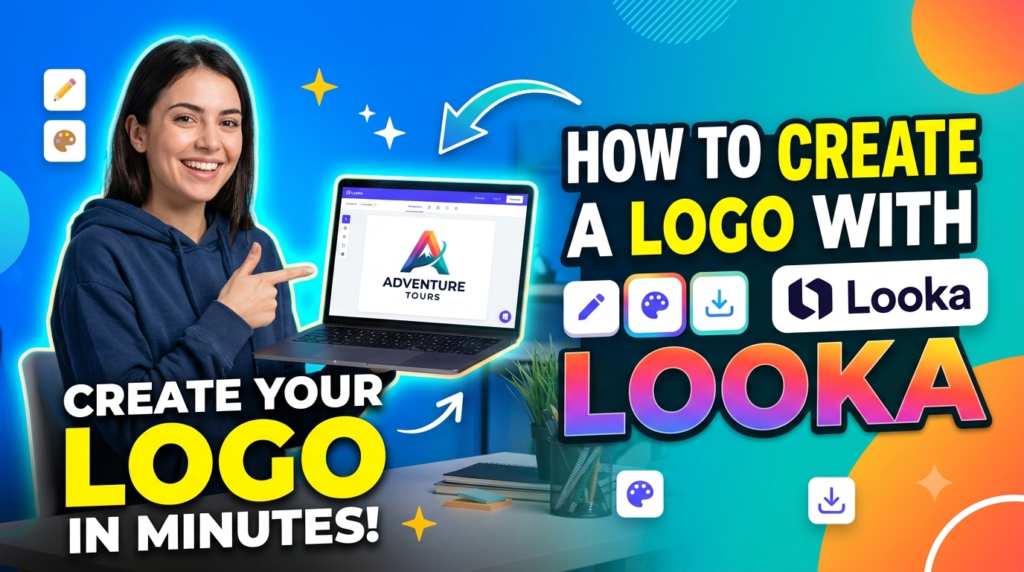
Creating a logo with Looka takes only a few minutes, but the quality of the final result depends on the choices you make throughout the process. The AI provides excellent starting points, yet your selections for fonts, colors, icons, and layout ultimately shape your brand identity. The good news is that every step is beginner-friendly, so you don’t need any previous design experience to create something professional.
Below is a complete step-by-step tutorial.
Step 1: Visit the Looka Website
The first step is visiting the official Looka website using your preferred web browser. Once you arrive on the homepage, you’ll notice a clean interface with a prominent button inviting you to start designing your logo. There’s no need to download software because everything runs directly online.
Click “Get Started” to begin the design process. Looka immediately asks for your business name and a few basic details. If you’re still brainstorming business ideas, you can even test different names to see how they appear in logo designs before making a final decision.
Before moving forward, think about your brand personality. Ask yourself questions like:
- Is my business modern or traditional?
- Who is my target audience?
- What emotions should my logo communicate?
- Will my logo primarily be used online or in print?
Having clear answers will make the following customization steps much easier.
Step 2: Enter Your Business Name
Your business name is the foundation of your logo. Carefully type the exact name you want customers to recognize. Double-check spelling, capitalization, and punctuation because these details become part of your branding.
If you have a slogan or tagline, Looka allows you to include it beneath the business name. While this is optional, a well-written tagline can immediately explain what your business offers.
For example:
| Business Name | Tagline |
| Fresh Bloom | Flowers Delivered Daily |
| PixelNest | Creative Web Solutions |
| Urban Brew | Coffee Crafted with Passion |
Remember that simplicity often creates stronger branding. Avoid making your business name too long, as shorter names generally produce cleaner and more memorable logos.
Step 3: Select Your Industry
Next, Looka asks you to choose your business industry. This step is more important than many beginners realize because the AI uses industry information to recommend relevant icons, fonts, and layouts.
For example:
- Technology companies receive modern geometric designs.
- Restaurants often receive food-related icons.
- Fashion brands tend to feature elegant typography.
- Fitness businesses usually get bold, energetic layouts.
Selecting the correct category helps the AI understand your audience and generate more accurate logo concepts. Even if your business fits multiple industries, choose the one that best represents your primary service.
This simple decision significantly improves the quality of the AI-generated designs.
Step 4: Choose Your Favorite Design Styles
One of the most enjoyable parts of using Looka is selecting your preferred design styles. Instead of describing your taste using technical design terminology, you’ll simply choose logo examples that appeal to you.
The platform might present styles such as:
- Modern
- Minimalist
- Elegant
- Luxury
- Creative
- Bold
- Vintage
- Professional
- Fun
- Corporate
Don’t overthink your choices. Simply select the logos that immediately catch your attention. The AI analyzes your selections and identifies patterns in typography, spacing, icon usage, and composition.
The more accurately you choose designs that match your vision, the better your generated logos will be.
Step 5: Pick Colors and Symbols
Colors are among the most powerful branding tools available. They influence customer perception long before someone reads your business name.
Looka allows you to choose preferred color palettes such as:
- Blue for trust and professionalism
- Green for growth and sustainability
- Red for energy and excitement
- Black for luxury and sophistication
- Purple for creativity
- Orange for friendliness
- Gold for premium brands
You’ll also choose icons or symbols related to your business. For example, a photography business may select cameras, while a finance company might choose charts or coins.
Don’t worry if you’re unsure. You can always change colors and icons later during customization.
A good rule is to avoid selecting too many colors. Most memorable logos use only two or three primary colors.
Step 6: Customize Your Logo
After the AI generates multiple logo concepts, the real creative process begins.
This is where you can personalize every aspect of the design, including:
- Font style
- Font size
- Icon placement
- Colors
- Layout
- Letter spacing
- Background
- Alignment
- Symbol size
Take your time comparing different variations. Sometimes changing just one font or adjusting spacing dramatically improves the overall appearance.
Ask yourself several practical questions:
- Does the logo remain readable when it’s very small?
- Does it still look attractive in black and white?
- Does it represent my brand personality?
- Would customers remember it after seeing it once?
The strongest logos are often the simplest. Resist the temptation to overcrowd your design with too many decorative elements. Minimalism almost always creates a more timeless brand identity.
Step 7: Download Your Logo
Once you’re satisfied with your design, it’s time to purchase and download your logo package.
Depending on your selected plan, Looka provides multiple high-quality file formats, including:
- PNG
- SVG
- EPS
These formats ensure your logo works across websites, social media, business cards, packaging, merchandise, presentations, and large-scale printing.
You’ll also receive various logo versions, including:
- Transparent background
- White logo
- Black logo
- Colored logo
- Horizontal layout
- Vertical layout
Having multiple file formats makes future branding much easier because you’ll always have the right version for different marketing materials.
Most businesses should store these files in a secure cloud folder and create backup copies to prevent accidental loss. Since your logo represents your entire brand, protecting these files is just as important as protecting your business documents.
Looka Pricing Plans
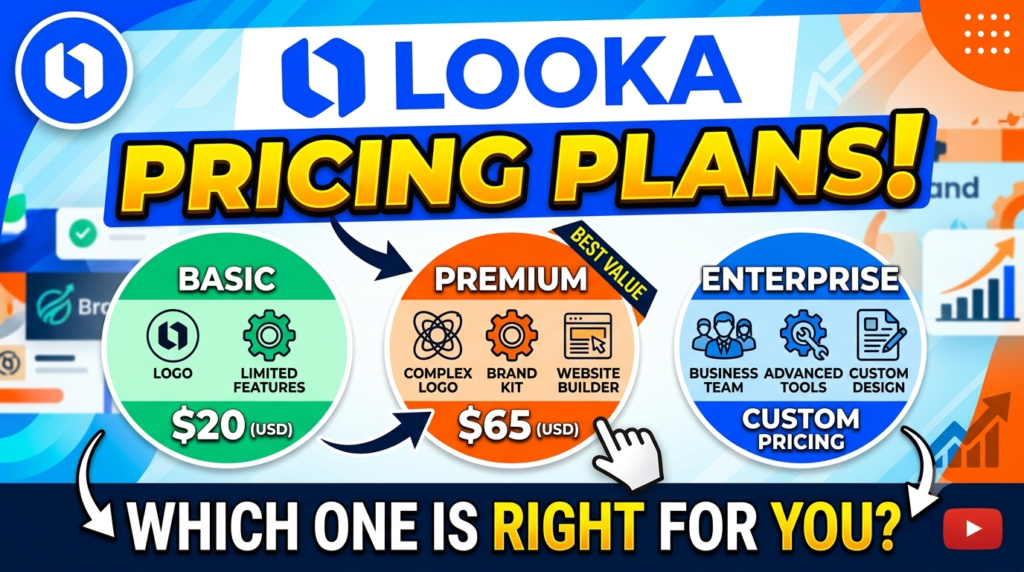
One of the most common questions beginners ask is whether Looka is free to use. The answer is yes—and no. You can create, preview, and customize unlimited logo concepts for free. This means you can spend as much time as you need experimenting with different colors, fonts, layouts, and icons before making any financial commitment. Payment is only required when you’re ready to download high-resolution logo files or purchase a complete branding package.
Looka offers several pricing options to accommodate different business needs. If you only need a logo, the basic package provides essential high-quality files suitable for websites, business cards, and social media. For businesses seeking a complete branding solution, premium plans include an extensive Brand Kit with templates for marketing materials, social media posts, invoices, email signatures, and much more.
While pricing may change over time, the overall structure remains straightforward. Users pay once for logo ownership or subscribe to access the Brand Kit and additional branding resources. This flexibility allows entrepreneurs to choose a plan that matches both their budget and branding requirements.
When evaluating the pricing, remember to compare it with hiring a professional designer. Custom logo design projects often cost hundreds or even thousands of dollars, whereas Looka provides an affordable alternative that delivers professional-quality results within minutes.
Pricing Comparison Table
| Plan | Best For | Includes |
| Basic Logo Package | Individuals & Startups | High-resolution logo files, PNG formats |
| Premium Logo Package | Growing Businesses | Vector files (SVG, EPS, PDF), multiple logo variations |
| Brand Kit Subscription | Complete Business Branding | Logo files, business cards, social media assets, email signatures, marketing templates, brand guidelines |
Tip: If you’re launching a new business and plan to create social media graphics, business cards, and marketing materials, investing in the Brand Kit usually provides better long-term value than purchasing only the logo files.
Pros and Cons
Like every AI design platform, Looka has strengths and limitations. Understanding both sides will help you decide whether it’s the right tool for your branding needs.
Pros
One of Looka’s biggest advantages is its incredible ease of use. Even complete beginners can generate professional-looking logos within minutes without any previous graphic design experience. The interface is clean, intuitive, and guides users step by step, making the learning curve almost nonexistent.
Another major benefit is speed. Traditional logo creation often involves lengthy communication with designers, revisions, and waiting periods. Looka’s AI instantly generates dozens of logo concepts based on your preferences, allowing you to explore multiple design directions in just a few clicks. This rapid workflow is especially valuable for startups that need branding quickly.
Customization is another strong point. Although AI creates the initial concepts, users can modify fonts, colors, icons, layouts, spacing, and typography until the logo perfectly reflects their vision. Combined with the Brand Kit, this creates a complete branding ecosystem that extends far beyond a simple logo.
Cons
Despite its impressive capabilities, Looka isn’t a perfect solution for every business. Since the AI relies on existing design principles and templates, some logos may resemble branding used by other companies. While customization helps create uniqueness, businesses seeking a completely original artistic identity may still prefer hiring a professional designer.
Another limitation is that downloading high-resolution files requires payment. Although users can experiment for free, the final logo assets aren’t available without purchasing a package. For entrepreneurs on extremely tight budgets, this may be a consideration.
Lastly, while the editing tools are beginner-friendly, they don’t offer the same level of precision found in professional software such as Adobe Illustrator or CorelDRAW. Experienced designers who need advanced vector editing may find the customization options somewhat limited.
Read More:-
Parcel ABC UK Shipping Guide: Features, Pricing, and Benefits Explained
Why Fun-sport-vision.com DE Is Gaining Popularity in Germany
Mashvisor (US): Complete Review for Real Estate Investors in 2026
What Is Scandic SE? A Complete Beginner’s Guide
Simpel NL Explained: Everything You Need to Know
Best Tips for Designing a Professional Logo
Creating a beautiful logo involves more than choosing attractive colors and fonts. The most successful logos communicate a brand’s personality while remaining simple, memorable, and versatile. Whether you’re designing your first logo or refining an existing one, following a few proven design principles can dramatically improve the final result.
Start by keeping your design simple. Many beginners believe adding more icons, colors, or decorative elements creates a stronger logo. In reality, the world’s most recognizable brands often use extremely simple designs. Clean logos are easier to remember, easier to reproduce across different media, and remain visually appealing for many years.
Choose colors strategically rather than randomly. Every color communicates specific emotions and influences customer perception. Blue often represents trust and professionalism, green symbolizes health and growth, black suggests luxury, and red conveys excitement and energy. Select colors that align with your brand’s personality instead of simply choosing your favorite shades.
Typography deserves equal attention. Your font should remain readable across every platform, from smartphone screens to printed banners. Avoid using multiple font families unless absolutely necessary, as too many styles can make the design appear cluttered and unprofessional.
Always test your logo in different sizes before finalizing it. A logo that looks beautiful on a desktop monitor may become unreadable when displayed as a website favicon or social media profile picture. Similarly, verify that your design still looks attractive in black and white because many business documents and promotional materials don’t always use full color.
Finally, don’t rush the decision-making process. Generate multiple logo concepts, compare them objectively, ask for feedback from colleagues or potential customers, and revisit your favorite designs after a day or two. Sometimes the strongest logo isn’t the one that impresses you immediately—it’s the one that continues to look professional and memorable over time.
Final Verdict
If you’re looking for a fast, affordable, and beginner-friendly way to create a professional logo, Looka Logo Maker is one of the strongest AI-powered solutions available today. Its intelligent design engine removes much of the complexity from logo creation, allowing anyone—even those with no graphic design background—to produce attractive branding in just a few minutes. The platform’s guided workflow, extensive customization options, and complete Brand Kit make it much more than a simple logo generator.
For startups, freelancers, bloggers, online store owners, and small business owners, Looka offers excellent value. Instead of investing hundreds or thousands of dollars in custom design services, users can create a polished visual identity at a fraction of the cost. The ability to preview unlimited logo ideas before purchasing also reduces the risk of making the wrong decision.
That said, businesses seeking highly artistic, hand-crafted, or completely custom brand identities may still prefer working with an experienced professional designer. AI-generated concepts are efficient and visually appealing, but they may not always capture the level of originality that a dedicated designer can provide for premium branding projects.
Overall, Looka successfully balances automation, creativity, affordability, and ease of use. If your goal is to launch a professional-looking brand quickly without spending weeks learning design software, this platform is definitely worth considering.



Conclusion
Creating a memorable brand begins with a strong logo, and Looka Logo Maker makes that process accessible to everyone. By combining artificial intelligence with user-friendly customization tools, the platform empowers entrepreneurs to build professional branding without needing advanced design skills. From entering your business name and selecting your preferred style to customizing fonts, colors, and icons, every step is designed to simplify the creative journey while maintaining high-quality results.
One of Looka’s greatest strengths is its ability to extend beyond logo creation. The integrated Brand Kit helps businesses maintain consistent branding across business cards, social media, presentations, email signatures, and other marketing materials. This consistency is essential for building customer trust and increasing brand recognition in today’s competitive marketplace.
Whether you’re launching your first startup, starting a blog, opening an online store, or rebranding an existing business, Looka provides a practical and affordable solution for developing a professional visual identity. With thoughtful customization, careful color selection, and a focus on simplicity, you can create a logo that effectively represents your brand for years to come.
Invest time in exploring multiple design options, gather feedback before making your final decision, and remember that a successful logo isn’t just visually attractive—it tells your brand’s story in a simple, memorable way.
Frequently Asked Questions (FAQs)
Q. Is Looka Logo Maker free to use?
A. Yes. You can generate, preview, and customize unlimited logo designs for free. Payment is only required when you decide to download high-resolution logo files or purchase branding packages.
Q. Can I customize the AI-generated logo?
A. Absolutely. Looka allows you to edit fonts, colors, icons, spacing, layouts, and typography. You can continue refining your logo until it matches your brand identity.
Q. What file formats does Looka provide?
A. Depending on your purchase plan, Looka offers high-quality file formats including PNG, SVG, EPS, and PDF, making your logo suitable for websites, social media, merchandise, and professional printing.
Q. Is Looka suitable for small businesses?
A. Yes. Looka is specifically designed for startups, freelancers, entrepreneurs, bloggers, and small businesses that need affordable, professional branding without hiring a graphic designer.
Q. Does Looka include branding materials besides logos?
A. Yes. Higher-tier plans include a comprehensive Brand Kit with business cards, email signatures, social media templates, invoices, presentation templates, brand guidelines, and other marketing assets to maintain consistent branding.