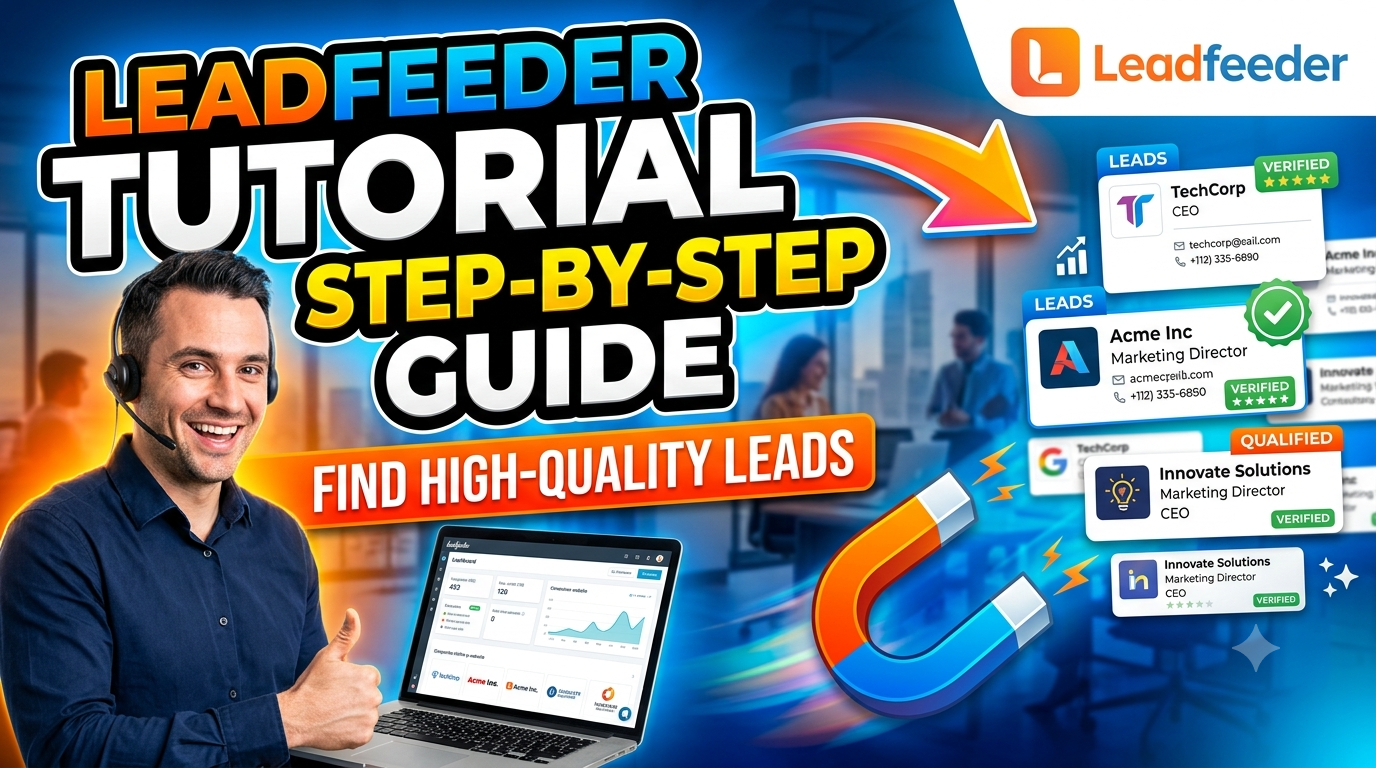
Leadfeeder is a powerful B2B lead generation and website visitor tracking platform that helps businesses identify the companies visiting their websites, even if they don’t fill out a contact form. By revealing visitor behavior, company details, and buying intent, Leadfeeder enables sales and marketing teams to prioritize high-quality leads, personalize outreach, and improve conversion rates. With seamless CRM integrations, advanced filtering, lead scoring, and automation features, Leadfeeder streamlines the entire lead qualification process. Whether you’re a small business or a large enterprise, this guide explores everything you need to know about Leadfeeder, including its features, setup, best practices, benefits, pricing, and tips to maximize your B2B sales pipeline.
What Is Leadfeeder?
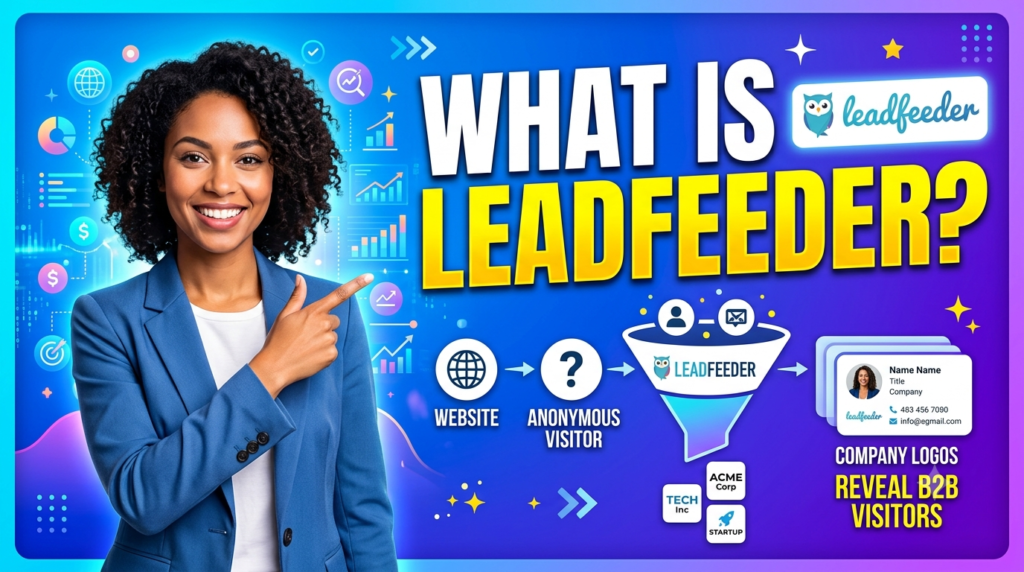
Leadfeeder is a B2B website visitor identification platform that transforms anonymous website traffic into identifiable company profiles. Instead of seeing only page views inside analytics tools, you can discover which businesses visited your website, what pages they viewed, how long they stayed, and how frequently they returned.
Unlike traditional web analytics that focus mainly on traffic numbers, Leadfeeder provides actionable sales intelligence. The platform combines website visitor tracking with company identification technology, enabling businesses to prioritize organizations that are actively researching their products or services. The goal is not simply to generate more leads but to uncover companies that already demonstrate buying intent. According to Leadfeeder, users can identify companies visiting their websites, monitor engagement, and create workflows that help sales teams act faster on qualified opportunities.
Another major benefit is its seamless integration with leading CRM systems and marketing platforms. Rather than manually exporting visitor data, businesses can automate lead routing, assign prospects to sales representatives, and trigger personalized outreach campaigns based on visitor behavior.
How Leadfeeder Works
Leadfeeder begins by installing a lightweight tracking script on your website. Once active, the platform analyzes incoming traffic and attempts to match anonymous visits with publicly available company information. When a match is found, Leadfeeder displays valuable business details, including company name, industry, employee size, location, pages visited, visit frequency, and engagement patterns.
The platform also monitors user behavior throughout the buying journey. For example, if someone repeatedly visits pricing pages, case studies, implementation documentation, or product comparison articles, Leadfeeder recognizes these activities as stronger buying signals than someone who only reads a blog post.
Recent product updates have expanded these capabilities by introducing AI-powered insights that automatically surface buyer signals, company context, and recommended contacts, helping sales teams qualify prospects faster without manually analyzing every visit.
Why Businesses Use Leadfeeder
Modern B2B buying journeys rarely begin with a contact form submission. Buyers research solutions independently, compare competitors, and consume educational content long before speaking with sales. This makes anonymous website visitors one of the most valuable yet overlooked sources of qualified opportunities.
Leadfeeder bridges that gap by revealing organizations already showing interest in your products or services. Instead of purchasing cold lead databases, companies can prioritize organizations already interacting with their brand.
Businesses also appreciate Leadfeeder because it integrates naturally into existing sales workflows. Rather than replacing CRM systems, it enriches them with visitor intelligence, enabling smarter lead scoring and more personalized outreach.
Key Features of Leadfeeder
Leadfeeder offers several capabilities designed specifically for B2B marketers and sales teams looking to improve lead quality instead of simply increasing lead volume.
Website Visitor Identification
The platform’s most valuable feature is company identification. Instead of anonymous IP addresses, users receive detailed company profiles whenever matching data is available.
Information typically includes:
| Feature | Benefit |
| Company Name | Identify interested businesses |
| Industry | Better audience segmentation |
| Employee Count | Qualify enterprise opportunities |
| Visit History | Understand engagement level |
| Pages Viewed | Discover buying intent |
| Visit Frequency | Measure ongoing interest |
This information allows sales representatives to begin conversations with context rather than making completely cold outreach attempts.
Lead Scoring and Filtering
Not every visitor deserves immediate attention. Someone reading a single educational blog article isn’t necessarily ready for a sales conversation. Someone visiting pricing pages three times within one week probably is.
Leadfeeder solves this problem through customizable filters and lead prioritization. Users can create feeds based on:
- Company size
- Industry
- Geographic location
- Pages viewed
- Number of visits
- Time spent on site
- Visit recency
This filtering system dramatically reduces noise and helps sales teams focus only on organizations that closely match their ideal customer profile.
Many experienced B2B marketers also recommend using Leadfeeder as an intent signal rather than treating every identified visitor as a sales-ready lead. Combining multiple high-intent page visits with CRM scoring typically produces better qualification results than relying on visitor identification alone.
CRM Integrations
Leadfeeder becomes significantly more powerful when connected to a CRM.
Popular integrations include:
- Salesforce
- HubSpot
- Pipedrive
- Microsoft Dynamics
- Zoho CRM
Once connected, identified companies can automatically appear inside existing sales pipelines, eliminating manual data entry and ensuring timely follow-up.
Automation also enables marketing teams to build nurture campaigns specifically for companies demonstrating repeated website engagement.
Setting Up Leadfeeder
Getting started with Leadfeeder takes only a few steps, but configuring it correctly makes a huge difference in the quality of insights you’ll receive.
Creating Your Account
Visit the Leadfeeder website and register for a new account using your business email address. During setup, you’ll be asked to connect the website you want to monitor. After verifying ownership, the platform guides you through the installation process.
Following the 2026 rebrand, users now log in directly through Leadfeeder while keeping their existing subscriptions, settings, integrations, and pricing unchanged. Existing users simply use the updated login URL, with no migration required.
Installing the Tracking Script
Leadfeeder provides multiple installation methods depending on your website platform:
- Google Tag Manager
- WordPress
- Direct HTML implementation
- Website builders
The tracking code is lightweight and generally requires only a few minutes to install. Once published, Leadfeeder starts collecting visitor information almost immediately, though company identification improves as more traffic is processed.
Verifying Installation
After installation, verify that the tracker is working correctly inside your Leadfeeder dashboard. The platform also provides troubleshooting resources and installation guides for Google Tag Manager, WordPress, and direct implementations through its Academy documentation.
Finding High-Quality Leads
Installing Leadfeeder is only the first step. The real value comes from turning raw visitor data into qualified sales opportunities. Many businesses make the mistake of contacting every company that appears in their dashboard, but that approach wastes time and often leads to poor conversion rates. Instead, successful teams build a structured qualification process that focuses on visitor behavior, company fit, and buying intent. When these three elements work together, your sales team spends less time chasing cold prospects and more time engaging organizations that are already interested in your solution.
A practical approach starts with defining your Ideal Customer Profile (ICP). Think about the industries you serve best, the average company size, geographic regions, and typical decision-makers you work with. Once those criteria are clear, configure Leadfeeder to highlight companies matching those characteristics. This transforms a long list of anonymous visitors into a manageable pipeline of businesses worth pursuing. By narrowing your focus, your outreach becomes more relevant, your messaging becomes more personalized, and your conversion rates are likely to improve.
Beyond company demographics, visitor behavior tells an equally important story. A business that visits your homepage once may simply be browsing, while another company that returns multiple times, reads customer success stories, checks pricing, and explores product documentation is signaling much stronger purchase intent. Rather than treating every visit equally, use behavioral data to rank leads and decide where your sales efforts should begin. This disciplined approach allows your team to prioritize quality over quantity, which is one of the biggest advantages of using Leadfeeder effectively.
Creating Custom Feeds
One of Leadfeeder’s most useful capabilities is the ability to create custom feeds. A feed acts as a filtered view of your visitor data, allowing you to organize prospects based on specific business criteria instead of scrolling through every identified company. Custom feeds simplify daily sales activities because representatives can immediately focus on visitors that align with their territory, industry specialization, or campaign objectives.
For example, suppose your software primarily serves healthcare organizations. Instead of reviewing every company that lands on your website, you can create a feed showing only hospitals, clinics, healthcare technology firms, and medical service providers. Likewise, a marketing agency targeting SaaS startups can build feeds specifically for software companies with fewer than 500 employees. This level of segmentation ensures that every prospect entering the sales workflow already meets basic qualification requirements.
Custom feeds also support different marketing initiatives. You might maintain separate feeds for enterprise prospects, small businesses, existing customers exploring new services, or companies arriving from specific advertising campaigns. Over time, these organized views become an efficient workflow that helps sales and marketing teams collaborate more effectively. Instead of debating which leads deserve attention, everyone works from clearly defined qualification criteria supported by visitor data.
Applying Advanced Filters
After building custom feeds, the next step is refining them with advanced filters. By using filtering, you may emphasize companies that have significant engagement while eliminating low-value traffic. Rather than relying solely on company identification, combine multiple filters to create highly qualified lead lists that reflect both demographic fit and behavioral intent.
Some of the most valuable filters include:
| Filter | Why It Matters |
| Company Size | Focus on businesses matching your ideal customer profile. |
| Industry | Prioritize sectors where your solution performs best. |
| Geographic Region | Route leads to the appropriate sales representatives. |
| Visit Frequency | Multiple visits often indicate growing interest. |
| Pages Viewed | Product, pricing, and demo pages suggest stronger buying intent. |
| Last Visit | Recent activity usually deserves faster follow-up. |
Using several filters together produces much better results than relying on a single metric. For example, a software company with 300 employees that visited your pricing page three times this week is likely a stronger opportunity than a multinational corporation that only viewed one blog article months ago. The goal is to create a lead list where every company has multiple indicators suggesting genuine interest.
Advanced filtering also reduces distractions for busy sales teams. Instead of reviewing hundreds of visitor records every morning, representatives receive a concise list of organizations that truly deserve attention. This improves productivity while ensuring valuable opportunities are not overlooked.
Prioritizing Buying Intent
Not every website visit represents the same level of purchase readiness. Recognizing buying intent is one of the most important skills for maximizing Leadfeeder’s effectiveness. Buying intent refers to behavioral signals indicating that a company is actively researching solutions and moving closer to a purchasing decision.
Some website activities naturally demonstrate stronger intent than others. Reading a general educational article is useful, but repeatedly visiting pricing pages, implementation guides, product comparisons, customer case studies, or request-demo pages usually indicates much greater interest. The likelihood of an impending purchase decision frequently rises when these actions take place over several visits or involve multiple users from the same organization.
Sales teams should also consider timing. A company that visited yesterday deserves quicker attention than one that explored your website six months ago. Fast follow-up allows your business to engage prospects while your brand is still fresh in their minds. Combining Leadfeeder insights with email outreach, LinkedIn engagement, or personalized sales calls creates a much more relevant buying experience because conversations begin with genuine customer interest rather than unsolicited cold outreach.
Intent-based selling also improves customer relationships. Instead of interrupting organizations that have shown no interest, you’re reaching out to businesses already evaluating similar solutions. This creates more productive conversations, shorter sales cycles, and stronger long-term customer relationships.
Read More:-
How Does Strikingly Simplify the Website Building Process?
Building Your Dream Website with Site123
Boost Your E-commerce Strategy with YITH Plugins
Maximize Your Customer Engagement with LiveAgent’s Features
Why STRIPO is Essential for Digital Product Marketersa
Best Practices for Maximizing Results
Leadfeeder becomes increasingly valuable when integrated into a structured sales process. While businesses that create repeatable visitor intelligence procedures typically achieve far greater results, those that merely implement the software frequently see only slight increases. The platform should support your existing sales methodology rather than replace it.
Instead of waiting till the end of the week, start by reviewing visitor activity every day. Fresh engagement data enables timely outreach while interest remains high. Sales representatives should also personalize every conversation using Leadfeeder insights. Rather than sending generic emails, reference the prospect’s industry challenges, likely interests, or relevant product pages they explored. Personalized communication consistently performs better than mass outreach because it demonstrates genuine understanding of the prospect’s needs.
Marketing teams should collaborate closely with sales departments by sharing visitor trends, campaign performance, and emerging buying signals. When combined, these insights assist develop content that draws in more qualified visitors, enhance landing sites, and better advertising tactics. Over time, this continuous optimization transforms Leadfeeder from a reporting tool into a strategic growth platform supporting both demand generation and revenue expansion.
CRM Automation
Automation eliminates repetitive tasks and ensures that no qualified opportunity is overlooked. Connecting Leadfeeder to your CRM allows identified companies to flow directly into existing sales pipelines, reducing manual data entry while improving response times. Sales representatives can receive notifications whenever high-value organizations revisit the website, enabling immediate follow-up.
Automated workflows also improve lead assignment. Enterprise accounts can be routed to senior account executives, while smaller businesses may enter inside sales or automated nurturing campaigns. Marketing automation platforms can trigger personalized email sequences based on visitor behavior, ensuring every qualified prospect receives relevant communication without requiring constant manual effort.
As businesses grow, automation becomes increasingly important. Large organizations may receive hundreds of identified visitors each week, making manual processing unrealistic. Integrating Leadfeeder with CRM and marketing systems creates a scalable workflow capable of supporting sustained business growth while maintaining consistent lead quality.
Common Mistakes to Avoid
Although Leadfeeder is a powerful platform, its effectiveness depends on how it is used. Assuming that every identified company is prepared to purchase is a common error. Visitor identification should initiate research, not replace qualification. Sales teams should still verify organizational fit, identify decision-makers, and understand business needs before presenting a solution.
Another mistake is ignoring website behavior. Company identification alone provides limited value if representatives fail to examine which pages visitors explored. Behavioral context often reveals the prospect’s priorities and allows outreach to address specific interests rather than generic product information.
Businesses should also avoid delaying follow-up. Website engagement loses value over time, so responding quickly increases the likelihood of meaningful conversations. Finally, remember that Leadfeeder works best alongside strong content marketing, SEO, paid advertising, and relationship-building strategies. It enhances existing lead generation efforts rather than replacing them entirely.


Conclusion
Generating website traffic is only half the battle in B2B marketing. The real challenge is identifying which visitors are genuinely interested in your products or services and engaging them before they move on to a competitor. Leadfeeder addresses this challenge by transforming anonymous website visits into valuable business insights, helping sales and marketing teams uncover companies that are actively researching solutions.
By setting up Leadfeeder correctly, creating custom feeds, applying advanced filters, and prioritizing buying intent, you can build a highly efficient lead qualification process. Integrating the platform with your CRM and marketing automation tools further streamlines workflows, ensuring that qualified opportunities receive timely follow-up. Rather than relying solely on form submissions, your team gains visibility into the broader buyer journey and can proactively engage prospects based on real engagement data.
Like any sales intelligence platform, Leadfeeder delivers the best results when combined with a clear Ideal Customer Profile (ICP), personalized outreach, and consistent collaboration between marketing and sales teams. Businesses that focus on quality over quantity are more likely to shorten sales cycles, improve conversion rates, and maximize their return on marketing investments. Whether you’re a startup looking to build a sales pipeline or an enterprise aiming to optimize account-based marketing strategies, Leadfeeder provides the insights needed to identify and convert high-quality leads more effectively.
Frequently Asked Questions (FAQs)
Q. Is Leadfeeder suitable for small businesses?
A. Yes. Leadfeeder is suitable for businesses of all sizes. Small businesses can use it to identify companies visiting their websites, prioritize qualified prospects, and improve outreach without investing in expensive enterprise sales intelligence platforms.
Q. Does Leadfeeder identify individual website visitors?
A. No. Leadfeeder primarily identifies companies, not individual users. It uses IP-based company identification and visitor behavior analysis while complying with applicable privacy regulations.
Q. Can Leadfeeder integrate with my CRM?
A. Yes. Leadfeeder supports integrations with popular CRM platforms such as HubSpot, Salesforce, Pipedrive, Microsoft Dynamics, and Zoho CRM, making it easy to automate lead management and sales workflows.
Q. What types of businesses benefit most from Leadfeeder?
A. Leadfeeder is especially valuable for B2B companies, SaaS providers, digital agencies, consultancies, manufacturers, and service-based businesses that rely on website traffic to generate qualified sales opportunities.
Q. How can I improve lead quality using Leadfeeder?
A. Focus on building a clear Ideal Customer Profile, create custom feeds, use advanced filters based on company size and industry, monitor high-intent pages such as pricing and product documentation, and integrate Leadfeeder with your CRM for faster follow-up and automated lead nurturing.