Fastmail is a professional email management service designed for individuals, freelancers, and businesses that want a fast, secure, and privacy-focused communication platform. With features such as custom domain email, powerful search, aliases, calendars, contacts, scheduled sending, two-step verification, passkeys, and multi-device access, Fastmail helps users keep their professional communication organized and efficient. Its clean interface and productivity-focused tools make Fastmail a practical choice for managing business emails while maintaining greater control over privacy and digital identity.
Table of Contents
- Why Professional Email Management Matters
- What Makes Fastmail Different
- Professional Custom-Domain Email
- Privacy and Security Benefits
- Productivity Features for Busy Professionals
- Calendar and Contact Management
- Fastmail for Remote and Hybrid Teams
- Managing Multiple Email Addresses
- Fastmail Business Plans and Scalability
- Conclusion
- FAQs
Why Professional Email Management Matters
Professional email is much more than a tool for sending and receiving messages. For a modern business, it can function like a digital reception desk, project-management channel, customer-service center, appointment system, and long-term information archive all at once. When email is organized properly, employees can locate important conversations faster, respond to customers more efficiently, coordinate schedules, and maintain a consistent professional identity. When it is poorly managed, even a small company can lose hours searching through old conversations, missing deadlines, responding to the wrong messages, or manually juggling several different accounts. This is why choosing the right email platform can have a surprisingly large impact on everyday productivity. Fastmail approaches professional email as a focused communication service rather than trying to turn the inbox into an enormous collection of unrelated workplace applications. Its combination of email, calendars, contacts, custom domains, organizational features, and privacy controls gives professionals a centralized environment for handling communication. For freelancers, consultants, startups, agencies, and established teams, that approach can make email feel less like an endless stream of notifications and more like a structured workspace. The real benefit is not simply having another inbox; it is creating a system that helps people spend less time fighting email and more time doing the work behind those messages.
Email as a Business Communication Hub
Think about how many business activities begin or end with an email. A potential customer might request a quotation, a supplier may confirm an order, a manager could send a project update, or a client may ask for a meeting. Each message becomes part of a larger business conversation, which means an email platform needs to make information easy to find and manage. Fastmail combines email with calendars and contacts, allowing professionals to keep important communication and related information within one ecosystem. Instead of treating an address book as a completely separate database, Fastmail’s contact features can surface recent conversations and upcoming meetings associated with people. This can be especially useful when someone needs context before replying to an important client or partner. Imagine receiving an email from someone you have not contacted for several months and immediately being able to locate previous conversations instead of searching through multiple applications. That small reduction in friction can become meaningful over weeks and months. Professional email management is ultimately about reducing the distance between information and action. A good platform should help you answer questions such as who contacted me, what did we discuss, when do we need to meet, and what needs attention next. By bringing these activities closer together, Fastmail can serve as a practical communication hub for professionals who want their email system to remain focused and manageable.
The Cost of an Unorganized Inbox
An overloaded inbox can quietly become a productivity problem. The issue is rarely the number of messages alone; it is the amount of mental effort required to decide what each message means and what should happen next. Important customer conversations can become buried beneath newsletters, notifications, automated receipts, internal discussions, and low-priority updates. When employees repeatedly search through hundreds or thousands of messages, the business is effectively paying for time that could have been spent on more valuable work. Fastmail provides organizational tools such as folders, labels, rules, pinning, snoozing, muting, and search to help users create a workflow that fits their communication style. A professional might pin an important client thread, snooze a message until the day it requires attention, or create rules that automatically organize recurring messages. These features do not magically eliminate email, but they can make the inbox more predictable. That distinction matters because effective email management is not about achieving an empty inbox every evening. It is about ensuring that important information remains visible while low-priority information stays out of the way. A well-organized inbox works almost like a clean desk: everything does not have to disappear, but the things that matter should be easy to see and reach when needed.
What Makes Fastmail Different
Fastmail has built its service around email, calendars, contacts, privacy, and speed rather than positioning email as only one small feature inside a much larger productivity ecosystem. That focused approach can appeal to professionals who already have separate tools for documents, spreadsheets, project management, meetings, accounting, and other business functions. Instead of forcing every business activity into one platform, Fastmail can sit at the communication layer and connect with selected third-party services where necessary. This philosophy gives users more freedom to choose specialized tools while keeping email itself relatively focused. For a small business, this can mean creating a straightforward system without managing an unnecessarily complicated software stack. For an individual professional, it can mean having a reliable email environment without being surrounded by features that are rarely used. Fastmail also supports custom domains, multiple addresses, calendars, contacts, mobile access, offline functionality, and integrations. The result is a service that can grow from a simple professional mailbox into a more structured communication system. The important point is that Fastmail is not simply about replacing a free email address. Its value becomes clearer when email is an important part of someone’s professional identity and workflow. The effectiveness of your work may be impacted by the quality of the email environment if communication is a major part of your regular tasks.
A Focused Email Experience
One of the biggest advantages of a focused email platform is simplicity. Many professionals do not need their email service to become a complete office suite; they need it to handle messages reliably, organize information intelligently, and help them respond at the right time. Fastmail provides features designed around those specific requirements, including search, folders, labels, rules, pinning, snoozing, scheduled sending, and conversation management. This makes it possible to create an email workflow without relying entirely on manual sorting. For example, a consultant handling several clients could use folders or rules to separate communication by project, while a sales professional could use pins and search to keep important prospects easy to access. The platform also provides customizable interface options, allowing users to adjust aspects of the inbox to suit their preferences. That may sound like a small benefit, but people spend significant portions of their working day looking at communication tools, so reducing unnecessary friction matters. A clean interface can also make it easier for new employees to understand how the company’s email system works. Instead of building complicated processes around a cluttered inbox, teams can establish simple conventions for folders, aliases, calendars, and shared addresses. The result can be a more consistent communication experience across the organization.
Speed and Simplicity
The name Fastmail reflects one of the company’s core product priorities: speed. Fastmail states that its infrastructure is designed for fast email access and search, including full-text search technology intended to handle large mail archives efficiently. For professional users, speed is not simply about opening an email a fraction of a second faster. The more meaningful benefit comes from reducing friction when performing repeated actions throughout the day. Searching for an old contract discussion, opening a conversation, switching between messages, checking a calendar, or responding to a client are all small tasks that happen repeatedly. If each task feels unnecessarily slow or complicated, the accumulated cost can become significant. Fastmail’s design emphasizes quick access to email and information, while features such as keyboard shortcuts, search, pinning, snoozing, and rules can help users reduce repetitive work. A professional who receives dozens or hundreds of messages per day does not need every message to receive equal attention. They need the platform to help separate urgency from noise. That is where speed and simplicity work together. A fast interface is useful, but a fast interface with effective organization is much more valuable because it helps users move from receiving information to acting on information without unnecessary steps.
Professional Custom-Domain Email
A professional email address can influence how a business presents itself to customers, partners, recruiters, vendors, and other stakeholders. An address connected to a company’s own domain generally communicates a stronger connection to the organization’s brand than a generic personal mailbox. Fastmail supports custom-domain email, allowing businesses to use addresses such as name@company.com while managing those accounts through its email platform. This is particularly useful for freelancers and small businesses that want a professional appearance without building their own email infrastructure. A company can also create role-based addresses such as sales@, support@, or hello@, depending on its communication requirements. These addresses can help separate customer-facing functions from personal employee accounts. As a business grows, this structure can become increasingly useful because new employees can receive individual accounts while shared addresses remain available for departments or functions. Fastmail’s domain support also allows organizations to work with multiple domains, which can be valuable for businesses operating several brands or regional identities. Professional email therefore becomes more than a communication method; it becomes part of the company’s digital identity. By connecting email hosting with an existing domain, Fastmail allows organizations to maintain control over their branded addresses while using a managed service for the underlying email infrastructure.
Building a Professional Brand Identity
Brand consistency matters across websites, invoices, social profiles, customer support channels, and email. If a company website uses one domain while its employees communicate through unrelated email addresses, customers may have difficulty immediately connecting the communication to the organization. Custom-domain email creates a consistent identity. Fastmail allows businesses to host email for their own domains and create individual users and additional addresses. This means a company can structure communication around recognizable addresses without maintaining a separate email server. For example, a growing agency might give each employee an individual address while also maintaining shared addresses for enquiries, billing, partnerships, and support. The system becomes easier for customers to understand because each address communicates its purpose. A custom domain can also remain with the business even if employees change, which helps preserve continuity. If a sales employee leaves, the company’s sales address can remain operational rather than being permanently tied to that individual. This distinction is important for long-term business management because customer relationships belong to the organization, not necessarily to one employee’s mailbox. Fastmail’s domain capabilities can therefore support both professional presentation and operational continuity. The email address becomes a stable business asset that can be managed as the organization changes.
Aliases and Shared Business Addresses
Aliases are particularly useful when a business needs multiple communication addresses without creating a separate full inbox for every address. Fastmail supports additional addresses that can route messages to one or more users, and its domain features allow businesses to create addresses such as sales or support. This can simplify communication management for small teams because a company does not necessarily need to create a separate user account for every role-based address. Consider a three-person consulting firm receiving enquiries through contact@company.com, invoices through billing@company.com, and partnership requests through partners@company.com. Depending on the firm’s workflow, these addresses can be directed to the appropriate people while employees retain their individual accounts. Aliases can also be useful when a business changes its structure. Instead of asking every customer to learn a new address immediately, an organization can maintain older addresses and redirect them appropriately. This creates a smoother transition and reduces the possibility of missed communication. For professionals managing multiple projects, aliases can also separate identities without requiring separate mailboxes. The broader benefit is flexibility: one domain can support many communication pathways while remaining under centralized administration. When used thoughtfully, aliases can make a small organization appear more structured while also reducing unnecessary administrative complexity.
Privacy and Security Benefits

Professional email often contains information that should not be casually exposed, including contracts, customer details, invoices, internal plans, login links, and business correspondence. Fastmail emphasizes privacy and security as central aspects of its service. According to its current security documentation, Fastmail uses encryption for data in transit and at rest and supports modern security technologies including TLS 1.3, two-step verification, and passkeys. It also offers data-residency choices between the European Union and United States on its plans. These features are relevant because email accounts frequently become gateways to other online services. If an attacker gains access to a professional inbox, they may potentially use password-reset messages or confidential correspondence to compromise additional accounts. Security therefore needs to be considered as part of the overall email-management strategy rather than as an optional extra. Fastmail’s approach provides several layers that businesses can incorporate into their account-security practices. Organizations should still use strong unique passwords, enable multi-factor authentication, train employees to recognize phishing attempts, and establish procedures for handling sensitive information. No email platform removes every security risk. However, a service that includes modern authentication and encryption features gives organizations tools they can use to reduce avoidable exposure.
Data Protection and Encryption
Encryption is an important part of protecting professional communication because messages can travel through multiple systems before reaching their destination. Fastmail states that communication between its servers, data centers, and user devices is encrypted, while stored data is also protected using encryption. This creates a stronger baseline for organizations that want to treat email as business information rather than casual correspondence. Privacy also extends beyond traditional encryption. Fastmail describes features designed to reduce tracking associated with remotely hosted images and offers Masked Email addresses that can help users avoid exposing their primary address to every website or service. This approach can be useful for professionals who create accounts across many business tools. Instead of distributing the same core address everywhere, users can use separate addresses for different purposes. If one address starts receiving unwanted messages, it becomes easier to identify the source and manage the address. Privacy protection is especially relevant for freelancers, consultants, and small-business owners who often use one primary professional address across dozens of platforms. Keeping that address less exposed can reduce unwanted communication and make account management more controlled. For companies, privacy should also be paired with internal policies about access, retention, sharing, and employee departures. Technology can provide the foundation, but responsible usage completes the security strategy.
Two-Step Verification and Passkeys
Passwords alone are increasingly insufficient as the only protection for important accounts. Fastmail supports two-step verification and passkeys, giving users additional authentication methods beyond a traditional password. Two-step verification can provide an additional barrier if a password is stolen, while passkeys are designed to provide passwordless authentication using supported devices and security mechanisms. For professional email, these options are particularly valuable because an inbox can contain information that has consequences far beyond email itself. Employees should ideally have strong authentication enabled before they begin handling sensitive company correspondence. Businesses can also establish onboarding procedures that include account security from the first day rather than treating security as something employees configure later. This can be especially important for remote teams, where employees may access company email from different networks and devices. Strong authentication does not eliminate phishing or account-security risks, but it can reduce the impact of compromised passwords. Fastmail’s support for modern authentication therefore fits into a broader security strategy in which employees, administrators, and technology all play a role. The goal is not to make email difficult to use; it is to make unauthorized access more difficult while keeping legitimate access convenient.
Productivity Features for Busy Professionals
The biggest productivity benefit of a well-designed email service may be its ability to reduce decision fatigue. Professionals receive messages at different levels of urgency, and treating every message as equally important can quickly create stress and inefficiency. Fastmail provides several tools intended to help users decide when and how messages should receive attention. Search can help locate old information, while pins keep important messages visible. Snooze can temporarily remove a message from the active inbox and return it later, which is useful when an email requires attention at a particular time rather than immediately. Rules can automatically sort recurring messages, and muting can keep long-running conversations from repeatedly interrupting the inbox. These features allow users to build an email system around their actual workflow. A manager could pin an important project thread, snooze a non-urgent request until tomorrow, and create a rule for automated reports. A freelancer might separate client correspondence from subscriptions and administrative notifications. The underlying principle is simple: email should adapt to the user’s priorities instead of forcing the user to manually process every message in exactly the same way. When these tools are used consistently, the inbox becomes less reactive and more intentional.
Search, Pinning, Snooze, and Rules
Search is one of the most valuable features in any long-term email system because important information rarely disappears simply because a message is old. Fastmail promotes full-text search designed to help users locate information quickly, even within large archives. This can be particularly useful for professionals who need to retrieve old conversations, attachments, names, dates, or project discussions. Pinning provides a different function by keeping important messages visible rather than requiring repeated searches. Snoozing handles another common situation: a message is important, but not right now. Instead of leaving it in the inbox as a mental reminder, the user can defer it until a more appropriate time. Rules automate repetitive organization by directing messages according to predefined criteria. Together, these features form a simple workflow: find what you need, highlight what matters, postpone what can wait, and automate what repeats. This approach can make email management more predictable. It also reduces reliance on memory because the system can hold reminders and organize information. The benefit becomes particularly noticeable when inbox volume increases. Instead of responding to every new message immediately, professionals can create a deliberate process that protects attention while still ensuring important communication is handled.
Scheduled Send and Undo Send
Small mistakes in email can create surprisingly large problems. An employee may send a message too early, forget an attachment, notice a typo immediately after pressing send, or accidentally respond before checking the full conversation. Fastmail includes features such as Scheduled Send and Undo Send that address different versions of this problem. Scheduled Send allows users to prepare a message and choose when it should be delivered, which can be useful when communicating across time zones or protecting personal working hours. A professional might write an email in the evening but schedule it for the recipient’s morning. Undo Send provides a short opportunity to stop a message after it has been sent, which can be helpful when someone catches a mistake immediately. These features do not replace careful communication, but they provide useful safety nets. They can also encourage better work habits because employees can separate the moment they write an email from the moment it reaches another person. That separation is valuable in international teams where sending a message at the wrong local time can create unnecessary interruptions. For managers, consultants, sales teams, and customer-support professionals, timing can influence how communication is received. Scheduled sending gives users more control over that timing while undo functionality provides an extra layer of protection against common human errors.
Calendar and Contact Management
Email rarely exists independently from meetings and people. A customer email may lead to a calendar invitation, which may lead to follow-up messages, documents, and future meetings. Fastmail combines email with calendar and contact functionality, creating a connected workflow for professionals who want communication and scheduling to remain close together. The integrated calendar can help users organize meetings and events without requiring a completely separate communication environment. Contacts can also include details and context connected to previous conversations and upcoming meetings. This can be helpful when preparing for client calls or following up after a meeting. Imagine opening a message from a customer before a scheduled discussion and being able to access relevant contact information and previous communication without manually searching across multiple systems. That kind of context can make interactions more informed and efficient. Shared calendars and company address books can also support team collaboration. For smaller businesses that do not need a large enterprise software ecosystem, having email, contacts, and calendars available together can simplify the daily workflow. The goal is not necessarily to replace every productivity application. Instead, it is to ensure that the fundamental relationship between communication, people, and time is handled in one coherent environment.
Integrated Calendars
A calendar becomes more useful when it is connected to communication. Many business activities start as email conversations and eventually become meetings, deadlines, or follow-up tasks. Fastmail’s calendar functionality allows users to create and share calendars, invite people to events, and manage schedules alongside their email and contacts. This can reduce the need to constantly switch between unrelated applications. For a professional handling multiple clients, separate calendars can help distinguish personal appointments, client meetings, internal events, and project deadlines. Teams can also use shared calendars to improve visibility around schedules. The practical value comes from context. When an email says, “Let’s discuss this next Tuesday,” the calendar becomes the natural place to turn that conversation into an actionable event. Similarly, after a meeting, follow-up emails can remain connected to the broader communication history. Fastmail’s calendar is therefore more than an appointment list; it is part of the communication workflow. Professionals can use it to structure their time around the messages and relationships that drive their work. When email and scheduling are handled within the same environment, the transition from conversation to action can become smoother.
Smarter Contact Organization
A professional contact list is often much more valuable than a collection of names and email addresses. The real value lies in context: previous discussions, upcoming meetings, notes, phone numbers, and other information that helps someone understand the relationship. Fastmail’s contact features are designed to provide this broader context. The service states that its address book can surface recent conversations and upcoming meetings, while users can also add details and notes to contacts. Shared address books can be useful for businesses where multiple employees need access to the same customer or partner information. This can reduce situations where one employee becomes the only person who knows how to contact a particular client. For a growing company, centralized contact information can also improve continuity when employees change roles. A new account manager can understand who a customer is and find previous communication instead of starting from scratch. Good contact management also reduces duplication and helps employees avoid repeatedly requesting information that someone else already has. When combined with email and calendars, contacts become a bridge connecting people, conversations, and schedules. That integrated context can make professional communication more informed, especially for employees who manage long-term customer or partner relationships.
Fastmail for Remote and Hybrid Teams
Remote and hybrid work have made device flexibility increasingly important. Employees may begin the day on a laptop, respond to messages from a phone during a commute, check a calendar from a tablet, and return to a desktop later. A professional email system needs to keep information synchronized across these environments without forcing users to learn completely different interfaces. Fastmail provides apps and web access across major platforms, including Windows, macOS, Linux, iOS, and Android, while also supporting third-party email applications. The company describes its mobile application as offering broad access to the platform’s functionality rather than being merely a limited inbox viewer. This can be valuable for employees who need to perform more than simply reading messages while away from their desks. Remote teams also benefit from consistent access to calendars and contacts because collaboration does not always happen from a traditional office. A salesperson may need to check a client conversation while traveling, while a manager might review a meeting schedule from a phone. Keeping email, contacts, and calendars synchronized reduces friction between locations. For distributed teams, that flexibility can help employees maintain a consistent workflow regardless of where they are working.
Working Across Multiple Devices
Device flexibility is especially important for professionals who are constantly moving between work environments. A laptop may be the primary work device, but smartphones are often essential for quick responses, meeting updates, and urgent communication. Fastmail’s apps are designed to provide access to email, calendars, and contacts across desktop and mobile platforms. This means employees can maintain access to the same communication environment rather than depending on one specific computer. Synchronization is important here because an action taken on one device should be reflected elsewhere. Reading a message on a phone should not create confusion when the user later opens the desktop interface. Similarly, a calendar change made on a laptop should remain available from a mobile device. Fastmail also supports third-party email applications, giving users flexibility in how they access their accounts. This can be helpful for organizations where employees already have preferred workflows. Instead of forcing everyone into one device type, businesses can provide a central email service while allowing employees to work through supported platforms. For remote and hybrid teams, that flexibility can reduce operational friction and make professional communication more resilient.
Offline Email Access
Internet access is not always guaranteed. Professionals travel, work from locations with unstable connectivity, enter areas with limited coverage, or simply experience temporary network problems. Fastmail supports offline access for tasks such as reading, drafting, searching, and managing calendars and contacts, with changes synchronized once the connection returns. This can be useful for employees who travel frequently or work in environments where connectivity cannot always be assumed. Imagine preparing several client responses during a flight or reviewing a meeting schedule while temporarily disconnected. Offline functionality allows work to continue rather than forcing every task to wait for an internet connection. The benefit is especially relevant for mobile professionals because connectivity conditions can change throughout the day. Offline support also provides a degree of continuity during temporary outages. Instead of treating an internet connection as a permanent requirement for every email action, the user can continue handling available information and synchronize later. For businesses, this means employees have another layer of flexibility in how and where they work. While offline access cannot replace reliable connectivity for every function, it can prevent minor connectivity problems from becoming major interruptions to the working day.
Managing Multiple Email Addresses
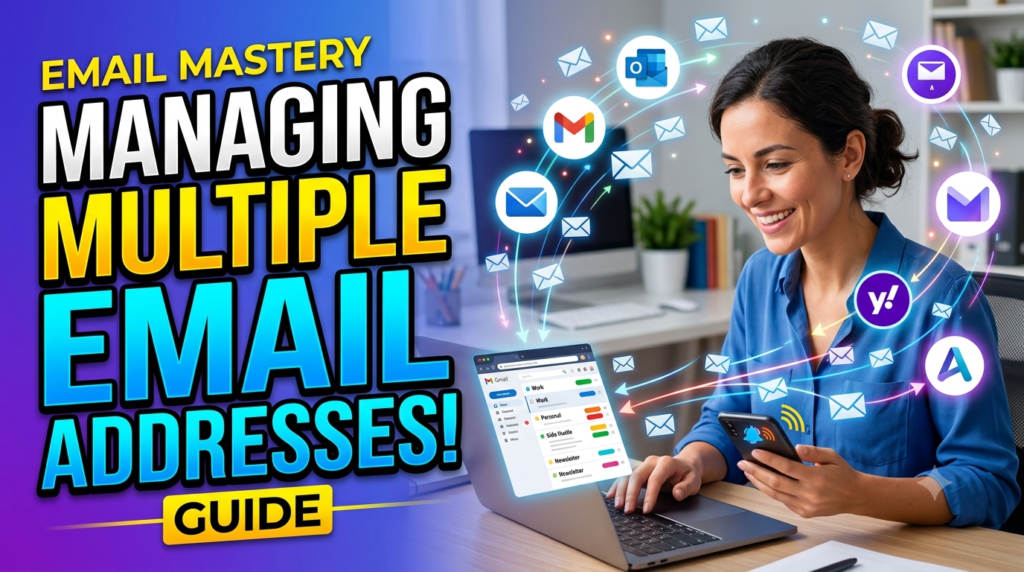
Many professionals eventually need more than one email address. A company might require addresses for sales, customer support, billing, recruitment, partnerships, and general enquiries, while individual employees may need separate addresses for different projects or roles. Creating a completely separate mailbox for every address can increase administrative work and make communication harder to manage. Fastmail’s support for multiple addresses and aliases can provide a more flexible approach. Businesses can create role-based addresses while directing messages to the appropriate people or accounts. This makes it easier to maintain a consistent public-facing structure without creating unnecessary complexity behind the scenes. Multiple domains can also be useful for organizations that operate different brands or business units. The key advantage is separation without fragmentation. A professional can maintain different identities for different purposes while keeping management centralized. This can improve organization because incoming messages can be categorized by purpose rather than simply appearing in one undifferentiated stream. It also helps businesses preserve continuity. A customer-facing address can remain active even if the employee responsible for it changes. When managed carefully, multiple addresses become a strategic organizational tool rather than another source of inbox clutter.
Aliases for Different Business Functions
Aliases can be especially helpful when several people need access to messages sent to one address. Consider a small company where three employees handle customer questions. Creating separate personal accounts for every customer-facing function may not be necessary. Instead, a shared address such as support@company.com can become the public contact point, while individual employees retain their personal professional addresses. Similarly, a company can maintain separate addresses for sales, partnerships, invoices, or general enquiries. This structure gives customers clear destinations while allowing the company to route communication internally. Aliases can also support marketing campaigns or temporary projects. If an organization launches a new service, it can create a dedicated address without restructuring the entire email system. Over time, addresses can be disabled, redirected, or retained depending on business needs. This flexibility is particularly useful for small and medium-sized businesses because communication requirements can change quickly. Instead of treating every new address as a major technical project, the company can adapt its email structure as it grows. The result is a more professional customer experience combined with simpler administration.
Masked Email for Privacy
Masked Email is another feature that can be useful for professionals who want to limit exposure of their primary address. Fastmail describes Masked Email as a way to create unique addresses for different online accounts while keeping the user’s real address private. This can be useful when signing up for software trials, newsletters, online services, vendor platforms, or other resources that may generate future marketing messages. The concept is straightforward: instead of giving every service the same primary email address, users can create separate addresses for different purposes. If unwanted messages begin arriving through one address, the user can identify and manage that address without necessarily affecting the main mailbox. For professionals, this can help keep the primary work address focused on actual business communication. It can also reduce the amount of marketing noise that reaches the core inbox. Privacy features should not be treated as a replacement for security practices, but they can complement them by reducing unnecessary exposure. In an environment where an email address can become a persistent identifier across many online services, separating addresses by purpose provides an additional layer of control.
Fastmail Business Plans and Scalability
A professional email platform needs to accommodate growth. A freelancer may begin with one mailbox, later hire an assistant, then build a team of five or ten people. If the email system becomes difficult to administer as the company grows, switching platforms can become expensive and disruptive. Fastmail offers business plans with different storage levels and administrative capabilities, allowing organizations to choose an option based on their needs. Current business offerings include Basic, Standard, and Professional plans, with differences in storage and features such as custom domains and retention. The Professional plan includes an email-retention archive designed for legal compliance. This range gives organizations room to choose a setup appropriate to their size and requirements rather than adopting the same configuration at every stage. Businesses should still evaluate pricing, compliance requirements, integrations, storage requirements, and administrative needs before choosing a plan. Scalability is not simply about adding more users; it also involves managing domains, shared addresses, security settings, and organizational policies. A platform becomes more useful when its administrative structure grows alongside the company. Fastmail’s business model is designed around that progression, making it possible for organizations to start with straightforward email hosting and add more capacity or functionality as their requirements develop.
Read More:-
How Does Strikingly Simplify the Website Building Process?
Building Your Dream Website with Site123
Boost Your E-commerce Strategy with YITH Plugins
Maximize Your Customer Engagement with LiveAgent’s Features
Why STRIPO is Essential for Digital Product Marketersa
Storage and Administrative Controls
Storage requirements vary significantly between businesses. A consultant who mainly exchanges short messages may need relatively little storage, while an agency that receives large attachments and maintains years of correspondence may require considerably more. Fastmail’s business plans provide different storage allocations, including higher storage levels on the Professional plan. Administrative controls are also important because businesses need to manage people and communication centrally. Adding employees, handling shared addresses, managing domains, and maintaining appropriate security settings become increasingly important as a team grows. A company should think about these requirements before choosing an email provider rather than selecting a service based only on mailbox size. Storage is one piece of the puzzle; administration determines how manageable the system remains over time. Fastmail’s business plans include administrative capabilities designed for organizations, while shared calendars and address books can support collaboration. For a small company, these features can reduce the need for complex manual processes. For a larger team, administrators may need more formal policies around account creation, employee departures, retention, and access. The appropriate configuration depends on the organization’s size and requirements, but having these controls available gives businesses more flexibility than a basic personal mailbox would provide.
Migration and Long-Term Flexibility
Changing email providers can feel intimidating because email history, contacts, calendars, domains, and established workflows all need to move safely. Fastmail promotes migration tools designed to make it easier to bring existing mail, calendars, and contacts into the service. This can reduce one of the biggest barriers to switching providers. A business considering a new email platform should still plan the migration carefully, including domain settings, DNS records, authentication, account creation, old-mail imports, user communication, and testing. The advantage of a managed migration process is that organizations do not necessarily have to start with an empty inbox. Historical communication can remain accessible, which is important for customer service and business continuity. Long-term flexibility also matters because companies evolve. A business may add domains, create new roles, change its team structure, or adopt new third-party tools. Fastmail supports integrations with services such as 1Password, Dropbox, scheduling platforms, and other productivity tools. This allows organizations to build a technology stack around their actual requirements rather than relying on one provider for every possible function. In that sense, Fastmail can serve as a focused communication foundation while leaving businesses free to select specialized applications for other parts of their workflow.




Conclusion
Fastmail offers a professional email-management approach built around speed, privacy, custom domains, organization, calendars, contacts, and flexibility. For businesses and independent professionals, the most meaningful benefits come from combining these capabilities rather than relying on one feature alone. A custom domain can strengthen professional identity, aliases can simplify business communication, search and organization tools can reduce inbox friction, and integrated calendars and contacts can provide useful context around conversations. Security features such as encryption, two-step verification, and passkeys add important layers of account protection, while offline access and multi-device support make the service practical for modern work environments. Fastmail can also accommodate organizations as they grow through business plans, administrative controls, shared addresses, and domain management. At the same time, choosing an email provider should always depend on the specific needs of the individual or organization. Storage requirements, integrations, compliance obligations, team size, budget, and existing workflows should all be considered before making a decision. For professionals who want an email platform that remains focused on communication rather than becoming an unnecessarily complicated all-in-one system, Fastmail provides a combination of features worth evaluating. Its strongest proposition is simple: make professional email easier to manage while giving users greater control over their communication, privacy, and digital identity.
FAQs
Q. Is Fastmail suitable for professional business email?
A. Yes, Fastmail offers business-oriented email hosting with custom domains, shared addresses, calendars, contacts, administrative features, and multiple business plans. Businesses can use addresses based on their own domains while managing employee accounts through Fastmail. The platform is designed for organizations ranging from smaller teams to businesses with more structured email-management requirements. Whether it is suitable for a particular company depends on that organization’s required integrations, compliance needs, storage requirements, and budget.
Q. Can I use my own domain with Fastmail?
A. Yes. Fastmail supports custom-domain email, allowing users and businesses to create professional addresses using their own domains. This can include individual employee addresses as well as role-based addresses such as sales, support, or enquiries. Businesses can also manage multiple domains, which may be useful for companies operating several brands or business units.
Q. Does Fastmail provide security features for professional users?
A. Fastmail provides several security features, including encryption for data in transit and at rest, two-step verification, and passkey support. It also offers privacy-oriented features such as Masked Email. Businesses should still use strong account-security practices, train employees about phishing, and establish appropriate internal policies because no email service can eliminate every security risk.
Q. Can Fastmail be used on mobile devices?
A. Yes. Fastmail provides mobile applications for iOS and Android as well as desktop applications and browser access. The company states that its mobile experience provides broad access to Fastmail functionality, including email, calendars, and contacts. Offline functionality is also available for several tasks, allowing users to continue working when an internet connection is unavailable.
Q. Can I move my existing email to Fastmail?
A. Yes. Fastmail provides migration functionality for moving existing mail, calendars, and contacts from another provider. Businesses should plan migration carefully, particularly when using a custom domain, because domain configuration, DNS records, user accounts, historical mail, and authentication settings may all need to be reviewed. A structured migration plan can help reduce disruption during the transition.