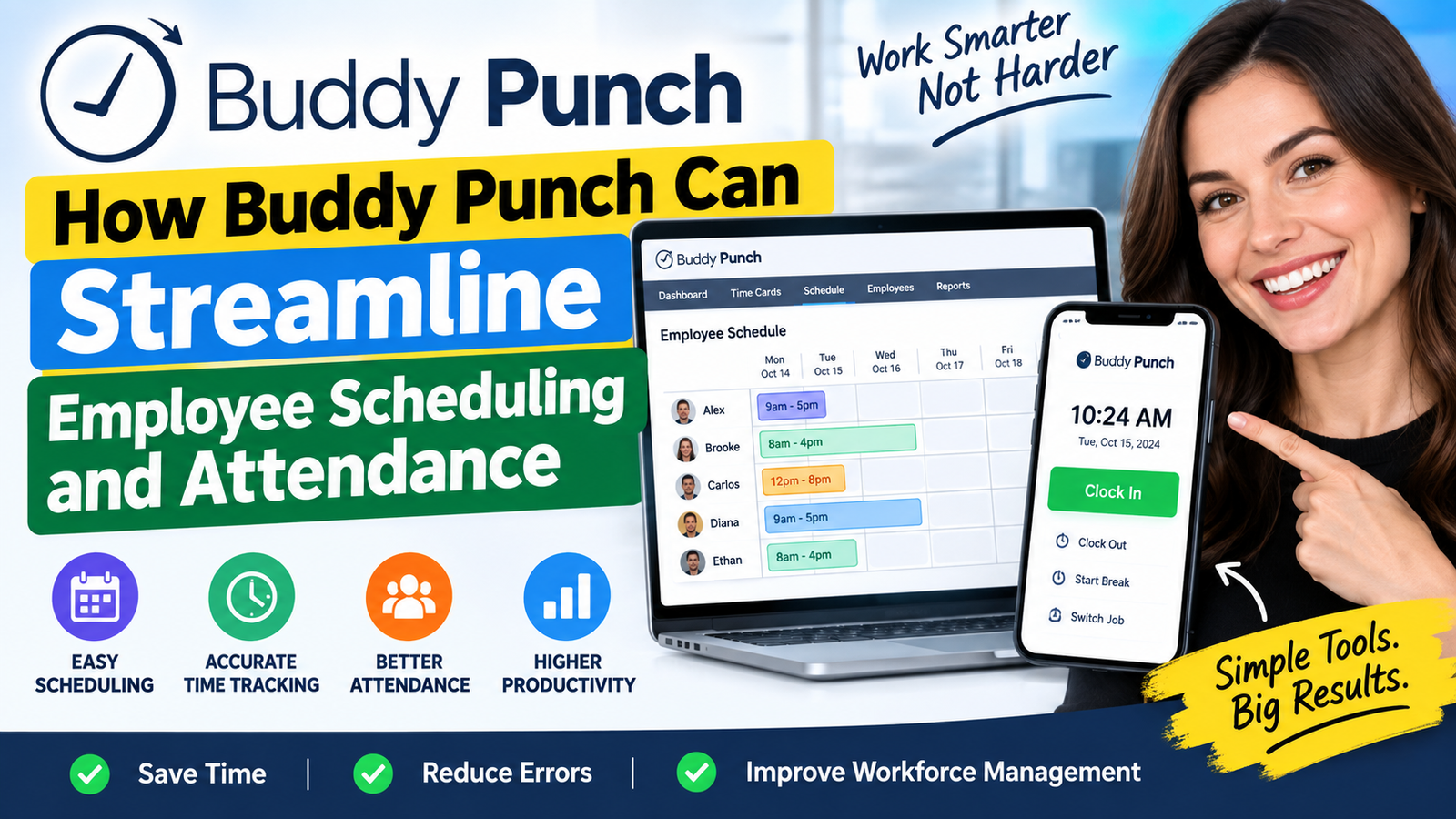
Buddy Punch is an employee scheduling and time-tracking solution designed to simplify workforce management. From creating employee schedules and tracking attendance to managing time off, overtime, GPS-based punches, and payroll workflows, Buddy Punch helps businesses organize their daily operations more efficiently. Explore how Buddy Punch can streamline employee scheduling, improve attendance tracking, reduce administrative work, and give managers better visibility into employee hours.
Table of Contents
- Why Employee Scheduling and Attendance Management Matter
- What Is Buddy Punch?
- How Buddy Punch Simplifies Employee Scheduling
- Improving Attendance With Automated Time Tracking
- Managing Late Arrivals, Absences, and Overtime
- Mobile Scheduling for Modern Workforces
- Connecting Scheduling With Payroll and Reporting
- Buddy Punch Pricing and Plan Considerations
- Practical Steps to Implement Buddy Punch
- Benefits and Potential Limitations
- Conclusion
- FAQs
Why Employee Scheduling and Attendance Management Matter
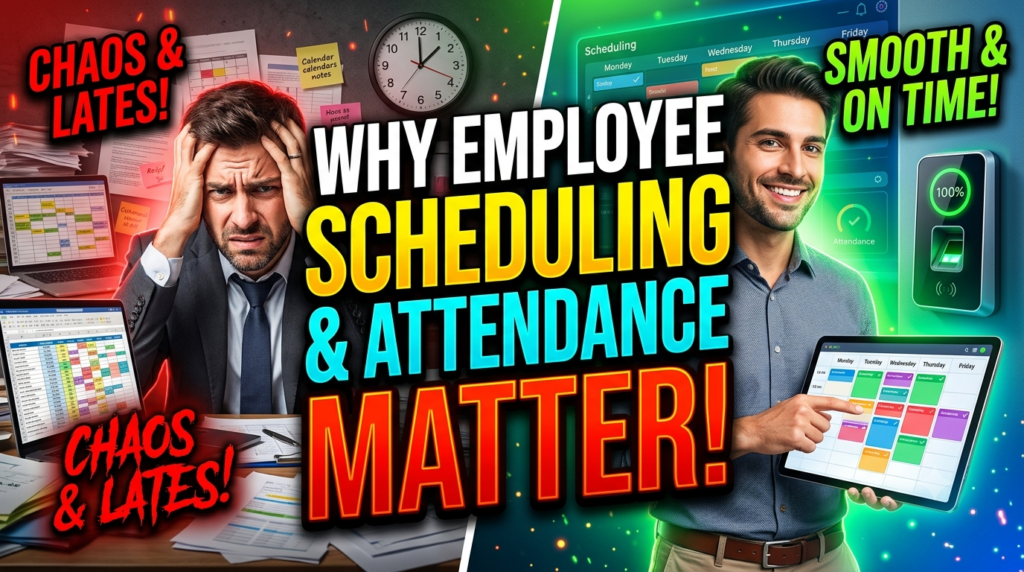
Employee scheduling affects much more than a calendar. When the right people are assigned to the right shifts, businesses can maintain adequate staffing while avoiding unnecessary labor costs. When schedules are unclear, employees may miss shifts, arrive at the wrong time, or contact managers repeatedly for clarification. Managers then spend time answering questions instead of focusing on customers, operations, sales, or team performance. Attendance creates another layer of complexity because the scheduled hours and actual hours do not always match. Someone might arrive late, leave early, forget to clock out, take an extended break, or miss a shift completely. A good system needs to make those differences visible without forcing managers to manually compare multiple spreadsheets.
Manual scheduling also becomes difficult when employees have different availability. One employee may prefer morning shifts, another may be unavailable on weekends, and another may only be available part-time. If managers do not have a centralized view of availability, creating a practical schedule becomes a process of collecting messages, checking calendars, and making assumptions. Buddy Punch’s availability functionality allows employees to communicate preferred or unavailable working hours, giving scheduling teams additional information when building shifts. This creates a more structured workflow because availability becomes part of the scheduling process rather than something buried in emails or chat messages.
Common Problems With Manual Scheduling
A manual scheduling process often begins with a spreadsheet, but the spreadsheet rarely remains just a spreadsheet. Managers may use email to collect availability, messaging applications to discuss shift changes, separate documents for overtime, and another system for payroll. Eventually, the organization has several versions of the truth. One document might show the original schedule, while an employee’s message describes a shift swap that was never updated in the main file. Managers and staff are equally confused by this.
There is also the issue of schedule changes. Employees call in sick, request time off, swap shifts, or need someone to cover their hours. In a manual system, every change requires the manager to update records and communicate the change. Buddy Punch provides scheduling features for shift trades and covers, recurring shifts, schedule templates, availability, and mobile schedule access. The scheduling interface is designed to make creating and adjusting shifts more structured, while employees can view their published schedules through the web or mobile application.
The Cost of Poor Attendance Tracking
Attendance problems can become expensive when they are difficult to identify. Imagine an employee scheduled from 9:00 AM to 5:00 PM who regularly arrives at 9:15 AM. If a manager has to check a paper sheet or manually calculate hours, the pattern may not become obvious until much later. Automated time tracking creates a digital record that managers can review, approve, and use for reporting.
Buddy Punch provides several attendance-related controls, including punch restrictions, automatic overtime calculations, automatic punch-outs, time-card approval workflows, and reporting. Its scheduling functionality can also compare employee activity with scheduled shifts through early, late, and absence reporting. This makes it easier for managers to identify where the planned schedule and actual attendance differ.
What Is Buddy Punch?
Buddy Punch is a workforce time-tracking and scheduling platform designed to help businesses manage employee hours, schedules, attendance, time off, and related workforce information. Instead of treating scheduling and time tracking as completely separate processes, the platform brings them into a shared workflow. Employees can use permitted devices to punch in and out, view schedules, manage certain time-related information, and interact with the system through web or mobile applications. Managers and administrators can then review time cards, schedules, attendance information, and reports.
One useful way to understand Buddy Punch is to think of it as a digital bridge between a manager’s staffing plan and an employee’s actual workday. The manager creates the schedule, the employee sees the schedule, the employee records working time, and management can review the resulting time data. This creates a more consistent flow of information than relying on separate spreadsheets and handwritten attendance records. Buddy Punch also supports integrations with payroll and accounting platforms, helping businesses move approved time information into downstream processes.
Core Time Tracking Capabilities
Time tracking is at the center of attendance management. Buddy Punch supports standard punch-in and punch-out functionality, mobile apps, automatic overtime calculations, time-off tracking, job and location tracking, punch rounding, automatic breaks, and time-card approval workflows. Depending on the selected plan and configuration, employees can also use methods such as QR codes, PIN/kiosk punching, Face ID, or other available methods. This flexibility matters because not every business operates in the same way.
A restaurant, for example, may prefer a shared kiosk, while a field-service business may need employees to record time from mobile devices. An office might rely on web-based punching. Giving businesses several options makes the system adaptable to different working environments. The goal is not simply to record a timestamp but to create a reliable attendance record that managers can review before payroll or operational reporting.
How Buddy Punch Simplifies Employee Scheduling
Creating an employee schedule should not require managers to become spreadsheet experts. A modern scheduling system should make it easy to see shifts, assign employees, change working hours, and publish updates. Buddy Punch’s scheduling functionality uses a drag-and-drop interface for creating and adjusting employee shifts. Managers can assign employees, specify start and end times, and manage schedules through the platform. This can reduce the repetitive work involved in maintaining separate scheduling documents.
Recurring schedules are another practical feature. Many businesses have employees who work similar hours each week. Instead of rebuilding the same schedule repeatedly, managers can use recurring shifts and templates where appropriate. This can save administrative time and create greater consistency. Schedule notes can also provide additional context about a shift, while mobile scheduling allows employees to access their schedules without relying entirely on a printed document or manager message.
Drag-and-Drop Schedule Creation
A drag-and-drop scheduler is useful because scheduling is inherently visual. Managers need to understand who is working, when they are working, and whether enough people are assigned to each period. Moving a shift visually can be much easier than editing cells across a complicated spreadsheet. When schedules change, the manager can make adjustments and publish the updated information to employees.
Buddy Punch’s current scheduling tools include drag-and-drop scheduling, schedule templates, recurring shifts, shift trades and covers, availability information, and mobile scheduling. Employees can view published schedules through the web or mobile app, and the system can provide schedule notifications depending on account configuration.
Employee Availability and Shift Management
Availability is particularly important for businesses with part-time employees or teams working variable shifts. A schedule that ignores availability creates unnecessary conflict. Employees may have classes, second jobs, family commitments, or other responsibilities that affect when they can work. By capturing preferred and unavailable times in a structured system, managers can consider those details when planning shifts.
Buddy Punch allows availability to be entered through its web and mobile interfaces. Employees can communicate preferred or unavailable periods, while managers can use the information during scheduling. The platform also provides shift trades and covers, which can help employees and managers handle schedule changes more systematically.
Improving Attendance With Automated Time Tracking
Scheduling answers the question, “Who should be working?” Attendance tracking answers a different question: “Who actually worked?” Keeping these two questions connected is important because staffing plans are only useful when managers can compare them with real attendance. Buddy Punch lets employees record work time and gives administrators tools for reviewing and managing time entries.
The platform supports employee time cards, punch records, breaks, approvals, notes, and reporting. Administrators can review or edit punches when necessary, while employees can view their own work hours and time-card information. If someone forgets to punch in for a scheduled shift, administrators can also add scheduled work hours to the employee’s time card.
Multiple Clock-In and Clock-Out Options
Different workplaces need different attendance methods. A traditional office may use desktop or mobile punching, while a retail location may prefer a shared kiosk. Field employees may need to clock in from their phones. Buddy Punch supports multiple punch methods depending on plan and configuration, including username and password, mobile access, QR code scanning, PIN/kiosk functionality, and Face ID.
This variety can make implementation easier because businesses do not have to force every employee into the same workflow. The important part is establishing clear rules about when employees should punch in, when they should take breaks, and how corrections should be handled. Once those rules are configured, the system can provide a consistent record for management review.
GPS, Geofencing, and Location Controls
Location information can be useful for organizations with employees working across multiple sites. Buddy Punch’s current plans include GPS coordinates, while geofencing and more advanced location capabilities depend on plan or add-on configuration. The platform can therefore support businesses that want additional controls around where employees record their working time.
These features should be implemented thoughtfully. Employees should understand what information is collected, when location information is active, and why the organization uses it. The objective should be operational clarity rather than unnecessary monitoring. When configured transparently, location controls can help businesses verify that time entries correspond with approved work locations.
Managing Late Arrivals, Absences, and Overtime
Attendance management becomes much more useful when it moves beyond simply recording hours. Managers also need to understand patterns. Who frequently arrives late? Which shifts are most likely to have absences? Where is overtime increasing? Are scheduled hours consistently different from actual hours?
Buddy Punch includes early, late, and absent reporting as part of its scheduling capabilities. Its absence report allows managers to identify when an employee has missed a scheduled shift and export the resulting data in formats such as CSV, Excel, or PDF. This can turn attendance information into something managers can analyze rather than simply store.
Early, Late, and Absent Reporting
Reports become especially useful when a company has multiple managers or locations. Instead of relying on someone’s memory, managers can review attendance information based on defined dates, employees, locations, departments, or positions where applicable. This creates a more structured approach to workforce management.
Overtime is another important consideration. Buddy Punch includes automatic overtime calculations in its time-tracking functionality. When overtime rules are configured appropriately, managers can reduce the amount of manual calculation required during payroll preparation. The resulting time records can also be reviewed before they are approved or sent to payroll-related systems.
Mobile Scheduling for Modern Workforces
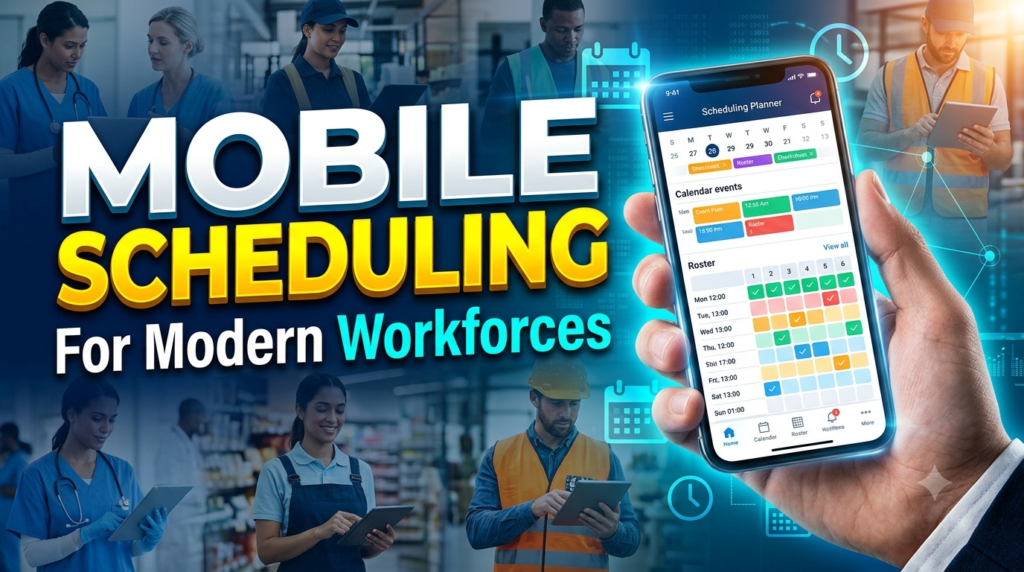
Employees are increasingly comfortable managing work information from smartphones, so mobile access can make scheduling more convenient. A schedule is not particularly useful if employees cannot easily see it. Buddy Punch allows employees to view their schedules through its website or mobile app. Published schedules can also trigger push notifications depending on the account’s setup.
Mobile access can also reduce repetitive questions. Instead of asking a manager, “What time am I working tomorrow?”, employees can open the application and check their shift. That small change can have a meaningful effect across a large team. When employees can access their schedules independently, managers have more time to focus on exceptions and operational issues.
Employee Access and Schedule Notifications
Communication is an important part of scheduling. A schedule can be perfectly designed and still fail if employees do not know about changes. Buddy Punch’s mobile scheduling experience allows employees to review shifts and associated details, while push notifications can be used when schedules are published.
For managers, this creates a cleaner workflow: create the schedule, review it, publish it, and allow employees to access the information. If a schedule changes, the updated information can be managed within the same system rather than relying entirely on separate messages.
Connecting Scheduling With Payroll and Reporting
One of the biggest benefits of integrating scheduling and attendance is the connection to payroll. Payroll depends on accurate hours, and accurate hours depend on reliable time tracking. When these systems are disconnected, employees and managers may spend significant time comparing records before payroll is finalized.
Buddy Punch offers payroll integrations and reporting capabilities, and its current plans include tools for time-card approval and reporting. Businesses can review employee hours before moving information into payroll workflows. The platform also offers payroll as an optional service, with current pricing listed separately from its core time-tracking plans.
Time Cards, Approvals, and Payroll Integrations
Approval workflows add an important control point. Employees record their time, managers review it, corrections can be made when necessary, and approved records can move into the next stage. This creates accountability without requiring managers to manually reconstruct every employee’s workweek.
Reporting also helps organizations identify trends. Managers can examine attendance, work hours, absences, overtime, and other workforce information. The more consistently an organization uses these reports, the easier it becomes to identify operational patterns and determine where scheduling processes may need adjustment.
Buddy Punch Pricing and Plan Considerations
Pricing changes over time, so businesses should always check the current pricing page before making a purchasing decision. As of September 2026, Buddy Punch lists three primary plans: Starter, Pro, and Advanced. Its pricing page currently lists annual rates of $4.99 per user per month for Starter, $6.99 for Pro, and $12.99 for Advanced, each with a $19 monthly base fee. The company also lists scheduling as a $1-per-user-per-month add-on for Starter, while scheduling is included with Pro and Advanced.
| Plan | Annual per-user price | Scheduling | Notable capabilities |
| Starter | $4.99/user/month | $1/user/month add-on | Time tracking, mobile apps, GPS on punches, time off, reporting |
| Pro | $6.99/user/month | Included | Scheduling, geofencing, QR/kiosk punching, webcam punches, API access |
| Advanced | $12.99/user/month | Included | Advanced reporting, SSO, manager permissions, advanced GPS capabilities |
Buddy Punch also advertises a 14-day free trial without requiring a credit card. Pricing should still be evaluated based on the organization’s employee count, required features, payroll needs, integrations, and desired attendance controls rather than looking only at the per-user price.
Read More:-
How Does Strikingly Simplify the Website Building Process?
Building Your Dream Website with Site123
Boost Your E-commerce Strategy with YITH Plugins
Maximize Your Customer Engagement with LiveAgent’s Features
Why STRIPO is Essential for Digital Product Marketersa
Practical Steps to Implement Buddy Punch
Implementing workforce software successfully is less about switching on every feature and more about creating clear processes. Start by identifying the problems that need to be solved. Are managers spending too much time creating schedules? Are employees forgetting to clock out? Is payroll receiving inaccurate hours? Are shift changes being communicated through multiple channels? Answering these questions will help determine which Buddy Punch features are most relevant.
Next, establish scheduling and attendance rules. Define when employees should punch in, how breaks are recorded, how missed punches are corrected, who approves time cards, and how shift changes are handled. Then configure employee availability and create standard schedules where recurring patterns exist. Managers should test the workflow before launching it across the entire organization.
Training is another important step. Employees should know how to view their schedule, punch in and out, record breaks, review time cards, and report problems. Managers should understand how to create shifts, publish schedules, approve time cards, review attendance reports, and make corrections. A short and practical training session can prevent many avoidable questions later.
Finally, review the results after implementation. Look at missed punches, schedule changes, overtime, absences, and payroll corrections. If employees frequently forget to punch out, investigate whether reminders or automatic punch-out rules could help. If managers constantly modify schedules, review whether availability information or recurring shift templates could make planning easier.
Benefits and Potential Limitations
The biggest benefit of Buddy Punch is the way it connects several workforce processes. Scheduling, attendance, time tracking, time off, reporting, and payroll-related workflows can be managed within a connected environment. That can reduce administrative duplication and give managers a clearer view of what was planned versus what actually happened.
The platform can also support different types of workplaces. Mobile apps can help distributed teams, kiosk and QR options can work for shared locations, and GPS-related tools can support organizations with location-based workforce requirements. Scheduling features such as recurring shifts, availability, shift trades, and covers can help managers handle changing employee needs.
There are also practical considerations. Some features are dependent on the plan, while others are available as paid add-ons. For example, scheduling is an add-on for Starter but included with Pro and Advanced, according to the current pricing information. Businesses should therefore calculate their complete expected cost rather than comparing only the base subscription price.
Organizations should also consider employee privacy, internal policies, training requirements, and integration needs before enabling features such as location tracking. Technology works best when employees understand the rules and managers use the information consistently. A workforce platform can organize information, but it cannot replace good scheduling practices or clear communication.

Conclusion
Buddy Punch can streamline employee scheduling and attendance by bringing schedules, time tracking, availability, attendance reporting, time-off management, and related workforce processes into a connected system. Its drag-and-drop scheduling tools can simplify shift creation, while availability settings and shift trades can help managers respond to changing staffing requirements. Employees can view schedules through web and mobile interfaces, record their working time through supported punch methods, and receive schedule-related notifications depending on configuration.
For managers, the biggest opportunity is reducing the gap between planned staffing and actual attendance. Reports for early, late, and absent employees can help identify discrepancies, while time cards and approval workflows can provide a more organized path toward payroll. The platform’s integrations and reporting tools can also reduce the need to move information manually between separate systems.
Whether Buddy Punch is suitable for a particular business depends on workforce size, scheduling complexity, required attendance controls, integrations, and budget. The current plan structure provides different options for organizations with different requirements, while the scheduling functionality can be purchased separately on the Starter plan or included in higher plans.
For businesses still relying heavily on spreadsheets, paper attendance sheets, or scattered communication channels, the biggest change may simply be having one organized place for employees and managers to work with schedules and time information. When implemented with clear policies and employee training, that structure can make everyday workforce administration more predictable and easier to manage.
FAQs
Q. What is Buddy Punch used for?
A. Buddy Punch is used for employee time tracking, scheduling, attendance management, time-off tracking, reporting, and related workforce-management activities. Depending on the plan, organizations can also use scheduling, GPS-related controls, payroll integrations, and other workforce features.
Q. Can Buddy Punch help create employee schedules?
A. Yes. Buddy Punch provides scheduling functionality that includes drag-and-drop schedule creation, recurring shifts, templates, employee availability, shift trades and covers, and mobile schedule access. Scheduling is currently included with Pro and Advanced and is available as an add-on for Starter.
Q. Can employees view their schedules on mobile devices?
A. Yes. Employees can view their schedules through Buddy Punch’s mobile app as well as the web interface. Depending on account configuration, employees can also receive push notifications when schedules are published.
Q. Does Buddy Punch track employee attendance?
A. Yes. Buddy Punch provides time tracking and attendance-related features such as punch records, time cards, overtime calculations, attendance reporting, and early/late/absent reporting. Specific features depend on the plan and configuration.
Q. How much does Buddy Punch cost?
A. As of September 2026, Buddy Punch lists annual per-user pricing starting at $4.99 per user per month for Starter, $6.99 for Pro, and $12.99 for Advanced, with a $19 monthly base fee. Scheduling is an additional $1 per user per month on Starter and included in Pro and Advanced. Businesses should check the current pricing page before purchasing because pricing and feature availability can change.