AppyPie.com is a no-code mobile app development platform that helps businesses, entrepreneurs, startups, and individuals create professional mobile applications without extensive programming knowledge. With AI-powered app creation, customizable templates, drag-and-drop tools, built-in business features, analytics, push notifications, and support for Android and iOS, AppyPie.com makes the app development process faster and more accessible. Whether you want to build an ecommerce app, booking platform, restaurant app, fitness application, or customer engagement tool, AppyPie.com provides a convenient way to turn your idea into a functional mobile app.
Table of Contents
- What Is Appy Pie?
- 1. No-Code App Development
- 2. Faster Mobile App Development
- 3. AI-Powered App Creation
- 4. Android and iOS App Support
- 5. Large Selection of App Templates
- 6. Easy Drag-and-Drop Customization
- 7. Built-In Business Features
- 8. Push Notifications and User Engagement
- 9. App Analytics and Performance Tracking
- 10. App Publishing and Store Support
- 11. Flexible Pricing and Scalability
- 12. Security and Compliance Features
- 13. App Monetization Opportunities
- 14. Useful for Small Businesses and Startups
- Appy Pie Pricing and Plan Considerations
- Appy Pie vs. Traditional App Development
- Who Should Use Appy Pie?
- Conclusion
- FAQs
What Is Appy Pie?
Appy Pie is a no-code mobile app development platform designed to help individuals, entrepreneurs, startups, and businesses create mobile applications without having to build everything from scratch with programming languages. The platform has increasingly incorporated artificial intelligence into its app-building workflow, allowing users to describe an application idea in plain English and have the system generate a starting point for a native mobile application. According to Appy Pie’s current website, its AI app builder can generate native Android and iOS apps from text prompts, while also providing a visual editor for further customization. The platform currently highlights more than 200 built-in modules covering capabilities such as payments, bookings, push notifications, chat, and analytics.
That approach changes the traditional app-development experience considerably. Instead of beginning with a development environment, programming language, database architecture, API integrations, and deployment configuration, a non-technical user can begin with the business idea itself. Imagine wanting to create a restaurant ordering app: rather than first learning Java, Kotlin, Swift, databases, and mobile UI frameworks, you can start by describing the type of app you want and then refine the generated result. This does not mean every possible application can be created without technical expertise, but it can significantly lower the barrier for common business and customer-facing applications. For companies that need to validate an idea or launch a relatively straightforward mobile product, that difference can be substantial.
How Appy Pie Has Evolved With AI
Appy Pie’s development platform has been moving beyond the conventional drag-and-drop model toward AI-assisted app creation. Its platform updates indicate that the AI App Generator entered open beta in January 2026, followed by improvements to prompt-to-app generation, Android publishing workflows, and visual-editor performance. More recently, Appy Pie has described selection-based editing that allows users to select individual elements such as text, images, colors, or layouts and modify them visually or with targeted AI prompts.
This evolution is important because speed alone is not enough when building an application. A generated first version still needs branding, content, functionality, testing, and refinement. AI can help shorten the distance between an idea and a usable starting point, while visual editing gives the user a way to keep improving the result without constantly returning to source code. In practical terms, the platform is becoming less like a static app template library and more like an assisted development workspace.
1. No-Code App Development
One of the biggest benefits of using Appy Pie for mobile app development is its no-code approach. Traditional mobile development often requires knowledge of languages such as Swift, Kotlin, Java, JavaScript, or other technologies depending on the chosen architecture. A development team may also need designers, backend engineers, testers, DevOps specialists, and someone familiar with app-store publishing. Appy Pie aims to bring many of those steps into a visual environment so that a person without professional programming experience can participate directly in creating an application.
The practical advantage is accessibility. A small business owner who understands their customers better than anyone else does not necessarily need to become a software engineer just to create a basic loyalty, booking, ordering, community, or ecommerce application. Instead, they can focus on what the application should accomplish and use the platform’s interface to configure the experience. This can also be useful for marketers and operations teams that need to experiment with digital products without waiting for an engineering team to become available. The result is not necessarily a replacement for custom software development in every situation, but it can provide a much simpler route for many standard mobile-app requirements.
Build Without Programming Skills
Appy Pie’s current AI workflow specifically promotes creating applications from plain-English descriptions, while its Android and iOS pages describe visual, drag-and-drop development without requiring Swift, Xcode, Java, or Kotlin for the corresponding workflows. This can make the initial learning curve much easier for beginners.Instead of posing the question, “Which programming framework should I learn first?”, the user can start with a question such as, “What should my customers be able to do inside this app?”
That distinction matters for entrepreneurs who are validating an idea. Suppose a local fitness business wants an app containing class schedules, bookings, customer information, notifications, and promotional offers. Building such an application traditionally could involve considerable planning before the first usable screen appears. With a no-code platform, the business can begin assembling the core experience much earlier, learn from users, and decide whether additional investment in custom development is justified.
2. Faster Mobile App Development
Time is another major advantage. Traditional app development can involve requirement gathering, wireframing, UI design, coding, database development, API integration, testing, bug fixing, deployment, and maintenance. A no-code platform compresses many of these activities by providing prebuilt components and visual configuration. Appy Pie currently states that its AI can generate an initial native application from a text prompt, while its Android page advertises generation in about 60 seconds for a starting app experience.
The important point is that a fast initial generation should not be confused with a finished production application. A serious app still needs appropriate content, testing, configuration, privacy considerations, store assets, and user feedback. However, the ability to create a functional starting version quickly can be extremely useful. It allows a business to move from a blank page to something tangible, which makes discussions with customers, managers, designers, and stakeholders much easier. Instead of debating what an app might look like, teams can interact with an early version and identify what actually needs improvement.
3. AI-Powered App Creation
AI is becoming one of the defining features of Appy Pie’s current platform. Rather than relying solely on conventional template selection, users can describe their app idea in natural language. Appy Pie says its AI can transform a prompt into a native Android and iOS app and then allow users to refine the result through a visual editor.
From a Basic Prompt to a Functional Application
Think of AI app generation as creating a first draft of a document. The first draft gives you structure, but you still need to review and personalize it. The same principle applies to application development. A business might describe an ecommerce application, a restaurant ordering platform, a booking system, a fitness tracker, or a community application, and the AI can provide a starting structure that the user can modify. Appy Pie currently showcases several common app categories, including restaurant ordering, booking, fitness, ecommerce, events, education, community, and news applications.
This can be especially useful during the ideation stage. Instead of spending days explaining an idea through static documents, a team can create a prototype and see how the concept translates into screens and features. If something feels wrong, the user can iterate. That creates a more conversational development process: describe, generate, inspect, change, test, and repeat.
4. Android and iOS App Support
Another significant benefit is support for the two major mobile ecosystems. Appy Pie’s current platform promotes native Android and iOS app creation, while its pricing information indicates that the Platinum plan supports both Android and Apple platforms. This matters because building separately for different operating systems can otherwise increase development complexity and cost.
For a business, reaching customers across both ecosystems can be important. An Android-only application might exclude iPhone users, while an iOS-only product could miss a substantial Android audience. A platform that brings both workflows into one development environment can reduce the amount of technical coordination required. Appy Pie’s iOS builder also states that users can build from a browser without needing a Mac for the development process, because the platform handles the Mac-dependent compilation and signing workflow on its servers.
5. Large Selection of App Templates
Templates can dramatically shorten the distance between an idea and a usable application. Instead of starting with an empty canvas, users can choose a structure that resembles their intended use case and then customize it. Appy Pie currently promotes more than 500 templates on its iOS app-builder page and showcases categories ranging from restaurants and fitness to booking, ecommerce, education, delivery, and community applications.
Templates are particularly helpful for beginners because they provide a mental model for application structure. Someone creating their first mobile application may not know which screens they need or how users should move between them. A template can provide a practical starting point, which the user can then modify according to their business requirements. Rather than reinventing common patterns, the creator can concentrate on differentiation, branding, content, and customer experience.
6. Easy Drag-and-Drop Customization
Generating an app is only the beginning. Users need to make the application feel like their own product, and Appy Pie provides visual customization tools for that purpose. The platform’s current materials describe the ability to customize colors, screens, icons, and content through a visual editor, while recent platform updates mention selection-based editing for individual interface elements.
This approach can save time because users do not need to repeatedly modify underlying code simply to change a visual element. A business can adjust branding, rearrange content, modify screens, and refine the user experience through the builder. For marketing teams, that flexibility can be valuable because branding and promotional requirements often change faster than the underlying business model. A visually editable application can therefore be easier to maintain as the company evolves.
7. Built-In Business Features
A mobile application becomes much more useful when it connects directly to real business processes. Appy Pie says its platform includes more than 200 built-in modules, with examples including payments, bookings, push notifications, chat, and analytics. Its ecommerce-focused materials also describe integrations and functionality designed for online stores, including payment gateways and customer-facing mobile experiences.
This matters because businesses rarely need an app simply to display information. They want customers to perform actions. A restaurant may want orders and reservations, a salon may need appointment scheduling, a retailer may need product browsing and payments, and a community organization may want communication tools. Having commonly required capabilities available inside one platform can reduce the amount of separate technology that needs to be researched and connected.
8. Push Notifications and User Engagement

Getting someone to install an app is only half the challenge. The bigger question is whether they continue using it. Push notifications can help businesses communicate directly with users about updates, promotions, bookings, reminders, new products, and other relevant information. Appy Pie includes push notifications among its platform capabilities, and its pricing page specifies notification allowances for different plans.
Used responsibly, notifications can turn an application from a passive tool into an ongoing communication channel. For example, a booking application might remind customers about an upcoming appointment, while an ecommerce app could alert customers when an order changes status. The key is relevance: excessive or poorly targeted notifications can frustrate users. Appy Pie gives businesses the technical mechanism, but the communication strategy still needs to come from the business itself.
9. App Analytics and Performance Tracking
Creating an application without measuring its performance is like driving without a dashboard. You may reach somewhere, but you have limited visibility into what is happening along the way. Appy Pie’s pricing information states that its plans include app analytics powered by Google Analytics, giving users a way to track aspects of user behavior and engagement.
Analytics can help answer practical questions. Are users opening the application regularly? Which areas receive attention? Are people completing important actions? Where do they appear to stop engaging? These insights can guide future changes and help businesses focus their development efforts on actual user behavior rather than assumptions. For startups in particular, this feedback loop can be valuable because it turns the app into a source of business information rather than simply another marketing channel.
10. App Publishing and Store Support
Publishing a mobile app can be intimidating for first-time developers. App-store accounts, certificates, screenshots, descriptions, review requirements, and submission procedures can create additional complexity beyond building the application itself. Appy Pie provides guided publishing workflows and says its first-time app submission support can assist with submission materials, documentation, and store guidelines.
The current platform also advertises publishing to both Google Play and the Apple App Store. Users should remember that third-party store fees are separate from Appy Pie subscription costs. Appy Pie’s pricing page currently notes a $25 one-time Google Play developer fee and a $99 annual Apple Developer Program fee.
11. Flexible Pricing and Scalability
Cost is often one of the first questions businesses ask when considering app development. Appy Pie offers multiple subscription levels, and its current pricing page lists Basic, Gold, Platinum, and Enterprise options, with features and platform availability varying by plan. The same page currently advertises a seven-day free trial for testing and development and says annual plans can offer savings of up to 20%, although actual pricing can vary by location and billing configuration.
| Plan | Platform Support | Selected Features | Support |
| Basic | Android | Hosting, editing, push notifications, analytics | |
| Gold | Android | Higher notification/download allowances, analytics | Email & chat |
| Platinum | Android + iOS | Cross-platform publishing, analytics, higher allowances | Email, chat & call |
| Enterprise | Custom | Enterprise security, account management, custom controls | Dedicated support |
Pricing should be checked directly before purchasing because Appy Pie displays region-specific pricing and plans can change. Businesses should also consider store fees and optional add-ons when calculating the total cost.
12. Security and Compliance Features
Security becomes increasingly important as an application begins handling customer accounts, payments, business information, or other sensitive data. Appy Pie’s current pricing page describes security and compliance capabilities including GDPR, SOC 2, PCI DSS, two-factor authentication, web application firewall protection, vulnerability scanning, and other enterprise-oriented controls. It also lists options such as dedicated account management and data-protection support for enterprise customers.
These features can be useful for organizations that need more than a basic app-building interface. At the same time, security is not something a platform can completely solve by itself. Businesses still need appropriate access controls, privacy policies, responsible data collection practices, secure payment configurations, and internal security procedures. The advantage is that Appy Pie provides an infrastructure and compliance foundation that can reduce some of the technical burden.
13. App Monetization Opportunities
A mobile app can become a revenue channel as well as a customer-service tool. Appy Pie’s pricing information identifies monetization options involving advertising and in-app purchases, including Google AdMob and Appy Jump. This means businesses can consider several approaches depending on their audience and business model.
For example, a free consumer application might use advertising, while an ecommerce application could generate revenue directly through product sales. A service business could use bookings and payments, and a membership-based organization might combine subscriptions with premium content. The important consideration is matching monetization to user expectations. A revenue mechanism that makes sense for a shopping app may feel inappropriate inside a community or educational application.
14. Useful for Small Businesses and Startups
Small businesses often face a familiar problem: they have a good digital idea but limited development resources. Hiring a complete development team may not be realistic during the early stages of a business. A no-code platform gives these companies a way to experiment with mobile technology while keeping the initial technical barrier lower.
Startups can also benefit from rapid iteration. A founder might have an idea for a booking platform today and discover through customer feedback that users actually care more about reminders, loyalty programs, or integrated payments. When the application can be visually modified, adapting to that feedback becomes easier. This is particularly useful when the goal is to validate a concept rather than immediately build a highly customized enterprise system.
Appy Pie Pricing and Plan Considerations
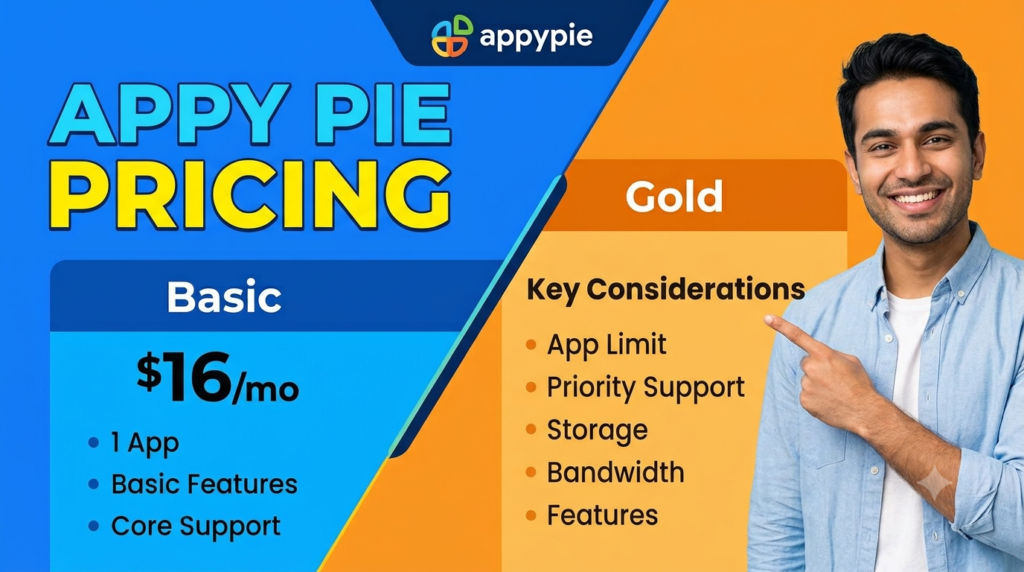
Appy Pie’s current pricing page lists subscription options with different platform support, usage limits, publishing capabilities, and support levels. For example, the displayed Basic and Gold tiers focus on Android, while Platinum supports Android and Apple platforms. The page also lists different monthly push-notification and app-download allowances and states that additional usage can incur overage charges.
| Consideration | What to Check |
| App platforms | Whether your plan supports Android, iOS, or both |
| Publishing | Whether store publishing is included |
| Usage limits | App downloads and push-notification allowances |
| Branding | Whether Appy Pie branding can be removed |
| Support | Email, chat, phone, or enterprise support |
| Store fees | Separate Google Play and Apple developer fees |
| Add-ons | Additional features such as white-label capabilities |
| Contract | Monthly versus annual subscription |
The most sensible approach is to define the application’s requirements before selecting a plan. A simple Android business app does not necessarily need the same package as a company launching a cross-platform customer application. Checking current pricing directly is especially important because subscription prices, included features, and regional currencies can change over time.
Read More:-
How Does Strikingly Simplify the Website Building Process?
Building Your Dream Website with Site123
Boost Your E-commerce Strategy with YITH Plugins
Maximize Your Customer Engagement with LiveAgent’s Features
Why STRIPO is Essential for Digital Product Marketersa
Appy Pie vs. Traditional App Development
The biggest difference between Appy Pie and traditional development is where the technical work happens. With conventional development, a company typically controls the architecture, source code, technology stack, development environment, and deployment process. With a hosted no-code platform, much of the infrastructure and development workflow is abstracted away.
That abstraction is both a benefit and a consideration. It makes app creation simpler because users do not have to manage every technical layer themselves. However, businesses with highly specialized requirements, unusual architectures, advanced hardware integrations, or a need for complete source-code ownership may find traditional development more appropriate. Appy Pie’s current comparison information explicitly identifies lack of code export as one distinction from several developer-oriented AI tools.
| Factor | Appy Pie | Traditional Development |
| Coding requirement | Low/no-code | Usually substantial |
| Initial development speed | Generally faster | Often slower |
| Technical control | Platform-dependent | High |
| Custom architecture | More limited | Highly customizable |
| Infrastructure | Hosted platform | Usually managed by development team |
| Maintenance | Simplified within platform | Development team responsibility |
| Best suited to | Many business and standard app use cases | Highly customized software |
Neither strategy is always appropriate for every project. The right choice depends on complexity, budget, technical requirements, ownership expectations, development resources, and long-term plans.
Who Should Use Appy Pie?
Appy Pie can be particularly relevant to small businesses, entrepreneurs, startups, marketers, educators, community organizations, and non-technical teams that need a mobile application without building an engineering organization around it. Its current platform showcases use cases such as restaurants, ecommerce, fitness, booking, education, delivery, community, events, and online radio.
It can also be useful for organizations that want to prototype an idea before committing to a larger custom-development project. Creating an early version allows stakeholders to test assumptions, gather feedback, and identify which features actually matter. If the concept succeeds and later requires advanced functionality, a company can then evaluate whether continuing with a no-code platform or moving toward custom development makes sense.
The platform may be less suitable when an application requires highly specialized native functionality, unusual backend architecture, extensive low-level hardware integration, or complete source-code ownership. Those situations may justify a conventional engineering approach. The important thing is to evaluate the platform against the application’s actual requirements rather than choosing a technology simply because it is popular or easy to start with.




Conclusion
The top benefits of using AppyPie.com for mobile app development center on accessibility, speed, AI assistance, visual customization, built-in functionality, publishing support, analytics, and the ability to reach Android and iOS users. Its current AI App Generator allows users to begin with a plain-English description, while its visual tools and modules help turn that starting point into a more complete application. The platform also provides multiple pricing levels, app-store publishing workflows, push notifications, analytics, monetization features, and enterprise-oriented security capabilities.
For someone who wants to turn an app idea into a working product without first becoming a professional programmer, this approach can remove many of the traditional barriers. The strongest use cases are generally applications built around established business patterns such as ecommerce, bookings, restaurants, fitness, communities, education, and customer engagement. At the same time, potential users should evaluate plan limits, store fees, customization requirements, platform dependency, and long-term ownership expectations before committing. Used with realistic expectations, Appy Pie can serve as a practical bridge between a simple business idea and a published mobile application.
FAQs
Q. Can I build a mobile app with Appy Pie without coding?
A. Yes. Appy Pie is designed around no-code development, and its current AI app builder allows users to describe an app idea using natural language before customizing the generated application visually. Its Android and iOS tools are designed to reduce or eliminate the need for users to write conventional mobile-app code themselves.
Q. Does Appy Pie support both Android and iOS?
A. Yes. Appy Pie currently promotes native Android and iOS app development. However, platform availability depends on the subscription plan, so users should check the current plan details before purchasing.
Q. How much does Appy Pie cost?
A. Appy Pie offers multiple subscription plans, and pricing can vary by region, billing cycle, and selected features. Its current pricing page lists Basic, Gold, Platinum, and Enterprise options, along with a seven-day free trial. Separate Apple and Google developer-account fees may also apply when publishing applications.
Q. Can Appy Pie apps be published on app stores?
A. Yes. Appy Pie provides publishing workflows for Google Play and the Apple App Store, with first-time submission assistance available on eligible plans. Users still need their own developer accounts and must comply with the respective app-store requirements.
Q. Is Appy Pie suitable for a small business?
A. It can be suitable for many small businesses that need standard mobile functionality such as bookings, ecommerce, customer engagement, notifications, communities, or information delivery. The platform is particularly useful when the business wants to reduce development complexity and launch or test an app without maintaining a large software-development team.