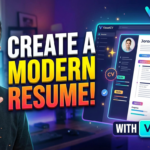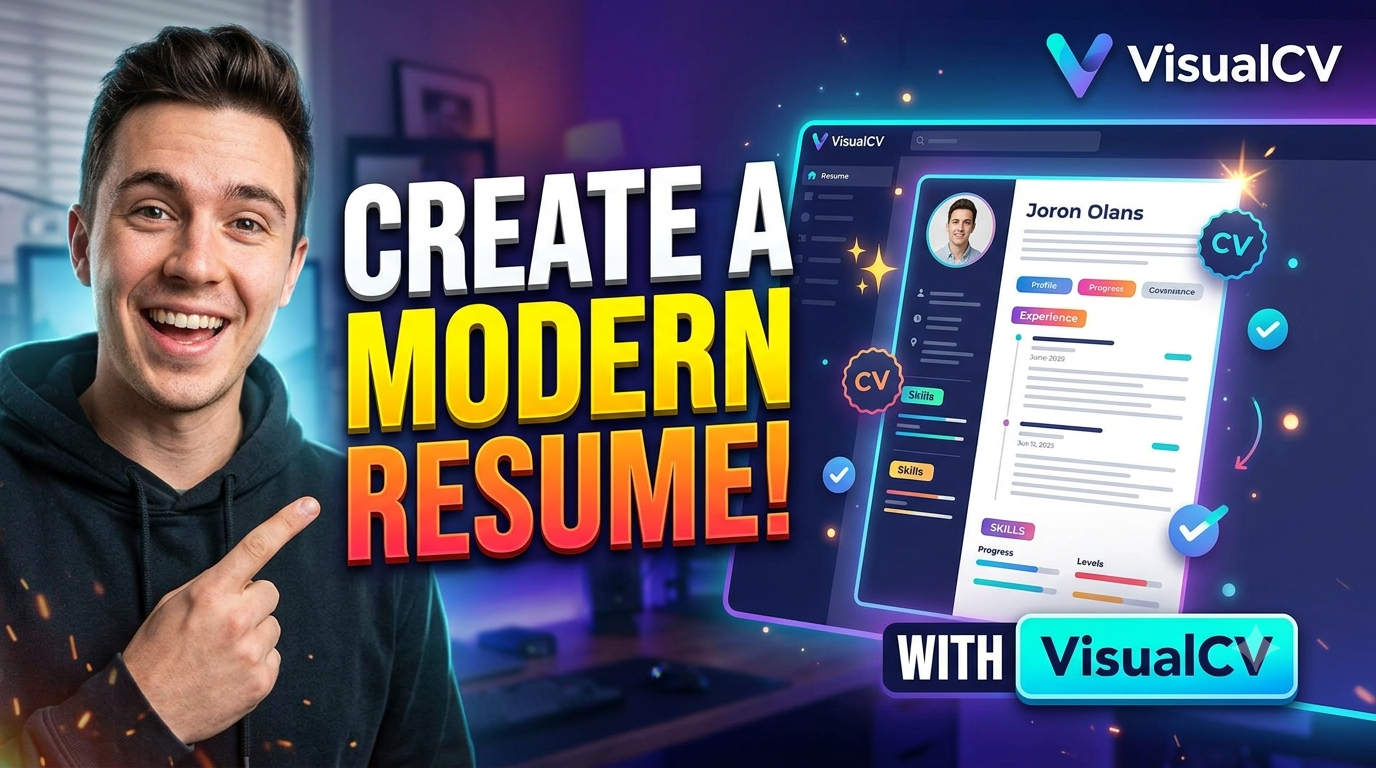
VisualCV is a modern resume-building platform that helps job seekers create professional, eye-catching, and ATS-friendly resumes with ease. With a wide range of customizable templates, helpful resume examples, AI-powered content tools, and convenient PDF and Word export options, VisualCV makes it easier to present your skills and experience effectively. Whether you are a student, fresh graduate, or experienced professional, VisualCV can help you build a polished resume tailored to your career goals and stand out in today’s competitive job market.
Table of Contents
- Why Your Resume Design Matters
- What Makes VisualCV Different
- How to Choose the Right VisualCV Template
- Build an ATS-Friendly Resume
- Write a Strong Professional Summary
- Turn Job Duties Into Achievements
- Highlight Skills Without Overloading the Page
- Create a Modern One-Page Resume
- Add Visual Elements Without Going Overboard
- Tailor Your Resume for Every Job
- Use VisualCV Resume Examples for Inspiration
- Export, Share, and Track Your Resume
- Free vs. Pro VisualCV Options
- Common Resume Mistakes to Avoid
- VisualCV for Students and Fresh Graduates
- VisualCV for Experienced Professionals
- Final Resume Checklist
- Conclusion
- FAQs
Why Your Resume Design Matters
Imagine two candidates have almost identical qualifications. One submits a document packed with dense paragraphs, inconsistent spacing, tiny text, and awkward formatting. The other submits a clean resume where the name, professional summary, experience, skills, and education can be identified almost instantly. The second document does not necessarily make that person more qualified, but it can make the recruiter’s job easier. That distinction matters because recruiters often scan resumes quickly before deciding whether to read them carefully. A modern resume therefore should not be treated like a school assignment where every available space needs to be filled. Think of it more like a well-designed dashboard: the most important information should be visible first, supporting information should have a clear place, and nothing should distract from the main message.
The goal of resume design is not to make your document look like a poster. It is to create visual hierarchy. Your name should be easy to identify, your current or target role should be clear, your most relevant experience should receive enough space, and important achievements should be easy to locate. VisualCV can help with this because its templates provide an existing visual structure that you can customize rather than forcing you to design everything manually. The platform describes its templates as professionally designed and offers options ranging from simple ATS-focused layouts to more visually distinctive designs.
The Balance Between Design and Readability
A resume can be attractive and still be difficult to read. Bright colors, oversized headings, decorative graphics, multiple font families, progress bars, and unnecessary icons can quickly turn a professional document into a visual puzzle. A better approach is to use design as a supporting character rather than the main character. Choose one or two complementary fonts, maintain consistent spacing, use color selectively, and make sure the text remains the easiest element to see. If a recruiter has to search for your phone number, job title, employment dates, or key skills, the design is working against you.
This is particularly important when applying through an Applicant Tracking System (ATS). ATS software can parse resumes and help employers organize applications, which means a resume needs to contain recognizable text and clear section structures. VisualCV specifically offers templates designed around ATS readability, including a straightforward ATS template and other text-focused options. The safest strategy is simple: make the resume visually interesting, but never let visual creativity hide the information that matters.
What Makes VisualCV Different
VisualCV is built around the idea that creating a resume should involve more than typing information into a blank page. Its online resume builder provides templates, editing tools, export options, examples, and features intended to help job seekers create resumes for different career situations. The platform currently says users can create multiple tailored resume versions, edit them from different devices, download documents, and share online versions with recruiters. It also promotes AI-supported suggestions for summaries, bullet points, and skills.
That combination can be useful if you are applying for several types of roles. For example, someone applying for a business analyst position may want to emphasize analytical skills, reporting, stakeholder communication, and process improvement. The same person applying for a client servicing role might need to emphasize communication, relationship management, issue resolution, and customer experience. Rather than treating the resume as a fixed document, you can treat it as a flexible career profile and adjust the emphasis depending on the opportunity.
Professional Resume Templates
One of VisualCV’s biggest attractions is its template library. The platform currently lists more than 30 professional resume templates and categorizes designs according to different visual approaches and professional needs. Some templates are deliberately simple and text-focused, while others use color, columns, or modern visual structures to create a stronger design identity.
The important thing is not to choose the template that looks the most impressive in isolation. Choose the template that makes your information look impressive. A recent graduate with limited work experience may benefit from a layout that gives education, projects, internships, and skills enough space. An experienced professional may need a structure that prioritizes accomplishments and career progression. A creative professional might have more freedom to use visual styling, while someone applying to a highly traditional corporate environment may prefer a restrained layout.
How to Choose the Right VisualCV Template
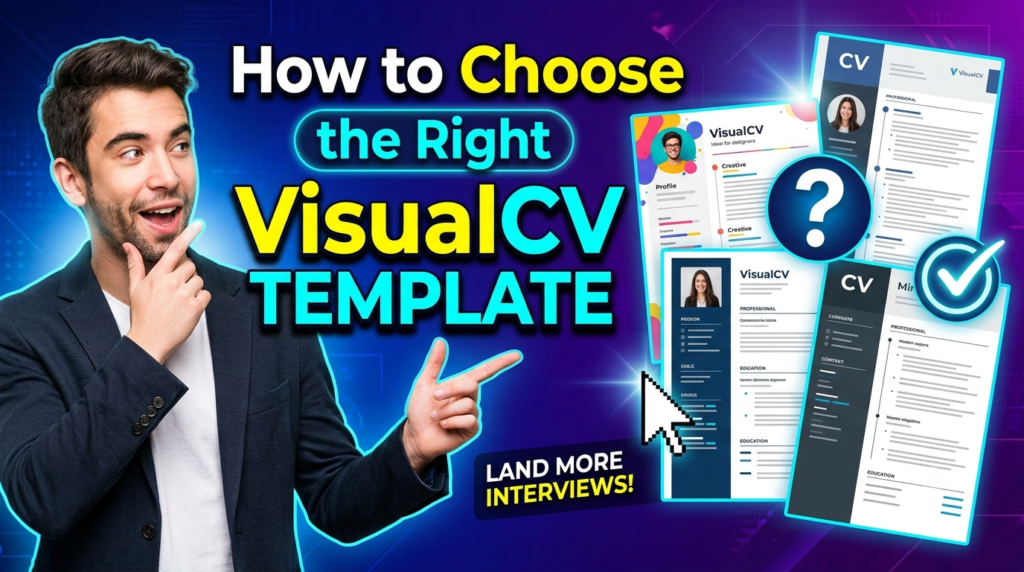
Start by asking one simple question: What does the employer need to understand about me within the first few seconds? If the answer is your technical skills, choose a layout where those skills are easy to find. If your professional experience is the strongest part of your profile, give that section the largest amount of visual attention. If you are changing careers, a hybrid structure that brings transferable skills and relevant achievements forward may be more useful than a traditional experience-heavy format.
VisualCV provides templates ranging from modern designs to specifically ATS-oriented layouts. Its current template collection includes options such as ATS, Air, Arya, Avant, Corporate, Monte, Standard, and Vienna, among others. Before committing to a template, imagine it without the sample content and picture your own information inside it. Will your longest job description fit naturally? Can your education and certifications fit without shrinking the font? Does the design still look professional when the page is filled with your actual content? These questions are more useful than simply asking whether the template looks attractive.
Match the Template to Your Career
Your resume should feel appropriate for your industry without becoming predictable. For technology, analytics, consulting, marketing, product, operations, and business roles, a modern professional layout can create a contemporary impression while maintaining readability. For creative roles, you may have greater freedom to introduce color and distinctive typography. For highly traditional sectors, a conservative design can make more sense.
The key is professional relevance. A resume should communicate that you understand the environment you are applying to. VisualCV’s template collection is broad enough to support different approaches, so use that variety strategically rather than choosing a design simply because it has the most colors.
Build an ATS-Friendly Resume
An attractive resume is useful only if its content can be understood. ATS systems are designed to help employers process applications, and resume parsing can be affected by confusing layouts, unclear section headings, unusual formatting, or missing keywords. VisualCV offers dedicated ATS templates and states that its ATS-oriented designs are structured to improve readability for applicant tracking systems.
Start with familiar section names such as Professional Summary, Work Experience, Education, Skills, Certifications, Projects, and Achievements. Avoid turning essential information into graphics because text embedded in images may not be interpreted the same way as ordinary text. Keep job titles, company names, dates, and responsibilities clearly separated. Most importantly, write for the job rather than writing one generic resume and sending it everywhere.
Use Keywords Strategically
Keywords are not magic words that guarantee an interview. They are simply terms that demonstrate relevance between your background and the employer’s requirements. Read the job description carefully and identify recurring skills, tools, responsibilities, qualifications, and industry terminology. If the role repeatedly mentions stakeholder management, data analysis, Excel, SQL, reporting, or project coordination—and you genuinely possess those skills—make sure they appear naturally in the appropriate sections of your resume.
Do not copy the entire job description into your resume. That creates an unnatural document and can make your experience look less credible. Instead, translate the requirements into evidence. If an employer asks for data reporting experience, write about the reports you actually created and the decisions they supported. If the job requires partner management, describe the relationships you handled and the outcomes you achieved. Relevant keywords become much stronger when they are attached to real evidence.
Write a Strong Professional Summary
Your professional summary is the opening paragraph of your resume, so it should answer three questions quickly: who are you, what can you do, and what kind of value can you bring? A weak summary simply repeats generic phrases such as “hardworking,” “motivated,” and “team player.” Almost everyone can say those things. A stronger summary combines your professional identity, relevant capabilities, experience, and career direction.
For example, instead of writing, “Hardworking graduate looking for an opportunity to grow in a challenging organization,” you could write something more specific such as: “Data-focused B.Tech graduate with experience in operations, partner onboarding, reporting, and process coordination, seeking opportunities in business analysis, client servicing, or operations.” The second version gives the recruiter something concrete to remember. VisualCV’s current builder also promotes AI-assisted suggestions for summaries and other resume content, which can be useful for brainstorming or improving wording, but the final version should always reflect your actual experience.
Turn Job Duties Into Achievements
One of the most common resume problems is confusing responsibilities with achievements. Saying that you “handled onboarding” tells the employer what you were assigned to do. The statement that you “supported partner onboarding while maintaining accurate onboarding records and coordinating follow-ups” adds additional insight. The strongest version adds measurable impact where possible.
Try to use the structure action + task + outcome. As opposed to “Responsible for preparing reports,” think of “Prepared weekly operational reports to track partner activity and identify follow-up requirements.”Rather of “Worked with customers,” think about “Coordinated with partners to resolve onboarding issues and support successful activation.” The difference may seem small, but it changes the resume from a list of duties into a story about contribution.
Numbers can make achievements more concrete, but they should never be invented. If you genuinely managed 50 partners, say 50. If you reduced processing time by 20%, state it if you can support the figure. If you do not have a measurable number, describe the scope, process, or result honestly. A credible qualitative achievement is always better than an impressive-looking fictional statistic.
Highlight Skills Without Overloading the Page
Your skills section should work like a quick index of your professional capabilities. Avoid listing every software tool or subject you have encountered. Instead, focus on skills relevant to the target role. For a business analyst position, the list might include SQL, Excel, Power BI, data analysis, requirements gathering, reporting, stakeholder communication, and process improvement. For client servicing, it could emphasize client communication, relationship management, issue resolution, coordination, reporting, and CRM tools.
Organizing skills into logical groups can make the section easier to scan. You might use categories such as Analytics, Business Tools, Communication, and Technical Skills. VisualCV’s builder supports customizable resume sections, allowing you to structure your content around your professional profile rather than forcing every candidate into exactly the same format.
Create a Modern One-Page Resume
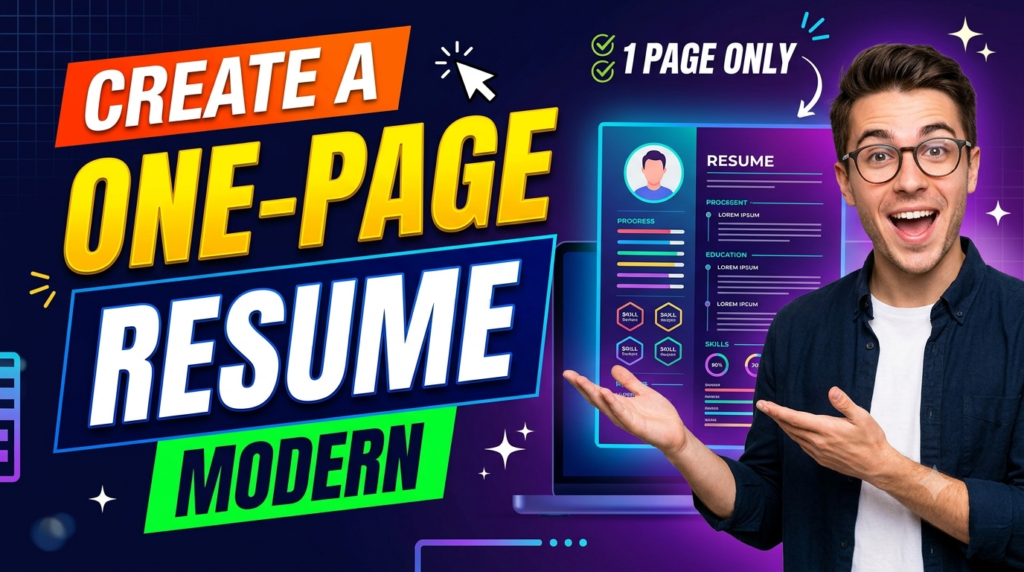
A one-page resume is especially useful when you are a student, recent graduate, or early-career professional. The objective is not to squeeze every detail into one page using microscopic text. The objective is to remove information that does not strengthen your application. Think of the page as valuable real estate: every line should earn its place.
A strong one-page resume might include your contact details, professional summary, key skills, work experience, education, and selected projects or certifications. If you have extensive experience, a longer resume may be appropriate, but even then, the first page should communicate the most relevant information. VisualCV’s templates can provide a starting structure, but your content determines whether the final page feels polished or crowded.
Add Visual Elements Without Going Overboard
The phrase “eye-catching resume” does not mean “resume covered in graphics.” A professional visual resume uses hierarchy, spacing, alignment, typography, and restrained color to guide the reader. A subtle accent color can separate headings. A clean timeline can help communicate career progression. A well-balanced two-column layout can separate skills from experience.
VisualCV offers both minimalist ATS-oriented templates and more visually expressive designs. Its visual resume collection includes customizable designs intended to help candidates create distinctive resumes while keeping professional information central. The safest approach is to make one element visually distinctive and let everything else remain clean.Nothing feels significant if everything is bold.
Tailor Your Resume for Every Job
A generic resume may be convenient, but a tailored resume can communicate relevance much more clearly. Suppose you are applying for three positions: Business Analyst, Project Coordinator, and Client Servicing Executive. Your core experience may remain the same, but the order and emphasis should change. The Business Analyst version can highlight analytics, reporting, process improvement, and SQL. The Project Coordinator version can emphasize planning, coordination, tracking, and stakeholder communication. The Client Servicing version can bring communication, partner handling, issue resolution, and relationship management closer to the top.
VisualCV currently promotes creating multiple resume versions and tailoring them to individual job applications. This is a practical approach because your resume becomes a collection of targeted professional stories rather than one document attempting to appeal to everyone. Keep a master resume with your complete experience, then create focused versions for specific job families.
Use VisualCV Resume Examples for Inspiration
Sometimes the hardest part of writing a resume is not formatting it—it is knowing what good content looks like. Resume examples can solve that problem by showing how information is structured for specific roles. VisualCV currently provides a large collection of resume examples covering different professions, including areas such as software engineering, marketing, project management, graphic design, customer service, product management, and data analysis.
Do not copy an example word for word. Instead, study the structure. Look at how the summary is written, how experience bullets begin with action verbs, how skills are organized, and how achievements are presented. Then translate the structure into your own professional story. The example should function like a map, not a destination.
Export, Share, and Track Your Resume
A modern job search is not limited to attaching a PDF to an email. Depending on the situation, you may need a PDF, Word document, plain-text version, or online resume link. VisualCV currently advertises PDF and Word exports as well as online resume sharing, allowing users to create a digital version that can be shared with recruiters and professional contacts.
The platform also promotes resume performance analytics, which can provide information about resume views and downloads. That type of information can be useful when managing an online job-search strategy because it gives you another signal about whether your shared resume is being accessed. Still, analytics should be treated as supporting information rather than a direct measure of resume quality. A resume can be viewed without producing an interview, and an interview can come from a recruiter who received your document through another channel.
Free vs. Pro VisualCV Options
VisualCV currently offers a free account as well as a paid Pro option. Its pricing page lists the free account at $0, while the listed Pro quarterly plan is $16 per month billed quarterly. The platform says the free account allows users to test templates, create a first resume, and preview formatting, while Pro adds features such as unlimited resumes, unlimited PDF downloads, and additional career tools.
| Feature | Free | Pro |
| Resume templates | Available | 30+ professional templates |
| First resume | Yes | Yes |
| Multiple resumes | Limited | Unlimited |
| PDF downloads | Available | Unlimited |
| Online resume | Available | Available |
| Resume analytics | Available | Available |
| Cover letter builder | Available | Available |
| Career tools | Trial access | Pro access |
The right option depends on how often you apply for jobs and how much customization you need. Someone creating one resume for a first job may find the free features sufficient. Someone actively applying to multiple job types may find the ability to create and maintain multiple tailored versions more useful.
Common Resume Mistakes to Avoid
Even the best template cannot fix weak content. One of the biggest mistakes is writing vague bullet points that could describe almost anyone. Another is including irrelevant personal information simply because there is space. Other problems include spelling mistakes, inconsistent dates, unexplained employment gaps, excessive length, poor keyword alignment, and unsupported claims.
Do not use complicated language simply to sound professional. Clear writing is stronger. Instead of “Leveraged synergistic cross-functional capabilities to facilitate optimal operational deliverables,” say “Coordinated with cross-functional teams to improve operational processes.” The second sentence sounds like a human being wrote it—and it tells the recruiter exactly what happened.
You should also proofread the final exported document. Sometimes a beautifully formatted editor view can produce unexpected page breaks or spacing when exported. Open the final PDF or Word file and inspect it from the recruiter’s perspective. Check the first page, headings, dates, bullet alignment, contact information, and page count before submitting.
VisualCV for Students and Fresh Graduates
Students and fresh graduates often face a frustrating problem: they do not have enough professional experience to fill a traditional resume. The solution is not to make the font larger or add unnecessary content. Instead, build the resume around evidence of potential. Education, internships, academic projects, certifications, technical skills, volunteer experience, competitions, and relevant part-time work can all contribute to a strong early-career profile.
A VisualCV template can help organize these sections so that the resume feels complete without becoming artificial. The important thing is to prioritize relevance. A data science graduate applying for an analyst role should give more space to analytics projects, SQL, Excel, Python, visualization, internships, and measurable project outcomes than to unrelated hobbies. The same principle applies to business, marketing, operations, and client-facing roles.
Read More:-
Corel, Roxio & Pinnacle | Multimedia Software Explained: Features, Pricing & Benefits
INSTAREM GLOBAL Explained: Features, Fees, and Benefits
checkdomain DE Review 2026: Features, Pricing & Domain Services Explained
How Webnode Makes Website Building Easy for Beginners
How Gorgias Helps Marketing Agencies Manage Ecommerce Customers
VisualCV for Experienced Professionals
Experienced professionals have a different challenge: deciding what to remove. After several years in the workforce, it is easy to create a resume that reads like a career history rather than a targeted application. Your resume does not need to describe every task you performed during every year of employment. It needs to show the experience most relevant to the role you want next.
Start with your recent and most relevant positions. Give more space to achievements that demonstrate leadership, business impact, revenue contribution, process improvement, cost savings, customer growth, operational efficiency, or successful project delivery. Older roles can be summarized more briefly unless they are directly relevant. A clean VisualCV template can provide the structure, but strategic editing is what turns that structure into a persuasive professional document.
Final Resume Checklist
Before submitting your VisualCV resume, perform a final quality check. First, confirm that your name, phone number, email address, and LinkedIn information are correct. Next, read your professional summary and ask whether it immediately communicates your target role and strongest capabilities. Then review every experience bullet and remove vague statements that do not demonstrate responsibility, action, or impact.
Check the document for consistent dates, job titles, fonts, spacing, punctuation, and capitalization. Review the keywords against the job description, but make sure every keyword accurately reflects your real skills. Finally, open the exported file and check it visually from beginning to end. VisualCV offers PDF and Word export options, so select the format required by the employer or application system and make sure the final file preserves your intended formatting.


Conclusion
Creating a modern and eye-catching resume is less about decoration and more about communication. VisualCV can provide the professional framework, templates, customization tools, examples, export options, and additional features needed to build a polished resume without designing everything from scratch. Its current library includes modern and ATS-focused templates, while its builder supports resume customization, multiple versions, online sharing, and AI-assisted content improvements.
The strongest resume, however, will always be the one that connects design with evidence. Choose a template that fits your industry, write a focused summary, turn responsibilities into achievements, use relevant keywords, keep the layout readable, and tailor the final version to each important application. Think of your resume as your professional storefront: the design gets someone to look inside, but your experience, skills, achievements, and clarity are what make them want to know more.
FAQs
Q. Is VisualCV good for creating a modern resume?
A. VisualCV is designed specifically for online resume creation and currently offers a range of professional, modern, and ATS-oriented templates. Its builder also provides customization, export, online sharing, and other career-focused features.
Q. Can I create an ATS-friendly resume with VisualCV?
A. Yes. VisualCV provides templates specifically designed around ATS readability and states that its ATS-focused designs are structured to be readable by applicant tracking systems. You should still customize the content with relevant keywords and clear section headings.
Q. Can I download my VisualCV resume as a PDF?
A. Yes. VisualCV’s resume builder currently supports PDF export, and its pricing page also lists PDF downloads among its features. Word export is also available through the builder.
Q. Can I make different resumes for different jobs?
A. Yes. VisualCV currently promotes creating multiple tailored resume versions, which can be useful when applying for different roles or industries. You can emphasize different skills and achievements while keeping your core career information consistent.
Q. Is VisualCV free?
A. VisualCV currently offers a free account with basic resume-building functionality. Its pricing page also lists a Pro plan with additional features and unlimited resume creation and PDF downloads; the listed quarterly price is $16 per month when billed quarterly.