Elementor has become a go-to solution for building modern, visually appealing websites without the complexity of coding, and this article explores exactly why it’s worth considering for your next web project. It highlights Elementor’s powerful drag-and-drop builder, extensive template library, and responsive design capabilities that make website creation fast, flexible, and beginner-friendly. The post also dives into its key benefits, compares it with traditional development methods, and explains how Elementor Pro unlocks advanced features for businesses and professionals. Alongside performance, SEO advantages, and real-world use cases, it also addresses potential drawbacks and optimization tips, giving readers a complete, balanced understanding. Whether you’re a beginner, freelancer, or business owner, this guide helps you decide if Elementor is the right tool to bring your website ideas to life.
Understanding Elementor
What is Elementor?

If you’ve ever tried building a website and felt overwhelmed by code, plugins, and confusing dashboards, you’re not alone. That’s exactly the problem Elementor set out to solve. At its core, Elementor is a visual drag-and-drop website builder designed for WordPress users who want full control over their site without touching a single line of code. Think of it as building a website the same way you’d design a presentation—click, drag, drop, and adjust.
What makes Elementor stand out is how intuitive it feels right from the first click. You’re not guessing how your page will look after publishing—it’s all live, in front of you. This “what-you-see-is-what-you-get” experience is a game-changer, especially for beginners and small business owners who don’t want to rely on developers for every small tweak.
But here’s the real kicker: Elementor isn’t just for beginners. Even experienced designers use it because it speeds up workflow while still offering deep customization. Whether you’re creating a blog, portfolio, or a full-fledged e-commerce store, Elementor adapts to your needs like a flexible canvas waiting for your creativity.
Brief History and Growth
Elementor didn’t just appear out of nowhere—it quickly became one of the most popular website builders in the world. Since its launch in 2016, it has grown exponentially, powering millions of websites globally. Its rise can be attributed to one simple philosophy: make web design accessible to everyone.
In a digital world where speed matters more than ever, Elementor filled a huge gap. Traditional website building required technical expertise, time, and often a decent budget. Elementor flipped that script by giving users the tools to build professional websites in hours instead of weeks.
Today, it’s not just a plugin—it’s an entire ecosystem. With themes, add-ons, integrations, and a massive community, Elementor continues to evolve, making it a reliable choice for both beginners and professionals alike.
Key Features of Elementor
Drag-and-Drop Builder
Imagine designing your dream website as easily as arranging furniture in a room. That’s exactly how Elementor’s drag-and-drop builder feels. You simply pick an element—like a heading, image, or button—and place it exactly where you want on the page.
This feature eliminates the frustration of coding errors or layout issues. You don’t have to worry about HTML or CSS unless you want to. Everything is visual, interactive, and incredibly smooth. It gives you instant feedback, which means fewer mistakes and faster results.
Pre-designed Templates
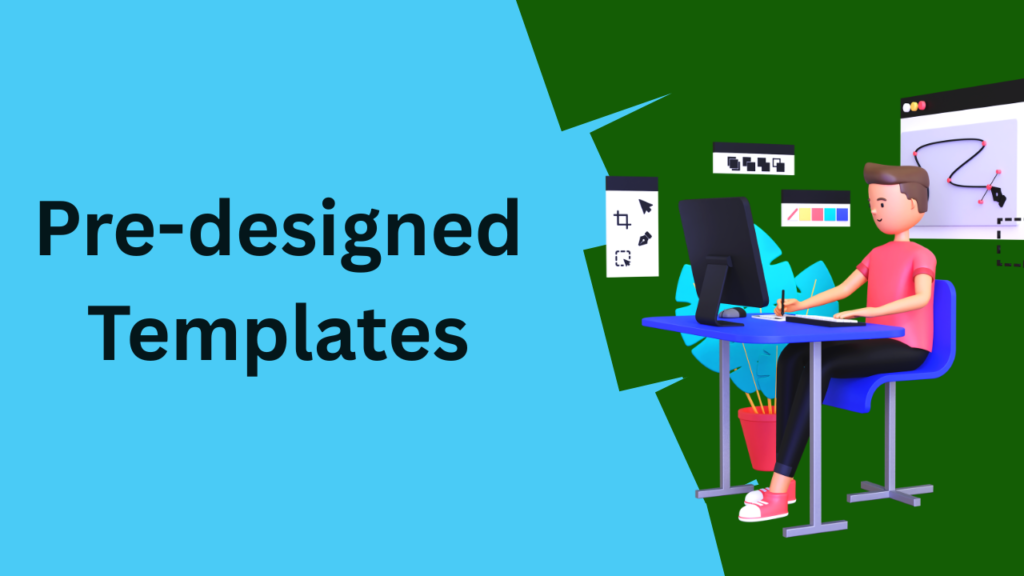
Not everyone starts with a blank canvas—and that’s perfectly okay. Elementor offers a vast library of pre-designed templates that you can import with a single click. These templates are professionally designed and cover almost every niche imaginable, from blogs to business landing pages.
What’s even better is that you can fully customize these templates. Change colors, fonts, images—everything can be tweaked to match your brand identity. It’s similar to getting a head start from a professional designer.
Responsive Design Capabilities
Having a responsive website is crucial in the mobile-first world of today. Elementor makes this incredibly easy by allowing you to design for desktop, tablet, and mobile views separately.
You can adjust layouts, font sizes, and spacing specifically for each device. This ensures your website looks polished and professional no matter where it’s viewed. It’s like tailoring a suit that fits perfectly on every screen.
Widgets and Add-ons
Elementor comes packed with widgets—small building blocks that add functionality to your website. From simple text boxes to advanced forms, sliders, and testimonials, the possibilities are endless.
And if that’s not enough, there are countless third-party add-ons that extend Elementor’s capabilities even further. Want advanced animations or custom integrations? There’s probably a widget for that.
Benefits of Using Elementor
Ease of Use for Beginners

One of the biggest reasons people choose Elementor is its simplicity. You don’t need to be a tech expert to get started. The interface is clean, intuitive, and designed with beginners in mind.
Even if you’ve never built a website before, Elementor makes the process feel approachable. It removes the intimidation factor and replaces it with creativity and control.
Speed and Efficiency
Time is money, especially in the digital world. Elementor significantly reduces the time it takes to build a website. What used to take days or weeks can now be done in hours.
This efficiency is particularly valuable for freelancers and agencies who need to deliver projects quickly without compromising on quality.
Design Flexibility
Elementor gives you the freedom to design without limitations. You’re not restricted to rigid templates or layouts. Instead, you can create unique, custom designs that truly represent your brand.
It’s similar to having a blank canvas on which your creativity is unrestricted.
Elementor vs Traditional Website Building
Coding vs Visual Editing
Traditional web development often requires knowledge of HTML, CSS, and JavaScript. While that offers flexibility, it also creates a barrier for many people.
Elementor removes that barrier by offering visual editing. You can design everything visually while still having the option to add custom code if needed.
Time and Cost Comparison
| Factor | Traditional Development | Elementor |
| Time Required | Weeks | Hours/Days |
| Cost | High (Developers) | Low to Moderate |
| Flexibility | High | Very High |
| Ease of Use | Low | Very High |
Elementor clearly wins when it comes to speed and accessibility.
Elementor Pro: Is It Worth It?
Free vs Pro Features
The free version of Elementor is powerful, but Elementor Pro takes things to the next level. With Pro, you get access to advanced features like theme builder, WooCommerce builder, popup builder, and dynamic content.
These features allow you to design not just pages, but your entire website—from headers to footers and everything in between.
Pricing and Value
Elementor Pro is reasonably priced considering the value it provides. For businesses and professionals, it often pays for itself by reducing development costs and improving efficiency.



Performance and SEO Impact
Page Speed Optimization
Performance is a common issue with page builders. Elementor has made significant improvements in this area, focusing on clean code and faster loading times.
However, performance also depends on how you use it. Optimizing images, using caching, and choosing a good hosting provider all play a role.
SEO-Friendly Structure
Elementor is built with SEO in mind. It works seamlessly with popular SEO plugins and allows you to structure your content effectively.
From proper heading hierarchy to mobile responsiveness, Elementor helps you create websites that are both user-friendly and search-engine friendly.
Use Cases of Elementor
Blogs and Personal Websites
Elementor is perfect for bloggers who want visually appealing layouts without technical hassle. You can create engaging posts, landing pages, and portfolios with ease.
Business and E-commerce Sites
For businesses, Elementor offers powerful tools to create professional websites that convert visitors into customers. With WooCommerce integration, you can even build fully functional online stores.
Read More:-
Why STRIPO is Essential for Digital Product Marketers
Maximize Your Customer Engagement with LiveAgent’s Features
Boost Your E-commerce Strategy with YITH Plugins
Building Your Dream Website with Site123
How Does Strikingly Simplify the Website Building Process?
Why ContentStudio & Leadpages Are Essential for E-commerce Success
LiveChat: Transforming Customer Support for Digital Entrepreneurs
Common Drawbacks of Elementor
Performance Concerns
While Elementor has improved performance, poorly optimized designs can still slow down your site. Overusing widgets or heavy animations can impact loading speed.
Plugin Dependency
Elementor is a plugin, which means your website depends on it. If you deactivate it, your design may break. This is something to consider for long-term projects.
Tips to Maximize Elementor
Best Practices for Beginners
Start simple. Don’t try to use every feature at once. Focus on clean design, readability, and user experience.
Optimization Tips
Use lightweight themes, optimize images, and avoid unnecessary plugins. These small steps can make a big difference in performance.
Conclusion
Choosing the right tool for your website can feel like picking the perfect foundation for a house—it determines everything that comes after. Elementor stands out because it balances ease of use, flexibility, and powerful features in a way few tools can match. Whether you’re a beginner building your first blog or a professional designing complex websites, Elementor adapts to your needs without overwhelming you.
It transforms website building from a technical challenge into a creative process. Instead of worrying about code, you focus on design, content, and user experience. And that shift makes all the difference.
If you want a tool that saves time, reduces costs, and gives you full control over your website, Elementor is definitely worth considering for your next web project.
FAQs
Q. Is Elementor good for beginners?
A. Yes, Elementor is extremely beginner-friendly with its drag-and-drop interface and intuitive design.
Q. Can Elementor be used for e-commerce websites?
A. Absolutely. With WooCommerce integration, Elementor can build fully functional online stores.
Q. Does Elementor affect website speed?
A. It can, but with proper optimization, you can maintain fast loading times.
Q. Is Elementor free or paid?
A. Elementor offers both a free version and a premium Pro version with advanced features.
Q. Do I need coding knowledge to use Elementor?
A. No, coding is not required, but you can add custom code if needed.