
Discover the top products offered by Wondershare Global Limited, including Filmora, PDFelement, Recoverit, Dr.Fone, UniConverter, and more. This detailed guide explores the best Wondershare tools for video editing, PDF management, data recovery, screen recording, mind mapping, and digital productivity. Learn about their key features, AI-powered innovations, pros and cons, and why millions of users worldwide rely on Wondershare software for creative and professional tasks in 2026.
Table of Contents
- Understanding Wondershare Global Limited
- Wondershare Filmora
- Wondershare PDFelement
- Wondershare UniConverter
- Wondershare Recoverit
- Wondershare Dr.Fone
- Wondershare EdrawMax
- Wondershare EdrawMind
- Wondershare DemoCreator
- Wondershare FamiSafe
- AI Innovations by Wondershare
- Pros and Cons of Wondershare Products
- Conclusion
- FAQs
Understanding Wondershare Global Limited

The Growth of Wondershare in the Global Software Industry
Wondershare Global Limited has evolved from a niche software company into a major player in digital creativity and productivity solutions. The company focuses heavily on consumer-friendly applications that simplify tasks many users find complicated. Instead of targeting only enterprise-level customers, Wondershare designs products for freelancers, creators, students, teachers, and small businesses. This broad approach helped the company grow rapidly over the last decade.
One reason for Wondershare’s success is its ability to identify everyday digital problems and create accessible tools around them. Think about how many people need to edit videos for YouTube, convert media files, manage PDFs, recover lost data, or transfer files between smartphones. Wondershare built software for all of these categories and continuously updates them with AI-driven capabilities. Their official platform now highlights tools across video creativity, PDF solutions, diagramming, data recovery, and mobile utilities.
Another factor behind the company’s growth is aggressive innovation in AI-powered software. Many competitors still treat AI as an optional feature, but Wondershare has integrated it deeply into multiple products. AI subtitle generation, AI image enhancement, AI document analysis, and AI-driven editing workflows are now common across its software ecosystem. This forward-looking approach has helped Wondershare stay relevant in an increasingly competitive market.
Why Wondershare Products Are Popular Worldwide
The popularity of Wondershare tools comes down to accessibility. Professional software often feels like entering a spaceship cockpit filled with confusing buttons and technical jargon. Wondershare products usually offer a smoother learning curve without sacrificing too much power. Beginners can jump in quickly, while experienced users still get access to advanced features.
Another major advantage is cross-platform support. Wondershare products generally work on Windows, Mac, mobile devices, and cloud platforms. This flexibility matters because people rarely work from just one device anymore. Students switch between laptops and tablets. Creators edit content on desktops and phones. Businesses rely on cloud-based workflows. Wondershare recognized this shift early.
Pricing also plays a role. Compared to some enterprise-level competitors, Wondershare tools are often more affordable for casual users and freelancers. That said, customer feedback online shows mixed opinions regarding subscription models and upgrade policies. Some Reddit discussions criticize pricing structures and perpetual license limitations, especially around Filmora and UniConverter. Even with those criticisms, the software remains widely used because many users appreciate the balance between simplicity and functionality.
Wondershare Filmora
Key Features of Filmora
Wondershare Filmora is probably the company’s most recognizable product. It has become a favorite among beginner and intermediate video creators because it simplifies editing without making users feel limited. Filmora combines drag-and-drop functionality with modern AI tools that help creators produce polished content quickly.
One standout feature is AI-powered editing assistance. Filmora includes tools for automatic subtitle generation, smart scene detection, AI audio cleanup, motion tracking, background removal, and AI video enhancement. These features reduce the amount of manual work needed to create professional-looking videos. For YouTubers, TikTok creators, educators, and marketers, this can save hours of editing time.
The software also offers a massive library of templates, transitions, sound effects, stock media, and visual assets. Instead of building everything from scratch, creators can quickly assemble engaging videos using pre-designed creative elements. This is especially useful for people who need consistent content production but lack advanced editing expertise.
Filmora’s interface deserves special praise as well. Many professional editors intimidate beginners with complex timelines and overwhelming menus. Filmora feels more approachable. It acts almost like training wheels for video editing while still allowing enough flexibility for advanced creativity. That balance is why many first-time creators choose Filmora over more technical editing platforms.
Who Should Use Filmora
Filmora works best for users who want fast, visually appealing results without spending months learning professional editing software. Content creators on YouTube, Instagram, TikTok, and Facebook often benefit from Filmora’s streamlined workflow. Small businesses also use it for advertisements, product demos, and promotional content.
Teachers and online course creators are another important audience. Educational videos require clean visuals, subtitles, screen recording, and audio clarity. Filmora handles all these tasks efficiently. The software also supports direct social media export options, which simplifies publishing workflows for creators managing multiple platforms.
Still, there are some concerns worth mentioning. Online community discussions reveal frustrations related to subscription pricing, premium assets, and upgrade models. Several Reddit users have criticized what they describe as confusing licensing practices. Potential buyers should carefully review current pricing terms before purchasing long-term plans.
Wondershare PDFelement
PDF Editing Made Simple
Wondershare PDFelement is Wondershare’s answer to expensive PDF editing software. PDFs are essential in business, education, and administration, yet many people struggle with editing them efficiently. PDFelement simplifies the process by combining editing, annotation, conversion, signing, and collaboration tools into one platform.
The software allows users to edit text and images directly inside PDF documents almost like working in a word processor. That alone saves enormous time. Instead of recreating entire documents, users can simply adjust existing content. PDFelement also supports converting PDFs into Word, Excel, PowerPoint, and image formats, which is valuable for businesses handling large document workflows.
Security features are another major strength. Password protection, redaction tools, encryption, and digital signatures help businesses maintain compliance and document confidentiality. Cloud integration further enhances collaboration by allowing teams to share and access files from multiple devices.
AI Features Inside PDFelement
PDFelement is now more than simply a PDF editor thanks to AI.The software now includes AI-assisted summarization, document translation, grammar improvement, and intelligent document analysis. Imagine uploading a 100-page report and instantly receiving a concise summary. That is the kind of workflow acceleration Wondershare is pushing toward.
Students and researchers particularly benefit from these AI capabilities. Instead of manually reading every page of a lengthy academic document, users can extract key insights much faster. Businesses also use these features to process contracts, proposals, and reports more efficiently.
What makes PDFelement appealing is that it avoids becoming overly technical. Many document management systems feel designed only for corporate IT departments. PDFelement targets everyday users while still offering enterprise-grade functionality. That balance explains why it continues gaining popularity globally.
Wondershare UniConverter
Media Conversion and Compression
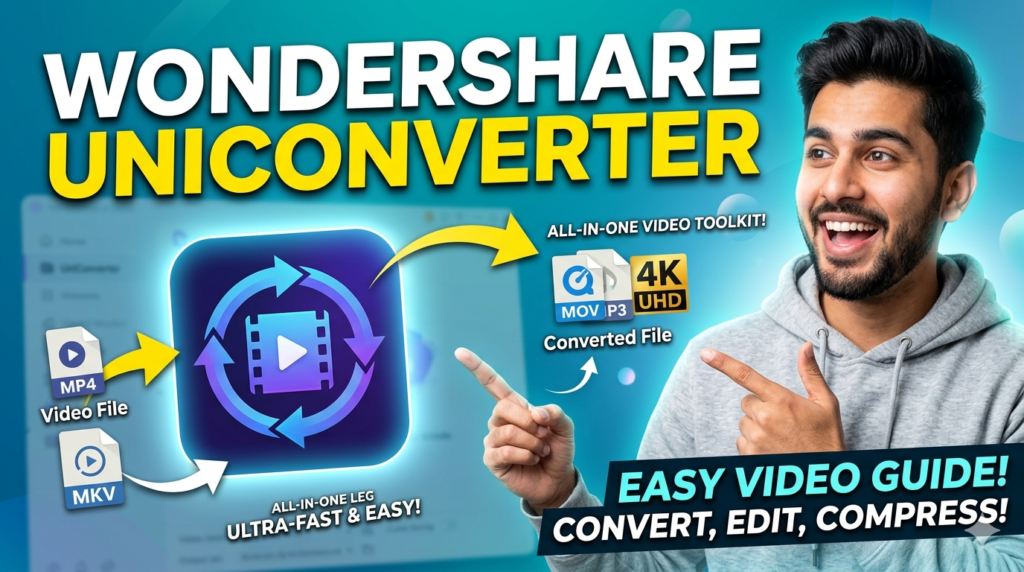
Wondershare UniConverter is essentially a multimedia toolbox. At its core, the software converts audio and video files between different formats, but its functionality extends much further. Users can compress files, burn DVDs, download online videos, record screens, edit clips, and even apply AI enhancements.
Content creators love UniConverter because media compatibility issues can become a nightmare. A video that works perfectly on one device may fail on another due to format restrictions. UniConverter solves this by supporting numerous file formats and offering optimized presets for platforms like YouTube, Instagram, and mobile devices.
Compression tools are especially useful today because high-resolution media files consume massive storage space. UniConverter helps reduce file sizes without severely affecting quality. For creators managing large video libraries or businesses handling digital assets, this can significantly improve workflow efficiency.
Why Creators Love UniConverter
The appeal of UniConverter lies in convenience. Instead of installing multiple separate tools, users get an all-in-one solution. Screen recording, file conversion, media compression, AI enhancement, and downloading capabilities exist within one interface.
Freelancers and YouTubers often need rapid turnaround times. UniConverter speeds up repetitive tasks that would otherwise require several different applications. The software also benefits podcasters and educators who frequently convert and compress audio or video content.
That said, user discussions online show mixed experiences with upgrades and licensing. Some Reddit users mention frustrations regarding perpetual license changes and customer support responsiveness. Despite these concerns, UniConverter remains one of Wondershare’s most popular utility products because of its broad feature set.
Wondershare Recoverit
Data Recovery Capabilities
Wondershare Recoverit focuses on one terrifying problem: data loss. Losing important files can feel like watching years of work vanish into thin air. Recoverit attempts to rescue deleted, formatted, corrupted, or inaccessible files from various storage devices.
The software supports recovery from hard drives, SSDs, USB drives, memory cards, cameras, and even crashed computers. It can retrieve photos, videos, emails, documents, and audio files. Wondershare also promotes advanced video recovery capabilities, particularly useful for content creators dealing with corrupted footage.
Recoverit uses deep scanning technology to search storage devices thoroughly. Users can preview recoverable files before restoring them, which increases confidence during the recovery process. This feature is incredibly valuable because it helps avoid unnecessary restoration attempts.
Best Use Cases for Recoverit
Recoverit benefits both personal and professional users. Students recovering deleted assignments, photographers restoring corrupted memory card files, and businesses retrieving important documents can all benefit from its capabilities. The software becomes especially valuable during emergencies when replacement simply is not an option.
The emotional aspect of data recovery should not be underestimated either. Losing family photos, wedding videos, or years of professional work can feel devastating. Recoverit positions itself as a safety net for those digital disasters. Like a digital firefighter, it steps in when things suddenly go wrong.
Wondershare Dr.Fone
Mobile Device Management Tools
Wondershare Dr.Fone is designed for smartphone management and recovery. As phones become central to daily life, tools that simplify backups, transfers, and repairs have become increasingly important.
Dr.Fone includes features for screen unlocking, data recovery, WhatsApp transfer, phone backup, system repair, and device migration. One of its biggest advantages is cross-platform transfer support, allowing users to move files between Android and iPhone devices more easily.
The software also helps users recover deleted phone data such as messages, photos, contacts, and call history. This can be extremely useful after accidental deletion or software crashes.
Data Transfer and Recovery Features
Switching phones used to feel stressful because transferring data often involved complicated processes. Dr.Fone simplifies migration workflows with guided tools that move contacts, photos, videos, and app data quickly. For businesses managing multiple devices, this can save considerable time.
Repair features also deserve attention. System crashes, boot loops, and software glitches can render phones unusable. Dr.Fone provides repair utilities that help restore functionality without requiring advanced technical knowledge.
Wondershare EdrawMax
Diagramming and Visualization Tools
Wondershare EdrawMax is Wondershare’s comprehensive diagramming solution. Businesses, engineers, educators, and project managers use it to create flowcharts, mind maps, floor plans, organizational charts, and technical diagrams.
The software includes thousands of templates and symbols, making complex diagram creation much easier. Instead of designing visuals from scratch, users can customize ready-made layouts. This dramatically reduces the time needed for presentations, planning, and workflow visualization.
EdrawMax also supports collaboration and cloud sharing, which is essential for modern remote teams. Visual communication matters more than ever, especially in distributed work environments where diagrams often explain concepts faster than text.
Business and Educational Applications
Businesses use EdrawMax for process mapping, brainstorming, network diagrams, and strategic planning. Educational institutions rely on it for teaching materials, presentations, and collaborative learning exercises.
The software competes in a market dominated by complex enterprise tools, yet its approachable design gives it broader appeal. It feels less intimidating while still supporting professional-grade visualization workflows.
Wondershare EdrawMind
Mind Mapping for Productivity
Wondershare EdrawMind focuses specifically on mind mapping and idea organization. Brainstorming often becomes chaotic when ideas remain scattered across notebooks, sticky notes, and documents. EdrawMind organizes thoughts visually, helping users see connections more clearly.
Mind maps are useful for project planning, studying, business strategy, and content creation. Writers use them to structure articles and books. Students organize study materials with them. Businesses develop marketing strategies and workflows using visual mapping techniques.
Collaboration and Planning Features
EdrawMind supports collaborative brainstorming sessions, allowing teams to contribute ideas in real time. This is particularly useful for remote work environments where visual collaboration tools improve communication and productivity.
AI-powered brainstorming features further enhance creativity. Instead of staring at a blank screen waiting for inspiration, users can leverage AI suggestions to expand ideas and structure projects more efficiently.
Wondershare DemoCreator
Screen Recording and Tutorials
Wondershare DemoCreator combines screen recording with video editing capabilities. It is designed for tutorials, presentations, gameplay recordings, webinars, and educational content.
The software allows users to record screens, webcams, microphones, and presentations simultaneously. After recording, built-in editing tools help polish the final video without requiring separate editing software.
Why Educators and Gamers Use DemoCreator
Online learning and gaming content creation exploded in popularity over the past few years. DemoCreator capitalizes on this trend by providing accessible tools for tutorials and gameplay videos. Teachers use it for lectures and demonstrations, while gamers create walkthroughs and streaming content.
Its integration of recording and editing features simplifies workflows significantly. Users no longer need separate applications for capture and post-production, which makes the software appealing to beginners and educators.
Wondershare FamiSafe

Digital Parenting and Online Safety
Wondershare FamiSafe addresses one of the biggest modern parenting concerns: online safety. Children spend enormous amounts of time on smartphones, tablets, gaming platforms, and social media. FamiSafe helps parents monitor and manage digital activity responsibly.
The app includes screen time management, app blocking, location tracking, content filtering, and suspicious content alerts. Parents can monitor online behavior while encouraging healthier digital habits.
Features That Protect Children Online
Cyberbullying, inappropriate content, and excessive screen time are growing concerns worldwide. FamiSafe uses AI monitoring and parental controls to help address these issues proactively. Parents receive notifications about potentially harmful activity while maintaining oversight across devices.
Unlike overly restrictive monitoring systems, FamiSafe attempts to balance supervision with healthy digital independence. That balance matters because children increasingly rely on technology for education, communication, and entertainment.
Read More:-
Why STRIPO is Essential for Digital Product Marketers
Maximize Your Customer Engagement with LiveAgent’s Features
Boost Your E-commerce Strategy with YITH Plugins
Building Your Dream Website with Site123
How Does Strikingly Simplify the Website Building Process?
AI Innovations by Wondershare
Artificial intelligence now sits at the center of Wondershare’s strategy. The company has integrated AI into video editing, PDF analysis, brainstorming, media enhancement, and online safety products. Official product listings emphasize AI-powered creativity as a core focus across multiple categories.
AI tools like automatic subtitle generation, AI writing assistance, smart media enhancement, AI-driven summaries, and prompt-based creative generation are becoming standard features inside Wondershare products. This shift reflects broader industry trends where automation improves speed and accessibility.
The interesting part is how Wondershare positions AI not as a replacement for creativity but as a productivity amplifier. Instead of replacing creators, the tools reduce repetitive work so users can focus on storytelling, design, strategy, and communication.
Pros and Cons of Wondershare Products
| Feature | Advantages | Potential Drawbacks |
| Ease of Use | Beginner-friendly interfaces | Advanced professionals may want deeper controls |
| AI Features | Automation improves productivity | Some AI features may require subscriptions |
| Cross-Platform Support | Works across desktop, mobile, and cloud | Licensing differences may confuse users |
| Product Variety | Covers video, PDF, recovery, and utilities | Managing multiple subscriptions can become expensive |
| Affordability | Often cheaper than enterprise competitors | Some users report upgrade frustrations |
| Creative Assets | Templates and stock assets save time | Certain premium assets cost extra |
Customer reviews across forums and Reddit remain mixed. While many users praise Wondershare’s simplicity and feature-rich software, others criticize pricing structures, support experiences, and licensing policies. This makes it important for buyers to carefully evaluate subscription details before purchasing.




Conclusion
Wondershare Global Limited has built an impressive ecosystem of software products that target modern digital needs. Whether you are editing videos with Filmora, managing documents through PDFelement, recovering lost files using Recoverit, or organizing ideas with EdrawMind, the company offers tools designed to simplify complex tasks.
The biggest strength of Wondershare products is accessibility. They make advanced digital workflows feel manageable for everyday users without demanding professional-level expertise. AI integration also keeps the company competitive in a rapidly changing technology landscape.
Still, no software company is perfect. Potential customers should review pricing structures, licensing terms, and subscription details carefully before committing. Community feedback shows that while users appreciate the software capabilities, some remain cautious about upgrade policies and customer support experiences.
For creators, students, professionals, educators, and families, Wondershare continues to provide one of the broadest collections of user-friendly productivity and creativity software available today.
FAQs
Q. What is Wondershare Global Limited known for?
A. Wondershare Global Limited is best known for software products related to video editing, PDF management, data recovery, media conversion, and digital productivity. Popular tools include Filmora, PDFelement, Recoverit, and Dr.Fone.
Q. Is Wondershare Filmora good for beginners?
A. Yes, Filmora is widely considered beginner-friendly because of its intuitive interface, drag-and-drop editing system, and AI-powered automation features.
Q. Does Wondershare offer AI-powered software tools?
A. Yes, Wondershare heavily integrates AI into many products, including Filmora, PDFelement, EdrawMind, and Media.io. AI features include subtitle generation, smart editing, document summarization, and brainstorming assistance.
Q. Are Wondershare products available for Mac and Windows?
A. Most Wondershare products support both Windows and Mac platforms. Some tools also include mobile apps and cloud-based functionality.
Q. Which Wondershare product is best for recovering deleted files?
A. Recoverit is Wondershare’s primary data recovery software and supports recovering deleted, formatted, corrupted, or inaccessible files from various devices.