Discover how the Designmodo Startup Framework simplifies modern website creation with its drag-and-drop builder, Bootstrap-based architecture, and responsive design tools. This comprehensive guide explores its features, benefits, pricing, SEO advantages, and real-world use cases to help startups, developers, and marketers build professional websites faster and more efficiently. Whether you are launching a landing page or creating a full business website, the Designmodo Startup Framework offers a flexible and user-friendly solution for modern web development.
Table of Contents
- What is the Designmodo Startup Framework?
- Key Features of the Startup Framework
- How the Startup Framework Works
- Benefits of Using the Startup Framework
- Startup Framework vs Other Builders
- Pricing and Plans
- SEO Advantages of Startup Framework
- Design Trends and Modern Web Needs
- Limitations and Challenges
- Tips to Maximize the Startup Framework
- Conclusion
- FAQs
What is the Designmodo Startup Framework?
Overview of Designmodo as a Platform
If you’ve ever tried building a website from scratch, you already know how messy things can get—coding headaches, design inconsistencies, and endless debugging. That’s exactly where Designmodo Startup Framework steps in like a calm, organized architect in the chaos of web development. It’s part of the broader Designmodo ecosystem, which offers tools for building emails, websites, and landing pages without requiring deep technical expertise.
The Startup Framework specifically focuses on simplifying website creation using a drag-and-drop interface combined with Bootstrap, one of the most popular front-end frameworks. Think of it as LEGO blocks for web design—you don’t carve each piece yourself; you assemble them creatively. Whether you’re a startup founder, marketer, or developer, this tool removes friction from the process of launching a website quickly and professionally.
What makes it even more appealing is its flexibility. You can design visually without touching code, or dive into the HTML/CSS if you want more control. This dual nature makes it accessible for beginners while still being powerful for experienced developers. In a world where speed and user experience define success, tools like this aren’t just helpful—they’re essential.
Core Purpose of the Startup Framework
The main goal of the Startup Framework is simple: help users create responsive, modern websites in minutes instead of days. According to recent insights, it allows developers and designers to generate production-ready pages quickly using pre-built components and templates.

But let’s break that down in practical terms. Imagine you have a business idea and want a landing page live by tonight. Traditionally, you’d need a designer, a developer, and a lot of patience. With this framework, you can skip most of that process. You select components, customize content, and export a fully functional site—all within a few hours.
It’s also built with mobile responsiveness in mind, which is crucial today since over half of web traffic comes from mobile devices. The framework ensures your website looks good on desktops, tablets, and smartphones without additional tweaking.
In short, the Startup Framework isn’t just a tool—it’s a shortcut to turning ideas into reality faster than ever before.
Key Features of the Startup Framework
Drag-and-Drop Builder
One of the standout features of the Startup Framework is its intuitive drag-and-drop builder. If you’ve ever used tools like Canva or Wix, you’ll feel right at home here. You simply pick elements—headers, images, buttons—and place them exactly where you want on the page.
This feature eliminates the steep learning curve typically associated with web development. You don’t need to understand CSS positioning or JavaScript behaviors to create something visually stunning. Instead, the framework handles all the complexity behind the scenes.
What’s even better is that the builder isn’t limiting. You can still customize layouts deeply, tweak styles, and adjust components to match your brand identity. It strikes a balance between simplicity and flexibility, which is rare in most website builders.
For beginners, it feels like magic. For professionals, it feels like efficiency.
Bootstrap-Based Architecture
Under the hood, the Startup Framework is powered by Bootstrap, a widely used front-end framework known for its responsiveness and consistency.
Why does this matter? Because Bootstrap ensures your website follows modern design standards automatically. It handles grid layouts, responsiveness, and cross-browser compatibility without you having to worry about the technical details.
This also means developers can easily extend or customize the code. If you’re familiar with Bootstrap, you can jump in and modify components, add scripts, or integrate APIs seamlessly. It’s like having a solid foundation for a house—you can build anything on top of it.
Another advantage is scalability. Whether you’re building a simple landing page or a full website, the Bootstrap backbone ensures your project remains stable and maintainable.
Pre-designed Components and Templates
The Startup Framework comes packed with a wide range of pre-designed components and templates. These include headers, footers, pricing tables, forms, galleries, and more.
Think of these as ready-made building blocks. Instead of designing everything from scratch, you pick components that fit your needs and customize them. This not only saves time but also ensures your design looks polished and professional.
The templates are designed with modern aesthetics in mind—clean layouts, minimalistic styles, and user-friendly interfaces. They’re also optimized for readability and engagement, which is crucial for conversion-focused pages.
In many ways, these components act like a design mentor guiding you toward best practices without explicitly telling you what to do.
How the Startup Framework Works
Step-by-Step Workflow
Using the Startup Framework is surprisingly straightforward. The process typically follows a simple workflow: choose a template, customize it, and export your website. But don’t let that simplicity fool you—there’s a lot happening behind the scenes.
You start by selecting a layout that matches your project goals. This could be a landing page, a product showcase, or a portfolio. Then, you customize the content—text, images, colors, and layout. The drag-and-drop interface makes this step intuitive and fast.
Once you’re satisfied, you export the project. The framework generates clean, production-ready code that you can host anywhere. This is a big advantage over platforms that lock you into their ecosystem.
From Idea to Live Website
Here’s where things get exciting. The Startup Framework allows you to go from concept to live website incredibly fast. According to user feedback, teams have been able to build and launch projects up to 3x faster compared to traditional methods.
Imagine sketching an idea in the morning and having a fully functional website by evening. That’s the speed we’re talking about. It’s especially useful for startups that need to validate ideas quickly or marketers running time-sensitive campaigns.
The framework also supports collaboration, allowing teams to edit and refine designs together. This makes it easier to iterate and improve your website without starting from scratch each time.
Latest Post




Benefits of Using the Startup Framework
Speed and Efficiency
Speed is the biggest selling point of the Startup Framework. In today’s fast-paced digital world, time is money—and this tool saves a lot of both. Instead of spending days coding and debugging, you can focus on strategy, content, and user experience.
The pre-built components and templates drastically reduce development time. You don’t have to make it all up on every project. Instead, you build on proven designs that work.
This efficiency also translates into faster testing and iteration. You can quickly create multiple versions of a page, test them, and refine your approach based on results.
No-Code and Developer-Friendly Options
Another major advantage is its dual appeal. For non-technical users, the no-code interface makes website creation accessible and enjoyable. For developers, the ability to export clean HTML and CSS provides full control over the final product.

The ability to adapt makes it a flexible instrument in a variety of use cases. Whether you’re a solo entrepreneur or part of a development team, the Startup Framework adapts to your workflow.
It is like having two instruments in one—a builder for newcomers and a top-of-the-line framework.
Startup Framework vs Other Builders
Comparison Table
| Feature | Startup Framework | Wix | WordPress |
| Ease of Use | High | Very High | Medium |
| Customization | High | Medium | Very High |
| Code Access | Yes | Limited | Full |
| Speed | Very Fast | Fast | Depends |
| Flexibility | High | Medium | Very High |
This table highlights how the Startup Framework balances ease of use with customization—something many builders struggle to achieve.
Pricing and Plans
The Startup Framework offers both free and paid plans. The free version provides basic features, while premium plans unlock advanced components and export options. Pricing typically starts around $50 per quarter, depending on the plan.
This pricing model makes it accessible for startups and small businesses while still offering value for professionals.
Read More:-
Transform Your Fitness Journey with gymdolphin
Maximize Your Email Campaigns Using Get Response
Is Planet Hoster the Right Choice for Your Online Business Needs?
Is Active Campaign the Right Solution for Your Email Automation Needs?
Can Pixelgrade Help You Enhance User Experience and Engagement?
SEO Advantages of Startup Framework
SEO is often overlooked in website builders, but the Startup Framework does a solid job here. Since it generates clean, semantic code, search engines can easily crawl and index your site.
It also supports responsive design, which is a major ranking factor. With mobile-first indexing becoming the norm, having a mobile-friendly website is no longer optional.
Additionally, you can integrate SEO tools and optimize meta tags, headings, and content easily. This gives you full control over your site’s search performance.
Design Trends and Modern Web Needs
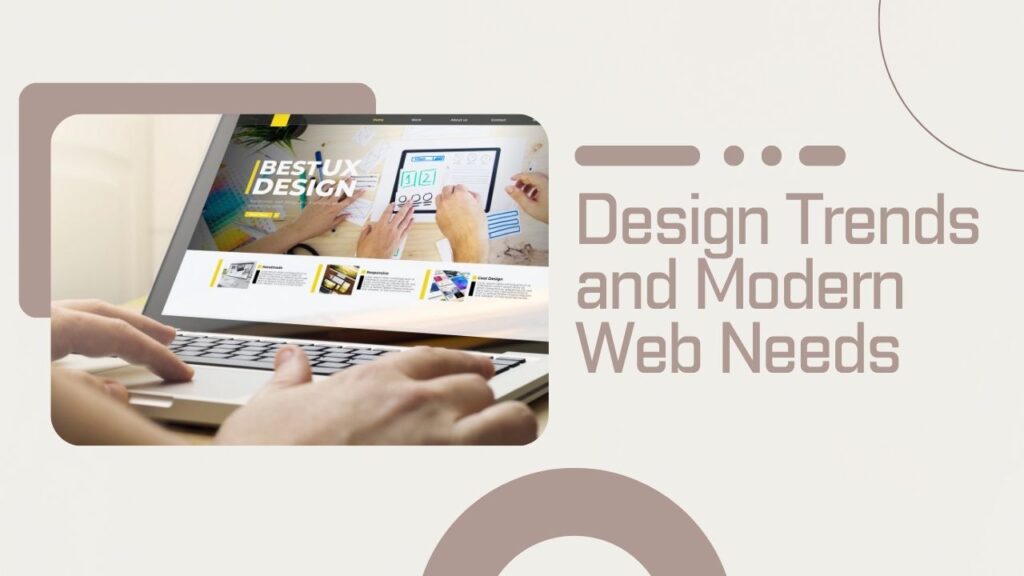
Modern web design is all about user experience, speed, and engagement. The Startup Framework aligns well with current trends like mobile-first design, minimalism, and interactive elements.
It allows you to create visually appealing websites without sacrificing performance. This balance is crucial for retaining users and improving conversions.
Limitations and Challenges
No tool is perfect, and the Startup Framework has its limitations. While it’s great for landing pages and small websites, it may not be ideal for complex applications.
Another challenge is the learning curve for advanced customization. While basic usage is easy, mastering the framework requires some familiarity with Bootstrap and web development concepts.
Tips to Maximize the Startup Framework
Utilize the Startup Framework to its fullest – keep it straightforward and easy to understand. Here’s how to humanize the text: Stick to a clean design and prioritize user experience.
Also, take advantage of the pre-designed components. They’re there for a reason—use them to save time and maintain consistency.
Finally, keep testing and iterating. The framework makes it easy to update your website, so don’t hesitate to experiment.
Conclusion
The Designmodo Startup Framework is more than just a website builder—it’s a powerful tool for turning ideas into reality بسرعة and efficiently. The drag-and-drop graphical interface, Bootstrap framework, and pre-designed components bridge the gap between ease of use and flexibility.
Whether you’re a beginner creating your first website or a developer who needs a faster workflow, this framework has something for everyone. It’s not perfect, but it’s damn good at what it was designed to do.
FAQs
Q. Is the Startup Framework free to use?
A. Yes, there is a free version available with limited features, but premium plans unlock more advanced tools.
Q. No coding skills required to use it.
A. No, the drag-and-drop interface allows you to build websites without coding, though coding knowledge helps with customization.
Q. Can I export my website?
A. Yes, you can export clean HTML and CSS files and host them anywhere.
Q. Is it good for SEO?
A. Yes, it generates clean code and supports responsive design, both important for SEO.
Q. Who should use the Startup Framework?
A. It’s ideal for startups, marketers, designers, and developers who want to build websites quickly.