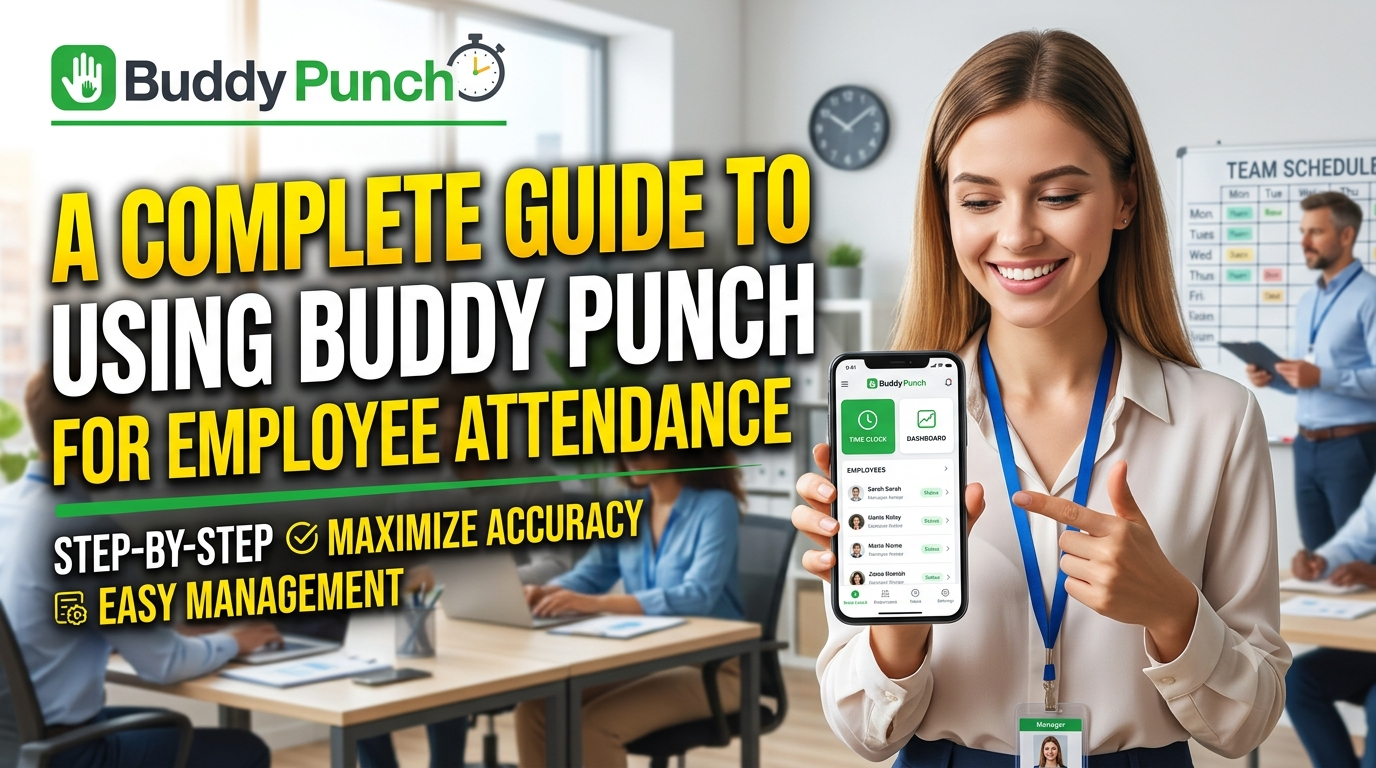
Buddy Punch is a powerful employee time and attendance solution designed to simplify workforce management for businesses of all sizes. With Buddy Punch, employers can track employee hours, manage schedules, monitor attendance, record time off, and generate detailed reports from one centralized platform. Its mobile-friendly tools, GPS tracking, customizable punch options, overtime management, and payroll integrations make it easier to maintain accurate employee records and reduce administrative work. Whether you manage an office-based, remote, or field workforce, Buddy Punch provides practical features that can help improve attendance accuracy, streamline payroll preparation, and create a more organized approach to employee time management.
Table of Contents
- What Is Buddy Punch?
- How Buddy Punch Attendance Tracking Works
- Setting Up Buddy Punch for Your Team
- Configuring Work Schedules
- Using GPS and Location Controls
- Managing Breaks and Overtime
- Tracking Time Off and Absences
- Reviewing Attendance Reports
- Managing Time Cards and Corrections
- Using Alerts and Reminders
- Buddy Punch Pricing and Plan Considerations
- Best Practices for Employee Attendance
- Common Buddy Punch Mistakes to Avoid
- Buddy Punch for Remote and Field Teams
- Buddy Punch for Office-Based Teams
- Improving Payroll Accuracy With Attendance Data
- Security, Permissions, and Employee Privacy
- Is Buddy Punch Right for Your Business?
- Conclusion
- FAQs
What Is Buddy Punch?

Buddy Punch is an employee time-tracking and workforce-management platform designed to help businesses record working hours, manage schedules, track time off, monitor attendance, and prepare information for payroll. Rather than relying on paper timesheets, spreadsheets, or employees manually reporting when they arrived and left, Buddy Punch creates a centralized digital record of work time. According to its current pricing information, the platform includes time tracking, mobile apps, time-off tracking, GPS on punches, alerts and reminders, job tracking, payroll integrations, and reporting, with additional workforce-management capabilities available on higher plans. The basic idea is simple: employees record their working time through an approved punching method, while managers and administrators use the resulting data to understand attendance and correct issues before payroll is processed. That makes Buddy Punch particularly useful when a company wants attendance information to become something more practical than a collection of numbers sitting in a spreadsheet. The platform also has a substantial help center covering account setup, time tracking, time off, scheduling, reports, integrations, and separate administrator, manager, and employee workflows. For a business owner, that means the system can serve as a digital attendance hub rather than simply acting as a virtual clock.
Why Employee Attendance Tracking Matters
Employee attendance is one of those business processes that seems straightforward until a company starts growing. When five people work in the same office, a manager may remember who arrived late, who left early, and who took Friday afternoon off. When the team becomes 25, 50, or 200 employees, memory stops being a reliable management system. Attendance data affects payroll, scheduling, staffing levels, overtime, customer service, productivity, and sometimes compliance, so even small inaccuracies can become expensive when they are repeated across an entire workforce. A digital system such as Buddy Punch helps replace assumptions with records by capturing punch times and organizing them into time cards and reports. Managers can then investigate unusual patterns instead of spending hours reconstructing what happened from messages, emails, or handwritten notes. Buddy Punch also supports reporting around actual versus scheduled hours, early and late arrivals, absences, breaks, PTO, and employee time cards. The real benefit is therefore not simply knowing whether someone punched in at 9:02 a.m.; it is creating a consistent process through which attendance information can be reviewed, corrected, approved, and eventually used for payroll or workforce decisions.
How Buddy Punch Attendance Tracking Works
Buddy Punch works by turning an employee’s workday into a series of recorded time events. Depending on the company’s configuration, an employee can punch in or out through supported web or mobile options, while businesses can also use methods such as PINs, QR codes, kiosks, and other authentication approaches. The platform’s current product information says employees can punch in and out from computers, tablets, or phones, while the mobile application supports time tracking and scheduling. Once punches have been captured, the system can calculate worked time and organize it into timesheets and reports. Managers can review employee work hours, add or edit punches when appropriate, approve or reject time cards, and investigate issues. This creates a workflow that resembles a digital attendance pipeline: an employee records time, Buddy Punch stores the event, the manager reviews the result, corrections are made when necessary, and approved information can move toward payroll. The exact workflow depends on the company’s settings, permissions, scheduling rules, and plan. That distinction matters because Buddy Punch is highly configurable, so two companies may use the same platform in noticeably different ways.
Clocking In and Out
The most important daily action is usually the employee punch. At the beginning of a shift, an employee clocks in using the method the organization has permitted, and at the end of the shift, the employee clocks out. Depending on the configuration, the company can apply restrictions around when or where employees can punch, while features such as automatic punch-out can help reduce forgotten clock-outs. Buddy Punch’s permissions documentation shows that administrators can configure automatic punch-out settings, mobile punches, punch-limiting rules, rounding rules, and other time-management controls. The goal should not be to create as many restrictions as possible; it should be to create rules that reflect how employees actually work. For example, a field-service company may need location-based controls because employees begin their day at customer sites, while a remote software company may simply need reliable web or mobile clock-ins. Employees should also understand what counts as a correct punch and what to do if they forget one. A short written attendance policy can prevent many disputes because everyone knows whether a missed punch should be reported immediately, whether managers can edit time, and whether employees are expected to review their time cards before approval.
Mobile, Web, and Kiosk Punching
A major advantage of digital attendance software is flexibility. Not every workforce clocks in from the same environment, which is why a single attendance method can quickly become inconvenient. Buddy Punch currently offers mobile apps and supports time tracking from internet-connected devices, while its Pro plan includes PIN/kiosk punching and QR-code scanning. The Android application, for example, allows employees to punch in and out, request time off, and view schedules, while managers and administrators can oversee attendance and schedules from mobile devices. This flexibility can be especially useful for businesses with mixed work environments. An office might use a shared kiosk, a warehouse could use a tablet, and a field employee could use a smartphone. The important point is to select a punching method that is convenient enough for employees to use consistently while still giving managers the level of control they need. If the process is unnecessarily complicated, employees will make mistakes; if it is too loose for the organization’s needs, attendance records may become difficult to verify.
Setting Up Buddy Punch for Your Team
Setting up Buddy Punch effectively starts before employees ever record their first punch. An administrator should establish the company’s time zone, pay periods, attendance expectations, employee profiles, permissions, and relevant policies before inviting the workforce into the system. Buddy Punch’s administrator permissions include controls for account settings, employee permissions, alerts, break rules, punch limitations, rounding, scheduling, time-off tracking, and time-card approvals. This is important because attendance software is only as reliable as the rules behind it. If one manager allows employees to edit punches while another requires every correction to go through management, employees may experience inconsistent treatment. A good implementation therefore begins with a simple question: What should happen when an employee starts work, ends work, misses a punch, takes a break, works overtime, arrives late, or requests time off? Once those scenarios are defined, the corresponding Buddy Punch settings can be configured around them. It is also smart to test the process with a small group before rolling it out company-wide. A pilot can reveal problems such as incorrect schedules, confusing permissions, wrong time zones, or missing notifications before those issues affect an entire payroll cycle.
Creating Employees and Assigning Roles
Buddy Punch separates responsibilities between administrators, managers, and employees, allowing each group to have different capabilities. Its current permissions documentation shows that administrators have broad configuration rights, managers can work with assigned employees, and employees have access to their own time-management functions. This role-based approach is useful because the person responsible for configuring attendance policies should not necessarily have the same access as an employee who only needs to clock in and review personal time. Managers can, for example, review assigned employee hours, handle time-off requests, and work with time cards, while administrators retain higher-level configuration controls. Before creating users, decide who should administer the entire account, who should manage individual teams, and who should simply record time. Then keep permissions as narrow as practical. Giving everyone administrator-level access may seem convenient, but it creates unnecessary risk and makes it harder to determine who changed an attendance record. Clear roles also make training easier because each employee can be taught only the functions relevant to their job.
Configuring Work Schedules
Schedules provide an important layer of context for attendance. A punch tells you when someone actually recorded time, but a schedule can tell you when the employee was expected to work. That distinction allows a business to identify patterns such as late arrivals, early departures, missed shifts, or employees working outside assigned hours. Buddy Punch’s scheduling functionality includes tools for recurring shifts, schedule templates, availability, shift trades, covers, notifications, and attendance-related reporting. When schedules are configured correctly, attendance becomes easier to interpret because managers are no longer looking only at isolated punch times. They can compare actual work with planned work. For example, an employee scheduled from 8:00 a.m. to 4:00 p.m. who consistently punches in at 8:25 may require a conversation about scheduling or punctuality. On the other hand, an employee who regularly works beyond scheduled hours may indicate a staffing problem rather than an attendance problem. Good schedule configuration therefore turns Buddy Punch from a basic clock into a workforce-management tool.
Managing Shifts and Attendance Rules
Once schedules are created, organizations can introduce rules that make the system behave consistently. Buddy Punch supports options related to early and late reporting, limiting punches to scheduled shifts, automatic punch-outs, and scheduling permissions. These controls should be used carefully. An overly strict rule may prevent legitimate work, while an overly permissive setup may make attendance reporting less meaningful. Imagine a retail store that allows employees to clock in whenever they want; the resulting time records may be accurate, but they do not necessarily tell the manager whether the store was adequately staffed at the required time. Conversely, a business with flexible working hours may not need rigid shift restrictions at all. The best configuration reflects the organization’s real operating model. Managers should also review the rules periodically because staffing models change. Seasonal employees, new departments, hybrid schedules, and revised operating hours can all make old attendance settings unsuitable.
Using GPS and Location Controls
Location tracking can be valuable when employees work outside a central office. Buddy Punch includes GPS information with punches on its Starter plan, while more advanced location controls such as basic geofencing and real-time GPS are available depending on the plan and configuration. The purpose is generally to provide context around where a punch occurred, rather than simply recording a time. For a landscaping business, construction company, cleaning service, delivery operation, or field-service team, that additional information can help managers understand whether employees are clocking in from the expected work location. Buddy Punch’s construction-oriented information also describes location visibility and GPS-related workforce features. Location controls should always be introduced with a clear employee policy explaining what is collected, when it is collected, and why. Transparency matters because attendance tracking should create accountability without becoming unnecessarily intrusive. Businesses should also consider local privacy and employment requirements before enabling location-related features, especially when employees use personal devices.
Managing Breaks and Overtime
Breaks and overtime can make attendance tracking significantly more complicated than simply recording start and finish times. An employee may have different break rules depending on the role, location, shift length, or applicable policy. Buddy Punch provides automatic break functionality and break rules, and its current Pro plan includes break-compliance capabilities. The system can also distinguish paid and unpaid break time in relevant reports. For businesses, the benefit is consistency: rather than relying entirely on employees to calculate break deductions or manually enter corrections, the software can apply predefined rules. Overtime calculations can similarly reduce manual work by turning recorded punches into calculated hours. Still, automation does not eliminate the need for management oversight. If a rule is configured incorrectly, the system may consistently produce incorrect results. Managers should therefore test break and overtime rules against real examples before relying on them for payroll. It is also helpful to explain the rules to employees so they understand why their time cards look the way they do.
Tracking Time Off and Absences
Attendance is not only about the days employees work. A complete attendance process also needs to account for vacation, sick leave, holidays, personal time, and other approved absences. Buddy Punch provides time-off tracking and PTO functionality, including balances, requests, approvals, accruals, and reporting. Employees can request time off, managers can approve or deny requests for assigned employees, and administrators can manage broader time-off settings. The platform’s PTO reporting can show information such as time used, available balances, accrued time, and carryover balances. This creates a more complete attendance picture because managers can distinguish an approved absence from an unexplained absence. It also reduces the chance that PTO information will become scattered across email conversations and spreadsheets. The best approach is to establish clear approval rules before activating time-off tracking. Employees should know how far in advance requests should normally be submitted, who approves them, how balances are calculated, and what happens when an absence is unexpected.
Reviewing Attendance Reports
Reports are where attendance data becomes useful for management. Buddy Punch currently provides reports covering payroll data, time cards, PTO, scheduling, GPS activity, deleted time, employee errors, and other attendance-related information. A manager should not need to inspect every punch manually to understand what is happening. Instead, reports can surface patterns that deserve attention. For example, a recurring early/late pattern may suggest scheduling problems, while repeated missed punches could indicate that employees need better training. Reports can also support payroll preparation by summarizing regular hours, overtime, double-time, and paid time off. The key is to avoid generating reports simply because the software makes them available. Choose a small set of reports that correspond to actual management questions. Ask, “Are employees arriving when expected?”, “Are scheduled hours matching actual hours?”, “Are overtime costs increasing?”, and “Are absences creating staffing gaps?” When reports answer those questions, attendance tracking becomes a management tool rather than an administrative chore.
Understanding Early, Late, and Absence Reports
The scheduling reports are particularly helpful when a business wants to compare expected attendance with actual attendance. Buddy Punch provides an Early/Late Report for determining whether employees arrived early or late relative to scheduled shifts, while its Absence Report identifies missed scheduled shifts. Scheduling is required for these reports. This distinction is important because a time punch by itself cannot tell you whether someone was late. If an employee punches in at 9:15, you need to know whether the shift started at 9:00, 9:15, or 10:00. Scheduling creates that reference point. Managers should use these reports to identify trends rather than automatically treat every exception as misconduct. A recurring late pattern may point to an employee issue, but it could also indicate unrealistic scheduling, transportation difficulties, or a shift that needs adjustment. The strongest attendance programs combine objective data with human judgment.
Managing Time Cards and Corrections
Even the best attendance system will occasionally contain an error. Someone may forget to punch out, lose an internet connection, select the wrong job, or accidentally enter an incorrect time. Buddy Punch gives authorized administrators and managers tools to add, edit, delete, approve, reject, or reset time information depending on their permissions and configuration. The goal should be to correct mistakes without turning the attendance system into a free-for-all. A company should define who can make corrections, when employees can edit their own time, and whether managers need supporting notes or approval. Keeping a consistent correction process also helps preserve trust. Employees are more likely to accept automated attendance tracking when they know there is a fair mechanism for fixing legitimate errors. Managers should review unusual changes rather than changing records casually. In practice, the most effective process is simple: employees report mistakes promptly, managers verify the circumstances, authorized users correct the record, and the final time card is approved before payroll.
Using Alerts and Reminders
Attendance problems are often easier to prevent than to fix. Buddy Punch includes alerts and reminders that can help employees and managers stay aware of important time-related events. Its permissions documentation indicates that administrators can create and manage alerts and reminders, while managers and employees can receive applicable notifications. A reminder to punch out, for example, can prevent an employee from accidentally leaving an open time entry until the next day. Notifications can also make time-off approvals, schedule changes, or other events easier to manage. The trick is not to overwhelm employees with notifications. If every minor event generates an alert, people eventually stop paying attention. Start with the most useful reminders, measure whether they reduce errors, and add more only when there is a clear reason. Attendance automation works best when it quietly prevents common mistakes rather than constantly demanding attention.
Buddy Punch Pricing and Plan Considerations
Buddy Punch’s current pricing page lists three main plans: Starter at $4.99 per user per month plus a $19 monthly base fee, Pro at $6.99 per user per month plus a $19 monthly base fee, and Advanced at $12.99 per user per month plus a $19 monthly base fee when billed monthly, with annual billing offering savings of up to 18%. The Starter plan covers core time tracking and attendance capabilities, while Pro adds features such as basic geofencing, QR-code scanning, PIN/kiosk punching, webcam-on-punches, break compliance, API access, and included scheduling. Advanced adds capabilities such as advanced reporting, SSO, manager permissions, higher API limits, dedicated support, and priority onboarding. Optional add-ons can change the overall cost, including scheduling on Starter, real-time GPS, onboarding/offboarding/tasks, and extended data retention. Buddy Punch also offers a 14-day free trial without requiring a credit card according to its current pricing page. Because pricing and feature packaging can change, businesses should check the current official pricing page before making a purchasing decision.
| Plan | Current listed monthly price | Attendance-related highlights |
| Starter | $4.99/user/month + $19 base fee | Time tracking, GPS on punches, mobile apps, PTO, reports, alerts |
| Pro | $6.99/user/month + $19 base fee | Starter features plus geofencing, kiosk/PIN, QR codes, webcam punches, break compliance, scheduling |
| Advanced | $12.99/user/month + $19 base fee | Pro features plus advanced reports, SSO, manager permissions, higher limits and dedicated support |
Best Practices for Employee Attendance
Technology can make attendance tracking easier, but software alone cannot create a strong attendance culture. Start by publishing a simple policy that explains expected working hours, punching procedures, breaks, overtime, missed punches, schedule changes, and time-off requests. Train employees before enforcing the system, and give them an opportunity to practice punching in and out. Managers should review attendance consistently rather than selectively, because inconsistent enforcement quickly creates frustration. It is also useful to establish a weekly attendance review rather than waiting until payroll day. A manager can spend a few minutes looking for missing punches, unusual overtime, repeated lateness, and unresolved time-off requests before those issues become payroll problems. Another good practice is to separate data collection from disciplinary decisions. An attendance report tells you what happened according to the system; it does not automatically explain why it happened. Treat the data as evidence that starts a conversation rather than a machine that makes every management decision for you.
Common Buddy Punch Mistakes to Avoid
One of the most common mistakes is configuring too much too quickly. A company may activate GPS, geofencing, schedules, break rules, automatic punch-outs, rounding, notifications, and approval workflows all at once without testing how they interact. That can produce confusion for employees and managers. Another mistake is failing to establish ownership of attendance corrections. If nobody knows who should fix a missed punch, small errors can remain unresolved until payroll. Businesses can also make the mistake of treating every late punch as a performance issue without considering whether the schedule itself is realistic. Finally, companies sometimes ignore employee communication. People are more comfortable with attendance technology when they understand what information is collected, how it is used, and how mistakes are corrected. Buddy Punch provides extensive configuration options, so the best implementation is not necessarily the one with the most features enabled. It is the one where the selected features support a clear, predictable attendance process.
Buddy Punch for Remote and Field Teams
Remote and field employees create attendance challenges that traditional punch clocks cannot easily solve. A field worker may begin the day at a customer location, while a remote employee may work from home, a coworking space, or another approved location. Buddy Punch’s mobile capabilities and location-related features can help organizations adapt attendance tracking to these environments. The platform’s mobile application allows employees to punch in and out and manage time-related activities from their phones, while GPS and geofencing features can provide additional location context when enabled. For remote teams, however, managers should be careful not to confuse attendance with productivity. A time clock answers when someone recorded work time; it does not measure the quality of their work. For field teams, location information may be more directly relevant because the physical worksite can be part of the job requirement. Each organization should therefore determine what attendance information is genuinely necessary before enabling location controls.
Buddy Punch for Office-Based Teams

Office-based businesses may have a simpler attendance environment, but they can still benefit from structured digital tracking. A shared kiosk or web-based punching process can provide a consistent alternative to paper sign-in sheets. Scheduling can add another layer by allowing managers to compare planned shifts with actual attendance. Employees can also use mobile tools when the organization permits them, while managers can review attendance without manually collecting spreadsheets from each department. Buddy Punch’s current feature set supports time tracking, schedules, PTO, alerts, reporting, and various punching methods depending on the selected plan. For an office team, the biggest benefit may be administrative efficiency rather than location verification. Instead of asking employees to submit weekly hours, HR or payroll staff can work from centralized time records. This can make payroll preparation faster and make attendance conversations more objective because the company has a consistent record of punches and approved time off.
Improving Payroll Accuracy With Attendance Data
Attendance and payroll are closely connected because payroll often begins with a question as simple as, “How many hours did this person actually work?” By offering time-card and payroll-oriented reports, including regular hours, overtime, double-time, and paid time off, Buddy Punch’s reporting features are intended to assist in answering that question.The platform also offers payroll integrations, and its current pricing information lists integrations as part of its time-tracking offering. The best workflow is to treat payroll preparation as a review process rather than a blind export. Before payroll is finalized, managers should check for missing punches, unusual overtime, unresolved time cards, and unexpected PTO. Employees should have a defined opportunity to review their records as well. Once those checks are complete, the organization can export or synchronize the appropriate information. This approach helps catch errors while they are still easy to fix. It also creates a useful audit trail of how attendance information moved from an employee’s daily punch to an approved payroll record.
Read More:-
How Does Strikingly Simplify the Website Building Process?
Building Your Dream Website with Site123
Boost Your E-commerce Strategy with YITH Plugins
Maximize Your Customer Engagement with LiveAgent’s Features
Why STRIPO is Essential for Digital Product Marketersa
Security, Permissions, and Employee Privacy
Attendance data can contain sensitive employment information, including work schedules, time records, PTO information, location details, and potentially photographs when webcam punching is enabled. That makes permissions an important part of implementation. Buddy Punch’s role and permissions system gives administrators control over numerous account settings while limiting managers and employees to defined areas of the platform. Businesses should review those permissions carefully rather than assuming the default configuration will automatically match their organizational structure. If GPS, webcam punches, or other monitoring features are used, employees should receive clear information about the purpose and scope of collection. The company should also consider applicable privacy and employment laws in the jurisdictions where it operates. A good attendance system should provide accountability while respecting reasonable employee expectations. The guiding principle is simple: collect the information you actually need, restrict access to people who genuinely need it, explain the purpose clearly, and periodically review whether the settings remain appropriate.
Is Buddy Punch Right for Your Business?
Buddy Punch can be a strong option for businesses that want to move beyond manual attendance records and combine time tracking with scheduling, PTO, reporting, and workforce controls. Its current feature set covers a wide range of attendance scenarios, from straightforward employee clock-ins to GPS-enabled field work, scheduled-shift comparisons, break compliance, and payroll reporting. It is particularly attractive when a company needs more structure than a spreadsheet can provide but does not want attendance management to become a massive administrative project. The right plan depends heavily on the workforce and the features the business actually needs. A small team that only wants basic time tracking may not need advanced functionality, while a distributed or growing workforce may benefit from scheduling, geofencing, kiosk punching, or advanced reporting. The best way to evaluate the platform is to map its features against actual attendance problems. If the business struggles with missed punches, unclear schedules, scattered PTO records, manual payroll calculations, or field-worker verification, Buddy Punch provides tools that directly address those areas. The 14-day trial can also provide a practical opportunity to test the workflow before committing.



Conclusion
Employee attendance tracking does not have to be a daily battle between spreadsheets, forgotten punches, payroll corrections, and managers trying to remember who worked when. Buddy Punch provides a centralized way to record employee time, manage schedules, track PTO, review attendance, apply rules, and generate reports. Its current capabilities include mobile time tracking, GPS on punches, alerts, reporting, scheduling options, time-off management, and several ways to control how employees record their time. The most successful implementation, however, will not come from simply activating every feature. It will come from designing a clear attendance process and then using Buddy Punch to support it. Start with employee roles, schedules, punching rules, breaks, time off, and correction procedures; test those settings; train the team; and regularly review the resulting reports. When the technology and the policy work together, attendance data becomes more than a record of clock-ins and clock-outs. It becomes a practical source of information for better scheduling, cleaner payroll, stronger accountability, and more efficient workforce management.
FAQs
Q. What is Buddy Punch used for?
A. Buddy Punch is primarily used for employee time tracking, attendance management, scheduling, time-off tracking, reporting, and related workforce-management tasks. Depending on the plan, businesses can also use features such as GPS on punches, geofencing, kiosk punching, QR codes, webcam verification, break compliance, and payroll integrations.
Q. Can employees use Buddy Punch on their phones?
A. Yes. Buddy Punch provides mobile applications for employee time tracking and workforce management. The Android app, for example, supports clocking in and out, time-off requests, and schedule viewing, while managers and administrators can use mobile tools to oversee attendance and schedules.
Q. Can Buddy Punch track employee locations?
A. Yes. GPS information can be captured with punches, and more advanced location capabilities such as basic geofencing and real-time GPS are available depending on the plan and selected features. Businesses should establish clear policies around location tracking before enabling these features.
Q. Does Buddy Punch help with payroll?
A. Yes. Buddy Punch provides payroll-oriented reports containing information such as regular hours, overtime, double-time, and paid time off, and the platform supports payroll integrations. This can reduce manual calculations and make payroll preparation more structured.
Q. How much does Buddy Punch cost?
A. The current pricing page lists Starter at $4.99 per user per month plus a $19 monthly base fee, Pro at $6.99 per user per month plus a $19 base fee, and Advanced at $12.99 per user per month plus a $19 base fee when billed monthly. Annual billing can provide savings of up to 18%, and optional add-ons may change the total cost.