Discover practical ways to boost productivity and communication across a Remote team. This guide explores effective Remote work strategies, communication best practices, collaboration tools, goal-setting techniques, and methods for building trust and accountability. Whether you manage a fully Remote team or a hybrid workforce, learn how to reduce unnecessary meetings, improve asynchronous communication, protect focus time, and create a more connected and productive Remote work environment.
Table of Contents
- Why Remote Team Productivity Depends on Communication
- Create Clear Communication Rules
- Make Asynchronous Communication the Default
- Set Goals That Everyone Can Understand
- Build a Reliable Remote Collaboration System
- Reduce Meetings Without Reducing Connection
- Strengthen Trust and Accountability
- Protect Deep Work and Focus Time
- Build a Strong Remote Team Culture
- Use the Right Technology Stack
- Support Different Time Zones and Work Styles
- Improve Manager-to-Employee Communication
- Measure Remote Team Productivity
- Handle Conflict Before It Becomes a Bigger Problem
- Create a Practical Remote Team Communication Strategy
- Common Mistakes That Reduce Remote Productivity
- Conclusion
- FAQs
Why Remote Team Productivity Depends on Communication
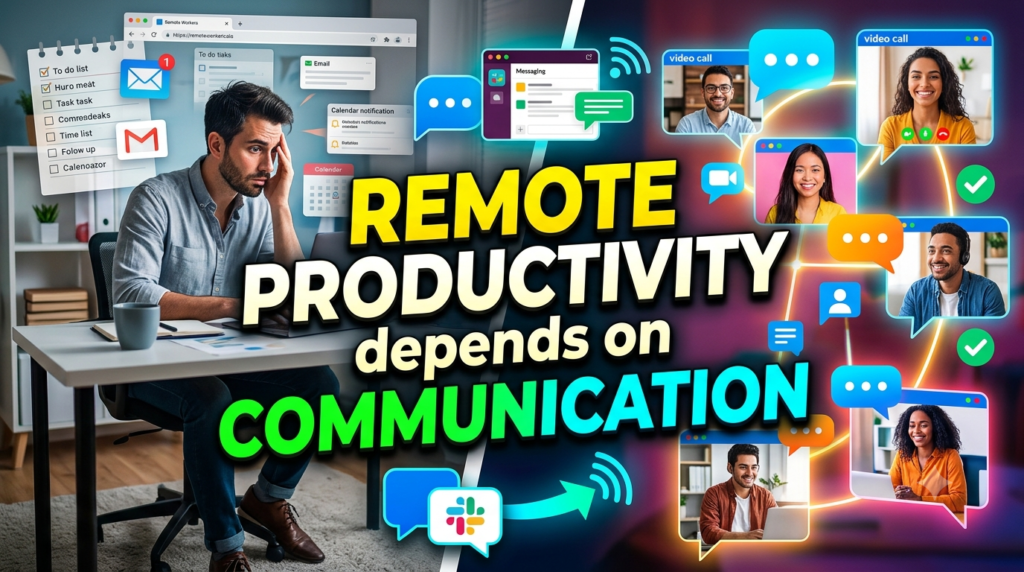
Communication is the infrastructure underneath almost every productive remote team. In an office, employees receive a surprising amount of information without actively asking for it. Someone hears a manager discussing a deadline, notices a colleague working on a related task, or catches an important update while getting coffee. Remote employees do not automatically receive that context. Information must travel deliberately through messages, meetings, project boards, documentation, email, or other collaboration channels. Microsoft Research found that the shift to firm-wide remote work reduced cross-group collaboration time by about 25% compared with pre-pandemic levels in its study of Microsoft employees, while teams became more internally connected and more siloed.
That finding highlights an important lesson: remote productivity is not simply about giving employees laptops and video-conferencing software. Teams need systems that help information move across boundaries. If marketing does not know what product is launching, sales does not know the latest pricing, and customer support does not know about a product change, each department may work hard while the organization moves slowly. Productivity becomes a coordination problem.
The Hidden Cost of Communication Gaps
Communication problems rarely announce themselves as “communication problems.” Instead, they appear as missed deadlines, duplicated work, repeated questions, unnecessary meetings, confused priorities, and frustrated employees. Imagine a designer spending three hours preparing a presentation based on an outdated brief. Later, the project manager explains that the requirements changed yesterday. Nobody intentionally caused the problem, but the team still lost three hours.
Small gaps multiply. A missing decision today can create five questions tomorrow. An unclear owner can cause three people to work on the same task while another task receives no attention. A manager who communicates priorities inconsistently may unintentionally create a workplace where employees constantly ask, “What should I work on next?”
Gallup’s 2026 research also highlights communication weaknesses in the broader workplace: only 27% of U.S. workers strongly agree that their supervisor keeps them informed about what is happening in the organization, while only 22% strongly agree they received meaningful feedback during the previous week. Remote teams have fewer opportunities for spontaneous clarification, so these weaknesses can become even more visible.
Productivity Is About Outcomes, Not Online Presence
One of the easiest mistakes managers make is confusing visibility with productivity. Seeing an employee online does not prove that meaningful work is happening, just as seeing an empty office desk does not prove that nothing is being accomplished. Remote teams perform better when managers define expected outcomes and give people enough freedom to decide how they will achieve them.
Rather of posing the question, “Was everyone online from 9 to 6?” ask questions such as, “Did we complete the agreed deliverable?”, “Did the customer issue get resolved?”, “Did the analysis reach the required accuracy?”,or a “Is the project still on schedule?” This approach gives managers something concrete to evaluate while giving employees room to use their working styles effectively.
The shift sounds simple, but it changes the entire relationship between managers and employees. Employees are no longer encouraged to perform productivity for the camera. They are encouraged to produce meaningful results.
Create Clear Communication Rules
Remote teams need communication rules in the same way roads need traffic signs. Without them, everyone improvises. One employee sends urgent requests through email, another uses chat, another creates a project comment, and someone else starts a video call. The result is not flexibility; it is confusion.
Start by deciding which communication channel serves which purpose. A team might use instant messaging for quick questions, a project management platform for task updates, email for formal external communication, shared documents for detailed information, and meetings for discussions that genuinely benefit from real-time interaction.Consistency is more important than the specific instruments.
Slack’s recent guidance on distributed teams emphasizes establishing explicit communication norms, using asynchronous communication where appropriate, documenting decisions, and reducing unnecessary interruptions.
Decide Which Channel to Use
A simple channel framework can remove a surprising amount of friction:
- Urgent issue: designated urgent channel or direct escalation path.
- Routine question: team chat or asynchronous discussion.
- Task update: project management system.
- Detailed process: shared documentation.
- Complex discussion: scheduled meeting or collaborative call.
- Final decision: documented in the relevant project location.
The purpose is not to create bureaucracy. It is to prevent employees from becoming detectives.Someone should know where to start if they need information.
Define Response-Time Expectations
Not every message deserves an immediate response. If employees believe every notification requires an instant reply, their working day can turn into a continuous interruption cycle.
Define reasonable expectations instead. For example, urgent matters may require faster attention, while routine messages can receive responses within a working day. Managers should also model these rules. If a manager sends a message at 11:30 p.m. and expects an immediate answer, employees may assume that availability is always required even if the official policy says otherwise.
Clear response expectations create psychological space. People can concentrate without wondering whether silence will be interpreted as poor performance.
Make Asynchronous Communication the Default
Asynchronous communication allows people to read, think, respond, and complete tasks without requiring everyone to be available simultaneously. This is especially helpful for distant teams who collaborate across time zones. Instead of saying, “Let’s schedule a 30-minute call to discuss this,” a manager might write a clear project update containing the decision required, relevant background, deadline, and questions.
Slack defines asynchronous communication as communication that does not happen in real time and identifies email, messages, recorded video, screenshots, and collaboration platforms as examples. Atlassian similarly argues that distributed teams need tools and ways of working designed for asynchronous collaboration rather than simply reproducing office-based habits online.
Good asynchronous communication is not the same as sending longer messages. It means providing enough context that the recipient does not need three follow-up questions. A useful message might include the current situation, what has already been decided, what input is needed, who owns the decision, and when the decision is required.
When Synchronous Communication Still Matters
Asynchronous communication should not become a religion. Some situations are simply easier to solve through conversation. Sensitive feedback, complicated brainstorming, conflict resolution, strategic planning, and discussions involving several rapidly changing ideas can benefit from real-time interaction.
The key is intentionality. Before scheduling a meeting, ask, “Does this conversation genuinely need everyone at the same time?” If the answer is yes, schedule it. If the answer is no, consider a written update, shared document, recorded explanation, or structured discussion thread.
The result is a healthier balance: fewer meetings for routine information and better meetings for conversations that actually need them.
Set Goals That Everyone Can Understand
A remote team cannot be productive when its priorities are vague. Employees may be busy from morning until evening and still make little progress if they do not know what matters most. Clear goals create a shared destination.
Every major project should answer several basic questions: What are we trying to accomplish? Why does it matter? Who owns it? What does success look like? When is it due? What dependencies could delay it?
These questions sound obvious, but answering them consistently prevents countless misunderstandings. A goal such as “Improve customer communication” is difficult to measure. A goal such as “Reduce average customer response time from 12 hours to 6 hours by the end of the quarter” gives the team something concrete to work toward.
Track Results Instead of Activity
Remote employees should not need to prove their value through constant digital activity. Counting messages, meetings, login hours, or online status can create the appearance of productivity without necessarily producing business value.
Instead, use meaningful indicators connected to the team’s work. A sales team might track qualified opportunities and revenue. A customer-support team might track resolution time and customer satisfaction. A software team might track release quality, delivery milestones, and defect rates. An operations team might track processing accuracy, turnaround time, and completed workloads.
The metric should help the team improve rather than simply give managers another surveillance mechanism. If a number rises but customer experience falls, the number is not telling the complete story.
Build a Reliable Remote Collaboration System
Technology should make work easier, not create a maze of applications. A remote team may use chat, video calls, email, spreadsheets, documents, calendars, task managers, dashboards, CRM software, and dozens of other tools. The problem begins when employees no longer know which system contains the official answer.
Build a simple collaboration architecture. Every important category of information should have a home. Project status should live in the project system. Process documentation should live in the knowledge base. Decisions should be recorded where the relevant team can find them. Files should have logical naming conventions and ownership.
Keep Information Easy to Find
A remote employee should not need to message three colleagues asking, “Where is the latest version?” Documentation becomes especially valuable when teams grow, employees take leave, or new people join.
Create a habit of recording decisions. After an important meeting, summarize what was decided, who owns each action, and what happens next. This takes a few minutes but can save hours later.
Documentation also reduces dependence on individual employees. If one person is the only person who knows how a process works, the organization has created a bottleneck. Good documentation turns personal knowledge into organizational knowledge.
Reduce Meetings Without Reducing Connection
Meetings are not automatically bad. Bad meetings are bad. An issue that could take dozens of misleading communications can be resolved in 20 minutes with a productive discussion. The problem occurs when meetings become the default method for transferring information.
Start by separating information sharing from decision-making. If a meeting exists only to read status updates aloud, consider replacing it with an asynchronous update. If the team needs to make a decision, debate alternatives, or solve a complex problem, a meeting may be appropriate.
A simple meeting rule can help: every meeting should have a purpose, an owner, the right participants, and an expected outcome. If those four elements are missing, the meeting deserves another look.
Remote teams should also protect calendars. A day filled with back-to-back calls leaves little room for actual work. Productivity requires space between communication and execution.
Strengthen Trust and Accountability

Trust is one of the foundations of successful remote work, but trust does not mean the absence of accountability. In a strong remote team, employees know what they are responsible for and managers trust them to execute without constant monitoring.
Gallup’s 2026 research reports that only 54% of managers who supervise remote employees strongly agree that they trust their teams to be productive remotely, while 57% of employees strongly agree that they feel trusted. These figures demonstrate why trust cannot simply be assumed.
Give Employees Ownership
Ownership means giving people responsibility for outcomes rather than controlling every small action. A manager might define the expected result and deadline while allowing an employee to choose the workflow, tools, and working rhythm.
This approach can increase initiative because employees understand that they are trusted to solve problems rather than simply follow instructions. Accountability still matters: owners should provide progress updates, identify blockers early, and communicate when priorities need to change.
The healthiest remote relationship is not “I trust you, so I will never ask questions.” It is “I trust you, so I will give you room to work, and we will maintain clear agreements about results.”
Protect Deep Work and Focus Time
Remote communication can become noisy. Notifications appear on multiple devices, chat messages arrive continuously, meetings fill calendars, and employees feel pressure to remain available. Ironically, a team can become highly connected and less productive at the same time.
Create protected focus periods. Employees should know that not every hour is expected to be collaborative. Encourage people to mute notifications, block focus time, and communicate availability clearly.
Managers have a particularly important role here. If leaders constantly interrupt employees with low-priority requests, employees will learn that focus time is not truly protected.
The goal is to create a rhythm: periods of collaboration followed by periods of concentrated execution. Think of communication as the road system and deep work as the journey. More roads do not automatically make a journey faster if traffic never stops.
Build a Strong Remote Team Culture
Culture does not disappear when employees stop sharing an office. It simply becomes more intentional. In a physical workplace, relationships develop through repeated informal interactions. Remote teams need to create their own opportunities for connection without forcing artificial social activities.
A healthy remote culture combines clarity, inclusion, recognition, trust, and shared purpose. Employees should understand not only what they are working on but why their work matters.
Team rituals can help. A short weekly celebration, monthly virtual gathering, project retrospective, or informal conversation can give employees opportunities to connect beyond task management. These rituals should remain authentic rather than becoming mandatory entertainment.
Make Recognition Part of the Routine
Recognition is particularly important when managers cannot physically see the work employees are doing. A thoughtful message that recognizes a difficult problem solved, a customer helped, or a teammate supported can reinforce positive behavior.
Recognition does not need to be expensive. Specificity matters more than extravagance. Instead of saying, “Great job,” explain what was valuable: “Your documentation helped the new team members understand the process without needing additional support.”
That type of recognition connects individual contribution to team success.
Use the Right Technology Stack
The technological stack with the greatest number of applications is not the best one.It is the one that lessens friction. Before adding another tool, ask whether an existing platform can solve the problem.
A practical remote team stack might include a communication platform, video-conferencing solution, project management system, shared document environment, knowledge base, calendar, and relevant business applications. The specific brands can vary according to the organization’s needs.
Technology should support human workflows rather than dictate them. If employees spend more time updating five systems than doing the actual work, the system has become the problem.
The best tools share three characteristics: they are easy to use, information is searchable, and responsibilities are visible. When technology meets those needs, employees spend less energy managing work and more energy completing it.
Support Different Time Zones and Work Styles
A distributed team may include employees with very different schedules. One person may start work early, another may work later, and a third may be located several time zones away. Treating one person’s schedule as the universal standard can create unnecessary pressure.
Document working hours and availability. Identify overlapping collaboration windows when real-time discussion is useful. Outside those windows, use asynchronous communication wherever possible.
Time-zone awareness should also influence deadlines. If a manager in one country says, “I need this by tomorrow morning,” the employee in another country may interpret that deadline differently. Use exact dates and times when precision matters.
Work-style differences deserve attention too. Some employees think best through written communication; others process ideas better through conversation. Some prefer long uninterrupted focus blocks, while others naturally work in shorter cycles. Clear outcomes allow teams to accommodate these differences without sacrificing accountability.
Improve Manager-to-Employee Communication
Managers are the communication bridge between organizational strategy and everyday work. If priorities change at leadership level but employees do not hear about the change, confusion follows.
Good managers communicate context, not just instructions. Instead of saying, “Move this project to next week,” explain what changed and what the team should prioritize instead.
Regular one-to-one conversations also matter. They provide space for employees to discuss workload, blockers, development, concerns, and achievements. Gallup recommends meaningful weekly conversations between managers and direct reports that address progress, obstacles, workload, wellbeing, and development needs.
The best one-to-ones are not status meetings. The project dashboard can provide status. The conversation should focus on the person behind the work.
Measure Remote Team Productivity

You cannot improve what you never examine. However, measuring remote productivity requires more thought than counting hours.
Start with a small set of meaningful indicators. Depending on the team, these might include completed milestones, customer outcomes, quality measures, cycle time, project delivery, employee engagement, or response time.
Combine quantitative and qualitative information. A dashboard might tell you that projects are being delivered on schedule, while employee feedback reveals that the team is exhausted. Both pieces of information matter.
Review productivity metrics regularly, but do not turn every metric into a target. Once employees feel that a number is being used against them, they may optimize for the metric rather than the real objective.
A good productivity measurement system answers one question: Are we producing valuable results sustainably?
Handle Conflict Before It Becomes a Bigger Problem
Remote communication can make conflict harder to interpret. A short message that seems neutral to one person may sound rude to another. A delayed response can be interpreted as avoidance when the employee may simply be concentrating.
When tension appears, do not allow it to grow through endless text exchanges. Move sensitive conversations into a richer communication format when necessary.
Managers should encourage employees to address misunderstandings directly and respectfully. Focus on observable behavior rather than assumptions about intention. Instead of saying, “You clearly don’t care about the project,” say, “The last two agreed updates were missed, and the team did not know the project status.”
This distinction matters because facts can be discussed and corrected. Assumptions about someone’s motives usually create defensiveness.
Read More:-
Corel, Roxio & Pinnacle | Multimedia Software Explained: Features, Pricing & Benefits
INSTAREM GLOBAL Explained: Features, Fees, and Benefits
checkdomain DE Review 2026: Features, Pricing & Domain Services Explained
How Webnode Makes Website Building Easy for Beginners
How Gorgias Helps Marketing Agencies Manage Ecommerce Customers
Create a Practical Remote Team Communication Strategy
A successful remote team does not need a complicated communication manual. It needs a few rules that people can actually remember and follow.
Start with five principles. First, document important information. Second, use asynchronous communication for routine updates. Third, reserve meetings for discussions that genuinely need real-time interaction. Fourth, define ownership and deadlines clearly. Fifth, evaluate people by meaningful outcomes rather than digital visibility.
Then review the system periodically. Ask employees which communication practices save time and which ones waste it. Look for repeated questions, duplicated work, meeting overload, unclear responsibilities, and information that is difficult to find.
Remote work is not a one-time setup. Teams evolve. New employees join, projects become more complex, tools change, and working patterns shift. Your communication system should evolve with them.
Common Mistakes That Reduce Remote Productivity
One of the biggest mistakes is over-communicating without structure. Sending more messages does not necessarily create more clarity. Employees can become overwhelmed by notifications while still missing the one message that actually matters.
Another mistake is using meetings as a substitute for documentation. Meetings disappear when they end unless decisions are recorded. A written summary creates a reference point for people who attended and those who could not.
A third mistake is micromanaging remote employees. Constant status checks may make managers feel informed, but they can reduce autonomy and interrupt productive work. Clear goals and scheduled check-ins generally create a healthier balance.
A fourth mistake is assuming everyone understands the same priorities. If the priority is important, communicate it clearly and repeat it when circumstances change.
Finally, avoid treating remote employees as isolated individuals. Productivity is not only about individual efficiency. Teams also need collaboration, relationships, knowledge sharing, and opportunities to learn from one another.



Conclusion
Boosting productivity and communication across a remote team is less about finding one magical tool and more about designing a better way of working. Clear goals tell employees where they are going. Communication norms show them how information should move. Documentation preserves knowledge. Asynchronous work protects flexibility and focus. Meetings provide real-time connection when it genuinely adds value. Trust gives employees room to perform, while accountability keeps everyone aligned.
The evidence from current workplace research reinforces the importance of intentional coordination. Gallup’s 2026 research shows that hybrid and remote work remain significant working arrangements, while structured collaboration, clear expectations, communication, and trust continue to influence engagement and burnout.
The strongest remote teams do not try to recreate the office through a screen. They build something better suited to distributed work. They communicate deliberately, document decisions, protect focus, measure meaningful outcomes, and give people enough autonomy to do their best work. When those practices become part of everyday operations, distance becomes much less important than alignment.
FAQs
Q. How can I improve communication in a remote team?
A. Start by establishing clear communication rules. Decide which channels should be used for urgent matters, routine questions, project updates, documentation, and formal communication. Encourage asynchronous updates for information that does not require an immediate response, and use meetings when discussion or decision-making genuinely benefits from real-time interaction. Clear ownership, deadlines, and documented decisions can also reduce repeated questions and confusion.
Q. How can remote employees stay productive without being micromanaged?
A. Set clear expectations around outcomes, deadlines, quality, and responsibilities instead of monitoring every minute of an employee’s day. Give employees ownership over how they complete their work while maintaining regular check-ins for progress and blockers. Managers should focus on measurable results rather than online status, keyboard activity, or constant availability. This approach creates accountability while preserving autonomy.
Q. Are meetings necessary for remote teams?
A. Yes, but not every conversation requires a meeting. Meetings are useful for brainstorming, complex problem-solving, sensitive discussions, strategic planning, and decisions that require immediate interaction. Routine announcements, status updates, and simple information sharing can often happen asynchronously. Reducing unnecessary meetings gives employees more time for focused work without eliminating meaningful team connection.
Q. What tools are essential for a productive remote team?
A. The exact tools depend on the organization, but most remote teams benefit from a reliable communication platform, video-conferencing solution, project management system, shared document environment, calendar, and searchable knowledge base. The objective should not be to use as many tools as possible. Instead, each tool should have a clear purpose, and employees should understand where official information belongs.
Q. How do you build trust in a remote team?
A. Trust grows when managers communicate consistently, set clear expectations, provide employees with meaningful ownership, and evaluate performance based on outcomes. Employees should also communicate proactively when they encounter blockers or anticipate missed deadlines. Managers can strengthen trust by avoiding unnecessary surveillance and giving people opportunities to make decisions. Regular one-to-one conversations and specific recognition can further strengthen relationships over time.