Discover ConvertKit (now known as Kit) and learn how it helps creators, bloggers, and businesses grow their audience with powerful email marketing, automation, landing pages, and digital product sales. This complete guide explores ConvertKit’s key features, pricing, benefits, and how it compares to other email marketing platforms to help you decide if it’s the right solution for your online business.
Understanding ConvertKit (Now Known as Kit)
ConvertKit launched in 2013 with a simple goal: create an email marketing platform built specifically for creators instead of traditional marketers. Over the years, bloggers, podcasters, educators, YouTubers, and independent businesses adopted the software because it simplified subscriber management and automation. As the creator economy expanded dramatically, the company realized its platform had grown far beyond email campaigns. It introduced landing pages, commerce tools, digital product sales, paid newsletters, recommendation systems, and creator networking. Because of these additions, the company officially rebranded from ConvertKit to Kit, describing itself as an “email-first operating system for creators.”
The new identity reflects a larger mission. Kit aims to become the central hub where creators grow audiences, communicate with subscribers, automate marketing workflows, and generate revenue without juggling dozens of disconnected tools. Despite the name change, existing users still have access to their accounts, subscriber lists, automations, and integrations. Most people continue searching for “ConvertKit” because of its long-standing reputation, but the official branding is now simply Kit. For anyone researching email marketing software today, understanding this transition helps avoid confusion when comparing reviews, tutorials, or pricing pages.
Why Creators Love Kit
Unlike many email platforms built around corporate marketing teams, Kit is intentionally designed for individuals building personal brands. Writers publish newsletters. YouTubers grow communities. Coaches nurture leads before selling programs. Bloggers recommend affiliate products. Authors launch books. Every feature is designed around these workflows rather than traditional corporate email campaigns.

Among the platform’s biggest strengths is simplicity. Many email marketing systems overwhelm beginners with complicated CRM pipelines, sales dashboards, and enterprise-level features they may never use. Kit focuses on what creators actually need: collecting subscribers, organizing audiences with tags, building automated email sequences, and delivering valuable content consistently. Its clean interface reduces the learning curve significantly, making it possible for beginners to launch professional email marketing campaigns without extensive technical knowledge. Even experienced marketers appreciate the visual automation builder because it allows complex customer journeys to be created through drag-and-drop workflows instead of coding or confusing rule builders. According to recent reviews, Kit continues to stand out because of its intuitive automation system and creator-focused workflow despite growing competition from platforms like Beehiiv, Mailchimp, and ActiveCampaign.
Key Features of Kit
Kit combines multiple creator tools into one platform instead of forcing users to purchase several different services. The email marketing system allows creators to send newsletters, promotional emails, announcements, welcome sequences, educational campaigns, and product launches using a straightforward editor. Unlimited email broadcasts and customizable templates make regular communication simple while maintaining consistent branding.
Another standout feature is the Visual Automation Builder. Instead of manually sending follow-up emails every time someone joins your mailing list, Kit lets users create automated workflows based on subscriber behavior. A visitor who downloads a free ebook can automatically receive a welcome sequence, educational emails, product recommendations, and promotional offers over several weeks. If they purchase a product, the workflow can immediately move them into a different customer segment. This automation saves hours of manual work while delivering personalized experiences.
Landing pages and signup forms are also included, eliminating the need for separate lead-generation software. Creators can quickly design pages promoting newsletters, webinars, lead magnets, or digital products. Subscriber tagging provides another major advantage because contacts can belong to multiple interest groups without creating duplicate email lists. This flexible organization system enables highly targeted email campaigns, improving engagement and reducing unsubscribe rates. The platform also includes built-in commerce features, allowing users to sell ebooks, memberships, paid newsletters, courses, and digital downloads directly through Kit while integrating payments with Stripe.
How Kit Works
Kit follows a straightforward process that mirrors the customer journey. First, creators attract visitors through blogs, YouTube videos, podcasts, social media, or advertising. Visitors can register through embedded forms or dedicated landing pages. Once subscribers join the list, they automatically receive welcome emails or educational sequences based on predefined automations.
As subscribers interact with emails, click links, or purchase products, Kit tracks these behaviors using tags and automation rules. Instead of treating every subscriber identically, the system personalizes future communication based on interests and actions. Someone interested in blogging may receive different emails than someone interested in online courses, even though both belong to the same overall audience.
This behavior-based approach significantly improves conversion rates because subscribers receive content relevant to their interests. Businesses also benefit from better audience segmentation when launching products or promoting services. Rather than emailing everyone, they can target only subscribers who have demonstrated interest in specific topics. This personalized communication helps maintain trust while increasing sales opportunities, making Kit much more than a basic newsletter platform.
Kit Pricing Plans
Choosing the right email marketing platform often comes down to pricing, especially for creators and small businesses working with limited budgets. Kit offers a tiered pricing model that grows alongside your audience. Whether you’re just starting a newsletter or running a six-figure online business, there is a plan designed to meet your needs. One of the reasons many beginners choose Kit is because its free plan includes many of the core features needed to build an audience before investing in premium automation.
The Free Plan allows creators to collect subscribers, create landing pages, send email broadcasts, and build simple automation. This makes it an excellent starting point for bloggers, students, YouTubers, podcasters, and freelancers who want to grow their email list without paying upfront. As your subscriber count increases or your business requires advanced segmentation, visual automations, integrations, and premium reporting, upgrading becomes worthwhile. Unlike many competitors that lock essential features behind expensive subscriptions, Kit allows creators to start generating revenue before spending money on software.
The Creator Plan introduces more sophisticated automation capabilities, third-party integrations, priority support, and advanced subscriber management. Businesses running webinars, product launches, online courses, or membership programs benefit significantly from these features because personalized customer journeys often produce higher engagement and conversion rates.
The Creator Pro Plan targets established businesses and professional creators who rely heavily on email marketing revenue. It includes advanced reporting, subscriber scoring, Facebook custom audience syncing, deliverability insights, and additional growth tools. For companies with thousands of subscribers and multiple product funnels, these analytics help optimize campaigns and maximize return on investment.
Kit Pricing Overview
| Plan | Best For | Key Features |
| Free | Beginners | Landing pages, forms, newsletters, basic automation |
| Creator | Growing creators | Visual automation, integrations, premium support |
| Creator Pro | Established businesses | Advanced analytics, subscriber scoring, reporting |
Although pricing increases as your subscriber count grows, many creators find the investment worthwhile because improved automation and segmentation frequently generate higher email-driven sales than simpler newsletter platforms.
Pros and Cons of Kit
Every email marketing platform has strengths and weaknesses, and Kit is no exception. Understanding both sides helps creators make informed decisions rather than choosing software solely based on popularity or marketing claims.
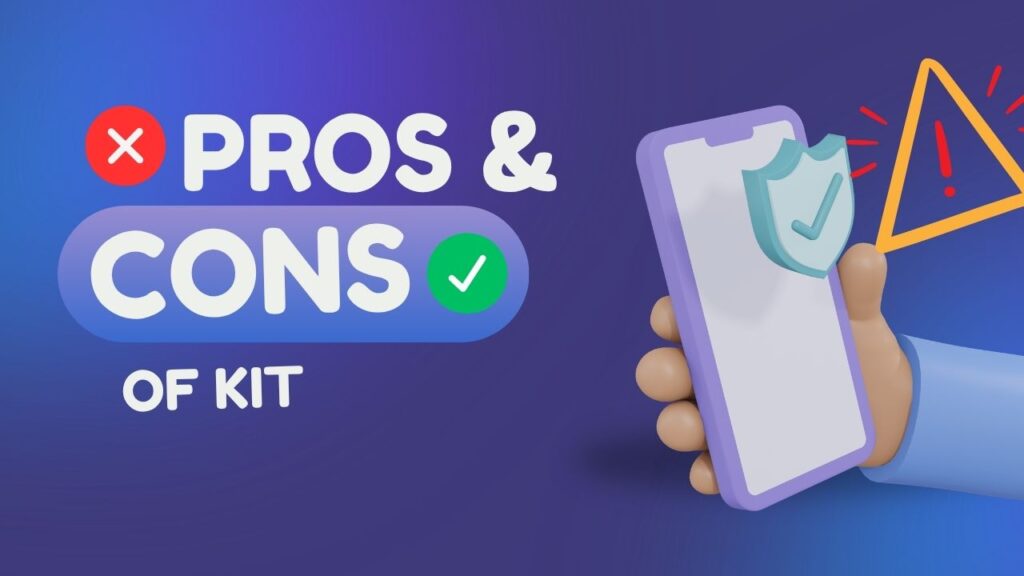
One of Kit’s greatest strengths is its creator-first philosophy. Unlike enterprise-focused email software filled with unnecessary corporate features, Kit keeps the interface clean and easy to understand. The visual automation builder is widely considered one of the platform’s strongest features because it allows even beginners to create sophisticated email sequences without coding knowledge. Subscriber tagging is another standout capability. Instead of maintaining multiple email lists that often contain duplicate contacts, Kit uses tags to organize subscribers based on interests, purchases, behaviors, and engagement. This flexible structure makes targeted marketing significantly easier while reducing unnecessary costs.
Another major advantage is the platform’s integrated ecosystem. Users can build landing pages, collect leads, sell digital products, deliver newsletters, and automate customer journeys without relying on numerous external services. This not only reduces software expenses but also minimizes technical complexity. Creators who value simplicity often appreciate having everything managed from a single dashboard.
Despite these strengths, Kit isn’t perfect. Businesses looking for highly advanced CRM functionality, extensive ecommerce automation, or enterprise-level reporting may find platforms like HubSpot or ActiveCampaign more suitable. The email template library is intentionally minimal compared with competitors such as Mailchimp because Kit emphasizes plain-text, relationship-focused emails rather than heavily designed marketing campaigns. For some brands, this simplicity improves engagement; for others, it may feel restrictive. Larger subscriber lists can also become expensive over time, making pricing an important consideration as businesses scale.
Latest Post



Kit vs Competitors
Your goals play a big role in deciding between Kit and other email marketing services. Different platforms excel in different areas, and understanding these differences can save both time and money.
| Feature | Kit | Mailchimp | Beehiiv | MailerLite |
| Ease of Use | ⭐⭐⭐⭐⭐ | ⭐⭐⭐⭐ | ⭐⭐⭐⭐⭐ | ⭐⭐⭐⭐ |
| Automation | ⭐⭐⭐⭐⭐ | ⭐⭐⭐⭐ | ⭐⭐⭐ | ⭐⭐⭐⭐ |
| Landing Pages | Yes | Yes | Yes | Yes |
| Digital Products | Built-in | Limited | Limited | No |
| Creator Focus | Excellent | Moderate | Excellent | Good |
| CRM Features | Moderate | Moderate | Basic | Basic |
Mailchimp has long been one of the most recognizable email marketing platforms. It offers numerous templates and marketing features but often feels geared toward traditional businesses rather than independent creators. Its pricing structure can also become expensive as subscriber counts increase.
Beehiiv has rapidly gained popularity among newsletter publishers. It focuses heavily on newsletter growth, referrals, and monetization. Writers running media-style newsletters may prefer Beehiiv, while creators selling courses, coaching, ebooks, and digital products often find Kit’s automation capabilities more comprehensive.
MailerLite offers affordable pricing and an intuitive interface, making it an excellent option for beginners. However, Kit generally provides stronger automation and audience segmentation, especially for creators managing multiple products or customer journeys.
Ultimately, Kit strikes an impressive balance between ease of use, powerful automation, and creator-focused tools. Instead of trying to be everything for every business, it concentrates on helping creators build sustainable online businesses through email marketing.
Read More:-
EasyStore: The Complete Guide for Beginners (2026)
Why the EasyStore Affiliate Program Is a Great Choice for Affiliate Marketers
Top 10 Sales Handy Features That Can Boost Your Productivity
Sales Handy Affiliate Program Review 2026: Commission, Features & Payouts
Ryte Features Explained: Tools That Help Boost Your Search Rankings
Who Should Use Kit?
Not every business requires the same marketing platform. Fortunately, Kit serves a remarkably broad audience while maintaining its creator-first identity. Bloggers remain one of the platform’s largest user groups because newsletters continue driving repeat traffic to websites far more reliably than social media algorithms. Bloggers can grow their partner’s revenue, product sales, and return readers by capturing traffic with lead magnets and maintaining them with automated email sequences.

Content creators on YouTube, Instagram, TikTok, and podcasts also benefit significantly. Social media platforms can change algorithms overnight, dramatically reducing reach. An email list provides direct access to followers without relying on third-party platforms. Kit provides signup forms, landing pages, and automated welcome sequences to turn casual followers into loyal subscribers.
Coaches, consultants, educators, and online course creators often use Kit to deliver free resources, build trust through educational email series, and promote premium programs. Because automation handles repetitive communication, creators spend less time manually following up with leads and more time creating valuable content.
Small businesses also find value in Kit’s simplicity. Whether selling digital downloads, memberships, templates, workshops, or consulting services, the platform provides essential marketing tools without overwhelming users with enterprise-level complexity. Freelancers can nurture potential clients through educational newsletters, while ecommerce businesses selling digital products benefit from automated purchase follow-ups and customer segmentation.
Conclusion
Kit (formerly ConvertKit) has become so much more than an email marketing platform. It has become a complete creator operating system designed to help individuals and businesses grow audiences, build relationships, automate marketing, and generate sustainable revenue. Its combination of intuitive design, visual automation, subscriber tagging, landing pages, commerce tools, and creator-focused philosophy makes it one of the strongest choices available for modern digital entrepreneurs.
The platform isn’t necessarily the perfect solution for every organization. Large enterprises requiring sophisticated CRM functionality may prefer more complex marketing suites. Businesses focused primarily on visually designed promotional campaigns might also explore alternative platforms. Yet for bloggers, educators, coaches, writers, YouTubers, freelancers, and digital product creators, Kit offers an excellent balance of simplicity and power. As the creator economy continues to grow, owning your audience via email is still one of the smartest long term marketing investments you can make, and Kit gives you the tools you need to make that strategy work.
Frequently Asked Questions
Q. Is ConvertKit the same as Kit?
A. Yes. ConvertKit officially rebranded to Kit, but existing accounts, features, and services remain available under the new brand name.
2. Is Kit free to use?
A. Yes. Kit offers a Free Plan that includes email newsletters, forms, landing pages, and basic automation for creators starting their email marketing journey.
Q. Who should use Kit?
A. Kit is ideal for bloggers, YouTubers, authors, coaches, podcasters, freelancers, educators, and businesses selling digital products or online services.
Q. Can I sell digital products with Kit?
A. Yes. Kit includes built-in tools for selling digital downloads, memberships, newsletters, and other creator-focused products through Stripe integration.
Q. Is Kit better than Mailchimp?
A. It depends on your needs. Kit is generally better for creators and businesses focused on audience building, automation, and digital product sales, while Mailchimp offers broader marketing features for traditional businesses.