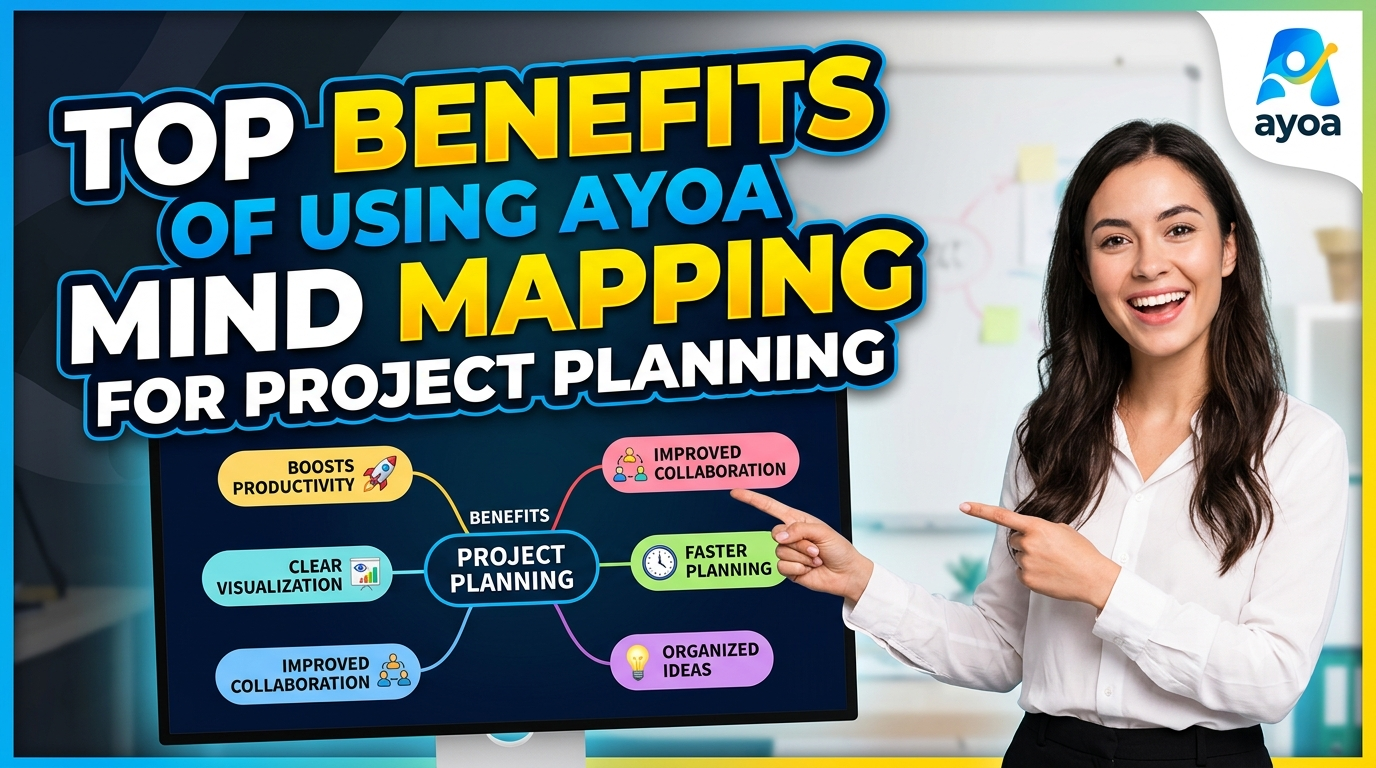
Ayoa Mind Mapping is a powerful visual planning solution that helps individuals and teams brainstorm ideas, organize complex information, and turn creative concepts into actionable project plans. With intuitive mind maps, collaborative features, AI-powered tools, and integrated task management, Ayoa Mind Mapping makes it easier to visualize project goals, improve teamwork, prioritize tasks, and manage workflows efficiently. Whether you are planning a business project, managing a remote team, or organizing personal ideas, Ayoa Mind Mapping provides a flexible and engaging way to transform scattered thoughts into clear, structured, and achievable plans.
Table of Contents
- Introduction to Ayoa Mind Mapping for Project Planning
- What Is Ayoa Mind Mapping?
- Why Mind Mapping Matters in Modern Project Planning
- Benefit 1: Visualizing the Entire Project in One Place
- Benefit 2: Improving Brainstorming and Idea Generation
- Benefit 3: Turning Ideas into Actionable Tasks
- Benefit 4: Making Complex Projects Easier to Understand
- Benefit 5: Enhancing Team Collaboration
- Benefit 6: Improving Project Prioritization and Focus
- Benefit 7: Connecting Mind Maps with Visual Task Management
- Benefit 8: Supporting Different Thinking and Working Styles
- Best Ways to Use Ayoa Mind Mapping for Project Planning
- Ayoa Mind Mapping: Key Advantages at a Glance
- Conclusion
- Frequently Asked Questions
Introduction to Ayoa Mind Mapping for Project Planning
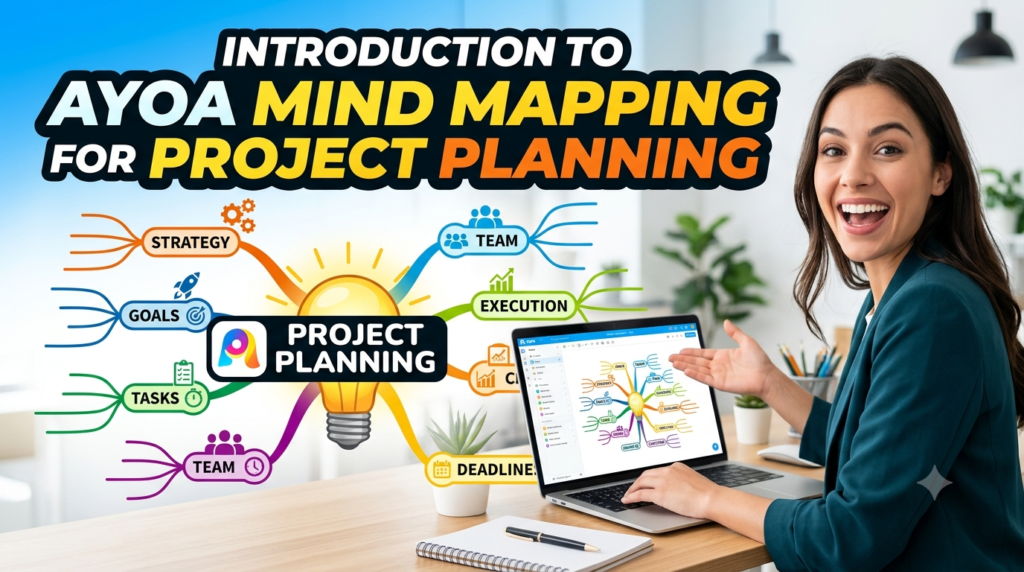
Project planning often begins with a deceptively simple question: where do we start? You may have a great objective, an enthusiastic team, and a deadline marked boldly on the calendar, yet the path between the starting point and the finish line can quickly become complicated. Ideas arrive from different directions, responsibilities overlap, priorities change, and important details become buried inside spreadsheets, documents, emails, and chat conversations. This is precisely where Ayoa Mind Mapping for project planning can offer a more visual and flexible approach.
Ayoa combines mind mapping with broader productivity capabilities, including whiteboards, outlines, workflows, Gantt functionality, and task-management features. According to Ayoa’s current website, its free offering allows users to create up to 10 mind maps, while its wider feature set is designed to bring visual thinking and productivity into a connected workspace. This combination makes the platform particularly interesting for project planning because brainstorming does not necessarily have to remain separated from execution.
Think of traditional project planning as following a railway track: information usually moves in a straight, predefined direction. A mind map is more like looking at an entire city’s road network from above. You can see the central destination, alternative routes, connected neighborhoods, and possible obstacles at the same time. For project managers and teams dealing with complicated initiatives, that broader visual perspective can make planning feel less like organizing a mountain of information and more like creating a navigable map.
In this article, we’ll explore the top benefits of using Ayoa Mind Mapping for project planning, including visual organization, brainstorming, AI-assisted ideation, task creation, collaboration, prioritization, and integration with different project-management views.
What Is Ayoa Mind Mapping?
Ayoa Mind Mapping is a digital approach to organizing information around a central idea and expanding it through connected branches. Instead of forcing every thought into rows, columns, or a long document, users can visually explore relationships between goals, tasks, problems, resources, and ideas. A project could begin with its name in the center, for example, before expanding into branches for research, marketing, design, development, budget, launch, and post-launch activities. Each of those areas can then be broken into increasingly detailed components.
Ayoa describes its platform as combining mind maps, task boards, and whiteboards within one productivity environment. Its mind-mapping functionality also includes AI-powered capabilities designed to help users generate branches and suggestions, explore connections, and develop ideas. For project planning, this means a mind map can potentially serve as much more than a digital brainstorming canvas. It can become an early-stage planning environment where an initially messy collection of thoughts gradually develops into a structured project.
This distinction is important because one of the biggest challenges in project management occurs between thinking and doing. Teams may hold an excellent brainstorming meeting, fill a board with promising ideas, and then struggle to translate those ideas into responsibilities and deadlines. The more disconnected your brainstorming and task-management systems are, the easier it becomes for valuable insights to disappear during that transition.
With Ayoa Mind Mapping, the goal is to keep visual thinking connected to practical organization. You can start broadly, explore possibilities, identify relationships, and progressively refine the project. Rather than demanding perfect organization from the first minute, mind mapping allows the plan to grow naturally as your understanding of the project improves.
How Ayoa Combines Visual Thinking and Project Management
The strength of Ayoa’s approach lies in connecting creative exploration with structured productivity. Many conventional planning tools are excellent once you already know exactly what needs to happen. The difficulty is that real projects rarely begin with perfect clarity. Teams frequently start with questions, assumptions, incomplete requirements, possible risks, and competing ideas.
Ayoa allows users to approach this uncertain early stage visually through mind maps and then connect their thinking with task-oriented workflows. Its official project-management guidance highlights capabilities such as creating organic mind maps, generating suggestions with AI, converting ideas into actionable tasks, assigning deadlines and people, visually tracking progress, and collaborating with team members. Ayoa’s help documentation also describes functionality for transforming selected mind-map branches into tasks and managing their progress within the mind map.
Imagine planning a website redesign. Your central topic might be “Website Redesign,” with branches for user research, content, SEO, UX design, development, testing, and launch. During brainstorming, the SEO branch might expand into keyword research, redirects, metadata, internal links, and technical audits. Once the team agrees that these activities are required, relevant branches can become part of the actionable project workflow.
That progression—from idea to structure to action—is one of the reasons visual planning can be useful for complex projects.
Why Mind Mapping Matters in Modern Project Planning
Modern projects contain an extraordinary amount of information. A marketing campaign might involve designers, writers, SEO professionals, paid-media specialists, developers, analysts, and external agencies. A software project could include product requirements, user stories, dependencies, testing procedures, security considerations, deployment schedules, and customer feedback. When all this information is presented in a long document, understanding how individual components relate to the bigger objective can become difficult.
Mind mapping tackles this challenge by emphasizing relationships. Instead of reading dozens of isolated items sequentially, you can begin with the project’s central objective and move outward into connected categories. That structure can help people understand not just what needs to happen but also where each activity belongs within the overall project.
Ayoa’s approach extends this visual methodology with digital functionality. Its current mind-mapping materials describe AI-assisted branch generation and suggestions, while its wider platform combines visual planning with task boards and collaborative features. This creates an environment where a project map can evolve rather than remain a static diagram created at the beginning of a meeting and forgotten afterward.
The real value here is cognitive simplicity. A complicated project may still be complicated, but its presentation does not have to be. When information is organized visually and hierarchically, teams can zoom mentally between the big picture and individual details. It is similar to using a map application: sometimes you need to see the entire journey, and sometimes you only need to know the next turn.
Moving Beyond Traditional Linear Project Plans
Traditional project plans certainly have value. Spreadsheets, timelines, and structured task lists remain essential tools in many organizations. The problem appears when teams use a linear format for a planning process that is fundamentally nonlinear.
Brainstorming rarely happens in a perfect sequence. Someone mentions a customer requirement, which triggers a design idea, which reveals a technical dependency, which raises a budget question. Trying to capture this conversation in a rigid list can flatten important relationships between ideas. A mind map, by comparison, lets those connections become visible.
This is particularly valuable during the discovery phase of a project. You might not yet know which idea will become a priority or which dependency will create a bottleneck. By placing information into related branches, teams can explore the project’s landscape before committing to a rigid execution plan.
Ayoa then provides pathways from that exploratory environment toward structured task management. This does not mean replacing every traditional project-management method with a colorful mind map. Instead, it means using the right representation at the right stage: visual exploration when you are thinking, structured tasks when you are executing, and timeline-oriented views when scheduling becomes critical.
Benefit 1: Visualizing the Entire Project in One Place
One of the biggest benefits of using Ayoa Mind Mapping for project planning is the ability to visualize a project from a central starting point. Large projects often become fragmented because information is distributed across multiple locations. Objectives live in one document, deadlines in another, brainstorming notes somewhere else, and individual tasks inside a separate management system.
A mind map gives you a visual framework for bringing major elements together. You can place the primary project goal at the center and build outward using logical branches. A product launch, for instance, could contain branches for product development, marketing, sales enablement, customer support, logistics, finance, and launch-day activities. Each branch can then contain more specific components.
This structure helps project participants maintain context. A team member working on one small task can see where that responsibility fits within a larger workstream. Project leaders can examine broad categories without immediately drowning in every minor detail. Stakeholders who are unfamiliar with the project’s day-to-day execution can potentially understand its overall structure more quickly than they would by reading a dense planning document.
The benefit is not simply aesthetic. Visual project planning can make relationships, gaps, and dependencies easier to notice. If one branch is dramatically underdeveloped compared with others, perhaps that area requires additional planning. If multiple branches depend on the same resource, you may have discovered a potential bottleneck before execution begins.
Benefit 2: Improving Brainstorming and Idea Generation
Project planning and brainstorming are closely connected. Before deciding what the team will do, you often need to explore what the team could do. Unfortunately, conventional planning environments sometimes encourage people to organize ideas before they have generated enough of them.
Mind mapping creates room for exploratory thinking. Participants can begin with a central challenge and add ideas without worrying immediately about perfect sequencing. One thought can produce another, and related ideas naturally form clusters. This can make brainstorming feel more like a conversation with the project rather than filling empty cells in a spreadsheet.
Ayoa’s official mind-mapping information describes features for expanding ideas through branches and AI-generated suggestions. Its 2025 project-management article similarly highlights AI-powered suggestions as part of its approach to quickly generating mind maps. These capabilities can be useful when teams encounter the dreaded blank-page problem or want additional directions to consider during planning.
The human team should still evaluate every suggestion critically. AI can broaden exploration, but project context, business judgment, technical expertise, and stakeholder knowledge remain essential. Used thoughtfully, however, AI-assisted ideation can act like an additional brainstorming partner—one that helps generate possibilities that the team can accept, reject, combine, or refine.
Using AI-Powered Mind Mapping to Expand Ideas
Suppose your team is planning a customer-retention initiative. You might begin with branches covering onboarding, customer support, loyalty programs, product education, community engagement, and feedback. At some point, however, the brainstorming session may slow down.
AI-assisted mind mapping can help introduce additional possibilities or branches to investigate. According to Ayoa, its AI-powered mind-mapping functionality is designed to generate ideas, explore connections, and support analysis and research-related thinking. Ayoa’s pricing information currently states that its AI functionality is associated with its Ultimate offering rather than the free version, so users evaluating the platform should check the latest plan details before choosing a subscription.
For project managers, the value is speed combined with breadth. You are not outsourcing the project plan to AI; you are using technology to widen the funnel of possibilities before narrowing it through human decision-making.
Think of it like brainstorming with a whiteboard that occasionally asks, “Have you considered this?” Some suggestions may not fit. Others might point out an untapped potential, neglected risk, or missing workstream. That can be especially valuable during early-stage planning, when identifying the right questions is sometimes more important than immediately having all the answers.
Benefit 3: Turning Ideas into Actionable Tasks
A brilliant idea has limited business value if nobody takes responsibility for executing it. This is where many brainstorming sessions fail. Everyone leaves energized, but a week later someone asks, “Who was supposed to handle that?”
Ayoa addresses this gap by connecting visual thinking with task management. Its Help Centre documentation explains that users can transform a selected mind-map branch into an actionable task. This functionality is designed to preserve momentum between brainstorming and implementation, allowing ideas identified during planning to move into an execution-oriented workflow.
This can simplify project handoffs. Instead of manually copying every approved idea from brainstorming software into another task system, teams can keep thinking and action more closely connected. For example, a branch labeled “Conduct customer interviews” can move from an idea within the research section toward a concrete activity that needs to be completed.
The benefit becomes more significant as project complexity increases. With dozens of decisions emerging from planning sessions, manual transfers create opportunities for mistakes. Tasks can be forgotten, descriptions can lose context, and ownership can remain unclear. A connected approach reduces some of that friction.
For project managers, this creates a valuable principle: every important idea should have a visible path toward action. Ayoa’s combination of mind mapping and task-oriented features is designed around precisely that transition.
Benefit 4: Making Complex Projects Easier to Understand
Complexity is not always caused by having too much work. Sometimes it is caused by having too many relationships between pieces of work. A project might contain only 30 major activities, yet understanding how those activities connect can be harder than managing 100 independent tasks.
Mind maps are particularly useful for representing hierarchical relationships. A central goal connects to major workstreams, which connect to deliverables, which connect to individual activities. Instead of viewing the project as one enormous flat list, users can mentally process it in layers.
Consider planning an international product launch. Marketing needs localized content. Localized content depends on translation. Translation depends on finalized product messaging. Product messaging may depend on positioning research. Suddenly, one marketing activity is connected to several strategic and operational decisions.
A visual planning environment helps teams discuss these relationships earlier. While a mind map is not automatically a substitute for formal dependency management, it can provide an accessible starting point for discovering those dependencies.
This is where Ayoa project planning can help teams move between abstraction levels. Senior stakeholders may focus on major branches, while specialists can work with deeper details. Everyone is looking at the same conceptual project, but they can concentrate on the level of information relevant to their responsibilities.
Benefit 5: Enhancing Team Collaboration

Projects are collaborative by nature, and planning becomes much harder when every participant maintains a private version of reality. One person has meeting notes, another has a spreadsheet, and someone else remembers a critical decision that was never documented.
Ayoa supports collaborative work around shared mind maps. Its project-management guidance specifically identifies real-time collaboration on shared maps as a feature, while the platform’s broader positioning brings mind maps, task management, and collaborative whiteboards into one workspace.
Collaborative mind mapping can transform planning meetings from passive presentations into active working sessions. Instead of one person showing a finished plan and asking everyone to approve it, participants can contribute to the plan as it develops. Marketing can expand the campaign branch, developers can identify technical requirements, and operations can raise logistical concerns.
This creates a stronger sense of shared understanding. People are more likely to identify problems when they can see how their work intersects with other departments. A collaborative visual plan can therefore become a common reference point for discussion.
It also supports transparency. When planning information is visible to relevant participants, fewer assumptions remain hidden. Questions can emerge earlier, disagreements can be addressed before execution, and teams can align around a clearer picture of the project.
Supporting Remote and Hybrid Project Teams
Remote work has made digital collaboration tools increasingly important. In a physical office, teams can gather around a whiteboard and sketch ideas together. Distributed teams need a digital equivalent that allows participants to contribute regardless of location.
Online mind mapping provides that shared visual space. Ayoa’s digital environment can support teams working across locations by allowing project ideas and structures to exist in an accessible workspace rather than on a physical wall. Ayoa also offers web and mobile access options, supporting the broader goal of accessing work across devices.
This matters because remote collaboration can easily become overly text-heavy. Long message threads and dense documents are not always ideal for communicating complicated project relationships. A visual map gives teams another communication format.
Imagine a distributed product team discussing launch readiness. Instead of sending a long email covering design, development, testing, documentation, marketing, and support, the team can organize those areas visually. Participants can see the structure and discuss specific branches while retaining awareness of the overall project.
For hybrid and remote teams, that shared context can be extremely valuable.
Benefit 6: Improving Project Prioritization and Focus
Not every task deserves equal attention. One of the hardest parts of project planning is determining what matters now, what can wait, and what may not need to happen at all.
Mind mapping helps prioritization by making the hierarchy of a project visible. Major objectives sit closer to the center, while supporting activities expand outward. This naturally encourages teams to think about the relationship between individual actions and the project’s primary goal.
Suppose a team generates 50 ideas for a new marketing campaign. Without structure, the list may feel overwhelming. Once those ideas are organized into branches such as awareness, acquisition, conversion, retention, and measurement, prioritization becomes easier. The team can evaluate ideas within their strategic context rather than treating all 50 as unrelated suggestions.
Ayoa’s wider task-management functionality adds another layer to this process by connecting visual planning with progress-oriented project workflows. Its task-board offering currently highlights workflow, canvas, and Gantt views, giving teams alternative ways to organize work after initial planning.
Focus improves when people understand both their immediate responsibility and its purpose. A mind map can provide that context by continuously connecting smaller activities to larger outcomes.
Benefit 7: Connecting Mind Maps with Visual Task Management
Brainstorming and scheduling are different activities, and good project software should respect that distinction. You may want a free-flowing visual environment while exploring ideas, but once execution begins, you may need structured workflows and timelines.
Ayoa’s platform combines mind mapping with task-management functionality. Its current task-board page states that users can switch among workflow, canvas, and Gantt views, while its broader features page emphasizes the combination of mind mapping and task management within one workspace.
This flexibility can help teams represent information according to the problem they are solving. During ideation, a mind map may be ideal. During day-to-day execution, a workflow view may make status easier to understand. When timing and scheduling become critical, a Gantt-oriented perspective may provide greater clarity.
| Project Stage | Useful Visual Approach | Primary Purpose |
| Early brainstorming | Mind Map | Explore ideas and relationships |
| Project structuring | Mind Map | Organize workstreams and scope |
| Task execution | Workflow/Task Board | Track activities and progress |
| Flexible organization | Canvas View | Arrange work visually |
| Scheduling | Gantt View | Understand timing and project sequence |
The key advantage is continuity. Rather than treating brainstorming as an isolated event, teams can maintain a closer relationship between the original project thinking and the systems used to execute it.
Using Workflow, Canvas, and Gantt Views
Different people understand projects differently. Some prefer seeing work move through stages. Others desire flexible visual arrangements and have a spatial mindset. Project managers responsible for schedules may prefer timeline-based views.
Ayoa’s multiple task-board views are designed to accommodate these different perspectives. The workflow view can be useful for process-oriented work, the canvas approach provides greater visual freedom, and the Gantt view supports timeline-based project planning.
For example, a content marketing project might begin as a mind map containing campaign themes and article ideas. Approved content could then become tasks moving through stages such as research, writing, editing, design, approval, and publication. A timeline-oriented view could help the project manager coordinate publication dates with campaign milestones.
This adaptability can reduce the temptation to force every stage of project management into one rigid format. The project remains the same, but the lens changes according to the team’s immediate needs.
That is similar to examining a building through different blueprints. An architect, electrician, and interior designer may focus on different views, yet they are all working on the same structure.
Benefit 8: Supporting Different Thinking and Working Styles

Teams are made up of people who process information differently. Some individuals love spreadsheets. Others understand concepts more quickly when they see diagrams, colors, relationships, and visual hierarchies.
Ayoa explicitly positions itself as a neuro-inclusive productivity workspace and describes its platform as supporting different thinking styles through visual planning, task management, and customizable approaches. Its Access to Work materials, for example, discuss using visual timelines, images, color coding, templates, and mind maps as alternatives or complements to text-heavy planning.
This does not mean one format works perfectly for every individual. Rather, offering multiple ways to represent information can make a project environment more flexible. Someone may brainstorm most effectively in a mind map while another team member prefers reviewing tasks in a workflow.
Project planning benefits when tools adapt to people rather than requiring every person to process information identically. Visual structure can also make complicated discussions more accessible by reducing dependence on long blocks of text.
For managers, the lesson is straightforward: clarity is not just about providing information. It is about presenting information in ways that people can actually understand and use.
Read More:-
Why STRIPO is Essential for Digital Product Marketersa
Maximize Your Customer Engagement with LiveAgent’s Features
Boost Your E-commerce Strategy with YITH Plugins
Building Your Dream Website with Site123
How Does Strikingly Simplify the Website Building Process?
Best Ways to Use Ayoa Mind Mapping for Project Planning
Getting value from Ayoa Mind Mapping requires more than creating attractive branches. The map should serve a practical planning purpose. Begin with a clearly defined central objective rather than a vague project name. If the goal is unclear at the center, confusion will spread through every branch that follows.
Next, create major branches representing the project’s essential workstreams. Avoid adding excessive detail immediately. Start broadly, then expand each area as the team develops a clearer understanding. Invite relevant stakeholders to contribute during the planning process so that important requirements and risks are identified early.
Once brainstorming produces concrete activities, decide which ideas should become actionable work. Ayoa’s branch-to-task functionality can help connect selected ideas with task management. From there, teams can use appropriate visual views to manage execution and scheduling.
Most importantly, treat your mind map as a living project resource. Projects change. New requirements emerge, priorities shift, and assumptions prove incorrect. Your visual plan should evolve accordingly. A map that reflects the project’s current reality is useful; a beautiful map representing decisions made three months ago is simply historical documentation.
Ayoa Mind Mapping: Key Advantages at a Glance
The strongest argument for using Ayoa Mind Mapping for project planning is not any single feature. It is the connection between different stages of project thinking.
| Benefit | Potential Value for Project Planning |
| Visual mind mapping | Helps organize complex ideas around central goals |
| AI-assisted ideation | Can generate additional branches and possibilities |
| Branch-to-task functionality | Helps move selected ideas toward execution |
| Collaboration | Supports shared planning and team participation |
| Task boards | Provides structured approaches to managing work |
| Multiple views | Offers workflow, canvas, and Gantt perspectives |
| Cross-device access | Supports flexible access to project information |
| Neuro-inclusive approach | Accommodates a broader range of thinking styles |
Ayoa’s free offering currently includes up to 10 mind maps, according to its website and pricing information. Its pricing page also describes a seven-day trial with access to core features, after which users can select a paid option or move to the more limited free version. Because software plans and features can change, prospective users should verify current details directly on Ayoa’s official pricing page before making a purchasing decision.
For small projects, mind mapping may simply provide a clearer way to organize thoughts. For larger initiatives, the combination of brainstorming, visualization, tasks, and multiple project views can help create a more continuous planning process.



Conclusion
The top benefits of using Ayoa Mind Mapping for project planning ultimately revolve around one central idea: making the journey from thought to action easier to understand.
Projects rarely develop in perfectly straight lines. They begin with conversations, questions, possibilities, constraints, and partially formed ideas. Traditional project-management tools become incredibly useful when tasks and schedules are clearly defined, but teams also need an effective environment for discovering what those tasks should be.
Ayoa attempts to bridge these stages by combining mind mapping with AI-assisted ideation, task creation, collaboration, whiteboards, and visual project-management views. Current Ayoa documentation highlights the ability to create tasks from mind-map branches, while its task boards offer workflow, canvas, and Gantt views for different project-management needs.
For project managers, entrepreneurs, students, creative professionals, and collaborative teams, this approach can make complex planning feel more approachable. Instead of staring at a flat list of disconnected activities, you can see the project as an interconnected system.
A good project plan should do more than tell you what tasks exist. It should help everyone understand why those tasks matter, how they connect, and where the project is heading. That is where visual tools such as Ayoa Mind Mapping can offer their greatest value.
Frequently Asked Questions
Q. What is Ayoa Mind Mapping used for in project planning?
A. Ayoa Mind Mapping can be used to brainstorm project ideas, organize objectives into visual branches, identify workstreams, explore relationships, and develop an initial project structure. Teams can begin with a central project goal and progressively break it into smaller components. Ayoa also connects mind mapping with task-management capabilities, helping users move from ideas toward actionable work. This makes it useful during both creative planning and the transition into project execution.
Q. Can Ayoa turn mind-map ideas into tasks?
A. Yes. Ayoa’s Help Centre documents functionality that allows users to select a mind-map branch and create a task from it. This can help prevent useful ideas from becoming disconnected from execution after a brainstorming session. Users can then manage task progress within their project environment. The feature is particularly useful when a planning session generates specific actions that need to be tracked and completed.
Q. Does Ayoa use AI for mind mapping?
A. Yes. Ayoa describes its mind-mapping platform as incorporating AI-powered capabilities that can help generate branches, suggest ideas, explore connections, and support research or analysis. According to Ayoa’s current pricing information, AI functionality is associated with Ayoa Ultimate rather than the free version. Teams interested specifically in AI-assisted project planning should therefore review the latest plan details before subscribing.
Q. Is Ayoa suitable for remote project teams?
A. Ayoa can be useful for distributed teams because it supports collaborative digital planning and access across web and mobile environments. Shared mind maps can give remote participants a common visual reference point for brainstorming and project discussions. Its combination of mind mapping, task management, and collaborative whiteboards can also reduce the need to separate every stage of planning into unrelated tools. The actual suitability for a particular team will depend on workflow requirements, team size, integrations, and budget.
Q. Is Ayoa Mind Mapping free?
A. Ayoa currently advertises a free option that allows users to create up to 10 mind maps. Its pricing page states that users can access a seven-day free trial of core functionality and then choose a paid plan or move to the limited free version. Under the free version described on that page, mind maps remain available within the stated limit, while certain functionality—including AI and premium capabilities—is restricted. Since SaaS pricing and feature availability can change, checking the current official pricing information before signing up is recommended.