
monday.com is a powerful work management and project management platform that helps teams plan, organize, and automate their workflows with ease. Whether you’re managing marketing campaigns, software development, HR processes, or business operations, monday.com offers customizable boards, AI-powered automation, real-time collaboration, and advanced reporting tools to boost productivity. In this comprehensive guide, you’ll learn how to use monday.com step by step, from setting up your workspace and creating project boards to automating repetitive tasks and tracking project progress with dashboards. Discover how monday.com can streamline teamwork, improve efficiency, and help your organization deliver projects successfully.
Table of Contents
- What is monday.com?
- Why Businesses Choose monday.com
- Getting Started
- Step 1 – Create Your Workspace
- Step 2 – Build Your First Project Board
- Step 3 – Add Tasks and Subtasks
- Step 4 – Assign Team Members
- Step 5 – Set Deadlines and Priorities
- Step 6 – Customize Columns
- Step 7 – Automate Repetitive Tasks
- Step 8 – Use AI Features
- Step 9 – Monitor Progress with Dashboards
- Step 10 – Collaborate Effectively
- Common Mistakes to Avoid
- monday.com Pricing Overview
- Conclusion
- Frequently Asked Questions
What is monday.com?

monday.com is a cloud-based Work Operating System (Work OS) designed to help teams plan, organize, execute, and monitor projects from one centralized platform. Unlike traditional project management software that forces every business into the same workflow, monday.com allows organizations to build custom boards, automate repetitive tasks, integrate external applications, and visualize work in multiple ways—including Kanban Boards, Calendar View, Timeline, Gantt Charts, and Dashboards.
One of its strongest advantages is flexibility. Marketing teams can plan campaigns, HR departments can manage recruitment, software developers can track sprints, while operations teams can monitor company-wide processes—all inside the same platform.
The newest evolution of monday.com focuses heavily on Artificial Intelligence. AI can now summarize updates, generate workflows, identify project risks, automate repetitive processes, and even help teams prioritize work intelligently. These capabilities reduce manual effort and allow project managers to spend more time making strategic decisions instead of updating spreadsheets.
Why Businesses Choose monday.com
Choosing project management software isn’t simply about checking tasks off a list. Organizations need a platform that grows alongside their business while remaining easy enough for every employee to adopt. monday.com succeeds because it balances powerful enterprise-level functionality with an intuitive interface that requires little technical expertise.
One of the platform’s greatest strengths is customization. Instead of forcing users into rigid templates, monday.com lets each team design workflows that match how they already work. Marketing departments can visualize campaign timelines, product teams can manage feature roadmaps, HR professionals can monitor hiring pipelines, and finance departments can track approvals—all without switching software.
Automation also saves considerable time. Routine activities such as assigning tasks, sending reminders, changing statuses, notifying stakeholders, or updating deadlines can happen automatically. Combined with built-in AI assistants, these features reduce administrative work and improve project accuracy.
Key Benefits
- Easy-to-use visual interface
- Highly customizable workflows
- Powerful workflow automation
- AI-powered task management
- Multiple project views
- Real-time collaboration
- Extensive integrations
- Detailed dashboards and reporting
Who Should Use It?
monday.com works well for:
- Small businesses
- Marketing agencies
- IT teams
- Product managers
- HR departments
- Construction companies
- Consultants
- Educational institutions
- Startups
- Enterprise organizations
Getting Started
Creating your first monday.com workspace takes only a few minutes. Begin by registering for an account using your business email address. New users can start with the Free plan before upgrading if advanced automation or reporting becomes necessary. According to current pricing information, paid plans begin around $9 per user per month when billed annually, with higher tiers unlocking automation, integrations, advanced dashboards, workload management, and enterprise-grade security.
After registration, you’ll be prompted to choose your team’s primary use case, such as Project Management, CRM, Marketing, Software Development, or Operations. This selection simply provides recommended templates—you can fully customize everything later. The platform also includes dozens of professionally designed templates that eliminate the need to build projects from scratch.
At this stage, invite your teammates by entering their email addresses. Each member can receive role-based permissions, ensuring that managers, editors, viewers, and guests access only the information they need. This structured onboarding process allows organizations to begin collaborating almost immediately while maintaining appropriate security and visibility across departments.
Step 1 – Create Your Workspace
A workspace acts as the highest level of organization inside monday.com. Think of it as the digital office where all related projects, boards, dashboards, and documents live together. Creating separate workspaces for departments such as Marketing, Sales, Product Development, Human Resources, or Customer Support helps maintain clarity as your organization grows.
When creating a workspace, give it a descriptive name that reflects its purpose. Afterward, choose whether the workspace should remain private, shareable, or public within your organization. This decision influences who can access and collaborate on projects.
Once the workspace exists, begin adding project boards. For example, a marketing workspace may contain boards for social media campaigns, SEO initiatives, email marketing calendars, content production, and advertising budgets. Organizing projects logically from the beginning significantly improves long-term scalability and reporting accuracy.
Step 2 – Build Your First Project Board
Once your workspace is ready, the next step is creating your first project board, which serves as the central hub for all project-related activities. Think of a board as a digital workspace where tasks, deadlines, team members, files, updates, and progress are organized in one place. Instead of juggling multiple spreadsheets and email threads, everything your team needs is available within a single, easy-to-navigate interface. monday.com offers several board templates for marketing campaigns, software development, product launches, event planning, HR onboarding, and more, allowing you to start quickly without building everything from scratch.
When creating a board, you’ll first choose its visibility. A Main Board is accessible to everyone in your organization, making it ideal for company-wide projects. A Private Board is limited to invited members, which works well for confidential initiatives like executive planning or HR processes. A Shareable Board lets you collaborate with external clients, freelancers, or vendors without exposing your entire workspace. Selecting the appropriate board type from the beginning ensures better security and smoother collaboration throughout the project’s lifecycle.
Board Types Explained
| Board Type | Best For | Visibility |
| Main Board | Company-wide projects | All organization members |
| Private Board | Sensitive or internal work | Invited members only |
| Shareable Board | Client collaboration | Internal users + Guests |
After creating the board, organize it into Groups such as “Planning,” “In Progress,” “Review,” and “Completed.” These groups act as project phases and help everyone instantly understand where work stands. As tasks move through each stage, your board becomes a real-time visual representation of project progress. This simple structure significantly improves transparency, accountability, and communication across the team.
Step 3 – Add Tasks and Subtasks
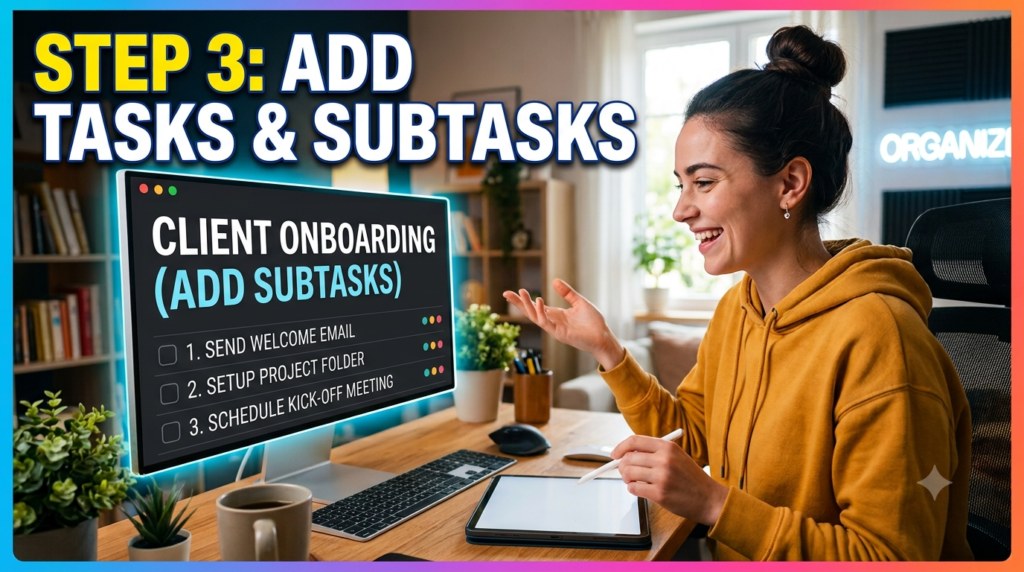
A project is only as organized as the tasks within it. monday.com makes task management intuitive by allowing you to create individual items for every piece of work that needs to be completed. Each task can include descriptions, due dates, file attachments, comments, assigned team members, labels, priorities, and automation rules. Instead of storing information across multiple tools, everything related to a task lives in one centralized location.
For larger initiatives, break complex activities into subtasks. Imagine you’re managing a website redesign. Instead of one broad task called “Launch Website,” you can divide it into smaller actions such as designing wireframes, writing content, creating graphics, testing functionality, optimizing SEO, and deploying the site. This breakdown makes progress easier to track and reduces the risk of overlooking critical steps.
Subtasks also improve accountability. Different team members can own different portions of the same project while the overall progress remains connected to the parent task. Project managers gain a much clearer understanding of bottlenecks because delays become visible at the subtask level rather than only after the main task misses its deadline.
Another valuable feature is the ability to attach files, meeting notes, screenshots, contracts, or reference documents directly to individual tasks. Rather than searching through emails or cloud storage folders, team members always know exactly where to find the latest project information. This centralized approach dramatically reduces confusion and saves valuable time.
Step 4 – Assign Team Members
Clear ownership is one of the biggest factors behind successful project management. Without designated responsibility, tasks often remain incomplete because everyone assumes someone else is handling them. monday.com solves this challenge through its People Column, allowing project managers to assign one or multiple team members to every task.
When assigning work, consider each person’s expertise, workload, and availability. For example, a content writer may own blog creation, while a graphic designer handles visual assets and a developer manages website implementation. Because assignments appear instantly across the platform, everyone knows their responsibilities without needing additional clarification.
Team members receive notifications whenever they’re assigned a new task, mentioned in an update, or added to a discussion. These real-time alerts eliminate the need for constant follow-up emails and keep everyone aligned with project priorities. Managers can also quickly identify overloaded employees and redistribute work before deadlines are affected.
Collaboration extends beyond assignments. Every task includes an update section where team members can ask questions, provide progress reports, share files, or tag colleagues using mentions. Instead of long email chains, conversations remain attached to the relevant task, preserving context and making future reference much easier.
Step 5 – Set Deadlines and Priorities
Every successful project depends on realistic deadlines and clearly defined priorities. monday.com allows managers to assign due dates using dedicated Date Columns while simultaneously categorizing urgency through customizable Status or Priority Columns. These visual indicators help teams focus on high-impact work instead of guessing what should be completed next.
Setting deadlines also enables powerful timeline views and calendar visualizations. Once dates are assigned, project managers can instantly identify scheduling conflicts, overlapping tasks, or resource constraints. This proactive planning minimizes surprises and allows adjustments before delays occur.
Priority labels such as Critical, High, Medium, and Low make decision-making easier during busy periods. When unexpected requests arise, employees can immediately determine which assignments deserve attention first. Combining priorities with deadlines creates a structured workflow where urgent work naturally rises to the top.
Recurring tasks can also be scheduled automatically for weekly reports, monthly audits, quarterly reviews, or annual planning sessions. Instead of manually recreating repetitive work, monday.com generates these tasks according to predefined schedules, helping teams maintain consistency while reducing administrative effort.
Step 6 – Customize Columns
One reason organizations across different industries choose monday.com is its exceptional flexibility. Every project has unique requirements, and customizable columns allow each board to capture exactly the information your team needs. Rather than adapting your workflow to fit the software, the platform adapts to your workflow.
Available column types include Status, People, Date, Timeline, Text, Numbers, Formula, Files, Checkbox, Dropdown, Location, Email, Phone, Progress Tracking, Rating, and Time Tracking. Depending on your project, you can combine these columns to create highly detailed workflows without writing a single line of code.
For instance, a marketing campaign board might include Campaign Name, Owner, Budget, Launch Date, Content Status, Approval Stage, and Performance Metrics. A software development board could feature Sprint Number, Story Points, Bug Severity, Developer Assignment, QA Status, and Release Version. Each department gains a customized experience while maintaining consistency across the organization.
The platform also supports color-coded statuses, conditional formatting, and calculated fields that automatically display progress percentages or budget totals. These intelligent visual elements reduce manual calculations and help managers interpret project health at a glance.
Example Project Board Structure
| Task | Assigned To | Priority | Status | Due Date |
| Project Planning | Project Manager | High | Completed | July 5 |
| UI Design | Designer | High | In Progress | July 10 |
| Content Writing | Content Team | Medium | Working On It | July 12 |
| Website Development | Developer | Critical | Not Started | July 18 |
| Quality Assurance | QA Engineer | High | Pending | July 22 |
| Final Launch | Project Manager | Critical | Upcoming | July 25 |
Best Practices for Managing Projects in monday.com
Getting started with monday.com is relatively simple, but maximizing its potential requires thoughtful planning and consistent usage. Begin by standardizing board templates across departments so that every new project follows a familiar structure. This reduces onboarding time for new employees and creates consistency in reporting.
Another best practice is to automate repetitive actions wherever possible. Automatically notifying stakeholders when tasks are completed, changing statuses based on deadlines, or creating recurring tasks saves hours of manual work each month. Encourage team members to update task statuses daily so dashboards always reflect the latest information.
Finally, schedule weekly project reviews using monday.com’s dashboard and reporting tools. Reviewing progress, identifying bottlenecks, and reallocating resources before issues escalate helps projects stay on schedule. Consistent communication combined with accurate real-time data creates a culture of accountability and continuous improvement.
Step 7 – Automate Repetitive Tasks
One of the biggest reasons organizations adopt monday.com is its powerful automation engine. Project managers often spend hours each week on repetitive administrative tasks such as assigning work, updating statuses, sending reminders, notifying stakeholders, or creating recurring tasks. These repetitive actions don’t require strategic thinking, yet they consume valuable time that could be better spent planning projects or solving problems. monday.com eliminates much of this manual effort by allowing users to create automation recipes using simple “When this happens, do that” logic—no coding required.
For example, you can create an automation that automatically assigns a task to a designer whenever the status changes to “Design Required.” Another automation might notify the project manager when a task becomes overdue or move an item to the next project phase once it’s marked as complete. Marketing teams can automatically notify content reviewers when articles are ready, while HR departments can trigger onboarding checklists when a new employee joins. These workflows reduce human error while ensuring that important actions are never forgotten.
Automation also improves consistency across teams. Since every process follows predefined rules, projects move through standardized workflows regardless of who manages them. This consistency becomes especially valuable as organizations grow and more employees begin collaborating across departments. Instead of relying on memory or manual follow-ups, monday.com ensures every critical step happens automatically.
A good practice is to start with a few essential automations rather than trying to automate everything immediately. Identify repetitive activities that occur daily or weekly and gradually expand your automation library as your team becomes comfortable with the platform. Over time, these small improvements can save dozens of working hours every month while improving project accuracy and team productivity.
Step 8 – Use AI Features
Artificial Intelligence has become one of monday.com’s most exciting additions, transforming the platform from a traditional project management tool into an intelligent work management solution. Instead of simply organizing tasks, the platform now assists users by generating content, summarizing updates, identifying risks, and recommending workflow improvements. These AI-powered capabilities help teams work faster while reducing routine administrative work.
One practical application is AI-generated summaries. Long discussions attached to project tasks can quickly become difficult to follow, especially in large teams. monday.com’s AI can summarize conversations into concise updates, allowing managers to understand project status within seconds rather than reading dozens of comments. This is particularly valuable for executives who oversee multiple projects simultaneously and need quick, actionable insights.
The platform also supports AI-assisted content creation. Teams can generate task descriptions, meeting notes, project briefs, or documentation using natural language prompts. Product managers can create user stories, marketers can draft campaign outlines, and HR teams can generate onboarding documentation with minimal effort. By reducing the time spent writing repetitive content, employees can focus on higher-value work that requires creativity and strategic thinking.
AI also contributes to smarter decision-making by identifying potential risks before they become major issues. For example, delayed dependencies, missed deadlines, or overloaded team members can be highlighted automatically, giving project managers an opportunity to intervene early. Rather than reacting to problems after they occur, organizations can proactively manage project health and improve delivery outcomes.
Step 9 – Monitor Progress with Dashboards
As projects become more complex, managers need more than task lists to understand overall performance. monday.com addresses this need through customizable dashboards that transform raw project data into meaningful visual insights. Instead of manually creating reports in spreadsheets, dashboards automatically display real-time information using charts, graphs, workload views, calendars, timelines, and performance indicators.
Dashboards allow project managers to monitor multiple boards simultaneously. A single dashboard can display project completion percentages, budget usage, overdue tasks, team workload, upcoming milestones, and overall project health. Because these metrics update automatically whenever team members modify tasks, managers always have access to current information without requesting status reports from employees.
Another major advantage is executive reporting. Business leaders often require high-level summaries rather than detailed task information. Dashboards make it easy to present project performance during meetings by displaying visual metrics that are easy to understand. Whether tracking marketing campaigns, software development, construction projects, or company-wide initiatives, dashboards help stakeholders make informed decisions based on real-time data rather than assumptions.
Teams should review dashboards regularly rather than waiting until project completion. Weekly performance reviews allow managers to identify trends, resolve bottlenecks, balance workloads, and adjust timelines before problems become serious. Continuous monitoring ensures projects remain aligned with business goals while maintaining transparency across the organization.
Step 10 – Collaborate Effectively

Successful project management depends on effective collaboration, and monday.com provides numerous features that keep communication organized and accessible. Instead of relying on scattered emails or messaging apps, every discussion takes place directly within the relevant task. This approach ensures that project conversations remain connected to the work itself, making it easier for current and future team members to understand context.
Each task includes an update section where users can post comments, share files, ask questions, mention colleagues, or provide progress updates. Team members receive notifications whenever they are assigned work or tagged in discussions, helping everyone stay informed without excessive email traffic. Because conversations remain attached to individual tasks, information is easy to locate even months later.
The platform also integrates with popular business applications such as Microsoft Teams, Slack, Google Drive, Outlook, Zoom, Dropbox, GitHub, Jira, Salesforce, and many others. These integrations reduce the need to switch between applications and help teams centralize their workflows. Documents, meetings, notifications, and external data can all connect seamlessly with project boards.
For distributed or remote teams, collaboration becomes even more valuable. Employees working from different cities or countries can access the same project information in real time, ensuring everyone works from a single source of truth. This level of transparency improves accountability, reduces misunderstandings, and accelerates project delivery.
Read More:-
Parcel ABC UK Shipping Guide: Features, Pricing, and Benefits Explained
Why Fun-sport-vision.com DE Is Gaining Popularity in Germany
Mashvisor (US): Complete Review for Real Estate Investors in 2026
What Is Scandic SE? A Complete Beginner’s Guide
Simpel NL Explained: Everything You Need to Know
Common Mistakes to Avoid
Although monday.com is designed to simplify project management, many teams fail to maximize its potential because of avoidable mistakes. One common error is creating overly complicated boards with too many columns, automations, and custom fields. While flexibility is a strength, excessive customization can confuse team members and make projects harder to manage. Start with a basic structure and just add more as needed.
Another frequent mistake is neglecting regular status updates. Dashboards and reports are only as accurate as the information entered into the system. Encourage team members to update task statuses daily so managers always have reliable project data. Consistent updates improve forecasting, reporting, and decision-making.
Organizations also sometimes ignore automation opportunities. Performing repetitive administrative tasks manually wastes time and increases the risk of human error. Reviewing workflows regularly and identifying processes suitable for automation can dramatically improve productivity.
Finally, avoid treating monday.com as just another task list. The platform is designed to support complete project management, including collaboration, reporting, documentation, automation, and strategic planning. Taking advantage of its full feature set delivers significantly greater value than simply tracking to-do lists.
monday.com Pricing Overview
The platform offers multiple pricing tiers to accommodate businesses of different sizes and requirements.
| Plan | Best For | Key Features |
| Free | Individuals & Small Teams | Basic project management, limited boards |
| Basic | Small Businesses | Unlimited items, file storage, dashboards |
| Standard | Growing Teams | Timeline, Calendar, Automations, Integrations |
| Pro | Advanced Project Management | Time tracking, dependencies, private boards, advanced automations |
| Enterprise | Large Organizations | Enterprise security, governance, advanced analytics, premium support |
As of 2026, paid plans begin at approximately $9 per user/month when billed annually, while Enterprise pricing is customized based on organizational requirements.




Conclusion
Project management isn’t simply about completing tasks—it’s about creating repeatable systems that help teams work together efficiently while maintaining visibility into every stage of execution. monday.com provides exactly that by combining project planning, collaboration, workflow automation, dashboards, integrations, and AI-powered assistance within a single platform. Whether you’re managing a small freelance assignment or coordinating complex enterprise initiatives, its flexibility allows workflows to grow alongside your business.
Following the steps outlined in this guide will help you build an organized workspace, create effective project boards, assign responsibilities, automate repetitive processes, monitor progress with dashboards, and collaborate seamlessly across teams. By embracing features such as automation and artificial intelligence, organizations can reduce administrative effort while increasing productivity and project success rates.
The key to long-term success is consistency. Keep your boards organized, update task statuses regularly, review dashboards frequently, and continuously refine workflows based on your team’s evolving needs. With thoughtful implementation, monday.com becomes more than project management software—it becomes the operational backbone that keeps your entire organization aligned and moving toward shared goals.
Frequently Asked Questions
Q. Is monday.com suitable for small businesses?
A. Yes. The platform offers a Free plan and affordable paid plans, making it an excellent choice for startups, freelancers, and small businesses looking to organize projects efficiently.
Q. Can monday.com be used for remote teams?
A. Absolutely. Since it’s cloud-based, team members can collaborate, update tasks, share files, and communicate from anywhere with an internet connection.
Q. Does monday.com integrate with other business tools?
A. Yes. It integrates with hundreds of popular applications, including Slack, Microsoft Teams, Google Workspace, Zoom, GitHub, Salesforce, Dropbox, and many more.
Q. Can I automate recurring tasks?
A. Yes. monday.com allows users to create no-code automation recipes that automatically assign tasks, update statuses, send notifications, and manage recurring workflows.
Q. Is monday.com difficult to learn?
A. No. Its visual interface, drag-and-drop functionality, templates, and guided onboarding make it one of the easiest project management platforms for beginners while still offering advanced capabilities for experienced users.