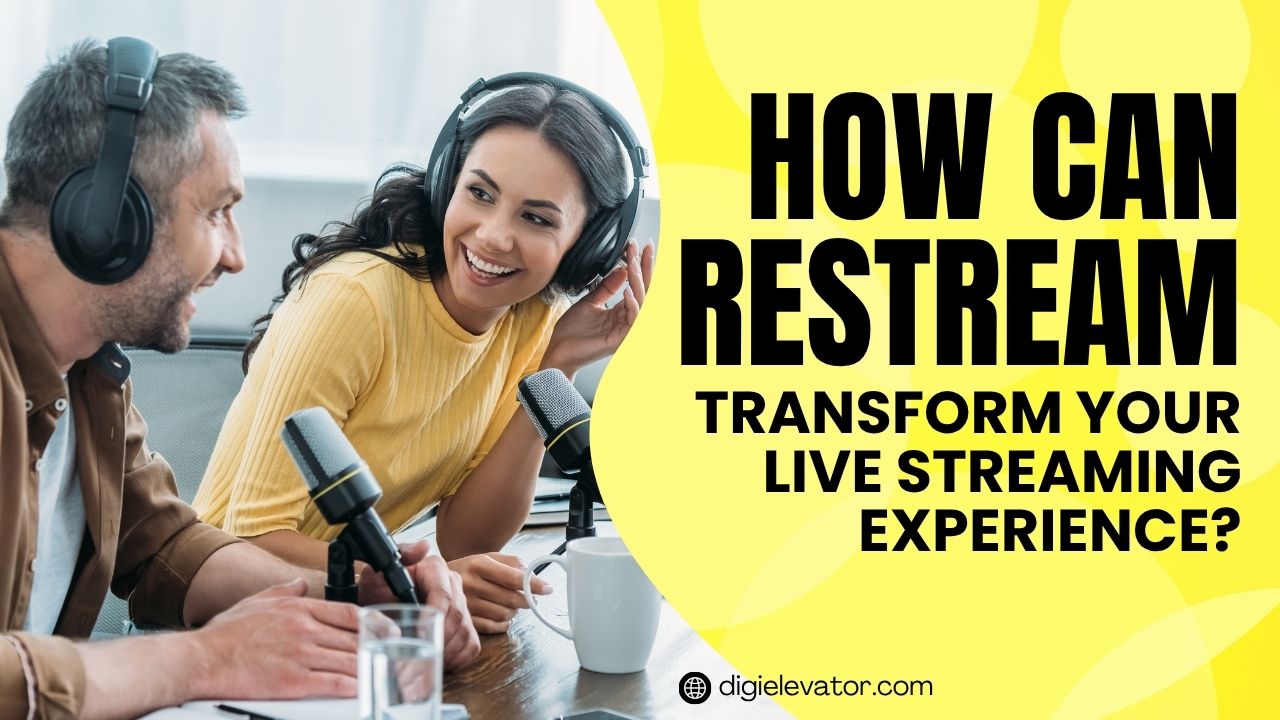
Discover how Restream can completely transform your live streaming experience by allowing you to broadcast across multiple platforms simultaneously, boost audience engagement, and simplify your workflow. This blog explores its key features, benefits, pricing, and practical tips to help creators and businesses maximize reach and efficiency using Restream.
Table of Contents
- Understanding the Rise of Live Streaming
- What is Restream?
- Key Features of Restream
- How Restream Enhances Audience Reach
- Restream Pricing and Plans
- Restream vs Other Streaming Tools
- Benefits of Using Restream
- Limitations You Should Know
- Tips to Maximize Restream Performance
- The Future of Live Streaming with Restream
- Conclusion
- FAQs
Understanding the Rise of Live Streaming
Why Live Content Dominates Digital Media
Live streaming has become the heartbeat of modern digital interaction. Think about it—when was the last time you watched a pre-recorded video and felt truly connected? Probably not as much as when you join a live session where anything can happen. Live content creates urgency, authenticity, and a sense of community that recorded videos simply cannot replicate. Businesses, influencers, educators, and gamers are all leveraging this format because it drives engagement like nothing else.
The numbers back this up too. Platforms like YouTube, Facebook, and Twitch are flooded with live content daily, and millions of viewers tune in to watch streams in real time. According to recent data, Restream supports streaming to over 30+ platforms simultaneously, allowing creators to tap into multiple audiences at once. This shift shows that live streaming is no longer optional—it’s essential.
But here’s the catch: managing multiple platforms manually is exhausting. Imagine going live separately on YouTube, Facebook, LinkedIn, and Twitch. That’s where tools like Restream step in and completely change the game.
The Challenges Streamers Face Today
Streaming sounds glamorous until you actually try it. Behind every smooth live session lies a mountain of technical challenges. From unstable internet connections to managing multiple chats and ensuring consistent video quality, streamers often juggle too many things at once. And let’s not forget the stress of engaging viewers across different platforms simultaneously—it’s like trying to host multiple parties at once.

Another big hurdle is platform limitations. For example, Facebook allows up to 8 hours of streaming, LinkedIn caps it at 4 hours, while YouTube has its own archival limits. This inconsistency can disrupt long streaming sessions and make planning difficult.
This is exactly why creators look for smarter solutions—tools that simplify everything without compromising quality. Restream positions itself as that solution.
What is Restream?
Core Concept Behind Restream
At its core, Restream is a powerful live streaming platform designed to help you broadcast your content across multiple platforms simultaneously. Instead of going live on one channel at a time, Restream lets you stream everywhere at once—from YouTube and Facebook to LinkedIn and Twitch.
Think of it as a central command center for your live content. You create one stream, and Restream distributes it across all your chosen platforms without requiring additional bandwidth. That means less effort and more reach. It’s like turning one microphone into a global loudspeaker.
Restream also includes features like analytics, chat integration, and branding tools, making it much more than just a streaming tool. It becomes your all-in-one streaming ecosystem.
Who Should Use Restream?
Restream isn’t just for professional streamers. It’s built for anyone who wants to amplify their online presence. Whether you’re a content creator, small business owner, educator, or marketer, Restream offers tools tailored to your needs.
For beginners, the free plan allows streaming to two platforms simultaneously, making it easy to get started. Meanwhile, professionals and businesses can scale up with advanced plans that support up to 8 channels and team collaboration features.
In short, if your goal is to reach more people without doubling your workload, Restream is worth considering.
Key Features of Restream
Multistreaming Capabilities
The standout feature of Restream is undoubtedly multistreaming. Instead of choosing one platform, you can broadcast to multiple destinations at the same time. This dramatically increases your visibility and saves time.
For example:
- Free plan: Stream to 2 channels
- Professional plans: Stream up to 5–8 channels
This means your content reaches audiences on different platforms without extra effort. It’s like planting seeds in multiple gardens and watching them all grow simultaneously.
Cross-Platform Chat Integration
Imagine having comments pouring in from YouTube, Facebook, and LinkedIn all at once. Sounds chaotic, right? Restream solves this with its unified chat feature, allowing you to manage all messages in one place.
This feature is a game-changer for engagement. Instead of switching tabs constantly, you can respond to viewers instantly, making your stream feel interactive and alive.
Restream Studio Overview
Restream Studio is a browser-based tool that eliminates the need for complex software. You can go live directly from your browser, invite guests, share your screen, and customize layouts—all without downloading anything.
It’s especially useful for beginners who don’t want to deal with complicated setups. Even professionals appreciate its simplicity and efficiency.
Branding and Customization Tools
Branding matters more than ever. Restream allows you to add logos, overlays, and custom graphics to your streams, helping you maintain a consistent brand identity.
Paid plans even remove Restream’s watermark, giving your content a more professional look. This is crucial for businesses aiming to build trust and recognition.
Latest post



How Restream Enhances Audience Reach
Broadcasting to Multiple Platforms Simultaneously
Let’s be honest—your audience isn’t sitting on just one platform. Some prefer YouTube, others hang out on Facebook, and professionals might be on LinkedIn. Restream bridges this gap by allowing you to reach all of them at once.

This multi-platform presence significantly boosts your visibility. Instead of splitting your efforts, you unify them. And the best part? You don’t need extra bandwidth or hardware to do it.
Real-Time Audience Engagement
The secret to live streaming is engagement. With Restream’s chat integration and analytics, you can interact with your audience in real time and understand what works.
This immediate feedback loop helps you improve your content on the fly. It’s like having a conversation instead of delivering a speech.
Restream Pricing and Plans
Free vs Paid Plans
Restream offers flexible pricing, making it accessible to everyone. Here’s a quick comparison:
| Plan | Price | Channels | Key Features |
| Free | $0 | 2 | Basic streaming, branding |
| Standard | ~$19/month | 3–5 | No watermark, branding tools |
| Professional | ~$49/month | 5–8 | Full HD, recording, analytics |
| Business | ~$199+/month | 8+ | Team collaboration, advanced tools |
The free plan is great for beginners, while paid plans unlock advanced features like 1080p streaming and team collaboration.
Which Plan is Best for You?
Choosing the right plan depends on your goals. If you’re just starting out, the free plan is more than enough. But if you’re serious about content creation or business streaming, upgrading to the Professional plan offers the best balance of features and cost.
Restream vs Other Streaming Tools
Comparison Table
| Feature | Restream | StreamYard | OBS |
| Multistreaming | Yes | Limited | No |
| Browser-based | Yes | Yes | No |
| Free Plan | Yes | Yes | Yes |
| Chat Integration | Yes | Yes | No |
| Ease of Use | High | High | Medium |
Restream stands out for its multistreaming capabilities and ease of use, making it a top choice for creators who want efficiency without complexity.
Benefits of Using Restream
Time Efficiency
Time is your most valuable resource. Restream saves you hours by allowing you to stream once and distribute everywhere. No more repeating the same content on different platforms.
Cost Effectiveness
Instead of investing in multiple tools, Restream combines everything into one platform. From streaming to analytics, it covers all bases at a reasonable cost.
Limitations You Should Know
No tool is perfect, and Restream has its limitations. The free plan includes branding and limited recording time, which might not suit professional creators. Some advanced features are locked behind higher-tier plans, which can be expensive for beginners.
However, these limitations are relatively minor compared to the value it provides.
Read More:-
Maximize Your Sales with Keap’s Comprehensive CRM Solutions
Maximize Your Marketing Strategy with Outgrow’s Powerful Tools
What Makes Dongguan Daozhi Electronic Technology Co., Ltd. Stand Out in the Industry
How italki HK Limited is Revolutionizing Online Language Education
Why CJdropshipping (US) is the Ideal Partner for Online Retailers
Tips to Maximize Restream Performance
Best Practices for Beginners
Start simple. Focus on one or two platforms initially and gradually expand. Ensure your internet connection is stable and invest in good audio equipment.
Advanced Strategies for Professionals

Use analytics to refine your content strategy. Experiment with different formats, collaborate with guests, and leverage branding tools to stand out.
The Future of Live Streaming with Restream
Live streaming is evolving rapidly, and Restream is keeping pace with innovations like AI-powered tools and advanced analytics. The platform is becoming more than just a streaming tool—it’s turning into a complete content distribution hub.
Conclusion
Restream transforms live streaming from a complicated, time-consuming process into a streamlined, powerful experience. By enabling multistreaming, simplifying engagement, and offering flexible pricing, it empowers creators and businesses to reach wider audiences effortlessly. Whether you’re just starting out or looking to scale your streaming strategy, Restream provides the tools you need to succeed in today’s competitive digital landscape.
FAQs
Q. Is Restream free to use?
A. Yes, Restream offers a free plan that allows streaming to two platforms simultaneously with basic features.
Q. Can I stream to multiple platforms at once?
A. Absolutely. Restream supports multistreaming to up to 8 channels depending on your plan.
Q. Does Restream support HD streaming?
A. Yes, higher-tier plans support Full HD 1080p streaming.
Q. Is Restream suitable for beginners?
A. Yes, its browser-based studio and simple interface make it beginner-friendly.
Q. What makes Restream different from competitors?
A. Its multistreaming capability, unified chat, and ease of use set it apart from other streaming tools