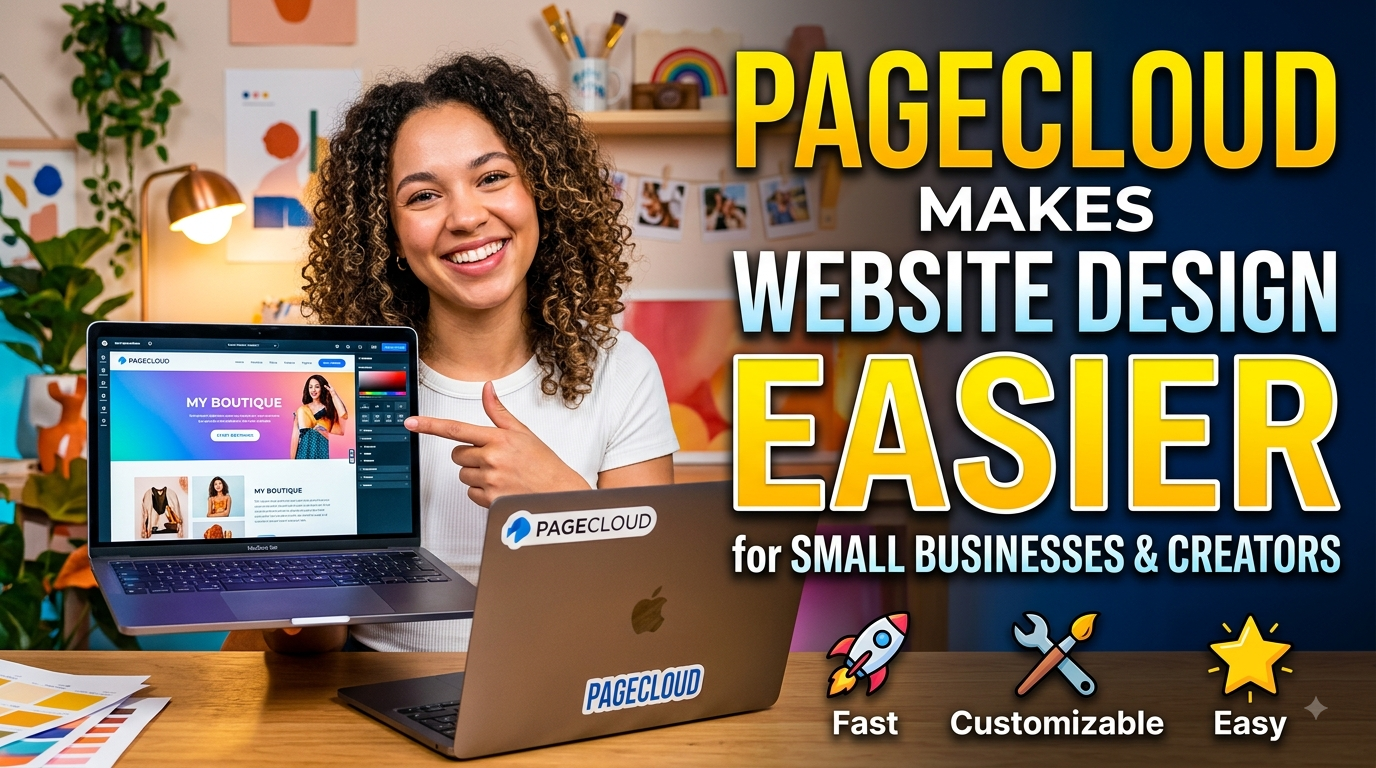
Pagecloud is a user-friendly website builder that makes it easier for small businesses, freelancers, and creators to build professional websites without advanced coding skills. With its visual editing tools, customizable templates, responsive designs, SEO features, analytics, forms, integrations, and e-commerce options, Pagecloud gives users greater control over their online presence. Whether you are launching a business website, creating a portfolio, generating leads, or selling products online, Pagecloud provides flexible tools to design, manage, and grow a website more efficiently.
Table of Contents
- Why Website Design Can Be Difficult for Small Businesses
- What Is Pagecloud and Who Is It For?
- How Pagecloud’s No-Code Editor Simplifies Design
- Templates Help Businesses Start Faster
- Building a Strong Brand With Creative Freedom
- Responsive Design for Mobile Visitors
- Built-In SEO Tools for Better Online Visibility
- Forms, Popups, and Landing Pages for Lead Generation
- Analytics That Help Owners Understand Visitors
- Integrations and Apps Without Complex Development
- E-Commerce Features for Growing Businesses
- Blogging and Content Creation
- AI Tools for Faster Website Content
- Collaboration and Team Management
- Hosting, SSL, and Domain Management
- Pagecloud Pricing and Value for Small Businesses
- Pagecloud vs. Hiring a Professional Developer
- Who Should Consider Pagecloud?
- Conclusion
- FAQs
Why Website Design Can Be Difficult for Small Businesses
Creating a professional website sounds simple until you actually sit down to build one. A small business owner may know exactly what their customers need, what products they sell, and what makes their service different, but that does not automatically mean they know HTML, CSS, responsive design, SEO, analytics, hosting, or conversion optimization. Traditionally, getting all those pieces working together meant hiring a developer or learning a collection of technical tools. That can consume valuable time and quickly increase the cost of launching an online presence. A website builder can change that equation by moving much of the technical work behind a visual interface. Pagecloud specifically positions itself as a no-code website builder for small businesses and creators, allowing users to design, update, publish, and manage websites visually instead of requiring programming knowledge. Its current feature set includes visual editing, templates, responsive websites, forms, popups, analytics, SEO tools, integrations, blogging, e-commerce, and collaboration features.
The Challenge of Building Without Technical Skills
For many entrepreneurs, the biggest website problem is not having an idea; it is turning that idea into a working website without getting buried in technical details. Imagine opening a restaurant where you have to manufacture your own chairs, install your own electrical wiring, build the kitchen equipment, and then cook the food. You might eventually learn everything, but your attention would be spread across too many jobs. Website development can feel similar when a business owner has to manage code, hosting, page layouts, mobile behavior, forms, integrations, SEO settings, and analytics independently. Pagecloud attempts to reduce that complexity by bringing many of these tasks into one visual platform. The company says its builder is 100% no-code, while its current feature offering combines drag-and-drop editing with templates, section libraries, hosting, SSL, SEO tools, analytics, forms, and third-party integrations.
What Is Pagecloud and Who Is It For?
Pagecloud is a website-building platform designed around visual creation and customization. Instead of starting with a blank code editor, users can begin with a template, modify existing sections, add content, change styling, connect applications, and publish a website through the platform. Pagecloud currently describes itself as suitable for small businesses, professional services, marketers, agencies, and people managing client projects, while its template library covers categories ranging from business and restaurants to photography, fashion, health, events, personal websites, and landing pages. The platform says more than 5,000 businesses use Pagecloud, giving some context for the type of audience it is targeting.
Pagecloud for Small Businesses
For a small business, a website usually has a practical job to perform. It needs to explain what the company offers, establish credibility, help people find the business through search, answer common questions, and provide an easy way to contact or buy from the company. Pagecloud brings several of these functions into the same environment instead of requiring owners to assemble every feature separately. Businesses can create professional pages, customize contact forms, use popups and banners, publish blog content, connect third-party applications, monitor analytics, and add e-commerce capabilities as their needs expand. Pagecloud’s own small-business guidance highlights professional templates, lead-capture tools, SEO functionality, and industry-specific website requirements as important components for businesses such as professional services, restaurants, salons, and creative professionals.
Pagecloud for Creators and Freelancers
Creators have a slightly different problem. A photographer, designer, artist, consultant, writer, coach, or freelancer often needs a website that feels personal rather than generic. Their website is effectively part of their portfolio, so visual control matters just as much as functionality. Pagecloud provides customizable templates, image galleries, flexible layouts, custom fonts, brand colors, forms, blogs, landing pages, and link-in-bio pages, giving creators multiple ways to present their work and connect with audiences. Its template collection specifically includes categories for art and design, photography, personal websites, portfolios, landing pages, and other creator-focused uses.
How Pagecloud’s No-Code Editor Simplifies Design
The biggest convenience of a visual website builder is that it allows users to think about the page as a design rather than as a piece of software. Instead of wondering which HTML element to write or which CSS property controls a particular layout, a user can focus on questions that actually matter to their business: Where should the headline go? Which image represents the brand? Where should the contact button appear? How should the page guide a visitor toward taking action? Pagecloud’s visual editor is designed around this type of interaction, with drag-and-drop tools for elements such as images, text boxes, icons, forms, lists, and galleries. The platform also provides pre-designed sections that can be mixed and matched, making it possible to build a more complete page without manually constructing every component.
Drag-and-Drop Editing
Drag-and-drop editing sounds like a small convenience, but it can dramatically change the website-building experience. A traditional development workflow often separates design from implementation: someone designs the page, another person codes it, and changes may travel back and forth between different people. With a visual editor, the person responsible for the business can make many changes directly. Pagecloud emphasizes that users can visually edit pages and make updates without touching code, while its current feature page describes the ability to add common content elements by dragging them onto a page. That means a business owner can change a headline for a new promotion, replace an outdated image, add a new service section, or update contact information without waiting for a developer to become available.
Templates Help Businesses Start Faster
Starting from a blank page can be surprisingly intimidating. You may know your business perfectly well but still have no idea what the first section of the homepage should look like or how much information belongs above the fold. Templates solve that blank-page problem by providing a visual starting point. Pagecloud currently offers templates across numerous categories, including business, art and design, community organizations, entertainment, events, fashion and beauty, health and fitness, landing pages, photography, products, restaurants, travel, and personal websites. These templates are intended to provide structure while still allowing users to customize the content and visual identity.
Customizing Templates Without Losing Brand Identity
A template should be treated as a starting framework rather than a finished identity. That distinction is important because small businesses do not want to look like hundreds of other websites using the same design. Pagecloud allows users to replace text, images, colors, fonts, layouts, buttons, and other visual elements, while its feature set includes brand-color controls, custom fonts, spacing options, section dividers, animations, rounded corners, and custom buttons. The result is a workflow where a business can borrow the structure of a professionally designed website without being permanently locked into that structure. For a creator, this flexibility can be especially useful because the website can evolve alongside the creator’s visual style, portfolio, services, and audience.
Building a Strong Brand With Creative Freedom
A website is often the first serious interaction a potential customer has with a business. If the design feels inconsistent, outdated, or difficult to navigate, visitors may question the quality of the business itself. That is why design freedom matters, especially for small companies competing against larger brands with dedicated design teams. Pagecloud’s approach gives users control over visual details instead of forcing them into a rigid set of layouts. Users can establish brand colors, manage fonts, customize spacing and buttons, work with galleries, and create different types of sections. In simple terms, the platform tries to give the business the design canvas while handling much of the technical infrastructure underneath it.
Fonts, Colors, Images, and Layouts
Brand consistency becomes easier when the same visual language can be carried across multiple pages. A salon might use a particular combination of colors and typography to communicate its personality, while a photographer may want large visual galleries and minimal text. A consultant may need a more structured design that prioritizes credibility, services, testimonials, and consultation forms. Pagecloud supports these different approaches through customizable templates and styling tools rather than prescribing one universal aesthetic. Its current feature documentation also highlights custom fonts, brand colors, galleries, animations, spacing controls, buttons, and other design options, giving creators room to build something that feels more like their own property than a generic template.
Responsive Design for Mobile Visitors
A website can look excellent on a large monitor and still fail when someone opens it on a phone. That is a serious concern for small businesses because customers increasingly discover brands through mobile devices, social media, search results, messaging apps, and shared links. Pagecloud states that its templates are mobile-optimized and responsive, and its editor provides separate desktop and mobile editing capabilities. That means users can pay attention to how their pages behave across screen sizes rather than treating the desktop version as the only version that matters. For creators sharing portfolio links through social platforms, this is particularly useful because visitors may never see the website on a traditional computer before deciding whether to explore further.
Built-In SEO Tools for Better Online Visibility
Having a website is just half of the work. If potential customers cannot discover it through search, the website may become an expensive digital brochure that very few people visit. Pagecloud includes built-in SEO controls designed to help owners optimize their pages, including editable title tags and meta descriptions, heading hierarchy, redirects, broken-link discovery, sitemap support, robots.txt controls, and per-page indexing settings. The platform also offers keyword research through its Semrush integration, which can help users connect their content strategy with search terms people may actually use. These features do not guarantee rankings—SEO still depends on competition, content quality, authority, technical performance, search intent, and many other factors—but having the controls available inside the website builder makes optimization more accessible to non-developers.
Keyword Research and Page Optimization
SEO can seem mysterious when it is presented as a technical discipline full of acronyms and complicated tools. For a small business owner, the most useful approach is usually much more practical: understand what customers search for and create pages that genuinely answer those needs. Pagecloud’s current feature set includes keyword research through its Semrush integration, along with controls for page titles, descriptions, headings, URLs, redirects, and indexing. This gives a business owner a foundation for improving search visibility without having to modify website code for every SEO adjustment. The important point is that these tools support an SEO strategy rather than replace one; businesses still need useful content, clear positioning, good user experience, and pages that deserve to rank.
Forms, Popups, and Landing Pages for Lead Generation
A website ought to do more than just show content. For many small businesses, its most valuable job is turning visitors into inquiries, bookings, subscribers, customers, or prospects. Pagecloud provides custom forms with options such as short and long text fields, dropdowns, radio buttons, checkboxes, and file uploads. It also supports popups, slide-ins, modal windows, exit-intent experiences, banners, and dedicated landing pages, allowing businesses to create different conversion paths depending on their goals. Its landing-page templates are specifically positioned for use cases such as lead generation, product launches, events, webinars, newsletters, promotions, service introductions, and downloads.
Analytics That Help Owners Understand Visitors
Design decisions become much more useful when they are connected to actual visitor behavior. A business owner might assume that customers care most about one service, only to discover through analytics that another page receives significantly more attention. Pagecloud’s built-in analytics provide information such as top pages, audience locations, devices, referral sources, and custom events including button clicks, link clicks, form submissions, and scrolling behavior. The company describes these analytics as GDPR compliant and designed without requiring cookies for its built-in analytics. Pagecloud also supports connections to external analytics services such as Google Analytics, giving businesses another option when they need more advanced measurement or already use an established analytics workflow.
Integrations and Apps Without Complex Development
No website builder can provide every tool every business will ever need. A fitness coach might use a scheduling platform, a restaurant might need maps and reservation tools, a freelancer may want an email marketing service, and an online seller may need payment or shopping functionality. Pagecloud addresses this by supporting integrations and embedded applications. Its current app ecosystem covers areas such as analytics, e-commerce, forms, social media, videos, maps, events, donations, chat, music, documents, and marketing, while the platform also supports generic embeds for services that provide embed codes. That flexibility is valuable because it allows a business to keep using tools it already understands rather than rebuilding its entire workflow around its website platform.
E-Commerce Features for Growing Businesses
A business that starts with a simple website may eventually want to sell products online. Rebuilding the website from scratch at that point can be disruptive, particularly if the original site already has search traffic, branding, content, and customer recognition. Pagecloud offers e-commerce add-ons that can be added to plans, with features including product and collection management, inventory, payments, taxes, shipping, shopping carts, customer accounts, discounts, social selling, and multiple payment gateways. The platform also emphasizes that products can be styled and placed within the visual page-building environment, which means the storefront can remain visually connected to the rest of the website. For a creator selling artwork, digital products, merchandise, or services, that combination of presentation and commerce can reduce the need to maintain separate systems.
Blogging and Content Creation
For many small businesses, blogging is less about becoming a media company and more about answering questions customers already have. A photographer might publish location guides, a consultant might explain common industry problems, and a restaurant might share seasonal updates or recipes. Pagecloud includes blogging tools and describes blogs as a way to build awareness, increase traffic, and strengthen credibility. Its platform also includes SEO-related controls that can be applied to content, giving businesses the opportunity to build a longer-term organic search strategy rather than relying entirely on paid advertising. This is especially useful for creators because a blog can sit alongside a portfolio and demonstrate expertise rather than simply displaying finished work.
AI Tools for Faster Website Content
Writing website copy can be another hidden obstacle for small businesses. Many owners know their service inside out but struggle to turn that knowledge into concise homepage copy, service descriptions, headlines, or blog posts. Pagecloud currently includes AI-assisted writing functionality for website and blog content, including tools for writing, refining, editing, correcting spelling and grammar, and changing tone. This does not eliminate the need for human judgment; the strongest website copy still needs real business knowledge and a genuine understanding of the audience. Instead, the value is speed: an owner can use AI as a starting point, then add their own experience, examples, personality, and customer-focused details before publishing.
Collaboration and Team Management
A website may begin as a one-person project but eventually involve several people. A business owner might handle strategy, a designer may update visuals, a writer may manage blog content, and a marketing person may work on landing pages and SEO. Pagecloud supports team members with different roles, including administrators, editors, and blog creators, while also allowing pages to remain in draft mode before publication. This creates a more controlled workflow than simply giving everyone access to the entire website. For agencies and freelancers managing client websites, collaboration can also make it easier to divide responsibilities and keep projects moving without requiring every participant to understand the underlying technical infrastructure.
Hosting, SSL, and Domain Management
Website design is only one part of running a website. After the pages are created, the site needs hosting, security, a domain, and a reliable way to publish updates. Pagecloud subscriptions include hosting and SSL, while annual subscriptions currently include a free custom domain and email for the first year according to Pagecloud’s feature information. The platform also allows users to connect an existing domain, meaning businesses are not necessarily forced to abandon a domain they already own. By combining these infrastructure requirements with the visual editor, Pagecloud aims to make the process feel more like managing one website service instead of coordinating several unrelated technical providers.
Pagecloud Pricing and Value for Small Businesses

Cost is naturally one of the first questions for a small business. Pagecloud currently provides a free way to begin designing, with no credit card required, and asks users to select a subscription when they are ready to publish. Its premium plans include the no-code builder, analytics, AI tools, templates and section libraries, galleries, form-building functionality, SEO tools, and other features, while e-commerce is available through additional plans or add-ons depending on the requirements. The exact value depends on what a business would otherwise have to pay for hosting, development, design, analytics, forms, integrations, and maintenance. Rather than looking only at the monthly subscription price, a small business should compare the total cost of owning and maintaining the website over time.
| Website need | Pagecloud approach | Potential benefit for a small business |
| Website design | Visual no-code editor | Less dependence on developers |
| Starting point | Templates and section libraries | Faster initial setup |
| Branding | Custom fonts, colors, layouts | More distinctive visual identity |
| SEO | Built-in optimization tools | Easier access to core SEO settings |
| Lead generation | Forms, popups, landing pages | More opportunities to capture prospects |
| Analytics | Built-in analytics and integrations | Better visibility into performance |
| E-commerce | Store and commerce add-ons | Ability to expand into online selling |
| Integrations | Apps and embeds | Connect existing business tools |
| Security | Hosting and SSL | Less infrastructure to manage |
| Collaboration | Team members and permissions | Easier multi-person workflows |
Read More:-
How Does Strikingly Simplify the Website Building Process?
Building Your Dream Website with Site123
Boost Your E-commerce Strategy with YITH Plugins
Maximize Your Customer Engagement with LiveAgent’s Features
Why STRIPO is Essential for Digital Product Marketersa
Pagecloud vs. Hiring a Professional Developer
Hiring a professional developer is not automatically the wrong choice. Complex websites, custom applications, advanced databases, unusual integrations, and highly specialized functionality can require professional development skills. The difference is that many small businesses do not actually need that level of complexity for their first website. If the goal is to create a professional service site, portfolio, landing page, blog, lead-generation website, or relatively straightforward online store, a visual builder can make the process considerably more approachable. Pagecloud also provides source-code access for developer collaboration, so the platform does not necessarily have to be an either-or decision between visual editing and technical development.
The bigger advantage may be speed of iteration. Imagine a business launches a new service on Monday and realizes by Wednesday that customers are confused by the headline. If the owner can log into the editor, change the headline, adjust the call-to-action, and publish the revision independently, the business can respond immediately. That flexibility is particularly valuable for small companies because their websites often need frequent changes as offers, services, prices, events, and customer preferences evolve. Pagecloud’s positioning around visual editing and self-managed updates is designed around precisely this kind of independence.
Who Should Consider Pagecloud?
Pagecloud is particularly interesting for people who want a polished website without turning website management into a full-time technical project. A local service business can use it to establish credibility and capture leads, while a photographer can use galleries and flexible design controls to create a portfolio. A freelancer can build a professional personal brand, a marketer can create landing pages and conversion experiences, and an online seller can expand into e-commerce. The platform’s current templates and industry guidance suggest that it is designed for a broad range of these use cases rather than a single narrow category.
The strongest fit is likely someone who values both simplicity and creative control. Some website builders make the process easy by restricting what users can change, while highly technical platforms provide freedom at the cost of complexity. Pagecloud attempts to occupy the middle ground: visual enough for non-technical users, but flexible enough for businesses and creators that care about distinctive design. Its combination of templates, visual editing, SEO, analytics, forms, integrations, content tools, and e-commerce means users can start small and add functionality as their needs develop.



Conclusion
For small businesses and creators, website design should not feel like a second profession. The real challenge is balancing professional presentation, creative freedom, technical requirements, marketing, SEO, analytics, and ongoing updates while still having time to run the actual business. Pagecloud makes that process more approachable by putting many of those tasks behind a visual, no-code interface. Its templates help users overcome the blank-page problem, drag-and-drop editing reduces technical barriers, responsive design supports mobile visitors, and built-in SEO and analytics provide tools for improving visibility and understanding performance.
What makes the platform especially useful is that the website does not have to remain static. A small business can start with a few pages, add forms as it begins generating leads, introduce a blog to build organic visibility, connect external applications, create landing pages for campaigns, and eventually add e-commerce. A creator can begin with a portfolio and later add a blog, newsletter form, link-in-bio page, digital products, or online store. In that sense, Pagecloud works less like a one-time website-design tool and more like a workspace for building and evolving an online presence. For users who want professional results without making coding the center of their business, that balance can make website ownership significantly easier.
FAQs
Q. Is Pagecloud suitable for someone who has never built a website before?
A. Yes. Pagecloud is designed as a no-code visual website builder, so users can create and edit pages without writing code. Templates, drag-and-drop editing, pre-designed sections, and visual controls reduce the technical knowledge needed to get started. Pagecloud also provides tutorials, guides, onboarding resources, and customer support for users who need additional help.
Q. Can small businesses use Pagecloud for SEO?
A. Yes. Pagecloud includes SEO functionality such as customizable page titles and meta descriptions, heading controls, URL management, redirects, sitemap functionality, robots.txt support, and indexing controls. It also provides keyword research through its Semrush integration. These tools can help businesses implement fundamental SEO practices, although achieving strong search rankings still requires useful content, good strategy, technical quality, and consistent optimization.
Q. Can creators sell products through Pagecloud?
A. Yes. Pagecloud offers e-commerce functionality that can be added through its e-commerce plans or add-ons. Features include product and inventory management, shopping carts, payments, discounts, shipping tools, customer accounts, and social selling capabilities. This can make Pagecloud useful for creators who want to combine a portfolio or personal brand website with an online storefront.
Q. Can Pagecloud connect with other business tools?
A. Yes. Pagecloud supports numerous applications and integrations covering analytics, e-commerce, forms, social media, video, events, chat, maps, marketing, and other functions. It also supports generic embeds, which can allow users to add third-party services that provide embed codes. This flexibility can help businesses keep their existing software ecosystem while using Pagecloud as their website platform.
Q. Does Pagecloud offer a free way to start building?
A. Pagecloud currently says users can begin designing for free without a credit card and choose a subscription when they are ready to publish. This gives small businesses and creators an opportunity to experiment with the editor and develop their website before committing to a paid publishing plan. The available features and publishing requirements should be checked against the current plan details before launching a business website.