Discover the ultimate guide to GetResponse and learn how this powerful email marketing and automation platform can help businesses grow faster, engage audiences smarter, and increase conversions effortlessly. From email campaigns and autoresponders to advanced automation workflows, landing pages, AI-powered tools, and audience segmentation, this complete guide covers everything you need to master modern email marketing. Whether you’re a beginner, entrepreneur, blogger, or ecommerce brand, explore how GetResponse simplifies marketing while boosting ROI through personalized customer journeys and data-driven strategies.
What Is GetResponse?
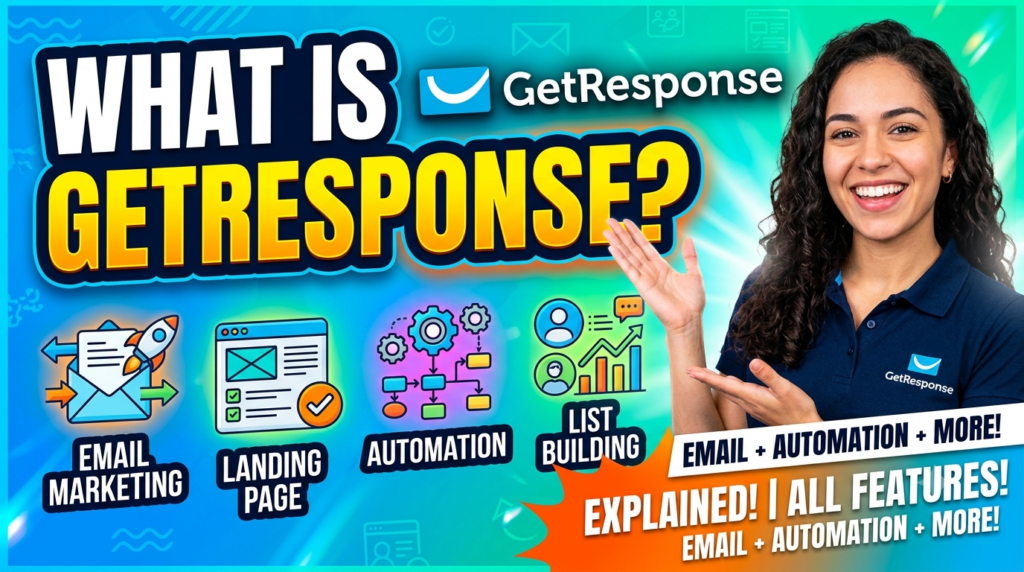
Imagine having a digital marketing assistant that works 24 hours a day without coffee breaks, vacations, or complaints. That’s essentially what GetResponse aims to become for businesses of all sizes. It started as a basic email marketing platform years ago, but today it has evolved into a full-scale marketing automation ecosystem packed with AI tools, webinars, landing pages, ecommerce features, and sophisticated automation workflows.
The modern customer journey is no longer simple. A visitor might discover your business through Instagram, browse your website on mobile, leave without buying, then return after receiving a personalized email. Managing all those touchpoints manually would be like trying to juggle flaming swords while riding a bicycle. GetResponse simplifies that chaos by centralizing marketing tasks into one platform.
One reason marketers continue to gravitate toward GetResponse is its balance between simplicity and advanced functionality. Beginners can launch email campaigns within minutes using drag-and-drop builders, while experienced marketers can design intricate automation sequences triggered by user behavior. According to GetResponse benchmark data, automated emails consistently outperform standard newsletters in engagement and click-through rates.
The platform now supports over 350,000 businesses globally, offering more than just email marketing. Businesses can build websites, create lead funnels, host webinars, run ecommerce campaigns, and even generate AI-powered email content from simple prompts. It’s essentially a Swiss Army knife for digital marketing.
Core Features of GetResponse
Email Campaign Builder
The email campaign builder is the beating heart of GetResponse. This tool allows users to create visually appealing emails without touching a single line of code. The drag-and-drop editor feels intuitive even for complete beginners, making it possible to design professional campaigns in minutes.
Templates play a huge role here. Instead of staring at a blank screen wondering where to begin, marketers can choose from pre-designed layouts optimized for promotions, newsletters, webinars, or ecommerce. These templates are responsive by default, ensuring emails look polished on desktops, tablets, and smartphones. Considering that over 40% of emails are opened on mobile devices, responsive design is no longer optional.
Another standout feature is A/B testing. Think of it like running two versions of the same advertisement in a digital science lab. You can test subject lines, images, call-to-action buttons, or layouts to see which version gets more opens and clicks. This kind of experimentation transforms email marketing from guesswork into data-driven decision-making.
AI also plays a growing role in campaign creation. Recent updates introduced AI email generators capable of drafting copy, suggesting layouts, and optimizing messaging based on campaign goals. This dramatically reduces content creation time for busy marketers and entrepreneurs.
Marketing Automation Workflows
Marketing automation is where GetResponse truly flexes its muscles. Instead of sending emails manually one by one, businesses can create automated workflows that react to subscriber actions in real time.
Picture this scenario: a customer downloads a free ebook from your website. Instantly, GetResponse sends a welcome email. Two days later, the subscriber receives a helpful tutorial. If they click a product link, another email automatically follows with a discount code. It’s like building a domino effect where every customer action triggers a personalized response.
Automation workflows use visual builders, allowing marketers to map customer journeys using conditions, filters, and actions. These workflows can include abandoned cart reminders, birthday emails, post-purchase sequences, lead nurturing funnels, and re-engagement campaigns. According to GetResponse statistics, triggered emails generate higher click-through rates than standard newsletters.
This automation capability doesn’t just save time. It improves relevance. Modern consumers expect personalized experiences, and generic mass emails rarely produce strong results anymore. Automated workflows ensure subscribers receive messages tailored to their behavior, interests, and engagement levels.
Landing Pages and Forms
Email marketing without lead generation is like fishing without bait. That’s why GetResponse includes built-in landing page and signup form tools.
Landing pages act as conversion machines. Whether promoting a webinar, ebook, online course, or product launch, users can design standalone pages optimized to capture visitor information. The platform also supports popups, embedded forms, and exit-intent forms designed to grow subscriber lists more effectively.
One major advantage is integration. Since landing pages, forms, and email lists all exist inside the same ecosystem, marketers avoid the headache of connecting multiple third-party tools. Leads collected from landing pages automatically flow into automation workflows without extra setup.
The platform also includes analytics and A/B testing for landing pages. Marketers can test headlines, images, and button placements to identify the highest-converting designs. It’s similar to tuning a race car engine repeatedly until maximum performance is achieved.
AI-Powered Tools
Artificial intelligence is reshaping digital marketing, and GetResponse has aggressively integrated AI across its platform. AI tools now assist with writing emails, generating entire campaigns, building landing pages, and even recommending products for ecommerce stores.
This is revolutionary for small business owners and content producers. Instead of spending hours brainstorming subject lines or designing campaigns from scratch, users can input basic business details and goals while the AI generates a complete framework.
AI-powered product recommendations are especially valuable for ecommerce brands. GetResponse can automatically display customized products in emails by examining surfing patterns and past purchases. This personalization often boosts click-through rates and conversions significantly.
The future of marketing clearly leans toward smarter automation rather than simply sending more emails. Industry experts predict that lifecycle marketing and customer retention strategies will dominate email marketing trends in 2026 and beyond.
How GetResponse Works
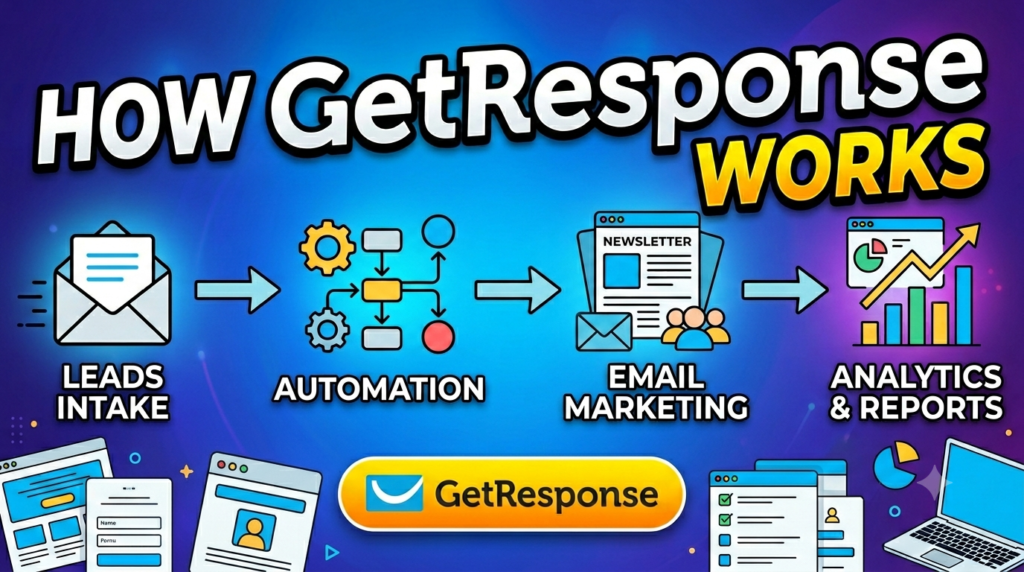
Creating Your First Campaign
Starting with GetResponse feels surprisingly beginner-friendly. After creating an account, users are guided through campaign setup using intuitive dashboards and onboarding tutorials.
The process typically begins with selecting an email template. Users then customize branding elements like colors, logos, fonts, and images. Subject lines, preview text, and calls-to-action can all be optimized directly inside the editor.
What makes the platform particularly useful is the live preview functionality. You can instantly see how emails appear across desktop and mobile devices before sending. This reduces formatting mistakes and improves the subscriber experience.
Scheduling options are equally advanced. Marketers can send campaigns immediately, schedule future delivery, or use “Perfect Timing” optimization, which automatically sends emails when subscribers are most likely to engage. Benchmark reports indicate higher engagement rates during early mornings and late afternoons.
Building Subscriber Lists
Your email list is essentially your digital real estate. Social media algorithms can change overnight, but an email list remains an owned audience that businesses fully control.
GetResponse provides multiple ways to grow subscriber lists. Businesses can use signup forms, lead magnets, webinars, social media integrations, or ecommerce checkouts to collect contacts. Importing existing contacts is also simple, supporting CSV uploads and CRM integrations.
Segmentation plays a crucial role here. Instead of lumping all subscribers into one giant list, GetResponse allows marketers to organize audiences based on demographics, purchase behavior, engagement history, or custom tags.
This segmentation enables laser-focused communication. A fitness brand, for example, could send weight-loss tips to one segment while promoting muscle-building supplements to another. Relevance increases engagement, and engagement drives revenue.
Segmenting Your Audience
Audience segmentation is often the invisible secret behind successful email marketing campaigns. Imagine walking into a bookstore where every customer receives recommendations tailored specifically to their interests. That’s exactly what segmentation accomplishes in email marketing.
GetResponse supports dynamic segmentation based on behaviors such as email opens, clicks, purchases, website visits, and abandoned carts. Businesses can also create custom scoring systems that rank leads according to engagement.
The practical impact is enormous. Personalized emails consistently outperform generic blasts because they align closely with customer intent. GetResponse benchmark reports emphasize that automation and segmentation are major drivers behind rising email engagement rates.
Segmentation also reduces unsubscribe rates. Nobody enjoys irrelevant promotions flooding their inbox daily. By sending targeted content, brands maintain trust and improve long-term subscriber retention.
Understanding Email Automation
Autoresponders Explained
Autoresponders are one of the oldest but most effective forms of email automation. They automatically send predefined messages after specific triggers such as signups, purchases, or downloads.
Think of autoresponders as digital hospitality. When someone joins your list, they expect acknowledgment. A welcome email acts like greeting a customer at the front door of a physical store. Ignoring them would feel awkward and unprofessional.
GetResponse allows users to create entire autoresponder sequences that nurture subscribers over days or weeks. Businesses can educate prospects, build trust, and gradually guide users toward purchases without manual intervention.
These sequences work exceptionally well for online courses, coaching businesses, SaaS companies, and ecommerce stores. The consistency they provide is invaluable because every new subscriber receives the same optimized onboarding experience.
Behavioral Automation
Behavioral automation takes things several levels deeper. Instead of simply reacting to signups, workflows respond to actual customer behavior in real time.
For example, if a shopper abandons their cart halfway through checkout, GetResponse can automatically send reminder emails with incentives or product recommendations. Ecommerce brands rely heavily on these workflows because abandoned cart emails often recover otherwise lost revenue.
Behavioral automation also supports advanced lead nurturing. If a subscriber repeatedly clicks links related to a specific product category, the platform can automatically tag them as interested in that niche and deliver more targeted offers.
This creates a highly personalized customer journey that feels less like mass marketing and more like a helpful conversation. It’s the difference between shouting into a crowded room and speaking directly to someone’s needs.
Trigger-Based Emails
Trigger-based emails are the engine powering behavioral automation. These triggers can include:
- Email opens
- Link clicks
- Purchases
- Website visits
- Webinar registrations
- Form submissions
- Cart abandonment
The beauty lies in timing. A well-timed email can feel almost magical. Imagine browsing hiking boots online and receiving a helpful buying guide moments later. That relevance dramatically increases conversion probability.
GetResponse users can visually build these trigger sequences using workflow maps, making complex automation accessible even for non-technical marketers.
GetResponse Pricing and Plans
Free Plan Features
One reason GetResponse remains competitive is its flexible pricing structure. The free plan allows users to manage up to 500 contacts and send limited newsletters without paying upfront.
This is ideal for startups, bloggers, and creators testing email marketing for the first time. Users gain access to templates, signup forms, landing pages, and basic automation features.
The free tier also includes AI-powered tools, which is somewhat unusual compared to many competitors. This lowers the barrier for small businesses wanting to experiment with advanced marketing features.
Paid Plans Comparison
Here’s a simplified comparison of GetResponse pricing plans based on current available information:
| Plan | Starting Price | Best For | Key Features |
| Free | $0 | Beginners | Basic newsletters, forms, landing pages |
| Starter | $19/month | Small businesses | Unlimited emails, autoresponders, AI tools |
| Marketer | $59/month | Growing businesses | Advanced automation, segmentation |
| Creator | $69/month | Content creators | Webinars, AI course builder |
| MAX | Custom | Enterprises | SMS marketing, advanced support |
Pricing scales according to contact list size, which is standard across most email marketing platforms.
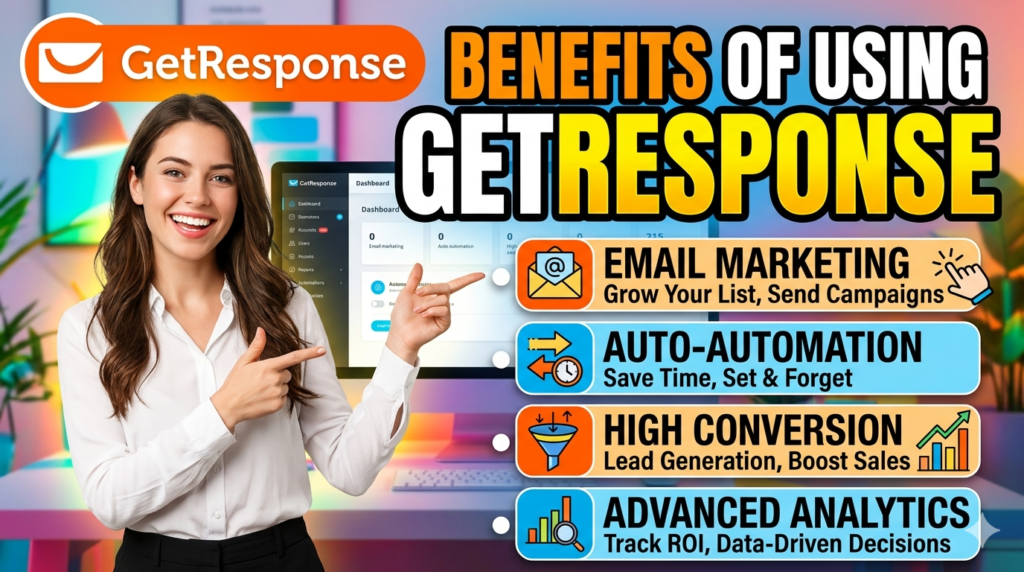
Benefits of Using GetResponse
Improved Engagement
Email engagement depends heavily on personalization and timing. GetResponse excels in both areas through automation, segmentation, and AI-driven optimization.
Recent benchmark reports revealed average open rates climbing to nearly 40%, while click-through rates also increased significantly. This indicates that modern email strategies are becoming smarter and more customer-focused.
Features like personalized recommendations, optimized send times, and targeted automation sequences all contribute to stronger engagement metrics.
Better Conversion Rates
Traffic means nothing without conversions. GetResponse helps businesses turn subscribers into customers through automated funnels and behavior-based targeting.
Sales funnels guide users step by step from awareness to purchase. Businesses can nurture leads with educational content, social proof, webinars, discounts, and personalized recommendations until prospects feel ready to buy.
This structured approach removes friction from the buying process and improves customer trust over time.
Time-Saving Automation
Automation is ultimately about leverage. Instead of manually managing every email interaction, marketers can build systems that operate continuously behind the scenes.
A single automation workflow can nurture thousands of subscribers simultaneously. This frees business owners to focus on strategy, product development, or customer relationships instead of repetitive tasks.
Automation turns marketing from a labor-intensive task into a scalable growth engine in many ways.
Read More:-
How Does Strikingly Simplify the Website Building Process?
Building Your Dream Website with Site123
Boost Your E-commerce Strategy with YITH Plugins
Maximize Your Customer Engagement with LiveAgent’s Features
Why STRIPO is Essential for Digital Product Marketers
GetResponse vs Competitors
Comparison with Mailchimp
Mailchimp remains one of the biggest names in email marketing, especially among beginners. It offers strong templates and integrations, but many advanced automation features are locked behind higher pricing tiers.
GetResponse often provides more built-in functionality under one roof, including webinars, landing pages, AI tools, and advanced workflows. Businesses wanting an all-in-one platform frequently prefer GetResponse because it reduces reliance on external tools.
Comparison with HubSpot
HubSpot is incredibly powerful but significantly more expensive. It’s designed for businesses requiring deep CRM integration and enterprise-level automation.
GetResponse occupies a middle ground between affordability and advanced functionality. Smaller businesses, creators, and ecommerce brands often find it more accessible without sacrificing critical automation features.
TechRadar recently highlighted GetResponse as one of the top email marketing platforms for businesses seeking integrated automation and AI-driven marketing solutions.
Best Practices for Email Marketing Success
Writing High-Converting Subject Lines
Your email’s subject line serves as its entry point. Even the most brilliant campaign becomes useless if nobody opens it.
Effective subject lines create curiosity, urgency, or relevance without sounding spammy. Personalized subject lines and compelling preview text tend to increase open rates significantly. GetResponse data also suggests emails with preheaders perform better than those without them.
Short, conversational language often works best. Think about how people naturally speak rather than writing robotic corporate headlines.
Optimizing Send Times
Timing matters more than many marketers realize. Sending emails at the wrong moment is like opening a store while everyone is asleep.
GetResponse benchmark data indicates strong engagement during early morning and late afternoon windows. However, the ideal timing varies depending on audience behavior, industry, and geography.
Testing remains essential. Successful marketers constantly analyze metrics to identify patterns unique to their subscribers.
Mobile-Friendly Email Design
Modern consumers live on smartphones. If your email looks broken on mobile, readers will likely delete it within seconds.
Responsive design, clear fonts, tappable buttons, and concise formatting dramatically improve usability. Mobile optimization isn’t just about aesthetics; it directly affects clicks, conversions, and revenue.
GetResponse templates automatically adapt to different screen sizes, making mobile-friendly design easier for non-technical users.



Conclusion
GetResponse has evolved from a simple email marketing service into a sophisticated all-in-one marketing automation platform. It combines email campaigns, landing pages, automation workflows, AI-powered content creation, webinars, ecommerce tools, and analytics into a unified ecosystem that supports businesses at virtually every stage of growth.
What makes the platform particularly compelling is its balance between accessibility and power. Beginners can quickly launch campaigns without technical expertise, while experienced marketers can build highly advanced customer journeys driven by real-time behavioral data.
Email marketing itself continues to thrive because it remains one of the few marketing channels businesses truly own. Algorithms may shift on social platforms, advertising costs may rise, but a quality email list remains a direct line to customers.
In a world overflowing with digital noise, smarter automation and personalized communication are becoming the real competitive advantages. GetResponse positions itself squarely at the center of that future.
FAQs
Q. Is GetResponse suitable for beginners?
A. Yes, GetResponse is highly beginner-friendly. Its drag-and-drop editor, templates, onboarding tutorials, and AI-powered tools make it easy for new users to create professional campaigns without technical skills.
Q. Does GetResponse offer a free plan?
A. Yes, GetResponse offers a free plan supporting up to 500 contacts with basic email marketing features and limited landing pages.
Q. What makes GetResponse different from other email marketing tools?
A. GetResponse combines email marketing, automation, webinars, landing pages, AI content tools, and ecommerce features within a single platform, reducing the need for multiple third-party services.
Q. Can GetResponse improve email deliverability?
A. GetResponse reports an overall deliverability rate of 99%, which helps businesses maximize inbox placement and improve campaign effectiveness.
Q. Is automation really necessary for email marketing?
A. Absolutely. Automation saves time, personalizes communication, improves engagement, and increases conversions by sending relevant messages based on customer behavior.