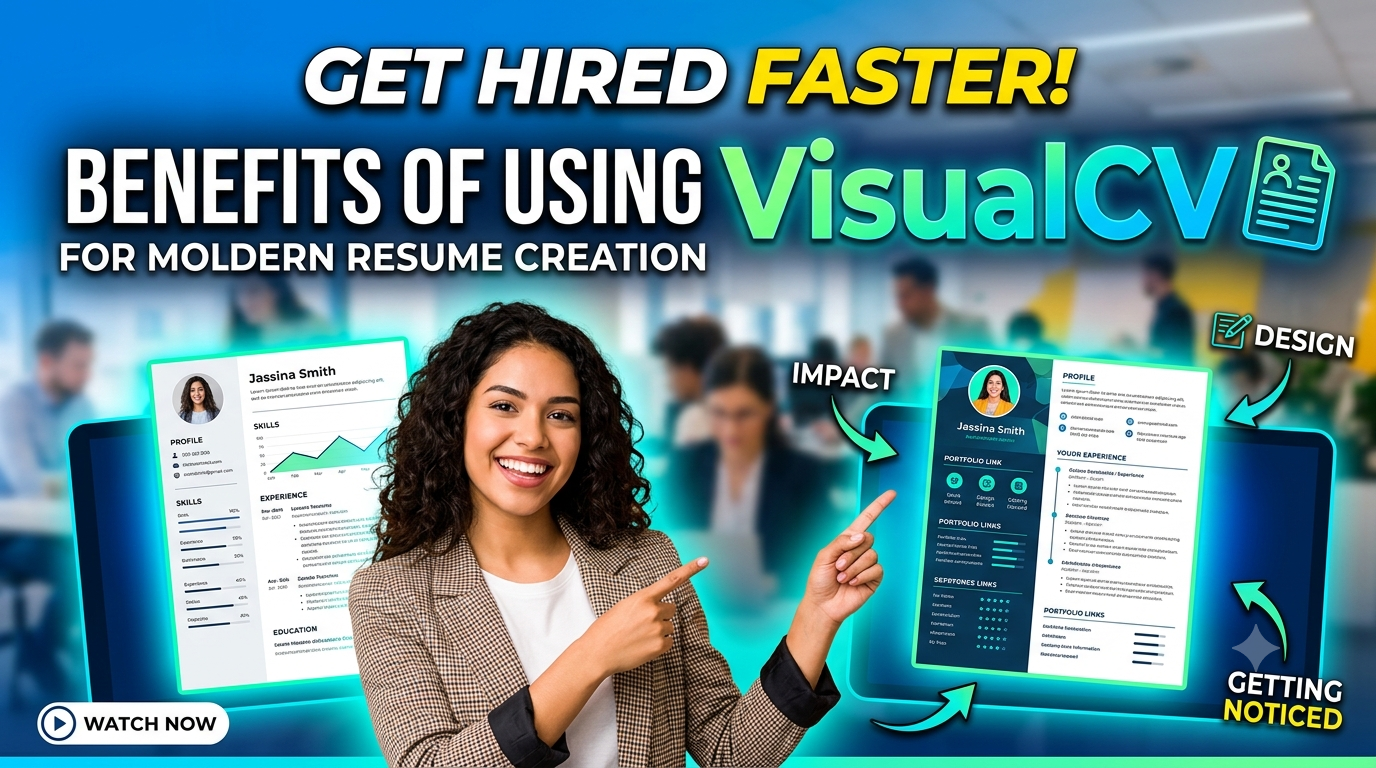
VisualCV is a modern resume creation platform that helps job seekers build professional, polished, and customizable resumes with ease. With a range of professionally designed templates, ATS-friendly formatting, AI-powered writing assistance, and flexible editing options, VisualCV makes it easier to present your skills, experience, and achievements effectively. Whether you are a recent graduate, an experienced professional, or changing careers, VisualCV allows you to create tailored resumes for different job opportunities, share them online, and maintain a strong digital professional presence.
Why Resume Creation Has Changed
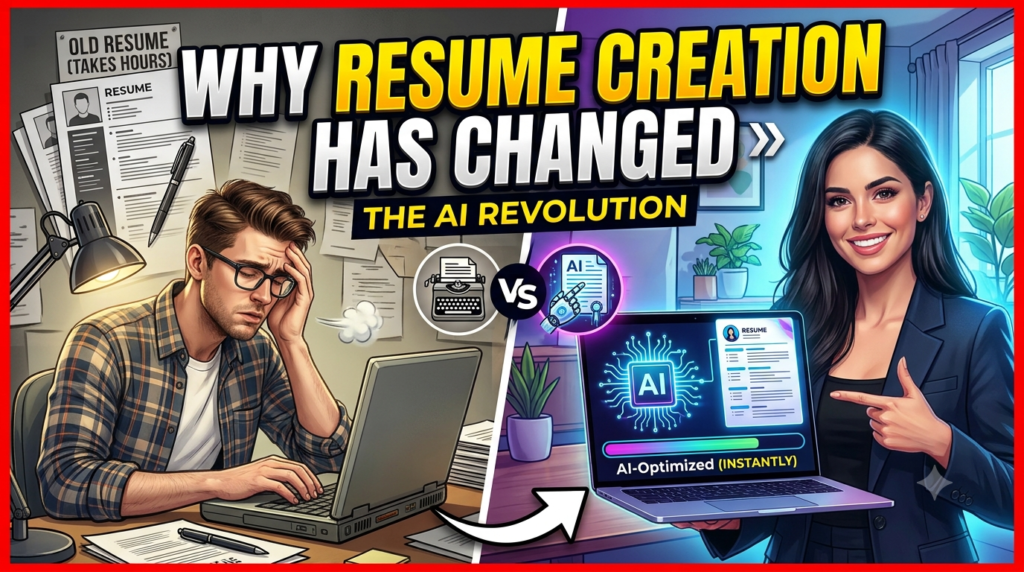
Creating a resume used to mean opening a blank Microsoft Word document, choosing a basic font, adjusting margins for what seemed like hours, and hoping the final result looked professional. That approach can still work, but modern hiring has made resume creation considerably more strategic. Employers increasingly use digital application systems, recruiters often review large numbers of applications, and candidates may need several versions of the same resume for different positions. VisualCV fits into this changing environment by combining resume design, editing, online sharing, downloadable documents, and career-focused tools in one platform. The company currently says its platform has been trusted by more than 3 million people, while its resume builder provides professionally designed templates and tools for creating job-ready resumes. Instead of treating a resume as a static document, VisualCV approaches it more like a personal career asset that can be updated, customized, shared, and measured. That difference matters because your professional story rarely stays the same. You gain new skills, change responsibilities, apply for different roles, and sometimes move into an entirely new industry. A modern resume builder makes those changes easier to manage, giving you more control over how your experience is presented.
The Shift From Traditional Resumes
The biggest change in resume creation is that candidates are no longer writing exclusively for a human reader. A modern job application may first pass through an Applicant Tracking System, commonly known as an ATS, before a recruiter sees it. That means a resume needs to be readable, relevant, logically structured, and appropriately aligned with the job description. At the same time, once the resume reaches a person, it needs to communicate value quickly. This creates an interesting challenge: your resume must satisfy technology without sounding like it was written for a machine. VisualCV addresses this challenge through templates designed around structured layouts and ATS considerations, while also allowing users to customize their content for individual applications. Its current platform includes chronological, functional, and hybrid formats, giving candidates options based on career level and professional situation. The result is a workflow that can feel much more practical than repeatedly modifying a generic document. You can concentrate on the substance of your career story while the platform handles much of the formatting work. In a competitive job market, that can make the process less frustrating and considerably more efficient.
Why Visual Presentation Matters
A resume should not become a graphic design competition, but presentation still influences how easily a recruiter can understand your experience. Imagine walking into an interview wearing a perfectly tailored outfit compared with wearing something that is technically acceptable but poorly organized and distracting. Your qualifications may be identical, yet the first impression can feel very different. A resume works in much the same way. VisualCV provides professionally designed templates that aim to make information easier to organize while giving candidates control over the overall appearance of their documents. The platform currently promotes more than 20 templates on its resume builder page and more than 30 professional templates across its broader offering. This variety is useful because a software engineer, marketing specialist, consultant, designer, teacher, and finance professional may not want exactly the same visual treatment. A modern resume should reflect the candidate’s industry without becoming unnecessarily decorative. With VisualCV, users can select a structure that fits their professional identity and then focus on writing strong achievements, relevant skills, and measurable results. Good design becomes the frame around your story rather than the story itself.
What Makes VisualCV a Modern Resume Builder
VisualCV is designed around a simple idea: creating a professional resume should not require advanced formatting skills. Rather than forcing users to construct every section manually, the platform provides templates, an online editor, content tools, and different export and sharing options. Its current resume builder allows candidates to choose a template, add experience and skills, customize their document, and export it as a PDF or Word document. That workflow is especially useful for people who know what they have accomplished but struggle with document formatting. Instead of spending time fighting with columns, spacing, fonts, and page breaks, users can spend more energy deciding which accomplishments deserve attention. VisualCV also supports multiple versions, which is important because the strongest resume for a marketing position may not be the strongest resume for a project management position. Modern resume creation is therefore less about producing one perfect document and more about building a flexible professional profile that can be adapted when opportunities change. VisualCV’s combination of templates and customization makes that process considerably easier for everyday job seekers.
Professional Templates for Different Careers
One of the clearest benefits of VisualCV is the range of templates available for different professional situations. A resume template is more than a decorative background; it determines how your experience is organized and how quickly a reader can locate important information. VisualCV currently offers templates covering chronological, functional, and hybrid approaches, along with designs intended for different industries and career levels. Someone with a straightforward career progression may benefit from a chronological format, while a career changer might prefer a structure that emphasizes transferable skills and achievements. Creative professionals can look for a more visually distinctive presentation, while candidates in conservative fields may want something cleaner and more restrained. The important advantage is choice without requiring you to design everything yourself. You can begin with an established structure and customize it around your actual career history. This can be especially valuable for recent graduates and professionals who have not updated their resumes in several years. Instead of asking, “How do I format this?” you can ask the more useful question: “Which experience best demonstrates that I can do this job?” That shift puts the focus where it belongs—on your professional value.
Easy Customization and Editing
A resume is rarely finished after the first draft. Job descriptions change, responsibilities evolve, new achievements appear, and different employers emphasize different qualifications. VisualCV’s online editor makes it possible to update resume sections without rebuilding the entire document from scratch. The platform also allows users to create tailored versions, which can be particularly useful when applying to several positions. Think of your main resume as a master document from which you can create specialized versions. One version might emphasize leadership, another technical skills, and another customer-facing experience. Instead of maintaining a confusing folder filled with documents called “Resume Final,” “Resume Final 2,” and “Resume Final Really Final,” a centralized online builder can make version management much more manageable. This flexibility is one reason modern resume builders have become attractive to active job seekers. You can update a single achievement once, adapt your content for a particular opportunity, and keep your formatting consistent across applications. That reduces administrative work and allows you to spend more time preparing applications thoughtfully.
VisualCV and ATS-Friendly Resume Creation
Applicant Tracking Systems have become an important consideration in modern recruitment. These systems can scan submitted resumes for information such as job titles, skills, experience, and keywords before applications are reviewed by recruiters. VisualCV explicitly positions its templates as ATS-friendly and says its templates are designed so resume parsers can identify relevant information without formatting becoming an unnecessary obstacle. This is a significant benefit because an attractive resume is not very useful if the information cannot be interpreted properly by the software processing it. However, ATS optimization should never mean stuffing a resume with keywords or writing unnatural sentences. The better approach is to read the job description carefully, identify legitimate requirements, and describe your experience using terminology that accurately reflects your background. VisualCV’s current builder also promotes an ATS checker designed to identify formatting problems and keyword gaps. Used intelligently, such tools can function like a second pair of eyes. They can help you spot potential problems before you submit an application, while you remain responsible for ensuring that every claim is accurate and genuinely reflects your experience.
Designing for Applicant Tracking Systems
The relationship between design and ATS compatibility can seem complicated. Job seekers often hear conflicting advice: one person says a resume must be visually impressive, while another insists that it should look completely plain. The reality is more nuanced. A strong modern resume needs a clear information hierarchy, logical section headings, readable text, and formatting that automated systems can interpret. VisualCV specifically states that its templates are designed to be ATS-friendly, with structured formatting intended to help systems identify keywords and resume information. That can remove some of the uncertainty associated with choosing a design independently. Instead of experimenting with complicated layouts and hoping they work, you can begin with a template built around modern resume requirements. Still, the candidate’s content remains the most important part. An ATS-friendly template cannot compensate for vague descriptions, missing qualifications, irrelevant information, or unsupported claims. The best approach is to use the technology as a framework while putting your own career story at the center. When formatting and content work together, the resume becomes easier for both software and people to understand.
Balancing ATS Compatibility With Visual Appeal
A common misconception is that an ATS-friendly resume must be boring. It does not. VisualCV’s modern templates demonstrate that structured formatting and professional presentation can coexist. The platform currently highlights modern, creative, professional, chronological, functional, and hybrid approaches, allowing users to choose a design according to their industry and goals. The key is balance. Your resume should have enough visual organization to guide the reader without adding unnecessary elements that distract from your qualifications. Think of design as road signs on a highway: the signs should make navigation easier, not become the destination. Clear headings, sensible spacing, readable typography, and consistent formatting help recruiters find the information they need quickly. VisualCV provides the foundation for that structure, while you decide what deserves emphasis. This is particularly useful when competing with applicants who submit poorly formatted documents. A professional layout cannot guarantee an interview, but it can help ensure that your accomplishments are presented clearly instead of being hidden inside a cluttered or inconsistent document.
Saving Time With VisualCV
Time is one of the most practical reasons to use a resume builder. Searching for jobs can already involve reading descriptions, researching companies, completing application forms, writing cover letters, preparing for interviews, and networking. Spending hours adjusting margins and fixing formatting problems is rarely the best use of that time. VisualCV streamlines much of the mechanical side of resume creation by providing templates and an online editor. Its current builder also supports importing an existing resume, allowing users to bring previous career information into the platform rather than manually retyping everything. This can make a significant difference for experienced professionals whose resumes contain years of information. Once the basic content is organized, it becomes easier to focus on tailoring achievements and selecting the most relevant skills. The platform also allows users to duplicate and customize resumes for different applications, reducing repetitive work. In other words, VisualCV can turn resume creation from a formatting project into a repeatable career-management process. The less time you spend fighting your document, the more time you can invest in making your application genuinely persuasive.
Importing Existing Resume Information
Starting from zero can be intimidating, particularly if you already have a resume but know it needs a modern refresh. VisualCV’s CV builder currently includes an import feature that can automatically populate information from an existing resume, including work experience, education, and skills. This creates a useful middle ground between keeping an outdated resume and rewriting everything from scratch. You can bring your existing career history into a more modern environment and then revise the content where necessary. Perhaps your previous resume lists responsibilities but does not show results. Maybe the formatting feels dated, or the skills section no longer reflects your current abilities. Importing the document gives you a starting point that can be refined rather than discarded. For professionals with a long employment history, this can save considerable time. It also makes the process less psychologically demanding because you are improving something that already exists rather than facing a completely blank page. Once imported, the resume can be reorganized into a suitable VisualCV template, allowing you to modernize both its appearance and structure while preserving valuable career information.
Creating Multiple Resume Versions
One of the strongest advantages of modern resume tools is the ability to create multiple targeted versions. A generic resume might describe everything you have done, but recruiters usually care most about what is relevant to the particular role they are hiring for. VisualCV supports creating multiple versions and tailoring them to different job descriptions. Imagine a sales professional applying for business development, account management, and customer success positions. The underlying career history may remain the same, but the emphasis should change. Business development applications might highlight prospecting and revenue growth, while customer success applications could emphasize retention, relationship management, and client satisfaction. Maintaining separate versions makes those differences easier to manage. It also helps prevent a common resume mistake: trying to make one document appeal to everyone. A targeted resume can communicate relevance much faster. With VisualCV, candidates can treat their resume almost like a marketing campaign, developing different versions for different audiences while maintaining consistent professional branding.
AI-Powered Resume Assistance
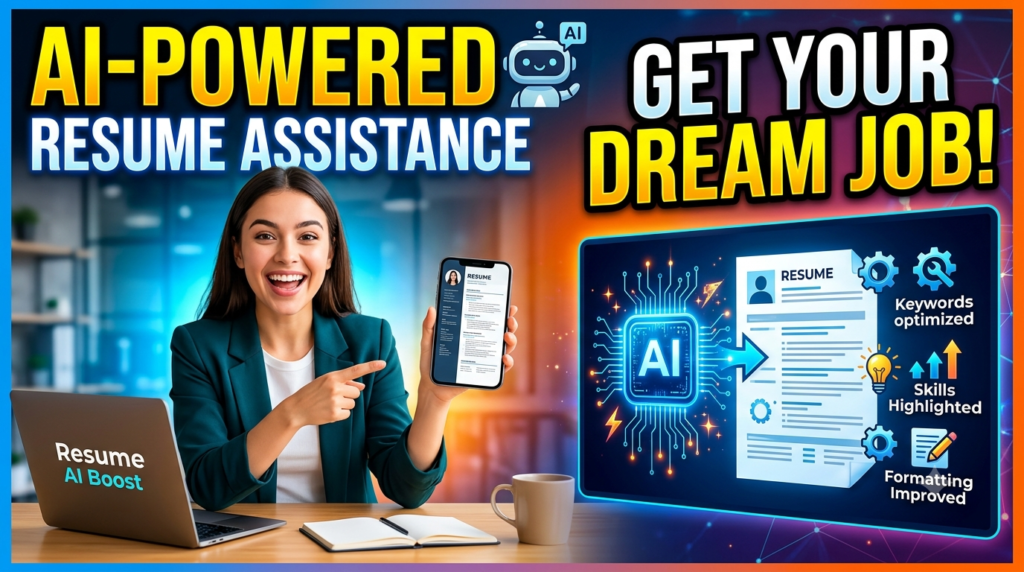
Artificial intelligence has become another major part of modern resume creation. VisualCV now offers an AI resume builder designed to help users create personalized content, improve bullet points, suggest skills, and tailor resumes to specific roles. The platform says its AI-powered builder uses GPT technology and is designed to help users create job-specific content while retaining control over layout, tone, and information. This can be particularly useful when you know what you achieved but struggle to express those achievements clearly. For example, instead of writing “Responsible for managing social media,” a stronger resume statement might explain the scale of the work, the strategy involved, and the measurable outcome. AI can help identify opportunities to make such statements more specific. However, the smartest way to use AI is as an assistant rather than a replacement for your judgment. Generated content should always be checked for accuracy, natural language, and relevance. Your resume should sound like a confident version of you—not like a generic machine-generated document. When used carefully, AI can reduce writer’s block and speed up the editing process without removing the human element that makes a resume credible.
Improving Resume Content With AI
It’s not as easy as it seems to write great resume bullets. Candidates often describe what they were assigned to do instead of explaining what they accomplished. AI assistance can help transform ordinary descriptions into stronger achievement-focused statements by encouraging the inclusion of action, context, scale, and results. VisualCV’s current AI resume builder promotes tailored summaries, bullet-point improvements, and skill suggestions. That can be especially helpful when you are staring at an empty section and thinking, “I know I did good work, but I don’t know how to say it.” The technology can provide a starting point that you can then personalize. For example, an employee might remember that they improved a reporting process but forget to mention that it reduced preparation time by several hours each week. A good resume should capture that impact. AI can prompt you to think about metrics, outcomes, scale, and specific contributions. The final version should still be truthful and based on your actual experience. The goal is not to make your career sound exaggerated; it is to make your genuine accomplishments easier to recognize.
Tailoring Resumes to Specific Jobs
Job descriptions contain clues about what employers actually value. If a position repeatedly mentions project management, stakeholder communication, data analysis, or a particular technology, your resume should make your relevant experience easy to find. VisualCV’s AI tools are designed to help tailor resumes to individual job applications, while its broader resume builder allows users to create customized versions. This can make the application process more strategic. Instead of sending the same document everywhere, you can compare your experience against the requirements of each role and adjust the emphasis accordingly. That does not mean inventing skills you do not have. It means presenting legitimate experience in the language most relevant to the opportunity. A marketing manager applying for a growth role, for instance, may emphasize campaign performance, customer acquisition, conversion rates, and revenue contribution. The same professional applying for a brand role might emphasize positioning, creative strategy, audience research, and brand development. Tailoring helps recruiters understand the connection between your background and their needs without making them search through unrelated information.
Sharing and Tracking Your Resume
Modern job searching is no longer limited to attaching a PDF to an email. Candidates may share resumes through LinkedIn, networking messages, personal websites, recruiter conversations, or direct links. VisualCV supports shareable online resume links as well as downloadable documents, giving users multiple ways to present their professional information. This is useful because different situations call for different formats. A traditional application may require a PDF, while a networking contact might prefer a quick online profile. A live resume also gives you the ability to update information without repeatedly sending a new document to every person who has the link. VisualCV’s Pro offering includes a branded resume URL and view and download analytics, according to its current product page. That moves the resume beyond a static file and toward a measurable professional presence. You can think of it as turning your resume into a small personal career website: concise, focused, easy to share, and designed specifically around your professional story.
Online Resume Links and Digital Profiles
An online resume can be particularly valuable when networking. Suppose you meet a recruiter at an event or connect with a hiring manager on LinkedIn. Instead of attaching a document immediately, you can provide a professional link that leads directly to your career profile. VisualCV supports online resume sharing and allows users to publish their resume through a shareable link. This can make your professional presence more accessible while giving you another channel through which employers can discover your experience. The advantage is convenience. A recruiter does not necessarily need to download a file before seeing your qualifications, and you can maintain the profile over time. Online sharing can also support personal branding because the resume becomes part of a broader digital identity. That said, candidates should still make sure their online resume is consistent with their LinkedIn profile, portfolio, and other professional platforms. Inconsistencies in job titles, dates, or responsibilities can create unnecessary questions. The best digital profile is one that reinforces your overall professional story rather than creating a separate version of it.
Read More:-
How Does Strikingly Simplify the Website Building Process?
Building Your Dream Website with Site123
Boost Your E-commerce Strategy with YITH Plugins
Maximize Your Customer Engagement with LiveAgent’s Features
Why STRIPO is Essential for Digital Product Marketersa
Resume Performance Analytics
Another interesting feature of VisualCV is resume analytics. The platform promotes analytics that can track resume views and downloads, while its Pro product specifically highlights view and download analytics associated with shareable resume links. Why does that matter? Because job searching often feels like shouting into a crowded room with no idea whether anyone heard you. Analytics can provide at least some feedback about whether your shared resume is being viewed. If a resume link receives attention but applications do not progress, that may encourage you to review the content, positioning, or fit of your applications. If a particular version gets more engagement, you may learn something about which presentation works better for your professional audience. Analytics should not be treated as a perfect measure of hiring success, because a view does not equal an interview and an interview does not equal an offer. Still, having feedback can be more useful than operating entirely on guesswork. It encourages candidates to think about their resume as something that can be tested and improved rather than a document that is written once and forgotten.


Final Thoughts
Modern resume creation is ultimately about more than making a document look attractive. A strong resume needs to communicate your professional value clearly, work within modern recruitment systems, adapt to different opportunities, and remain easy to maintain as your career develops. VisualCV brings many of these requirements together through professional templates, customization tools, ATS-oriented formatting, AI assistance, multiple resume versions, online sharing, and analytics. Its current platform also allows users to start for free, while its Pro plans add features such as unlimited resumes, additional templates, and expanded career tools. The real benefit, however, comes from how you use the platform. A beautifully formatted resume cannot replace relevant experience, measurable accomplishments, thoughtful tailoring, or honest representation. What VisualCV can do is remove many of the technical barriers between your experience and the person who needs to understand it. For students, career changers, experienced professionals, freelancers, and active job seekers, that can make resume creation faster and more flexible. In a hiring environment where first impressions often happen digitally, having a polished and adaptable resume is no longer simply convenient—it can be an important part of presenting yourself professionally.
FAQs
Q. Is VisualCV good for modern resume creation?
A. Yes. VisualCV is designed specifically around modern resume creation, offering professional templates, online editing, ATS-oriented formatting, multiple resume versions, sharing options, and AI-powered assistance. Its current resume builder supports PDF and Word exports and allows users to customize resumes for different job opportunities.
Q. Are VisualCV templates ATS-friendly?
A. VisualCV states that its resume templates are ATS-friendly and designed to help applicant tracking systems identify relevant keywords and resume information. Candidates should still focus on using accurate, relevant keywords and clearly describing their experience rather than relying on formatting alone.
Q. Can I create multiple resumes with VisualCV?
A. Yes. VisualCV supports creating multiple tailored resume versions, allowing candidates to customize their experience and skills for different job applications. This can be particularly helpful when applying across different roles or industries.
Q. Does VisualCV offer AI resume assistance?
A. Yes. VisualCV currently offers an AI resume builder designed to help users generate and improve resume content, including summaries, bullet points, skills, and job-specific content. AI-generated suggestions should always be reviewed to ensure they accurately represent your real experience.
Q. Can I share my VisualCV resume online?
A. Yes. VisualCV provides shareable online resume links in addition to downloadable resume formats. Its Pro offering also includes resume view and download analytics, allowing users to gain insight into engagement with their shared resume.