
Pixelgrade is a popular choice for creative website design because it combines beautiful visual layouts, flexible customization, and user-friendly WordPress tools. With stylish themes and professionally designed starter templates, Pixelgrade helps photographers, bloggers, designers, agencies, architects, and creative professionals build engaging websites without starting from scratch. Its focus on typography, colors, layouts, and visual storytelling makes Pixelgrade an excellent option for creating a professional and memorable online presence.
Table of Contents
- What Makes Pixelgrade Different From Traditional WordPress Themes?
- A Design-First Approach
- Why Creatives Choose Pixelgrade
- Pixelgrade’s Starter Designs and Creative Niches
- How Pixelgrade Makes Customization Easier
- Pixelgrade and WordPress: A Flexible Combination
- Pixelgrade’s Free and Premium Options
- Performance, SEO, and Usability Considerations
- Is Pixelgrade a Good Choice for Beginners?
- Pixelgrade for Freelancers and Creative Professionals
- Pixelgrade Compared With Generic Website Builders
- Potential Limitations to Consider
- Who Should Use Pixelgrade?
- How to Get Started With Pixelgrade
- Conclusion
- Frequently Asked Questions
What Makes Pixelgrade Different From Traditional WordPress Themes?
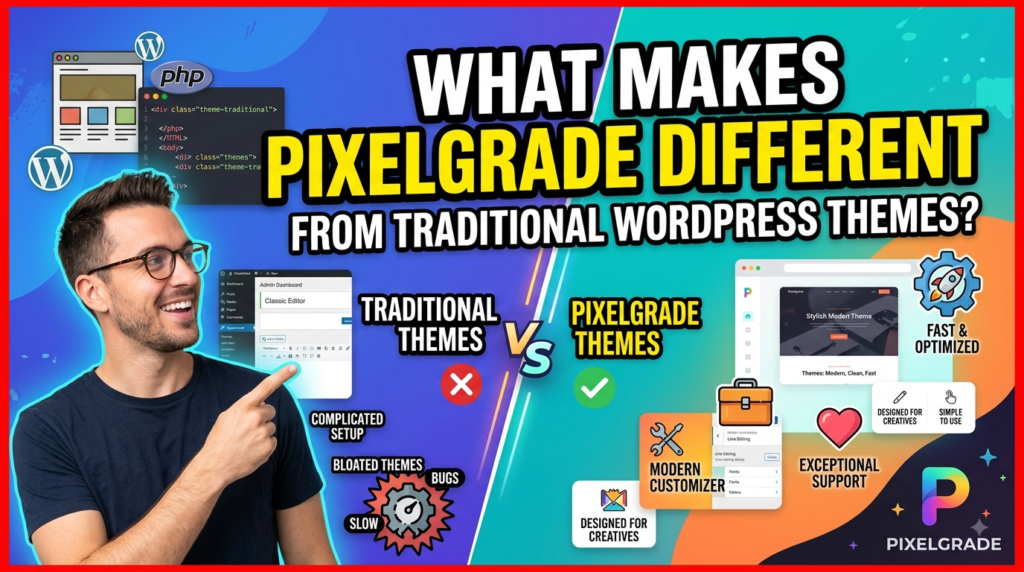
Pixelgrade has built its reputation around a simple but important idea: a creative website should look intentionally designed rather than assembled piece by piece. Instead of asking users to begin with an empty WordPress installation and make hundreds of design decisions, Pixelgrade takes a more opinionated approach. Its current platform describes itself as a design system for WordPress, with complete starter designs, coordinated styling, reusable blocks, and tools intended to keep a website visually consistent as it grows. That distinction matters because creating a professional creative website is rarely just about having attractive colors or a modern homepage. The real challenge is making the homepage, portfolio, navigation, typography, buttons, blog posts, project pages, and other elements feel as though they belong to the same visual world. Pixelgrade essentially tries to solve that consistency problem at the foundation rather than leaving users to repair it later.
This is one reason Pixelgrade is a popular choice for creative website design. Designers, photographers, writers, agencies, food creators, architects, and other visual professionals often care about presentation as much as functionality. A generic theme can provide the technical framework for a website, but it may still require substantial effort to achieve a distinctive visual identity. Pixelgrade’s approach reduces some of that friction by giving users a finished starting point and then allowing them to personalize the important parts. The result is a workflow that feels less like constructing a house from raw materials and more like moving into a beautifully designed space and rearranging it around your personality. For people who want a polished online presence without spending weeks adjusting every tiny design detail, that can be a compelling advantage.
A Design-First Approach
The strongest characteristic of Pixelgrade is its emphasis on design as a system rather than decoration. The company explains that users can begin with a complete designed site, establish colors and fonts once, and allow those choices to carry throughout headings, buttons, blocks, menus, and other areas. That may sound like a small convenience, but it can make a significant difference when a website contains dozens of pages. Imagine changing a brand color manually across a large website every time the visual identity evolves. That process can become tedious and can easily produce inconsistent results. A design system gives the website a shared visual language, so one decision can influence multiple components instead of forcing the owner to repeat the same task over and over.
For creative professionals, this approach is especially valuable because their website is often part portfolio, part business card, and part storytelling platform. A photographer wants images to command attention without being surrounded by distracting interface elements. An architect may need large project visuals and structured case studies. A writer needs typography and spacing that make long-form reading comfortable. A creative agency may need a flexible portfolio while maintaining a recognizable brand identity. Pixelgrade’s starter designs are built around these kinds of content needs rather than treating every website as essentially identical. Its current design library includes options such as Rosa for food businesses, Felt for magazine and editorial content, Julia for food blogging, Mies for architecture and portfolios, and Pile for creative portfolios.
Starting With a Complete Website
One of Pixelgrade’s most practical advantages is the ability to start from a complete website structure instead of an empty canvas. The current setup process allows WordPress users to install the Pixelgrade stack, select a starter design, import its pages and layouts, and then replace the sample content with their own. This can dramatically reduce the intimidating blank-page problem that many first-time website owners experience. You do not have to wonder what your homepage should contain, where the portfolio should sit, how much visual space the navigation needs, or how a project page should be organized before you even begin. The design gives you a practical starting point, while your content and branding transform it into something personal.
That is also useful for experienced creators because speed matters. A freelancer building a website for a client does not necessarily want to reinvent the basic structure of every project. A strong starter design can act as a foundation that leaves more time for the things that actually differentiate the client: photography, writing, brand messaging, case studies, services, and visual identity. Pixelgrade’s current free stack includes starter designs, a style system, a block library, page layouts and sections, plus dashboard guidance and diagnostics. The value therefore is not simply that the template looks good. It is that the template can shorten the distance between “I need a website” and “I have a website that is ready for my audience.”
Why Creatives Choose Pixelgrade
Creative website owners generally have different priorities from people building ordinary informational websites. They want functionality, of course, but they also want atmosphere, rhythm, visual hierarchy, and personality. A portfolio should not merely list projects; it should make visitors curious enough to explore them. A food blog should not only display recipes; it should make the food photography and stories feel inviting. A magazine needs to handle large quantities of content without losing editorial character. Pixelgrade has historically focused heavily on these visually oriented use cases, and its current collection still reflects that heritage.
The popularity of the platform can therefore be understood through the balance it tries to create between creative freedom and design discipline. Too little flexibility makes a website feel generic. Too much flexibility can create inconsistency, because users can change everything without necessarily understanding how those changes affect the overall composition. Pixelgrade takes a middle path: it gives users meaningful control over branding, layouts, content, and visual presentation while establishing a coherent design framework around those choices. This can be particularly helpful for people who know what they want their website to feel like but do not want to become professional web designers just to achieve it.
Visual Storytelling Without Excessive Complexity
Creative websites work best when design supports the story rather than competing with it. Pixelgrade’s portfolio-oriented designs demonstrate this philosophy by giving creators ways to present projects using strong visual layouts, varied structures, filtering, and interactive elements. For example, the Mies starter design is positioned specifically around architecture, design, interior design, portfolios, and presentations, while its project-focused functionality allows different work to have different structures and filtering options. That flexibility is useful because creative projects are rarely identical. One project might need a large image gallery, another might need a written case study, and another might benefit from a more experimental presentation.
The same principle can be seen in Pixelgrade’s Pile design, which is positioned as a flexible portfolio theme for creative ideas and emphasizes customizable fonts, colors, layouts, transitions, and visual presentation. These features matter because a creative portfolio is effectively a visual pitch. When a potential client visits a designer’s website, they are not simply checking whether the site works. They are subconsciously evaluating the creator’s taste, attention to detail, organization, and ability to communicate. A polished website can therefore reinforce the professional impression created by the work itself. Pixelgrade’s focus on visual storytelling helps turn the website from a basic container into part of the creative presentation.
Consistent Branding Across the Website
Brand consistency is another major reason Pixelgrade appeals to creative professionals. A website can have excellent individual pages and still feel amateurish if its typography, colors, buttons, spacing, and navigation styles constantly change. Pixelgrade’s Style Manager is designed to address that problem by allowing users to establish core visual choices and have those decisions flow throughout the site. Current documentation explains that colors, fonts, and spacing are managed through Style Manager, while headers, footers, menus, logos, and page layouts are handled through WordPress’s Site Editor.
This kind of centralized control becomes increasingly valuable as a website expands. A small portfolio might contain ten pages, while a growing creative business could eventually have dozens of service pages, projects, blog posts, landing pages, and campaign sections. Without a consistent design framework, every addition becomes another opportunity for visual drift. With one, new content can be created within an established language. Think of it as a wardrobe: if every item follows a similar aesthetic, you can create many different outfits without looking like you are wearing clothes from five unrelated people. Pixelgrade applies a similar philosophy to website design, giving creators room to experiment without abandoning the overall visual identity.
Pixelgrade’s Starter Designs and Creative Niches

Pixelgrade’s starter designs are one of the clearest demonstrations of its creative focus. The current collection includes Rosa, Felt, Julia, Mies, and Pile as free starter designs, with each aimed at a different content style or professional use case. Rosa is oriented toward restaurants and food businesses, Felt toward blogs and editorial publishing, Julia toward food blogging, Mies toward architecture and portfolios, and Pile toward creative portfolios and agencies. This variety makes the platform more attractive than a single-purpose theme because users can begin with a structure that already understands the type of content they plan to publish.
Portfolio, Photography, and Agency Websites
For photographers, designers, artists, architects, and agencies, presentation is the product. The website needs to give visual work enough breathing room while still providing context, navigation, contact opportunities, and a clear professional identity. Pixelgrade’s portfolio designs are built with this balance in mind, offering layouts that can showcase images and projects while still allowing creators to customize colors, typography, and page structures. The Mies design, for instance, specifically targets architecture, design, interior design, portfolio, and presentation use cases.
This makes Pixelgrade particularly useful when the website itself needs to communicate taste. A creative director may want a dramatic presentation, while a photographer might prefer an image-led minimalist experience. An agency may need project filtering and case-study pages. The underlying design system gives these users a foundation without forcing every portfolio into exactly the same mold. That combination of structure and customization is one of the reasons Pixelgrade continues to appeal to people whose websites need to feel visually distinctive rather than purely functional.
Blogging, Magazine, Food, and Editorial Websites
Pixelgrade also has a long history with content-heavy websites. Current starter designs such as Felt and Julia are designed around publishing, editorial content, food blogging, and storytelling. Its older theme collection also includes designs aimed at writers, magazines, photography, travel, fashion, and other publishing niches. For example, Pixelgrade’s Noto theme was designed specifically around writers and incorporates visual details intended to complement written content rather than simply placing text into a generic blog template.
This is important because content websites face a different design problem from portfolio sites. They need to make large amounts of information discoverable without overwhelming readers. Typography, categories, featured content, imagery, navigation, archives, and subscription areas all need to work together. A strong editorial design gives readers a sense of where to look and what to read next. Pixelgrade’s experience in this area helps explain why its themes have remained relevant among creators who want their content to have a strong visual identity.
How Pixelgrade Makes Customization Easier
Customization is where many website themes become complicated. A theme may advertise hundreds of settings, but having hundreds of settings does not automatically create a better experience. In fact, too many disconnected options can make a website harder to manage because every adjustment creates another decision. Pixelgrade’s design-system philosophy attempts to reduce that problem by grouping important visual controls around consistent concepts such as typography, color, spacing, blocks, and layouts. Its current documentation places colors, fonts, and spacing inside Style Manager while using the WordPress Site Editor for structural elements.
Colors, Typography, and Layout Controls
Typography and color are two of the most influential elements in visual branding, so having centralized control over them is especially useful. Instead of manually editing every heading or button, a creator can establish a visual direction and let the system apply it across the website. Pixelgrade’s current free stack includes its style system and block library, while Pixelgrade Plus adds deeper design controls and premium fonts and assets. This makes the platform suitable for both users who simply want a beautiful starting point and users who want to push the design further.
The practical benefit is that experimentation becomes safer. You can change a typeface, adjust a color, reconsider spacing, or refine a layout without worrying that one isolated modification will make another page look completely unrelated. Good design is often about relationships rather than individual elements. A headline must relate to body text; a button must relate to the brand colors; a gallery must relate to surrounding whitespace. Pixelgrade’s system-oriented approach helps preserve those relationships, which is particularly valuable for people who want to customize their website without losing its original visual coherence.
Pixelgrade and WordPress: A Flexible Combination
Pixelgrade’s relationship with WordPress is another important reason for its popularity. Rather than locking users into a completely proprietary website-building environment, the current Pixelgrade stack works with self-hosted WordPress. Users can install Pixelgrade through WordPress, select a starter design, and build on the platform they already know or can learn independently. This gives creators access to the broader WordPress ecosystem while providing a more curated visual layer.
Gutenberg and Block-Based Editing
Modern WordPress has moved heavily toward block-based editing, and Pixelgrade’s current products are designed around that direction. The free starter designs work with the WordPress Site Editor and block-based system, while Pixelgrade’s own components provide additional design structure. This is useful because creators can work visually rather than relying entirely on code or complicated page-building interfaces. For someone who wants to focus on publishing a portfolio, article, project, or recipe rather than learning CSS, that lower technical barrier can be significant.
The result is a workflow that can feel approachable without being completely restrictive. You still have WordPress underneath, which means your site is not merely a static design mockup. You can add content, create pages, expand your navigation, publish posts, and connect other WordPress functionality as your needs evolve. Pixelgrade’s current documentation also emphasizes that the site remains yours because it is built on self-hosted WordPress. That ownership model can be attractive to creators who want creative control without giving up the flexibility of the WordPress ecosystem.
Pixelgrade’s Free and Premium Options
Another factor behind Pixelgrade’s appeal is that people can start without immediately paying for a premium license. Pixelgrade currently offers its free stack with starter designs, a style system, blocks, layouts, and guidance, while Pixelgrade Plus is an optional upgrade. This creates a relatively low-risk way to evaluate the platform. Instead of buying first and discovering later that the workflow does not suit you, you can build with the free offering and decide whether the additional controls are worthwhile.
What Pixelgrade Plus Adds
As of the current Pixelgrade pricing information, Pixelgrade Plus costs €100 as a one-time fee per active site. The package adds deeper design-system control, premium fonts and assets, advanced block controls, WooCommerce styling, advanced filtering, and three years of updates, along with three Pixelgrade Credits for assisted support. The company also states that the license can be transferred between sites, while updates remain optional after the three-year period. That pricing model is different from many modern software products because it does not require an ongoing monthly subscription for Plus.
| Feature | Pixelgrade Free | Pixelgrade Plus |
| Starter designs | Yes | Yes |
| Style system | Yes | Expanded controls |
| Block library | Yes | Advanced controls |
| Complete layouts | Yes | Yes |
| Premium fonts/assets | No | Yes |
| WooCommerce styling | Limited | Yes |
| Advanced filtering | Limited | Yes |
| Assisted support | Self-service | 3 credits included |
| Cost | Free | €100 one-time per site |
For someone building a personal portfolio, the free option may be enough. A professional designer, freelancer, agency, or business owner may find Plus more attractive when advanced customization, premium assets, commerce functionality, or hands-on assistance become important. The key advantage is that the paid tier does not have to be the starting point. You can first determine whether Pixelgrade’s design philosophy fits your project and then invest if you need more control.
Performance, SEO, and Usability Considerations
A beautiful website is only useful when visitors can actually use it. Pixelgrade’s current design pages emphasize performance and SEO-conscious practices, including fast-loading experiences and responsible SEO foundations. However, it is important to keep expectations realistic: a WordPress theme alone cannot guarantee strong Google rankings or perfect performance. Hosting quality, image compression, plugins, caching, content quality, Core Web Vitals, technical SEO, internal linking, accessibility, and mobile usability all contribute to the final result.
This is actually a strength of choosing a WordPress-based solution. You retain the ability to optimize the broader website rather than being restricted to whatever optimization features a proprietary builder provides. For creative professionals, image optimization deserves particular attention because large photography files can quickly slow down a visually rich website. Pixelgrade can provide the design foundation, but the site owner still needs to upload appropriately sized images, use sensible plugins, maintain WordPress, and follow good SEO practices. When those pieces work together, the visual quality of a Pixelgrade site does not have to come at the expense of usability.
Is Pixelgrade a Good Choice for Beginners?
For beginners, Pixelgrade can be attractive precisely because it reduces the number of decisions required at the beginning. The current setup process is deliberately straightforward: install Pixelgrade Assistant, choose a starter design, import it, and replace the starter content with your own. That is much less intimidating than staring at an empty WordPress installation and wondering where to start. The built-in guidance and diagnostics also provide support during the setup process.
There is still a learning curve because Pixelgrade runs on WordPress. Beginners will eventually encounter concepts such as domains, hosting, plugins, pages, posts, menus, blocks, backups, updates, and security. But those concepts are part of running a self-hosted WordPress website rather than a Pixelgrade-specific weakness. The difference is that Pixelgrade gives beginners a designed foundation to work from. Instead of learning web design and WordPress structure simultaneously, they can focus first on putting their content into a structure that already looks professional.
Pixelgrade for Freelancers and Creative Professionals
Freelancers can benefit from Pixelgrade because time is one of their most valuable resources. When you build websites for clients, repeatedly solving the same design problems can consume hours that could otherwise be spent on strategy, content, branding, or client communication. A well-designed starter site provides a reusable foundation while still allowing the final project to be customized. Pixelgrade also states that its free stack is GPL-licensed and can be used for client work, while Plus licensing is handled per active site.
For creative professionals, there is another advantage: the website can reinforce the quality of the work being presented. If your business is built around design, photography, architecture, writing, food, or creative direction, an uninspired website creates an awkward contradiction. Your portfolio says one thing while your online presentation says another. Pixelgrade’s visual-first philosophy helps align the two. It gives the website enough personality to become part of the professional identity rather than simply serving as a digital filing cabinet.
Pixelgrade Compared With Generic Website Builders

Generic website builders often compete by offering maximum flexibility. That sounds attractive, but maximum flexibility can sometimes mean maximum decision fatigue. When every section, spacing value, font, color, animation, and layout is completely open, users can spend enormous amounts of time trying to create something that looks intentional. Pixelgrade takes a more curated approach. It makes many of the foundational design decisions for you and then focuses customization on the choices that most strongly affect your identity.
That does not make Pixelgrade universally better than every website builder. Someone who wants a completely unrestricted visual canvas may prefer another platform. Someone who wants a highly specialized e-commerce system may have different priorities. Pixelgrade’s appeal is strongest when the user values beautiful structure, WordPress ownership, creative presentation, and manageable customization. Its current positioning makes that philosophy explicit: start with a finished design, make the decisions that are truly yours, and maintain consistency as the website grows.
Potential Limitations to Consider
No website platform is perfect for every project, and Pixelgrade is no exception. Its design-first, opinionated approach is an advantage for many creative users, but it can also be a limitation for someone who wants complete freedom to create an entirely different interface from scratch. A user who expects every possible feature to be available inside the free package may also find that advanced controls are reserved for Pixelgrade Plus. The current Plus package includes deeper design controls, premium assets, WooCommerce styling, advanced filtering, and other features beyond the free stack.
Another consideration is that performance and SEO still depend on the wider WordPress setup. Choosing a good-looking theme does not eliminate the responsibility of optimizing images, selecting quality hosting, maintaining plugins, creating useful content, and protecting the website. Users should also consider whether their required plugins are compatible with their chosen setup before committing to a particular design. These are normal considerations for WordPress, but they are worth mentioning because creative professionals sometimes focus so heavily on aesthetics that technical maintenance becomes an afterthought.
Read More:-
How Does Strikingly Simplify the Website Building Process?
Building Your Dream Website with Site123
Boost Your E-commerce Strategy with YITH Plugins
Maximize Your Customer Engagement with LiveAgent’s Features
Why STRIPO is Essential for Digital Product Marketersa
Who Should Use Pixelgrade?
Pixelgrade is particularly well suited to people who believe that their website should have a strong visual personality but who do not want to build every design component from scratch. Photographers can use it to showcase portfolios, architects can present projects, writers can create editorial websites, food creators can publish recipes and stories, agencies can display creative work, and designers can build polished professional portfolios. Its current starter-design collection directly reflects several of these use cases.
It is also a sensible choice for users who want to remain inside WordPress while gaining a more curated design experience. You get the flexibility of self-hosted WordPress while Pixelgrade handles much of the design-system thinking. That combination is arguably the platform’s central selling point. It does not try to turn every user into a web designer; instead, it gives them a strong design foundation and lets them concentrate on their actual content and creative identity.
How to Get Started With Pixelgrade
Getting started is relatively straightforward if you already have self-hosted WordPress. Pixelgrade’s current instructions say to install Pixelgrade Assistant through the WordPress plugin directory, activate it, select a starter design, import the design, and then replace the sample material with your own content. After that, you can establish your colors and typography, adjust the layout, add pages, organize navigation, and begin publishing.
A sensible approach is to avoid customizing everything immediately. First choose the starter design that most closely matches your content. Then replace the demo images and text, establish your brand colors and fonts, and review the website on desktop and mobile. Once the core structure feels right, refine individual pages and add functionality. This approach prevents a common website-building mistake: spending hours perfecting tiny visual details before deciding whether the overall structure actually works for your audience.




Conclusion
Pixelgrade is popular for creative website design because it brings together three things that are often difficult to balance: visual quality, customization, and usability. Its design-first philosophy means users do not have to begin with an empty WordPress canvas, while its style system helps maintain consistency as a website expands. The availability of starter designs for portfolios, architecture, food, editorial publishing, and other creative niches makes it especially relevant to people whose websites need to communicate personality rather than simply provide information.
The current free offering also makes experimentation accessible, while Pixelgrade Plus provides an optional path toward deeper customization, premium assets, advanced controls, and assisted support. For photographers, designers, writers, agencies, architects, bloggers, and other creative professionals, the biggest attraction may be the way Pixelgrade treats design as a system instead of a collection of isolated decorations. When the typography, colors, layouts, blocks, images, and navigation work together, a website feels intentional. And for a creative professional, that intentionality can be exactly what turns a website from an online presence into a memorable brand experience.
Frequently Asked Questions
Q. What is Pixelgrade used for?
A. Pixelgrade is a WordPress design system and collection of starter designs intended to help users create visually polished websites. Its current offerings cover creative portfolios, architecture, food, blogging, editorial publishing, and other website types.
Q. Is Pixelgrade free?
A. Yes. Pixelgrade currently offers a free WordPress stack that includes starter designs, its style system, blocks, layouts, and built-in guidance. Pixelgrade Plus is an optional paid upgrade for additional controls and features.
Q. How much does Pixelgrade Plus cost?
A. The current Pixelgrade Plus price is €100 as a one-time payment per active site. The package includes deeper design controls, premium fonts and assets, advanced block controls, WooCommerce styling, advanced filtering, three years of updates, and three support credits.
Q. Is Pixelgrade good for portfolio websites?
A. Yes. Pixelgrade offers portfolio-oriented designs such as Mies and Pile. These are designed for creative professionals and provide structures for showcasing projects, images, presentations, and other visual work.
Q. Do I need WordPress to use Pixelgrade?
A. Yes. The current Pixelgrade system is built for self-hosted WordPress. Users need their own WordPress installation and hosting before installing the Pixelgrade tools and starter designs.