Format is a professional website builder created for photographers, artists, designers, and other creative professionals who want to showcase their work online. With beautiful portfolio templates, an intuitive drag-and-drop editor, built-in blogging, SEO tools, client galleries, proofing features, and commission-free eCommerce, Format makes it easy to build a stunning and functional website without coding. Whether you’re launching your first portfolio or growing your creative business, Format offers everything you need to create a visually impressive online presence, attract clients, and sell your work from a single platform.
Understanding Format Website Builder
What Is Format?
Format is a cloud-based website builder designed specifically for creative professionals. Instead of trying to serve every industry, Format focuses on portfolios, visual storytelling, client management, and selling creative services. The platform lets users create stunning portfolio websites without needing technical knowledge or programming experience.
Format integrates everything under a single dashboard, in contrast to conventional website builders that necessitate installing plugins or managing intricate settings. Users can upload images, organize galleries, publish blogs, manage client projects, deliver files, and even sell artwork or digital products from a single interface. The website builder emphasizes simplicity while still offering advanced customization for experienced designers through CSS, HTML, and custom code support on higher plans.
Who Created Format and Who Is It For?
Format was built with creative professionals in mind rather than traditional businesses. It is particularly popular among photographers, videographers, graphic designers, illustrators, architects, fashion professionals, artists, and creative agencies. The company continuously updates the platform based on feedback from creative users, making it highly specialized for portfolio presentation and workflow management.
If your primary goal is displaying visual work while attracting new clients, Format provides dedicated tools that generic website builders often lack. Features such as branded client galleries, proofing systems, contracts, secure file transfers, and image-focused templates make it an attractive solution for freelancers and creative businesses.
Key Features of Format Website Builder
Professional Portfolio Templates
One of the biggest reasons creative professionals choose Format Website Builder is its collection of professionally designed portfolio templates. Rather than overwhelming users with hundreds of generic themes, Format offers carefully crafted layouts specifically designed to showcase photography, artwork, illustrations, architecture, fashion, videography, and design portfolios. Every template emphasizes visual presentation, allowing your work to become the centerpiece instead of distracting visitors with unnecessary design elements.
Another major advantage is that all templates are fully responsive. Whether someone visits your website from a desktop computer, tablet, or smartphone, your portfolio automatically adjusts to fit the screen size without sacrificing quality or user experience. Since a significant percentage of website traffic now comes from mobile devices, this responsiveness plays a critical role in improving visitor engagement and reducing bounce rates.
Customization is equally impressive. Users can modify typography, colors, spacing, navigation styles, page layouts, animations, and image galleries without writing code. Those who have coding experience can take customization even further by adding custom CSS and HTML on supported plans. This combination of beginner-friendly editing and advanced flexibility makes Format appealing to both new creatives and experienced web designers.
Another noteworthy feature is the recently introduced Flex Block editor, which gives users greater creative freedom when designing landing pages and portfolio sections. Instead of being restricted to predefined layouts, you can arrange content blocks exactly how you want, making every portfolio feel unique while maintaining professional design standards.
Drag-and-Drop Website Builder
Creating a professional website used to require knowledge of HTML, CSS, JavaScript, and web hosting. Format removes all of that complexity through its intuitive drag-and-drop editor. Even users with absolutely no technical background can design attractive websites within a few hours. Instead of dealing with code, you simply add content blocks, upload images, edit text, and rearrange sections using a visual interface.
The editing experience is intentionally streamlined. You can instantly preview changes before publishing, ensuring your website looks exactly as expected. Images can be resized, cropped, organized into galleries, or displayed as slideshows with just a few clicks. This significantly reduces the learning curve compared to open-source platforms like WordPress, where installing themes and plugins often becomes confusing for beginners.
Format also handles hosting, website security, software updates, SSL certificates, and backups automatically. Users don’t have to worry about server maintenance or technical troubleshooting because everything is managed behind the scenes. This allows creative professionals to spend more time building their portfolios and less time maintaining their websites.
Performance is another strong point. Websites built with Format are optimized for speed, ensuring that high-resolution photographs and visual content load efficiently. Faster websites improve user experience while also supporting better search engine rankings, making the platform valuable from both a design and SEO perspective.
Client Galleries and File Delivery
For photographers, videographers, and creative agencies, client management is often just as important as portfolio presentation. Format addresses this need with its integrated Client Galleries, one of the platform’s standout features. Instead of relying on separate services for proofing and file sharing, users can create private galleries where clients can securely view projects, select favorites, and download completed work.
These galleries simplify collaboration. Clients receive password-protected access to their projects, allowing them to review images from anywhere without compromising privacy. Through the gallery, they may communicate directly, approve picks, mark favorite photographs, and write comments. This streamlined workflow reduces the need for lengthy email chains and makes project management far more efficient.
Another useful capability is digital file delivery. After completing a project, creatives can provide downloadable high-resolution files directly through the platform. This eliminates the need for third-party storage services while creating a smoother experience for both businesses and their clients. Since everything remains organized in one location, managing multiple client projects becomes significantly easier.
Branding options further enhance professionalism. Businesses can customize gallery pages with their own logos, colors, and domain names, ensuring every client interaction reflects their brand identity. For freelancers looking to impress clients while saving time, these built-in collaboration tools provide substantial value beyond a traditional website builder.
Built-in Blogging and SEO Tools
A beautiful portfolio alone isn’t enough to attract consistent traffic. Search engines reward websites that publish helpful, relevant content regularly, which is why Format includes a fully integrated blogging system. Users can create articles, tutorials, project case studies, behind-the-scenes stories, and industry insights directly within their websites without installing additional software.
The blogging interface is clean and easy to use. You can insert images, videos, headings, quotes, and galleries while organizing content into categories for improved navigation. Publishing new articles takes only a few minutes, making it easier to maintain an active website that appeals to both visitors and search engines.
From an SEO standpoint, Format provides essential optimization features. Users can customize page titles, meta descriptions, URLs, image alt text, and heading structures while automatically generating XML sitemaps for search engines. The platform also includes SSL security, mobile-friendly templates, and fast hosting—all factors that contribute to stronger search performance.
For creatives hoping to generate leads through Google search, these SEO tools offer a solid foundation. While Format may not provide every advanced optimization feature available through enterprise SEO platforms, it covers the fundamentals that most photographers, designers, artists, and freelancers need to improve online visibility and attract organic traffic over time.
eCommerce Features
Selling creative work online has become increasingly important, and Format includes several eCommerce capabilities that allow users to monetize their portfolios without relying on external platforms. Artists can sell prints, photographers can offer digital downloads, designers can market templates, and illustrators can showcase merchandise directly through their websites.
The built-in online store supports physical products, digital products, and creative services. Product listings include customizable descriptions, pricing, multiple images, inventory tracking, and secure checkout experiences. Because everything integrates seamlessly with the portfolio, visitors can transition naturally from browsing work to making purchases.
One of the most attractive benefits is that Format does not charge transaction fees on sales. This allows creators to keep more of their earnings while only paying standard payment processor fees through services like Stripe or PayPal. For small businesses and freelancers, avoiding additional platform commissions can make a meaningful difference in long-term profitability.
Beyond product sales, creative professionals can also accept bookings, commissions, or service inquiries directly from their websites using customizable contact forms and scheduling integrations. By combining portfolio presentation, online sales, and lead generation into one platform, Format helps users transform their websites from simple galleries into complete business hubs.
Format Pricing Plans

Choosing the right pricing plan is an important step when building your website, especially if you want the platform to grow alongside your business. Format provides a variety of subscription packages to suit novices, independent contractors, and seasoned creative professionals. While pricing may change over time and occasional promotional discounts are available, the platform generally provides three main tiers that balance affordability with functionality. Each plan includes secure hosting, an SSL certificate, responsive templates, customer support, and access to the website editor, but the available features increase as you move to higher plans.
The biggest advantage of Format’s pricing structure is its simplicity. Unlike many website builders that require purchasing multiple third-party plugins for galleries, client proofing, or portfolio management, Format bundles many professional features directly into its subscriptions. This often makes the overall cost lower than piecing together separate services for hosting, portfolio management, eCommerce, and client delivery. Before selecting a plan, users should consider the size of their portfolio, whether they plan to sell products, and if they need advanced customization or workflow tools.
| Plan | Best For | Key Features |
| Basic | Beginners and students | Portfolio website, responsive templates, SSL, custom domain support, blogging, SEO tools |
| Pro | Freelancers and professionals | Client galleries, proofing tools, premium templates, expanded customization, workflow tools |
| Pro Plus | Agencies and growing businesses | Advanced branding, priority support, enhanced client management, additional customization, business-focused features |
Basic Plan
The Basic Plan is designed for individuals who want a professional online presence without investing heavily in advanced business features. It provides everything needed to launch a modern portfolio, including responsive templates, secure hosting, blogging functionality, SEO settings, and custom domain connectivity. For photographers just starting their careers or students building their first online portfolio, this plan offers excellent value.
Another strength of the Basic Plan is its ease of use. Since hosting, software updates, and website security are fully managed by Format, users can focus entirely on creating content instead of worrying about technical maintenance. The visual editor allows beginners to design impressive pages without coding, making it one of the easiest portfolio builders available.
Although the Basic Plan lacks some premium workflow features such as advanced client proofing and additional customization options, it still delivers everything required to showcase creative work professionally. Many freelancers begin with this plan and upgrade later as their client base expands and business requirements become more sophisticated.
Pro Plan
The Pro Plan is aimed at freelancers and established creative professionals who regularly work with clients. In addition to the portfolio-building tools included in the Basic Plan, users gain access to features that simplify project collaboration and improve client communication. Password-protected galleries, proofing systems, file delivery, and expanded customization options make this plan especially attractive for photographers, designers, and videographers.
One major benefit of upgrading is the enhanced workflow. Instead of using separate services for proofing, cloud storage, and portfolio hosting, everything is managed from a single dashboard. Clients can review projects, approve images, and download completed work directly through the website, creating a seamless experience for both parties. This not only saves time but also reinforces a professional brand image.
The Pro Plan also provides greater design flexibility, allowing users to personalize their websites more extensively while maintaining fast loading speeds and mobile responsiveness. For creative professionals whose website directly supports client acquisition and project management, the additional investment often pays for itself through improved efficiency and a better customer experience.
Pro Plus Plan
The Pro Plus Plan is the most comprehensive option offered by Format and is intended for agencies, creative studios, and professionals managing a larger volume of client work. It includes every feature available in the lower-tier plans while introducing advanced branding tools, premium customization capabilities, and enhanced workflow management designed to support business growth.
For businesses serving multiple clients simultaneously, the Pro Plus Plan helps streamline operations through more powerful collaboration tools and expanded administrative features. Agencies can maintain consistent branding across client interactions while benefiting from advanced customization options that create a unique online identity. Priority support also ensures that technical issues are resolved quickly, minimizing downtime for business-critical websites.
Although this plan carries the highest subscription cost, it provides significant value for organizations that rely heavily on their websites for lead generation, portfolio presentation, online sales, and client communication. Instead of investing in several disconnected software solutions, Pro Plus combines many essential business tools into one integrated platform, making it an efficient choice for growing creative companies.
Advantages and Disadvantages
Every website builder has strengths and limitations, and Format is no exception. Understanding both sides helps potential users determine whether the platform aligns with their goals and workflow. While Format excels in serving creative professionals, some users may find that a more general-purpose website builder better suits their needs depending on the complexity of their projects or desired functionality.
One of Format’s greatest advantages is its specialization. Instead of attempting to satisfy every type of website owner, the platform focuses almost exclusively on creative portfolios and client management. This targeted approach results in features that photographers, designers, artists, and videographers genuinely use on a daily basis. At the same time, businesses requiring highly advanced marketing automation or enterprise-level customization may encounter certain limitations compared to open-source platforms.
Pros
Format offers several compelling benefits that distinguish it from many competing website builders:
- Professionally designed portfolio templates optimized for visual content.
- Easy drag-and-drop editor requiring no coding knowledge.
- Built-in client galleries with secure proofing and file delivery.
- Integrated blogging platform for content marketing and SEO.
- Commission-free eCommerce for selling physical and digital products.
- Fast, secure managed hosting with automatic SSL certificates.
- Responsive mobile-friendly designs that look professional across all devices.
- Simple website management without plugin maintenance or software updates.
- Custom domain support for stronger personal branding.
- Advanced customization options through CSS and HTML on supported plans.
These advantages make Format particularly attractive for freelancers and creative businesses seeking an all-in-one solution that minimizes technical complexity while maximizing presentation quality.
Cons
Despite its many strengths, Format also has a few drawbacks that users should consider before subscribing:
- It offers fewer third-party integrations compared to platforms like WordPress.
- Advanced marketing automation features are relatively limited.
- The platform is designed primarily for creatives rather than general business websites.
- Some advanced customization features require higher-tier subscription plans.
- Users needing highly complex web applications or custom databases may outgrow the platform.
For most photographers, artists, and designers, these limitations are unlikely to be major concerns. However, businesses planning to build large-scale online stores or highly customized enterprise websites may find more flexibility in open-source alternatives.
Read More:-
Parcel ABC UK Shipping Guide: Features, Pricing, and Benefits Explained
Why Fun-sport-vision.com DE Is Gaining Popularity in Germany
Mashvisor (US): Complete Review for Real Estate Investors in 2026
What Is Scandic SE? A Complete Beginner’s Guide
Simpel NL Explained: Everything You Need to Know
Format vs Other Website Builders
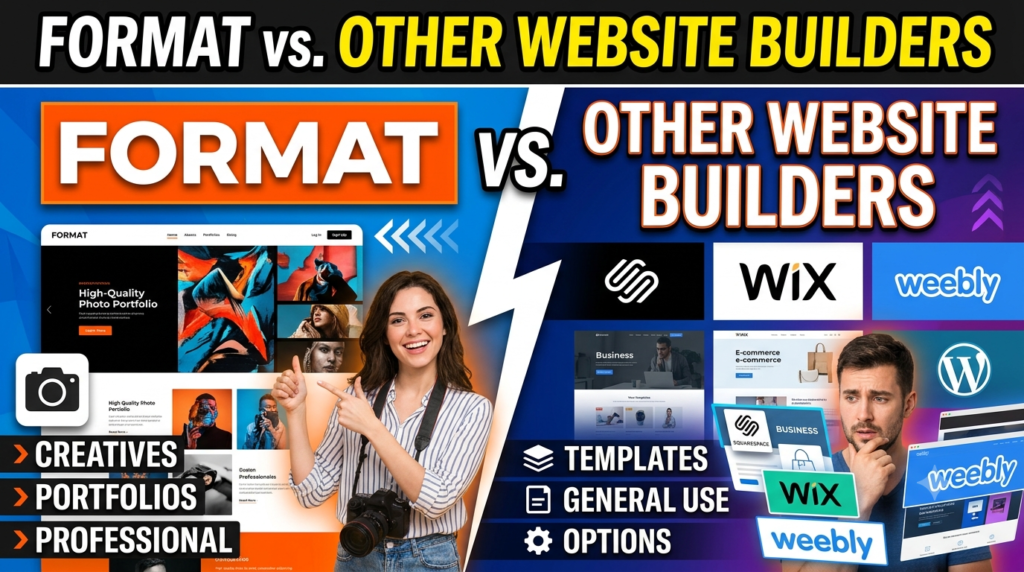
Selecting a website builder is rarely about choosing the platform with the longest feature list. Instead, it’s about finding the solution that best fits your goals, budget, technical skills, and industry. While Format is built specifically for creative professionals, competitors like Wix, Squarespace, and WordPress serve broader audiences with varying levels of flexibility and complexity. Understanding these differences helps you make a more informed decision rather than simply choosing the most popular platform.
The biggest distinction is that Format prioritizes portfolios and client workflows over general website functionality. Its templates, galleries, proofing tools, and file delivery system are designed for photographers, artists, designers, illustrators, filmmakers, and other creatives. In contrast, platforms such as Wix and WordPress offer greater customization but often require additional apps, plugins, or technical expertise to match the same portfolio-focused experience.
Format vs Wix
Wix is one of the world’s most popular website builders because of its enormous template library and beginner-friendly drag-and-drop editor. It supports everything from business websites and blogs to restaurants, online stores, and booking systems. Users can extend functionality through hundreds of third-party applications, making Wix highly flexible for a wide variety of industries.
Format, however, takes a more specialized approach. Instead of overwhelming users with countless design options, it focuses on elegant portfolio layouts that highlight creative work. Features like private client galleries, image proofing, and digital file delivery are built directly into the platform, eliminating the need for external plugins. This makes Format especially attractive to photographers and designers who want a streamlined workflow without additional setup.
The choice ultimately depends on your goals. If you’re building a general business website with extensive integrations, Wix offers greater flexibility. Format offers a more targeted and effective solution if your main goal is to manage clients from a single dashboard while exhibiting creative work in a professional manner.
Format vs Squarespace
Squarespace is well known for its premium templates and visually appealing websites. Many creative professionals choose Squarespace because of its polished designs, strong blogging capabilities, and integrated eCommerce features. It also includes marketing tools, email campaigns, appointment scheduling, and analytics that appeal to small businesses across many industries.
Format shares Squarespace’s emphasis on aesthetics but goes further in supporting creative workflows. Client proofing, portfolio organization, secure gallery sharing, and project delivery are native features rather than optional add-ons. This means photographers and artists spend less time configuring external services and more time focusing on their work.
Squarespace may be the better option for businesses seeking an all-purpose marketing website, while Format remains the stronger choice for professionals whose portfolios and client collaborations are central to their business. Both platforms are easy to use, but Format’s industry-specific features often give it an edge for visual creatives.
Format vs WordPress
WordPress is the most flexible website platform available today, powering a significant portion of websites across the internet. Its open-source ecosystem provides thousands of themes and plugins, allowing users to create almost any type of website imaginable. From online stores and membership sites to learning platforms and enterprise portals, WordPress can handle virtually every use case.
That flexibility comes with increased responsibility. Users typically need to purchase hosting, install themes, manage plugins, perform software updates, configure backups, and maintain website security. For beginners, this learning curve can be intimidating, especially when technical issues arise.
Format removes nearly all of that complexity. Hosting, updates, security, and performance optimization are handled automatically, allowing creatives to concentrate on their portfolios rather than website maintenance. While WordPress offers unmatched customization for developers and advanced users, Format delivers a faster, simpler experience for professionals who want an attractive website without technical headaches.
| Feature | Format | Wix | Squarespace | WordPress |
| Ease of Use | ⭐⭐⭐⭐⭐ | ⭐⭐⭐⭐⭐ | ⭐⭐⭐⭐☆ | ⭐⭐⭐☆☆ |
| Portfolio Features | ⭐⭐⭐⭐⭐ | ⭐⭐⭐⭐☆ | ⭐⭐⭐⭐☆ | ⭐⭐⭐⭐☆ |
| Client Galleries | ✅ Built-in | Limited | Limited | Plugin Required |
| Blogging | Excellent | Excellent | Excellent | Excellent |
| eCommerce | Yes | Yes | Yes | Yes |
| Customization | High | High | Medium-High | Unlimited |
| Coding Required | No | No | No | Sometimes |
| Best For | Creative Professionals | General Websites | Small Businesses | Advanced Users |
Is Format Worth It in 2026?
For creative professionals, the answer is yes. Format continues to evolve with features that directly address the needs of photographers, designers, artists, filmmakers, architects, and illustrators. Instead of trying to compete as a universal website builder, it focuses on helping creatives build visually impressive portfolios while simplifying client communication and project delivery. This specialization makes the platform stand out in a crowded market.
One of the strongest reasons to choose Format is the time it saves. Rather than piecing together hosting, portfolio plugins, proofing tools, file-sharing services, and eCommerce solutions from different providers, users receive everything within one integrated platform. This streamlined approach reduces technical maintenance and allows professionals to spend more time creating and less time managing software.
The platform also performs well in areas that matter for long-term success. Mobile-responsive templates, fast hosting, secure SSL encryption, customizable SEO settings, blogging capabilities, and commission-free online stores create a solid foundation for growing an online presence. While businesses requiring enterprise-level marketing automation or extensive third-party integrations may prefer alternatives like WordPress, most freelancers and creative agencies will find that Format provides an excellent balance between simplicity and functionality.
If your website’s primary purpose is to showcase creative work, attract clients, and generate income through services or digital products, Format is one of the strongest portfolio website builders available in 2026. Its modern design, integrated workflow tools, and user-friendly interface make it an investment that can support both new freelancers and established creative businesses.




Conclusion
A professional website is often the first impression potential clients have of your work, and choosing the right platform can significantly influence your online success. Format Website Builder has positioned itself as a specialized solution for creative professionals by combining beautiful portfolio templates with practical business tools such as client galleries, proofing systems, blogging, SEO features, and commission-free eCommerce. Rather than overwhelming users with unnecessary complexity, it focuses on delivering exactly what photographers, artists, designers, filmmakers, and other creatives need.
Its intuitive drag-and-drop editor, managed hosting, responsive designs, and integrated workflow tools make it easy to launch and maintain a polished online portfolio without technical expertise. Although it may not offer the limitless customization of WordPress or the broad business integrations found in some competitors, its simplicity and creative-first approach are exactly what many professionals are looking for.
For anyone seeking an elegant, reliable, and purpose-built portfolio platform, Format remains an outstanding choice. Whether you’re just starting your creative career or managing an established studio, the platform provides the tools needed to present your work professionally, connect with clients, and grow your business with confidence.
Frequently Asked Questions
Q. What is Format Website Builder used for?
A. Format is primarily used to create professional portfolio websites for photographers, artists, designers, illustrators, architects, filmmakers, and other creative professionals. It also includes blogging, client galleries, proofing tools, and eCommerce features.
Q. Is Format good for beginners?
A. Yes. Format is designed with beginners in mind and offers an intuitive drag-and-drop editor that allows users to build professional websites without coding knowledge.
Q. Can I sell products on Format?
A. Yes. Format includes built-in eCommerce functionality that allows users to sell physical products, digital downloads, artwork, prints, and creative services without paying platform transaction fees.
Q. Does Format support SEO?
A. Yes. Format provides essential SEO tools such as customizable meta titles, descriptions, clean URLs, image alt text, XML sitemaps, SSL security, and mobile-responsive templates to help improve search engine visibility.
Q. Is Format better than Wix or Squarespace?
A. It depends on your needs. If you’re a photographer, artist, or designer who needs portfolio-focused features like client galleries and proofing, Format is often the better choice. For general business websites with broader integrations, Wix or Squarespace may be more suitable.