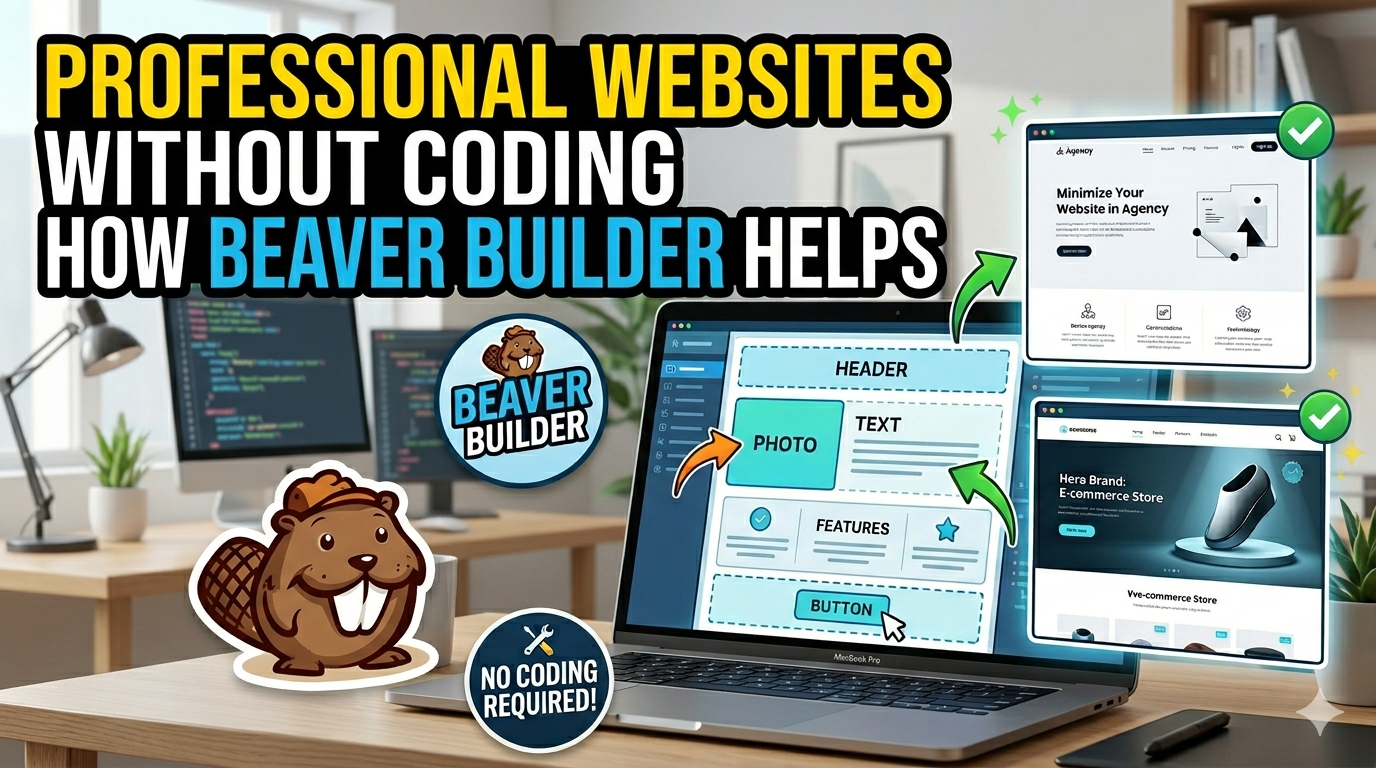
Discover how Beaver Builder makes website creation simple, fast, and completely code-free. This in-depth guide explores the powerful drag-and-drop features, responsive design tools, SEO benefits, and beginner-friendly interface that help businesses, freelancers, and agencies build professional WordPress websites with ease. Learn why Beaver Builder is one of the best no-code website builders for creating modern, mobile-friendly, and high-performing websites without technical skills.
Table of Contents
- Understanding Beaver Builder
- The Rise of No-Code Website Development
- Key Features That Make Beaver Builder Powerful
- How Beginners Can Build Websites Easily
- Why Agencies and Freelancers Love Beaver Builder
- Comparing Beaver Builder With Traditional Coding
- SEO and Performance Benefits
- Beaver Builder for eCommerce Websites
- Common Challenges and Limitations
- Conclusion
- FAQs
Understanding Beaver Builder

What Is Beaver Builder?
Beaver Builder is a drag-and-drop page builder plugin for WordPress that allows users to create websites visually instead of manually coding pages with HTML, CSS, or JavaScript. Think of it as digital Lego blocks for website creation. Instead of typing complicated code snippets, you simply drag elements like text boxes, buttons, images, forms, sliders, and videos directly onto the page. Everything happens visually on the front end, meaning you instantly see how your website looks while editing it.
This approach completely changes the website-building experience. Traditional web development often involves bouncing between code editors, preview windows, and troubleshooting screens. Beaver Builder removes that complexity. A restaurant owner can build a menu page. A photographer can create a portfolio. A consultant can launch a business website. All of this happens through a user-friendly interface that feels intuitive even for first-time users.
One reason Beaver Builder stands out in the crowded WordPress market is its emphasis on reliability and clean performance. Many visual builders overload websites with unnecessary scripts and bloated code. Beaver Builder focuses on lean HTML output and stability. Agencies especially appreciate this because broken updates can ruin dozens of client websites overnight. Beaver Builder’s deliberate update process helps minimize that risk.
The plugin also integrates smoothly with most WordPress themes and third-party plugins. That flexibility matters because users rarely want to rebuild everything from scratch. Whether someone uses WooCommerce, SEO plugins, membership systems, or booking tools, Beaver Builder usually works without conflict.
Why WordPress Users Prefer Visual Builders
Website expectations have evolved dramatically over the last decade. Visitors now expect responsive layouts, engaging visuals, fast loading speeds, mobile optimization, and interactive design. Coding all of that manually takes serious expertise. Visual page builders simplify the process by replacing technical barriers with intuitive editing systems.
Imagine trying to redesign your living room using only blueprints and engineering diagrams. That is what coding a website feels like for many beginners. Beaver Builder turns the process into something closer to interior decorating. You visually arrange sections, adjust spacing, swap images, and customize typography without needing technical fluency.
Another major reason users prefer visual builders is speed. Businesses cannot afford to spend six months building a simple website anymore. Modern competition demands rapid online presence. Beaver Builder helps businesses move quickly from idea to launch. Templates, reusable modules, and pre-designed layouts accelerate the process significantly.
Visual builders also reduce dependence on developers. Hiring a developer for every text edit or design adjustment becomes expensive over time. Beaver Builder empowers non-technical users to manage their own websites confidently. That independence can save businesses thousands of dollars annually while also speeding up content updates and marketing campaigns.
The Rise of No-Code Website Development
How No-Code Tools Changed Web Design
The no-code movement is one of the biggest shifts in modern technology. Tools once reserved for developers are now accessible to everyday users. Website creation sits at the center of this transformation. Platforms like Beaver Builder prove that powerful design capabilities no longer require advanced programming knowledge.
Years ago, businesses often faced two unpleasant options: either learn coding or pay expensive agencies for every website update. Both paths created friction. No-code tools disrupted that model by giving users creative control directly inside visual editors. Suddenly, entrepreneurs could launch websites themselves without waiting weeks for development cycles.
This shift also democratized creativity. A yoga instructor with no technical background can now build a visually appealing brand website. A local bakery can launch an online ordering system. A freelancer can showcase portfolios professionally. Beaver Builder acts as a bridge between imagination and execution.
The broader tech industry has embraced no-code solutions because they improve efficiency dramatically. Even experienced developers often use visual builders to speed up workflows. Instead of coding repetitive layouts manually, they use Beaver Builder to handle structural design quickly while focusing on advanced customizations where needed.
Statistics from WordPress-focused studies show page builders dominate millions of websites globally. That growth reflects how mainstream no-code development has become. Businesses increasingly prioritize agility, faster deployment, and user-friendly maintenance over rigid traditional workflows.
Why Businesses Need Faster Website Creation
Speed matters online. If your business idea takes too long to launch, competitors can capture attention first. Modern consumers expect businesses to establish digital presence quickly, especially after the explosive growth of online shopping, remote services, and digital marketing.
Beaver Builder helps businesses accelerate development timelines significantly. A traditional coded website project might require designers, developers, QA testing, revisions, and deployment coordination. With Beaver Builder, one person can often handle the majority of the work visually.
This speed advantage becomes even more important for agencies and freelancers managing multiple clients simultaneously. Faster builds mean more completed projects and higher revenue potential. Several Beaver Builder users report major productivity improvements after switching from traditional workflows.
Rapid iteration is another overlooked benefit. Businesses constantly update promotions, landing pages, seasonal offers, and campaigns. Beaver Builder allows instant visual editing, making adjustments painless. Instead of submitting tickets to developers, marketing teams can make changes independently.
Website agility has become a competitive advantage. Businesses that adapt faster often outperform slower competitors. Beaver Builder supports that adaptability by removing technical bottlenecks that traditionally delayed website changes.
Key Features That Make Beaver Builder Powerful
Drag-and-Drop Front-End Editing
The heart of Beaver Builder is its front-end drag-and-drop editor. Unlike older WordPress systems where users edited content from confusing backend panels, Beaver Builder allows live editing directly on the page itself.
This creates a far more natural workflow. Users simply click elements, drag them into position, and edit content visually. Text changes appear instantly. Images update in real time. Layout adjustments happen without refreshing the page repeatedly.
This editing method dramatically reduces the learning curve. Beginners understand visual interaction much faster than technical syntax. There is no need to memorize CSS classes, shortcode structures, or HTML tags. Beaver Builder handles those details automatically behind the scenes.
The editor also encourages experimentation. Users can test different layouts, colors, or spacing visually without fear of breaking the site. That freedom boosts creativity because the design process feels flexible rather than intimidating.
Professional developers also appreciate front-end editing because it improves client handoff experiences. Once a website launches, clients can easily manage content themselves without risking major structural issues.
Prebuilt Templates and Layouts
One of the most time-saving features inside Beaver Builder is its template system. Instead of designing every page from scratch, users can import professionally designed layouts instantly. These templates cover landing pages, portfolios, business sites, blogs, contact pages, and more.
Templates matter because blank canvases overwhelm many beginners. Starting with structure helps users focus on customization instead of layout engineering. It is similar to moving into a furnished apartment rather than building furniture from raw wood.
Businesses especially benefit because templates accelerate deployment dramatically. A startup can launch a polished website within hours instead of weeks. Agencies can standardize design workflows using reusable templates for different industries.
Beaver Builder also allows saving custom modules and layouts. This becomes incredibly useful for repetitive work. Imagine creating a perfect testimonial section once and reusing it across dozens of pages instantly.
The template ecosystem balances convenience with flexibility. Users can modify colors, fonts, images, spacing, animations, and layouts freely without losing creative control.
Mobile Responsive Design Controls
Mobile traffic dominates the internet today. Websites that fail on smartphones lose visitors quickly. Beaver Builder addresses this challenge with responsive design controls built directly into the editing experience.
Users can preview and customize layouts specifically for desktop, tablet, and mobile devices. This matters because designs that look beautiful on widescreen monitors often break visually on smaller screens.
Responsive controls allow adjustments like:
- Changing text sizes for mobile
- Reordering columns on phones
- Hiding unnecessary elements on smaller screens
- Adjusting spacing and padding
- Optimizing images for responsiveness
This flexibility ensures websites remain user-friendly across all devices. Since Google also prioritizes mobile usability in rankings, responsive optimization supports SEO performance as well.
Businesses no longer need separate mobile websites or custom coding solutions. Beaver Builder simplifies responsive design into manageable visual adjustments accessible to non-technical users.
Theme Compatibility
One of Beaver Builder’s strongest technical advantages is compatibility. Many page builders force users into restrictive ecosystems, but Beaver Builder works alongside most WordPress themes.
This compatibility gives users freedom. Businesses can maintain preferred themes while enhancing page-building capabilities. Developers can combine Beaver Builder with lightweight performance-focused themes for optimized websites.
Compatibility also reduces migration headaches. Switching page builders often creates content lock-in problems where layouts break if plugins deactivate. Beaver Builder preserves core content cleanly compared to many competitors.
That flexibility makes Beaver Builder appealing for long-term projects because users avoid feeling trapped inside proprietary systems.
How Beginners Can Build Websites Easily

No Technical Knowledge Required
Perhaps the biggest reason Beaver Builder has gained popularity is its accessibility. People with zero coding experience can build surprisingly professional websites using visual tools alone.
Traditional coding requires understanding multiple languages simultaneously. HTML structures content. CSS controls styling. JavaScript adds interactivity. PHP powers WordPress functionality. That stack becomes overwhelming quickly.
Beaver Builder eliminates most of those technical barriers. Instead of coding a button manually, users drag a button module onto the page. Instead of writing responsive CSS rules, users adjust spacing sliders visually.
This simplicity lowers entry barriers dramatically. Students, small business owners, coaches, nonprofits, and freelancers can now create websites independently. The empowerment factor here is huge because it removes dependence on technical gatekeepers.
Learning curves still exist, of course. Users must understand design basics, content organization, and branding principles. But Beaver Builder transforms website creation from technical engineering into visual problem-solving.
Visual Editing Reduces Mistakes
Coding mistakes can destroy layouts instantly.Entire pages can be broken by a missing bracket or improper syntax. Beginners often spend hours troubleshooting tiny technical errors.
Visual editing avoids most of those frustrations. Since Beaver Builder handles code generation automatically, users focus entirely on design and content rather than syntax debugging.
This reduction in technical friction creates a more enjoyable workflow. Instead of feeling anxious about breaking something, users gain confidence through experimentation.
Visual editing also improves collaboration. Clients, designers, and marketers can review live layouts together without translating technical jargon. Feedback becomes clearer because everyone sees changes directly.
That clarity improves communication and speeds up revisions significantly. Teams spend less time explaining technical limitations and more time refining creative direction.
Why Agencies and Freelancers Love Beaver Builder
Faster Client Website Delivery
For agencies and freelancers, time equals revenue. Faster project completion means handling more clients without sacrificing quality. Beaver Builder supports that efficiency exceptionally well.
Reusable templates, drag-and-drop workflows, and consistent editing systems reduce repetitive development tasks dramatically. Agencies can standardize design systems while still customizing projects for individual clients.
Many professionals choose Beaver Builder specifically because of its reputation for stable updates and clean code output. When managing dozens or hundreds of client sites, reliability becomes more important than flashy experimental features.
Fewer update-related issues mean fewer emergency support tickets. That stability protects agency reputation and reduces maintenance stress.
Client training also becomes easier. Instead of teaching complex CMS workflows, agencies can show clients simple visual editing techniques. This empowers clients while reducing ongoing support requests.
White Label and Reusable Templates
Beaver Builder includes white-labeling capabilities on higher plans, allowing agencies to replace Beaver Builder branding with their own. This creates a more professional client experience.
Reusable templates also save enormous time. Agencies often build similar page structures repeatedly: contact pages, service layouts, testimonial sections, pricing tables, and landing pages. Beaver Builder allows saving these structures for rapid reuse.
This system creates consistency while improving scalability. Agencies can maintain design quality standards without rebuilding everything manually each time.
Developers also appreciate Beaver Builder’s extensibility. APIs and developer-friendly architecture allow advanced custom modules and integrations when needed. This hybrid flexibility makes Beaver Builder suitable for both beginners and technical professionals.
Comparing Beaver Builder With Traditional Coding
Time Savings
Building websites traditionally requires multiple specialized skills. Even simple business websites can take weeks when coded manually. Beaver Builder compresses timelines dramatically.
Here’s a quick comparison:
| Task | Traditional Coding | Beaver Builder |
| Landing Page Creation | Several hours or days | Under 1 hour |
| Responsive Design Adjustments | Manual CSS coding | Visual controls |
| Content Editing | Developer assistance | Direct editing |
| Layout Changes | Code modifications | Drag-and-drop |
| Client Revisions | Development cycle | Instant updates |
The difference becomes especially obvious during revisions. Traditional workflows often require developer intervention for small changes. Beaver Builder allows immediate updates visually.
This efficiency matters financially too. Businesses spend less on development hours while launching faster.
Lower Development Costs
Website development costs can become surprisingly expensive.Designers, front-end and back-end developers, and maintenance experts are frequently needed for custom-coded websites.
Beaver Builder reduces those dependencies. Smaller teams can handle projects independently. Entrepreneurs can even build their own websites without hiring agencies initially.
That affordability expands digital opportunities for small businesses with limited budgets. Instead of delaying online presence due to cost concerns, they can launch professionally with manageable investment.
Maintenance costs also decrease because clients can update content themselves rather than paying hourly support fees for every change.
SEO and Performance Benefits

Clean Code Structure
SEO performance depends heavily on website structure, speed, and usability. Beaver Builder focuses on relatively clean HTML output compared to many bloated builders.
Search engines favor websites that load efficiently and maintain logical structure. Excessive code bloat can hurt performance metrics and rankings.
Beaver Builder’s cleaner architecture supports better optimization opportunities. Combined with caching, optimized images, and quality hosting, websites can achieve strong Core Web Vitals performance.
SEO plugins like Yoast SEO and Rank Math also integrate smoothly with Beaver Builder, making optimization workflows straightforward.
Faster Loading Websites
Website speed directly affects bounce rates, conversions, and rankings. Users abandon slow websites quickly. Beaver Builder prioritizes performance more heavily than many competitors known for heavy script usage.
Performance optimization still requires good hosting and image compression practices, but Beaver Builder provides a strong foundation.
Fast websites improve user experience dramatically. Visitors stay longer, browse more pages, and convert more frequently when websites feel responsive.
That performance advantage becomes critical for eCommerce stores, lead generation pages, and service-based businesses competing in crowded markets.
Read More:-
How Does Strikingly Simplify the Website Building Process?
Building Your Dream Website with Site123
Boost Your E-commerce Strategy with YITH Plugins
Maximize Your Customer Engagement with LiveAgent’s Features
Why STRIPO is Essential for Digital Product Marketers
Beaver Builder for eCommerce Websites
Online shopping continues growing globally, and businesses increasingly need professional eCommerce websites quickly. Beaver Builder integrates effectively with WooCommerce, allowing users to create custom product pages, sales funnels, and landing pages visually.
Store owners can design engaging product showcases without hiring developers for every layout change. Promotional banners, seasonal campaigns, and optimized checkout experiences become easier to implement visually.
Flexibility matters tremendously in eCommerce because customer expectations evolve constantly. Businesses must adapt quickly with updated offers, improved layouts, and mobile-friendly experiences.
Beaver Builder helps simplify those ongoing optimizations while maintaining professional design quality.
Common Challenges and Limitations
No tool is perfect, and Beaver Builder has limitations worth discussing honestly.
Some users feel the interface looks less modern compared to flashy competitors. Others prefer builders with larger widget ecosystems or advanced animation effects. Beaver Builder intentionally prioritizes stability and simplicity over constant experimental features.
Pricing can also increase when adding advanced functionality like Beaver Themer or third-party extensions. Beginners expecting completely free enterprise-level features may encounter limitations.
Security maintenance remains important too. Like all WordPress plugins, Beaver Builder requires regular updates. Security researchers occasionally identify vulnerabilities that developers patch through updates. Keeping plugins updated is essential for website safety.
Despite these limitations, Beaver Builder remains highly respected because of its reliability, ease of use, and long-term maintainability.




Conclusion
Beaver Builder has fundamentally changed how people create websites on WordPress. It transforms a once highly technical process into something visual, approachable, and efficient. Instead of wrestling with code, users focus on creativity, branding, and user experience.
Its drag-and-drop editing system, responsive controls, template ecosystem, and compatibility make it a powerful solution for beginners and professionals alike. Agencies appreciate its stability. Businesses value its speed. Entrepreneurs love its accessibility.
The rise of no-code development reflects a larger shift in technology: tools should adapt to people, not force people to adapt to technical complexity. Beaver Builder embodies that philosophy perfectly.
If your goal is to build professional, modern, and responsive websites without coding headaches, Beaver Builder remains one of the strongest WordPress solutions available today.
FAQs
Q. Is Beaver Builder beginner-friendly?
A. Yes. Beaver Builder is specifically designed for users without coding experience. Its visual drag-and-drop interface makes website creation intuitive even for complete beginners.
Q. Does Beaver Builder work with all WordPress themes?
A. Beaver Builder works with most WordPress themes and plugins. This flexibility is one reason it remains popular among developers and agencies.
Q. Can Beaver Builder improve SEO?
A. Indirectly, yes. Beaver Builder creates relatively clean code structures and responsive layouts that support SEO best practices.
Q. Is Beaver Builder good for eCommerce websites?
A. Absolutely. Beaver Builder integrates well with WooCommerce and helps users design custom product pages and sales funnels visually.
Q. How does Beaver Builder compare to Elementor?
A. Beaver Builder focuses heavily on stability, clean code, and reliability, while Elementor often emphasizes broader feature sets and visual effects.