Discover how the Designmodo Startup Framework can simplify your website design process with ready-made website blocks, responsive layouts, visual editing tools, and easy customization options. Learn how Designmodo Startup helps beginners, designers, developers, and business owners create professional websites faster without starting from scratch. Explore its key features, benefits, limitations, and practical tips for building attractive, mobile-friendly websites with less effort.
Table of Contents
- Introduction to Designmodo Startup Framework
- Understanding How Designmodo Startup Works
- How Designmodo Startup Simplifies Website Design
- Key Features of Designmodo Startup Framework
- How to Build a Website Using Designmodo Startup
- Benefits for Designers, Developers, and Business Owners
- Designmodo Startup vs. Traditional Website Development
- Is Designmodo Startup Suitable for Beginners?
- Limitations to Consider Before Choosing Startup
- Conclusion
- Frequently Asked Questions (FAQs)
Introduction to Designmodo Startup Framework
Creating a professional website can sometimes feel like solving a complicated puzzle. You need to think about layouts, colors, typography, images, navigation, mobile responsiveness, and user experience, all while making sure every element works properly. For someone without extensive web development experience, handling all these things can quickly become overwhelming. Even experienced designers and developers can spend hours building similar website sections repeatedly. This is where Designmodo Startup Framework becomes a useful solution, helping users simplify the website creation process through ready-made components, flexible layouts, and visual editing tools.
Designmodo Startup is a website-building tool that helps users create responsive websites and landing pages using pre-designed blocks. Instead of starting with an empty page and writing everything from scratch, you can select existing sections, arrange them, and customize their appearance according to your project requirements. The platform combines visual editing with the flexibility of the Bootstrap framework, making it useful for designers, developers, entrepreneurs, and small businesses. According to Designmodo’s official product information, Startup offers more than 150 pre-designed blocks that users can combine to create different website layouts.
What makes this approach interesting is that it changes how people think about website development. Rather than treating every website as a completely new coding project, you can work with reusable design components and focus more on the purpose of your website. For example, if you want to create a business website, you might need a navigation bar, hero section, services section, testimonials, pricing information, and contact form. Instead of developing each section independently, you can select suitable blocks and adjust them to match your brand identity. This can reduce repetitive work and make the overall design process easier to manage.
Whether you are launching a startup, creating a portfolio, building a product landing page, or developing a website for a client, Designmodo Startup provides a structured starting point. It does not remove the need for creative thinking, but it can help you spend less time dealing with repetitive design tasks and more time creating a website that communicates your message effectively.
Understanding How Designmodo Startup Works
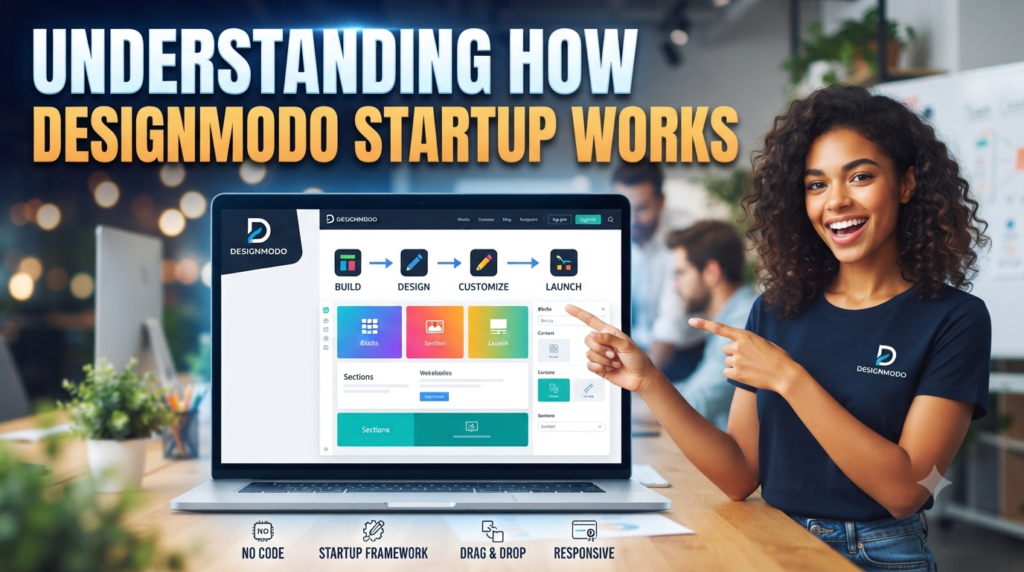
Designmodo Startup follows a component-based approach to website creation. The basic idea is simple: a website is made up of different sections, and those sections can be assembled using pre-designed blocks. Each block represents a particular part of a website, such as a header, introduction, product showcase, pricing table, or footer. You can choose the sections that suit your project and arrange them to create a complete page.
The platform also allows users to edit individual elements inside these blocks. You can change text, images, colors, spacing, and other design properties without manually editing every line of the source code. This visual workflow makes the tool approachable for people who understand website design but may not have advanced programming knowledge. At the same time, developers can access the exported files and customize the underlying code when a project requires additional flexibility.
Pre-Designed Blocks and Components
One of the most useful parts of Designmodo Startup is its collection of ready-made website blocks. Imagine building a website with building blocks: you do not need to manufacture every brick before constructing a house. You simply choose the right pieces and arrange them according to your requirements. Startup applies a similar concept to website design, allowing users to combine existing sections rather than creating every element independently.
These blocks can include different website sections, such as navigation menus, hero banners, feature presentations, team introductions, testimonials, pricing information, and contact sections. You can select a design that matches your website’s purpose and then personalize its content. For instance, a software company might choose a hero section that highlights its main product, followed by a feature section explaining its benefits and a pricing section showing available plans. A personal portfolio could use a different combination of blocks to introduce the designer, display previous work, and provide contact information.
The advantage is that you are not restricted to using one complete template exactly as it appears. You can combine different sections and create a layout that feels more appropriate for your brand. You can also duplicate existing elements or blocks when you need similar sections in different parts of a page. This reusable approach saves effort, especially when working on multiple landing pages or websites with similar design requirements.
Bootstrap 5 Framework and Responsive Design
Another important aspect of Designmodo Startup is its connection with Bootstrap. Bootstrap is a popular front-end framework that helps developers create responsive websites using an established grid system, layout utilities, and reusable components. According to Designmodo’s documentation, the current Startup editor uses Bootstrap 5.1, making familiar Bootstrap classes available for layout customization.
Responsive design is essential because people access websites through different devices, including smartphones, tablets, laptops, and desktop computers. A website that looks attractive on a large monitor but becomes difficult to navigate on a mobile screen can create a poor user experience. Startup’s Bootstrap-based structure helps users create layouts that adapt to different screen sizes.
For example, a desktop website might display three service cards next to each other, while the same cards can appear vertically on a smaller mobile screen. This makes information easier to read without requiring visitors to zoom in or scroll horizontally. Users can also preview their pages at different screen widths through the editor, allowing them to identify layout problems before publishing.
The Bootstrap foundation is particularly helpful for developers who want to combine visual editing with code-level customization. They can use the familiar framework structure while benefiting from Startup’s pre-designed blocks and editing interface.
How Designmodo Startup Simplifies Website Design

The biggest advantage of Designmodo Startup is that it helps reduce the number of repetitive steps involved in website creation. Traditional website development often requires designers to create layouts, define styles, write markup, test responsiveness, and make adjustments for individual sections. These tasks are important, but repeating them for every new page can consume considerable time.
Startup provides an alternative by offering an existing collection of components that users can adapt to their needs. You can begin with a suitable layout, replace its content, adjust its appearance, and organize the sections according to your website goals. This does not mean every website will look identical. Your final design still depends on the blocks you choose, the content you add, and the customization decisions you make.
Faster Website Creation
Time is an important factor in almost every website project. A business may need a landing page before launching a new product, while a freelancer may have several client websites to complete within a short deadline. Starting every project from a blank screen can make these responsibilities difficult to manage.
Designmodo Startup helps speed up the initial design process by providing ready-made website sections. Instead of creating a navigation bar, hero area, feature grid, and footer from scratch, you can choose existing blocks and customize them. This gives you a working structure much earlier in the project.
Consider a small business that wants to launch a website introducing its services. The owner can start by selecting a header block, adding a hero section with a clear headline, choosing a services layout, and including testimonials and contact information. After that, the business can replace the sample content with its own text and images. The result is a practical starting point without spending unnecessary time developing common website structures.
Faster creation can also make experimentation easier. If a particular section does not fit your website, you can replace it with another option rather than rebuilding the entire page. This flexibility is especially useful when clients request design changes during a project.
Easy Customization Without Extensive Coding
Not everyone who wants to build a website knows HTML, CSS, JavaScript, or Bootstrap. Some business owners understand their products and customers very well but do not have the technical skills needed to develop a website independently. Designmodo Startup makes the process more accessible by offering visual editing options.
Users can modify many design elements directly inside the editor. These include text, images, typography, colors, spacing, and layout-related settings. Rather than searching through different files to find a particular CSS property, you can make supported changes through the visual interface. Designmodo’s documentation explains that the editor provides access to Bootstrap classes through understandable visual settings, reducing the need to work directly with the source code for common customization tasks.
For example, imagine that you are creating a landing page for a digital marketing agency. You might want to replace the default headline, upload your company logo, change the background color, and add your own service descriptions. These adjustments can be handled through the editor without manually rebuilding the section.
However, visual editing does not mean that coding is completely unnecessary for every possible requirement. Advanced interactions, custom integrations, unusual layouts, and specialized functionality may still require development knowledge. The benefit is that you can avoid writing code for many routine design tasks and use your time more effectively.
Consistent Design Across Multiple Pages
Every page of a professional website should have a uniform feel. Visitors should recognize the same brand identity through typography, colors, spacing, buttons, and other visual elements. When every page is designed independently, maintaining that consistency can become difficult.
Designmodo Startup helps address this challenge through project-level styling. According to its documentation, styles such as fonts, colors, and animations are applied across the pages within a project. This allows users to maintain a common visual direction rather than adjusting every page separately.
For example, suppose you are creating a five-page website for a technology company. The website includes a homepage, about page, services page, pricing page, and contact page. You want all five pages to use the same heading font, body font, primary color, and general visual style. By managing these settings at the project level, you can create a more consistent experience.
This is particularly helpful for agencies and freelancers working on larger websites. It also makes future updates easier. If a company changes its brand color, you can update the project’s styling instead of manually searching through every page for individual color settings.
Key Features of Designmodo Startup Framework
Designmodo Startup offers several features designed to make website creation more organized and efficient. Its functionality focuses on visual customization, reusable components, global styling, responsive previews, and exporting website files. Understanding these features can help you decide whether the platform matches your workflow.
Visual Editing and Drag-and-Drop Functionality
Visual editing is one of the main reasons people choose website-building tools. Instead of imagining how a particular section will look after making code changes, you can work directly with the page layout and see the results through the editor.
Designmodo Startup allows users to add, customize, duplicate, move, and remove elements within pre-designed blocks. This gives you greater control over the appearance and structure of your website. For example, if you want to change the position of a heading or replace an image, you can work with the available editing controls instead of rebuilding the entire section.
The editor is also useful when you need to experiment with different layouts. You might try one hero section, preview it, and decide that another arrangement communicates your message better. Instead of starting over, you can adjust the existing design or choose a different block.
This visual workflow is helpful for beginners because it makes website design easier to understand. It is also valuable for experienced designers who want to reduce repetitive tasks and focus on creative decisions.
Ready-to-Use UI Elements and Templates
A good website requires more than attractive colors and images. It also needs functional interface elements that help visitors navigate and interact with the content. These elements include buttons, navigation menus, forms, cards, icons, and other common components.
Startup provides a library of ready-to-use elements and pre-designed blocks that users can incorporate into their layouts. The platform’s official information highlights its collection of more than 150 pre-designed blocks, while its documentation explains how users can add elements through the editor.
These components are useful because you do not need to design every interface element independently. For instance, a pricing page may need multiple pricing cards with headings, descriptions, prices, and action buttons. A product page might require feature cards, screenshots, and customer testimonials. You can begin with suitable components and personalize them for your website.
Templates and UI elements also provide design inspiration. If you are unsure how to arrange information on a page, browsing available layouts can help you understand how different sections work together. You can then make changes based on your audience, content, and business objectives.
Global Styling and Animation Options
Visual consistency plays an important role in creating a trustworthy online presence. If your website uses too many unrelated colors, font styles, and spacing patterns, visitors may find it difficult to understand your brand identity. Designmodo Startup provides project-level style settings that help users manage the overall appearance of their pages.
You can customize typography, colors, and other visual properties to create a consistent design. The editor also includes predefined style presets that can change the overall appearance of a page. These options are helpful when you want to explore different visual directions without manually changing every component.
Animations are another feature that can make a website feel more engaging. Startup supports on-scroll animations and provides different animation styles and speed settings. These effects can help draw attention to important content as visitors move through the page.
However, animations should be used thoughtfully. Too many moving elements can distract visitors, affect usability, and make important information harder to focus on. A simple animation on a hero section or feature presentation may be enough to create a polished experience without overwhelming the user.
Device Preview and Automatic Saving
A website should be tested on different screen sizes before it goes live. A layout that looks perfect on a desktop computer might have spacing issues or overlapping elements on a smartphone. Designmodo Startup includes device preview options that help users inspect their layouts at different screen widths.
This makes it easier to identify problems during the design process. You can check how headings, images, buttons, and content sections appear on smaller screens and make adjustments where needed. Catching these issues early can prevent unnecessary corrections after publishing.
The platform also includes an automatic saving feature. Its documentation states that auto-save is enabled by default and saves changes every 30 seconds. This helps reduce the risk of losing recent editing work if you forget to save manually.
Together, device preview and auto-save make the editing experience more convenient. You can focus on improving the design while the editor helps you manage two important parts of the workflow: checking responsiveness and preserving changes.
How to Build a Website Using Designmodo Startup
Getting started with Designmodo Startup is relatively straightforward. You do not need to plan every technical detail before opening the editor. Instead, you can begin with a basic website structure and gradually develop it by adding sections, changing content, and adjusting the visual appearance. A little planning before you start can still make the process much smoother because it helps you understand what your website needs to communicate.
Here is a practical approach to creating a website with Startup.
Step 1: Create a new project. Start by opening the Designmodo Startup application and creating a new project. Projects allow you to organize website pages and manage shared design settings. If you are working on a business website, you might create one project for the entire website and organize its homepage, services, about, and contact pages within it.
Step 2: Choose your website blocks. Once your project is ready, select the blocks that match your website requirements. Think about the information your visitors need to see first. Most business websites benefit from a navigation section, an introductory hero section, a presentation of services, customer testimonials, and a contact section. You can also use the available layout options to experiment with different arrangements.
Step 3: Customize the content. Replace sample text, images, and other placeholder elements with your own content. Write a clear headline that explains what your business offers and use supporting text to describe the value visitors can receive. Upload relevant images and make sure the buttons direct users toward useful actions, such as contacting your company or exploring your products.
Step 4: Adjust the visual design. Choose appropriate fonts, colors, backgrounds, and spacing. Your website should reflect your brand identity while remaining easy to read. You can also experiment with style presets and animation settings to find a visual direction that suits your project.
Step 5: Preview and test your website. Use the device preview feature to inspect your layout at different screen widths. Check whether the text is readable, images display correctly, and buttons are easy to interact with. Also review navigation links and forms so that visitors can use the website without unnecessary confusion.
Step 6: Export and publish your website. After completing the design, use the export option to generate your website files. Designmodo’s documentation explains that the exported project can include HTML pages, images, JavaScript, CSS, SCSS sources, and other supporting files. You can then upload the exported website to a compatible hosting service.
Following these steps gives you a clear workflow from the initial idea to a publishable website. You can also return to the project later and update its content, styling, or structure as your business requirements change.
Benefits for Designers, Developers, and Business Owners
One of the strengths of Designmodo Startup is that it can support different types of users. A designer may use it to experiment with page layouts, a developer may use it to speed up front-end development, and a business owner may use it to create a professional online presence. Although their goals are different, they all benefit from having reusable components and visual editing options.
For web designers, Startup provides a practical way to explore different website structures without spending too much time creating common elements. Designers can focus on choosing suitable layouts, adjusting typography, selecting colors, and developing a visual experience that matches the client’s brand. The availability of pre-designed blocks can also help when a client wants to see an early version of a website before approving the final design.
For developers, the Bootstrap foundation and export functionality offer additional flexibility. Instead of manually writing every section, developers can use the editor to create an initial layout and then work with the exported source files. This is particularly useful for projects that need a combination of visual editing and custom code. Developers can also use familiar Bootstrap classes to adjust layouts and styles.
For business owners and entrepreneurs, the biggest benefit is accessibility. Not every small business has the budget to hire a complete design and development team. A visual website builder can provide a starting point for creating a website that introduces products, explains services, and encourages customers to get in touch. Owners can make many content and design changes themselves rather than depending on a developer for every small update.
Freelancers and digital agencies can also benefit from a reusable workflow. When several clients need similar website structures, starting with existing blocks can help reduce repetitive work. They can spend more time understanding each client’s business goals and less time recreating standard sections.
However, the best results still depend on the quality of the content and design decisions. A website builder cannot automatically understand your customers, create a strong brand strategy, or write persuasive website content. It provides the tools, but you still need to make thoughtful choices about how your website communicates.
Designmodo Startup vs. Traditional Website Development
Traditional website development usually involves creating a layout, writing HTML and CSS, implementing responsive behavior, adding JavaScript functionality, and testing the final result. This approach offers considerable control, but it can also require more time and technical knowledge, particularly when a project includes many pages.
Designmodo Startup takes a more structured approach by allowing users to begin with pre-designed blocks and customize them through a visual editor. Both approaches can produce professional websites, but they serve different workflows.
| Comparison factor | Designmodo Startup | Traditional development |
| Initial setup | Starts with ready-made blocks | Often starts with a blank project |
| Coding requirements | Limited for common design changes | Usually requires coding knowledge |
| Customization | Visual editing and code customization | Extensive code-level control |
| Responsive design | Bootstrap-based layouts | Depends on the chosen framework and implementation |
| Design consistency | Project-level styling | Requires manual systems or shared styles |
| Development speed | Can reduce repetitive layout work | Depends on developer experience and project scope |
| Advanced functionality | May require additional coding | More direct control over implementation |
| Website export | Provides downloadable project files | Developers manage their own project files |
The main difference is the amount of work involved in building the initial structure. Traditional development gives you the freedom to create almost any layout, but you may need to spend more time implementing standard website sections. Startup provides an existing foundation that can make common website projects easier to organize.
For example, suppose you need to create a simple landing page for a new software product. With traditional development, you may need to build the page structure, create the navigation, style the buttons, develop responsive sections, and test everything manually. With Startup, you can begin with existing blocks and spend more time adjusting the content and appearance.
That does not mean Startup is always the better choice. If your project requires a complex web application, custom user authentication, advanced database functionality, or highly specialized interactions, a traditional development approach may be more appropriate. The right choice depends on what you are building, how much customization you need, and the technical resources available to you.
Read More:-
How Does Strikingly Simplify the Website Building Process?
Building Your Dream Website with Site123
Boost Your E-commerce Strategy with YITH Plugins
Maximize Your Customer Engagement with LiveAgent’s Features
Why STRIPO is Essential for Digital Product Marketersa
Is Designmodo Startup Suitable for Beginners?
Yes, Designmodo Startup can be a useful starting point for beginners who want to create websites without learning every aspect of front-end development immediately. Its visual editor reduces the need to work directly with source code for many routine design tasks. The availability of ready-made blocks also makes it easier to understand how different website sections fit together.
For example, a beginner who wants to create a personal portfolio might not know how to build a navigation menu or design a professional services section from scratch. With Startup, the user can choose an existing layout, replace its content, and adjust the colors and fonts. This allows beginners to learn basic website design concepts while working on a real project.
Another advantage is that beginners can experiment without having to understand every technical detail at the beginning. They can try different section arrangements, compare design styles, and preview the results. Over time, this experience can help them understand concepts such as visual hierarchy, spacing, typography, and responsive layouts.
Still, beginners should not assume that using a website builder automatically guarantees a successful website. They should learn basic principles of user experience, content organization, accessibility, and search engine optimization. These skills are important regardless of which website-building platform they choose.
For someone who eventually wants to become a professional web developer, Startup can also serve as a learning tool. Examining exported HTML, CSS, and JavaScript files can provide an opportunity to understand how website sections are structured. Combining visual editing with basic coding knowledge can create a useful learning path.
Limitations to Consider Before Choosing Startup
Although Designmodo Startup offers several advantages, it is important to understand its limitations before choosing it for a project. No website-building tool is perfect for every situation, and the right platform depends on the complexity and requirements of your website.
One consideration is advanced customization. The visual editor supports many common design changes, but projects with highly specialized functionality may require direct code editing. If you want to build complex interactive applications, custom backend systems, or advanced integrations, you should evaluate whether the available tools are sufficient.
Another consideration is technical knowledge. Beginners can complete many routine tasks through visual controls, but understanding HTML, CSS, Bootstrap, and JavaScript can still be valuable. Developers may need to inspect or modify exported files when they want to implement features beyond the editor’s capabilities.
You should also consider the publishing and hosting workflow. Startup supports exporting website files, which means you need a compatible hosting arrangement to publish the exported website unless you use an associated hosting service. Designmodo’s documentation describes integration with Static.app, which offers hosting-related services such as SSL certificates and custom domains.
Pricing is another factor worth checking. Designmodo’s official Startup page has listed a free plan alongside paid Business and Agency options, but prices, export allowances, and subscription conditions can change. Therefore, it is better to check the current pricing information directly before selecting a plan.
Finally, remember that a visually attractive website still needs good content, clear navigation, appropriate images, accessibility considerations, and SEO fundamentals. Startup can help you create the structure, but you remain responsible for making sure the finished website meets your audience’s needs.


Conclusion
Building a professional website does not always need to involve complicated coding, repetitive design work, or starting every page from an empty screen. Designmodo Startup Framework provides a practical alternative by combining pre-designed website blocks, visual editing tools, Bootstrap-based layouts, global styling, and export functionality. These features can make the website design process more organized and accessible for designers, developers, freelancers, entrepreneurs, and small business owners.
Its biggest advantage is the ability to reuse and customize existing components. Rather than spending hours recreating standard website sections, users can focus on selecting suitable layouts, improving content, maintaining visual consistency, and creating a better experience for visitors. Features such as responsive previews and automatic saving also make the editing process more convenient.
Of course, Startup is not a replacement for every type of web development project. Complex applications and highly customized functionality may still require traditional programming. However, for landing pages, business websites, portfolios, and other Bootstrap-based projects, it can provide a useful starting point.
If your goal is to simplify website creation while maintaining flexibility and design control, Designmodo Startup is worth exploring. It helps turn the website-building process into a more manageable series of creative decisions rather than a long list of repetitive technical tasks.
Frequently Asked Questions (FAQs)
Q. What is Designmodo Startup Framework used for?
A. Designmodo Startup is used to create responsive websites and landing pages using pre-designed blocks and visual editing tools. It helps users build website layouts, customize content, manage design styles, and export website files. It is particularly useful for business websites, portfolios, startup landing pages, and marketing projects.
Q. Do I need coding knowledge to use Designmodo Startup?
A. No, you do not need advanced coding knowledge to perform many common website design tasks. Its visual editor allows you to customize text, images, colors, spacing, and other elements. However, basic knowledge of HTML, CSS, Bootstrap, and JavaScript can be helpful when you need advanced customization or additional functionality.
Q. Does Designmodo Startup support responsive website design?
A. Yes. Designmodo Startup uses Bootstrap 5.1, which provides a responsive grid system and layout utilities. You can also preview your website at different screen widths to check how it appears on smartphones, tablets, and desktop computers.
Q. Can I export websites created with Designmodo Startup?
A. Yes. Startup allows users to export their website projects. The exported files can include HTML pages, CSS, JavaScript, images, and other supporting assets. You can upload these files to a compatible hosting provider and make your website accessible online.
Q. Is Designmodo Startup a good choice for small businesses?
A. Yes. It can be a practical option for small businesses that need professional websites or landing pages without building every section from scratch. Its pre-designed blocks and visual customization options can help business owners create an online presence more efficiently. However, businesses with complex application requirements should evaluate whether additional development tools are necessary.