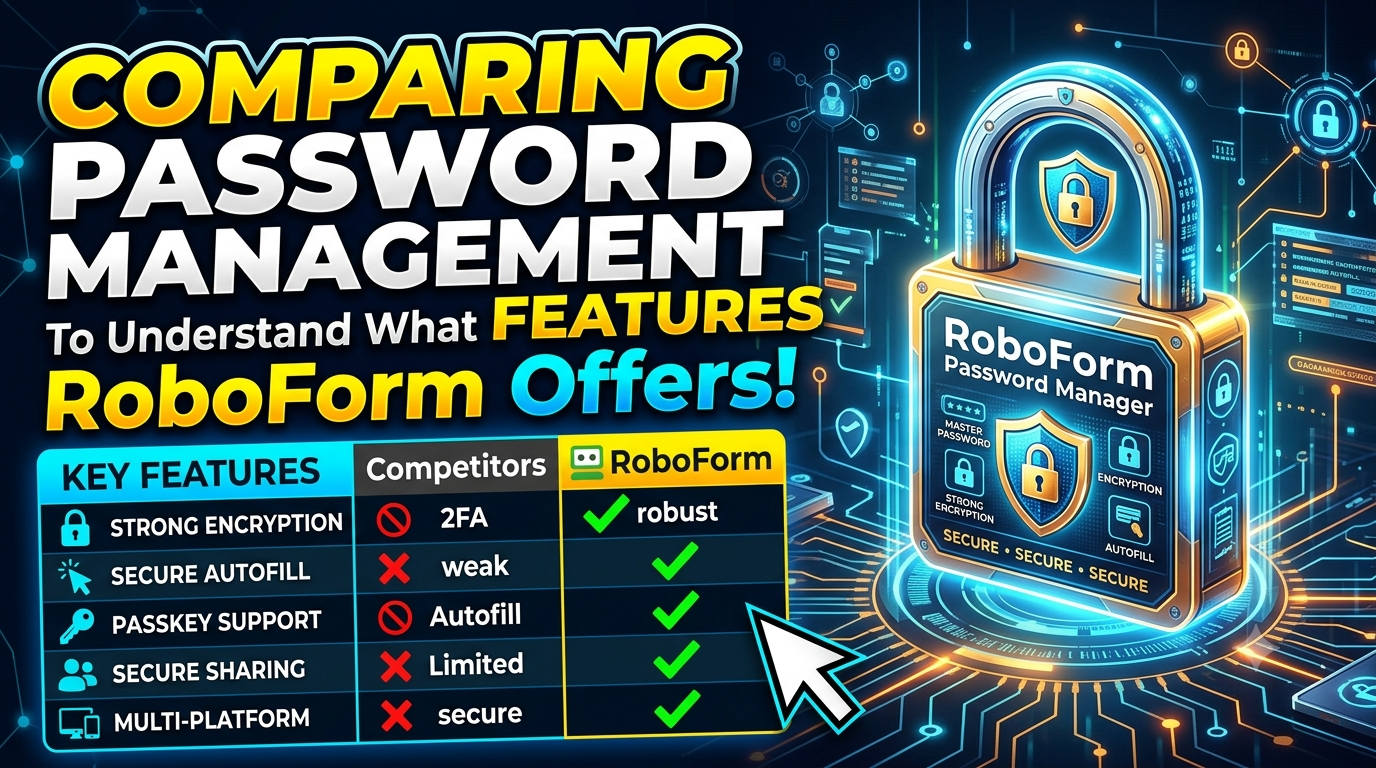
Discover how RoboForm simplifies password management with secure password storage, strong password generation, automatic logins, form filling, passkey support, and password security monitoring. Compare RoboForm with other popular password managers to explore its features, benefits, pricing plans, and security options. Whether you need a reliable password manager for personal use, family accounts, or business needs, learn how RoboForm can help protect your digital identity and make everyday online activities more convenient.
Table of Contents
- Understanding Password Managers
- What Is RoboForm?
- Essential Features to Compare in Password Managers
- RoboForm’s Security and Encryption
- Two-Factor Authentication and Passkeys
- Password Auditing and Data Breach Monitoring
- Cross-Device Compatibility and Synchronization
- Secure Sharing and Emergency Access
- Digital Forms, Identities, and Secure Notes
- Comparing RoboForm With Other Password Managers
- RoboForm Pricing and Subscription Plans
- Advantages and Limitations of RoboForm
- Who Should Consider RoboForm?
- How to Choose the Right Password Manager
- Conclusion
- Frequently Asked Questions (FAQs)
Understanding Password Managers
A password manager is a digital tool that stores, organizes, and helps protect the login credentials you use across websites, applications, and online services. Instead of memorizing dozens of passwords or keeping them in a notebook, you can store them in an encrypted vault and access them when needed. Many password managers also generate strong passwords, fill in login fields automatically, and identify security weaknesses before they become serious problems. These features make them useful for students, professionals, families, freelancers, and businesses that manage multiple online accounts. When comparing password management features, the real question is not simply how many passwords a product can store, but how effectively it balances security, convenience, compatibility, and affordability.
Why Password Security Matters
There is a significant security risk when using the same password for several accounts. If one website suffers a data breach, attackers may try the exposed password on email accounts, shopping websites, social media platforms, and financial services. A password manager helps reduce this risk by making it easier to create and maintain unique credentials for different accounts. It also reduces the temptation to choose predictable passwords that are easy to remember but difficult to defend against automated attacks. However, a password manager is not a complete security solution by itself. You still need a strong master password, multifactor authentication where available, secure devices, and good habits when handling suspicious links and unexpected login requests.
What Is RoboForm?
RoboForm is a password management solution that combines encrypted password storage with automatic login and online form-filling capabilities. Its purpose is to make everyday browsing easier while helping users maintain stronger account security. The platform supports password generation, saved logins, secure notes, passkey management, password auditing, and access across supported devices. Its security documentation describes a zero-knowledge architecture in which user data is encrypted using a key derived from the master password, with decryption taking place on the user’s device.
One of RoboForm’s distinguishing characteristics is its emphasis on form filling alongside conventional password management. This can be particularly useful when you frequently sign in to websites, complete registration forms, or reuse saved identity information for routine online activities. RoboForm offers a free plan for single-device use, a Premium plan for access across devices, and a Family plan covering multiple Premium accounts. Business plans are also available for organizations that need shared credentials and administrative controls. The most suitable option depends on whether you are managing personal accounts, coordinating access with family members, or protecting credentials across a team.
Essential Features to Compare in Password Managers
Comparing password managers requires more than looking at subscription prices or attractive interfaces. You should examine how each service handles password creation, encryption, autofill, authentication, recovery, sharing, synchronization, and security alerts. Two products may offer similar basic functionality while differing significantly in how they organize credentials, support multiple devices, or provide controls for teams. For example, one service may prioritize open-source transparency, while another may focus on straightforward login automation and online forms. Your ideal choice depends on how you use the internet and which risks matter most to you.
Password Generation and Storage
A password generator creates passwords that are difficult to guess by combining appropriate character types and lengths. RoboForm includes a built-in generator and supports storing unlimited passwords across its plans. This allows users to maintain separate credentials for individual websites without needing to memorize every combination. When evaluating any generator, check whether it lets you adjust password length, character selection, and other requirements imposed by websites. It is also useful to confirm that the service can save newly generated passwords reliably and update existing credentials without creating confusion. The goal is to make strong, unique passwords easier to use than weak, repeated ones.
Autofill and Automatic Login
Autofill is one of the most practical password management features because it reduces the need to type credentials repeatedly. RoboForm can save login details and use them to help complete supported login forms, while its form-filling tools can populate other types of online information. Its official product page highlights one-click logins and automatic form completion as core capabilities.
This functionality can save time when accessing frequently used services, particularly across multiple websites. Nevertheless, convenience should never override caution. Always verify the website address before submitting saved credentials, especially when opening login pages through messages, advertisements, or unfamiliar links.
RoboForm’s Security and Encryption
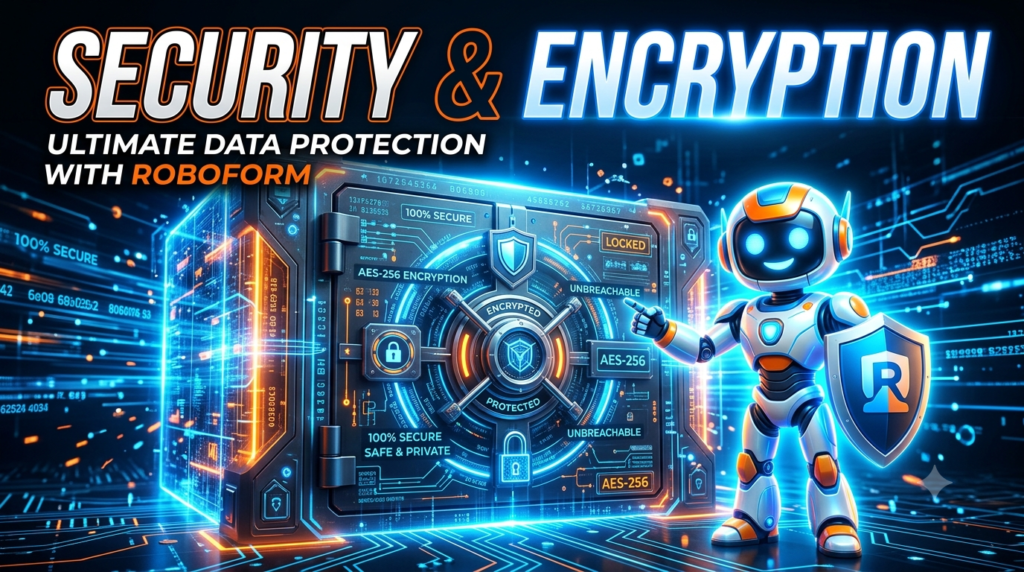
Security is one of the most important factors when choosing a password manager because the application protects information that could unlock many of your other accounts. RoboForm states that it uses AES-256 encryption and PBKDF2-SHA256 as part of its security architecture. It also describes its system as zero-knowledge, meaning the company says it cannot access the user’s master password or decrypt the user’s vault data on its servers.
These protections are designed to make stored information difficult to read without the necessary cryptographic credentials, even if someone gains access to encrypted data.
However, encryption should not be the only factor in your decision. You should also consider how a service protects account access, handles device authorization, supports recovery, and responds to discovered vulnerabilities. RoboForm reports that it has undergone independent security assessments by Secfault Security, including an assessment in 2025.
Independent testing is useful evidence, although no audit can guarantee that software will remain free from vulnerabilities forever. Users should still install updates, secure their devices, protect their master passwords, and enable additional authentication options. A reliable password manager strengthens your security habits, but it cannot compensate for every unsafe decision made outside the application.
Two-Factor Authentication and Passkeys
A master password is an important layer of protection, but additional authentication can make unauthorized access more difficult. Two-factor authentication, commonly called 2FA, requires another form of verification in addition to the primary login credential. Depending on the service and configuration, this second step might involve an authenticator app, a security key, or another supported verification method. RoboForm’s current product information lists several authentication options, including passkeys, trusted devices, hardware security keys, email, SMS, and authenticator applications.
RoboForm also supports passwordless unlocking through passkeys, which can let users access their password manager using a supported device-based method such as a fingerprint, facial recognition, or a device PIN. This can reduce the need to repeatedly type a master password while preserving an authentication step.
It is important to understand that a passkey used to unlock RoboForm and a passkey stored inside RoboForm for logging in to another website serve different purposes. When comparing products, check which passkey features are available on your preferred devices, whether recovery options meet your needs, and whether the service supports the security keys you already own.
Password Auditing and Data Breach Monitoring
Saving passwords securely is only part of the job. You also need to know when existing credentials become weak, get reused, or appear in known data breaches. RoboForm provides password auditing features that can identify weak or duplicate passwords and alert users to compromised credentials. Its data breach monitoring feature checks up to five email addresses for exposed personal information and provides alerts when relevant breaches are detected, according to its current Premium product information.
These tools can help you prioritize the accounts that need attention instead of manually checking every saved password. Imagine discovering that a password you used on an old shopping website has appeared in a breach. If you also used that password for your primary email account, changing the email password and any other reused credentials becomes an immediate priority. A password audit can help reveal similar weaknesses before you forget where the same password was used. Still, monitoring has limits: an alert does not mean an account has definitely been accessed, and the absence of an alert does not prove that every account is safe. You should respond to relevant warnings by visiting the official website directly, changing affected credentials, and enabling multifactor authentication where possible.
Cross-Device Compatibility and Synchronization
People rarely use just one device throughout the day. You might browse websites on a laptop, check messages on a phone, and sign in to services from a tablet. A password manager becomes much more useful when it supports the devices and browsers you actually use. RoboForm provides applications and browser extensions for supported platforms, including Windows, macOS, Android, iOS, Linux, and ChromeOS. Its Premium plan supports access across multiple devices, while the free plan is limited to one device.
Synchronization helps keep saved credentials consistent across authorized devices. When you update a password, the change can become available on your other supported devices without requiring you to copy the new credential manually. This reduces the risk of using an outdated password and makes moving between devices more convenient. However, you should check how the free plan’s device restriction applies to your personal setup before choosing it. Also consider whether you want cloud synchronization or prefer a local-only storage approach. RoboForm lists local-only mode as an option, which allows users to keep their data and backups on their device rather than synchronizing them through its servers.
Secure Sharing and Emergency Access
Sharing passwords through ordinary messages, email, or spreadsheets can expose sensitive information to unintended recipients. Dedicated sharing features offer a more controlled alternative, particularly when several people need access to the same account. RoboForm supports secure sharing of individual items and folders, with access levels designed to help control who can use shared information. It also offers Emergency Access, allowing users to designate trusted contacts who may obtain access to their RoboForm data under the configured conditions.
These features can be useful for families sharing household services or individuals who want a recovery arrangement in case of an emergency. Businesses may need more advanced permission structures, employee management, and reporting capabilities, so their requirements should be evaluated separately from personal sharing. Before granting access, choose recipients carefully and share only what they need. Emergency access should also be configured thoughtfully because it is intended to provide a route to important information when the account holder cannot manage access personally. Check the available waiting periods, approval requirements, and account settings before relying on it as a recovery plan.
Digital Forms, Identities, and Secure Notes
RoboForm offers more than a place to store website passwords. Its form-filling tools can save time when completing online registrations, contact forms, and checkout pages. Users can maintain identity information for supported forms, while Secure Notes can store sensitive text-based information such as license keys, Wi-Fi credentials, or other private details. The platform also supports passkey management and saved bookmarks.
For someone who regularly fills in online forms, these capabilities can make the service more practical than a basic password vault. A freelancer managing several client accounts, for example, might appreciate having login credentials and other frequently needed information organized in one place. Nevertheless, not every website uses the same form structure, and autofill may not work perfectly on every page. Review any automatically populated information before submitting it, particularly payment details, shipping addresses, and personal data. Organizing saved records with meaningful labels and removing information you no longer need can also make your vault easier to manage. A password manager should help you control sensitive information, not become an unreviewed collection of unnecessary personal data.
Comparing RoboForm With Other Password Managers
When evaluating RoboForm against alternatives, compare the features that matter to your daily routine rather than assuming that the most expensive product is automatically the best. Popular options include Bitwarden, 1Password, and Dashlane. Each has its own approach to security, credential management, sharing, and organizational features. Bitwarden emphasizes open-source transparency and organizational credential ownership, while Dashlane promotes browser-level security capabilities for businesses.
The following table summarizes the main differences to investigate. It is a qualitative comparison, not a claim that every competitor offers the same features across all subscription tiers. Product capabilities can change, so verify current plan details before purchasing.
| Feature | RoboForm | Bitwarden | 1Password | Dashlane |
| Password generation and storage | Yes | Yes | Yes | Yes |
| Autofill and login assistance | Core strength | Available | Available | Available |
| Passkey support | Yes | Available; check plan details | Available | Available |
| Password security checks | Yes | Available | Available | Available |
| Secure sharing | Yes | Yes | Yes | Yes |
| Cross-device access | Premium supports multiple devices | Depends on account setup and plan | Depends on plan | Depends on plan |
| Business administration | Business plans available | Organization-focused controls | Business-focused controls | Business security features |
| Notable emphasis | Form filling and convenient logins | Open-source transparency | Secure vaults and team workflows | Browser-level security features |
RoboForm is worth considering if you value automatic login and form completion alongside password storage. Bitwarden may appeal to users who prioritize open-source software and want to examine its approach to transparency. 1Password may suit people looking for a structured vault experience and team-oriented workflows, while Dashlane is worth investigating for organizations interested in browser-based threat detection. These are not general rankings, but rather places to start. Import tools, browser compatibility, account recovery, accessibility, and consistently easy-to-use UI should all be taken into consideration while making your choice.
RoboForm Pricing and Subscription Plans
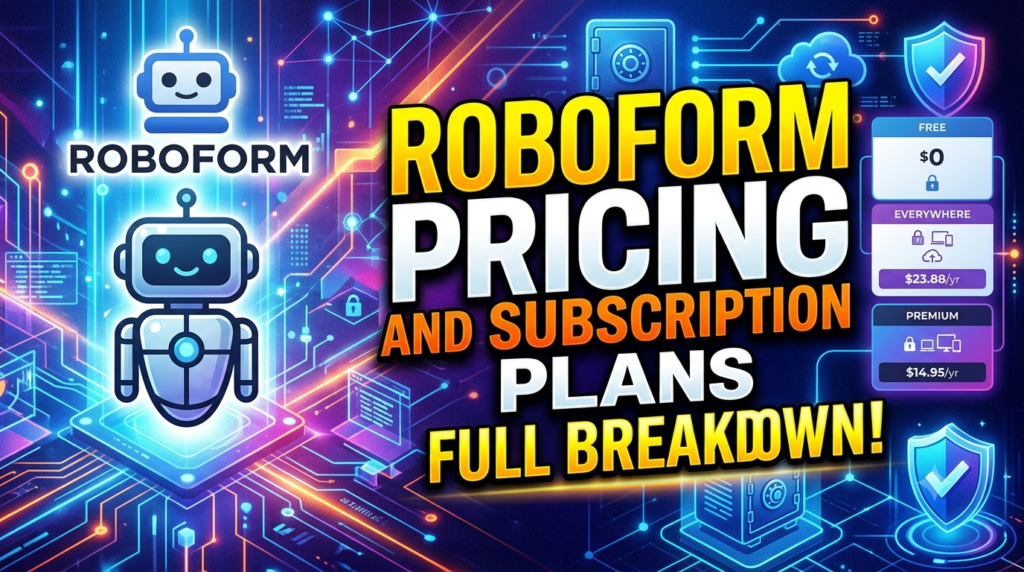
Pricing can determine whether a password manager is practical for an individual or household. RoboForm offers a free plan, a Premium plan for individual users, and a Family plan for multiple users. Its official pricing page currently lists the following advertised prices. These figures were checked in October 2026 and may change with promotions, regional pricing, taxes, or renewal terms.
| Plan | Advertised price | Main distinction |
| Free | $0 | Unlimited passwords on one device |
| Premium | $2.49/month, billed annually | Access across unlimited devices and additional features |
| Family | $3.98/month, billed annually | Up to five Premium accounts |
The listed annual renewal prices are $29.88 for Premium and $47.75 for Family, according to RoboForm’s pricing page. A 30-day money-back guaranty for the paid programs is advertized on the same website. Always check the checkout page for the final amount and any applicable promotional conditions.
The Free plan can be a sensible starting point if you mainly use one device and want to try password management without paying a subscription fee. If you require access from both a computer and a phone, Premium is more suitable, although Family can be a better option if multiple family members require separate accounts. Businesses should evaluate RoboForm’s separate business offering rather than assuming that a family subscription includes workplace administration. For any plan, compare the ongoing renewal price, not just the first-year promotion. The cheapest plan is useful only if it supports the way you actually work and provides the features you need.
Advantages and Limitations of RoboForm
RoboForm’s main advantage is the combination of password management and form filling. Its one-click login functionality, password generator, encrypted storage, passkey support, and password auditing tools help bring several everyday security tasks together. Its support for multiple operating systems and browser extensions can also make it convenient for people who move between different devices. Secure sharing and Emergency Access provide additional benefits for people who need to share selected information with trusted contacts.
There are limitations to consider as well. The free plan’s single-device restriction may be inconvenient if you routinely use both a smartphone and a computer. Password managers also require some initial effort to import existing credentials, organize records, and learn the interface. Autofill cannot guarantee compatibility with every website, and advanced features may differ between personal and business subscriptions. Finally, using a password manager introduces an important dependency: you must protect your account credentials and understand the available recovery arrangements. A strong master password, supported multifactor authentication, secure device access, and regular updates remain essential. These considerations do not make RoboForm a poor choice; they simply help establish whether it fits your expectations.
Read More:-
How Does Strikingly Simplify the Website Building Process?
Building Your Dream Website with Site123
Boost Your E-commerce Strategy with YITH Plugins
Maximize Your Customer Engagement with LiveAgent’s Features
Why STRIPO is Essential for Digital Product Marketersa
Who Should Consider RoboForm?
RoboForm may be a good fit for individuals who manage many website accounts and want a straightforward way to save passwords, sign in, and fill online forms. Students can use it to organize academic accounts, professionals can manage work-related logins, and families can consider a multi-account plan for personal services. Freelancers who regularly work across different platforms may particularly appreciate having credentials and secure notes available in one organized vault. The most relevant benefit is reducing repetitive work while making unique passwords easier to maintain.
Small businesses may also want to investigate RoboForm’s business offering, especially if employees need secure credential sharing and administrators require visibility into password security. Business buyers should evaluate access controls, employee onboarding and offboarding, reporting, integration requirements, and account ownership before making a decision. A password manager designed for personal convenience is not automatically sufficient for a regulated or complex enterprise. Organizations should assess their risk profile, internal policies, and applicable compliance requirements. For individual users, however, the best starting point is simple: identify the accounts you need to protect, list the devices you use, and determine whether secure sharing or breach monitoring would make a meaningful difference.
How to Choose the Right Password Manager
Start by identifying the problem you want to solve. If you regularly forget passwords, prioritize secure storage, password generation, and dependable autofill. If you use several devices, make cross-device access a requirement rather than an optional extra. If your main concern is account compromise, look closely at multifactor authentication, security audits, breach alerts, and how easily you can replace weak or reused passwords. People who share credentials with family members or colleagues should also investigate permission controls and revocation options.
Next, compare the total cost and test the product’s everyday usability. Import a sample of existing credentials, try the browser extension, check the mobile experience, and confirm that your most important websites work as expected. Review how the service handles backups, recovery, data export, and account closure. You should be able to retrieve your own information if you decide to switch providers. Finally, choose a master password that is long, unique, and difficult to guess, and enable the strongest practical authentication method supported by your account. A password manager works best when it becomes a consistent part of your online routine rather than a tool you use only occasionally.




Conclusion
Comparing password management features helps you understand which product offers the right combination of protection, convenience, and value. RoboForm stands out for combining encrypted password storage with one-click logins, automatic form filling, password generation, security auditing, passkey support, and secure sharing. Its Free plan is suitable for exploring password management on one device, while Premium and Family plans offer broader access for people who need multiple devices or separate household accounts. Its business offering provides another option for organizations that need centralized credential management.
The right choice ultimately depends on your priorities. If form filling and convenient logins are especially important, RoboForm deserves a place on your shortlist. If open-source transparency, specialized team workflows, or particular business security integrations matter more, compare it carefully with competing services. Before subscribing, verify current pricing, test compatibility, and review security and recovery options. Most importantly, use unique passwords, enable multifactor authentication, and respond promptly to security alerts. You can protect your digital life without making every login a pain by using a solid password manager, which makes these practices easier to maintain.
Frequently Asked Questions (FAQs)
Q. What makes RoboForm different from other password managers?
A. RoboForm combines conventional password storage with a strong emphasis on automatic logins and online form filling. It also provides password generation, password auditing, passkey management, secure sharing, and Emergency Access. These features make it worth considering for people who want to simplify everyday browsing while maintaining better password practices. The best comparison depends on the specific features and subscription plans you need.
Q. Is RoboForm available for free?
A. Yes. RoboForm offers a Free plan that includes unlimited password storage on a single device, along with core password management and security features. Users who want synchronization across multiple devices can consider Premium, while the Family plan supports up to five Premium accounts. Check the official RoboForm pricing page for the latest terms and prices.
Q. How does RoboForm protect stored passwords?
A. RoboForm describes its security architecture as zero-knowledge and states that it uses AES-256 encryption with PBKDF2-SHA256. According to its security documentation, vault data is encrypted using a key associated with the user’s master password, and decryption takes place on the user’s device. Users should still choose a strong master password and enable additional authentication protections. Read the official RoboForm security information for further details.
Q. Can RoboForm synchronize passwords across multiple devices?
A. Yes. RoboForm Premium supports access across multiple devices, including supported computers, smartphones, and browsers. The Free plan is limited to one device, so users who regularly switch between a laptop and a phone should review the paid options. Check the current compatibility information before installing it on your devices.
Q. Is RoboForm a good choice for businesses?
A. RoboForm offers a dedicated business password management solution with features intended to support organizations, including secure credential sharing, administrative controls, security monitoring, and reporting. Whether it is the right choice depends on your organization’s size, integration needs, access policies, and security requirements. Businesses should review the RoboForm Business offering and compare it with other business-focused password managers before committing.