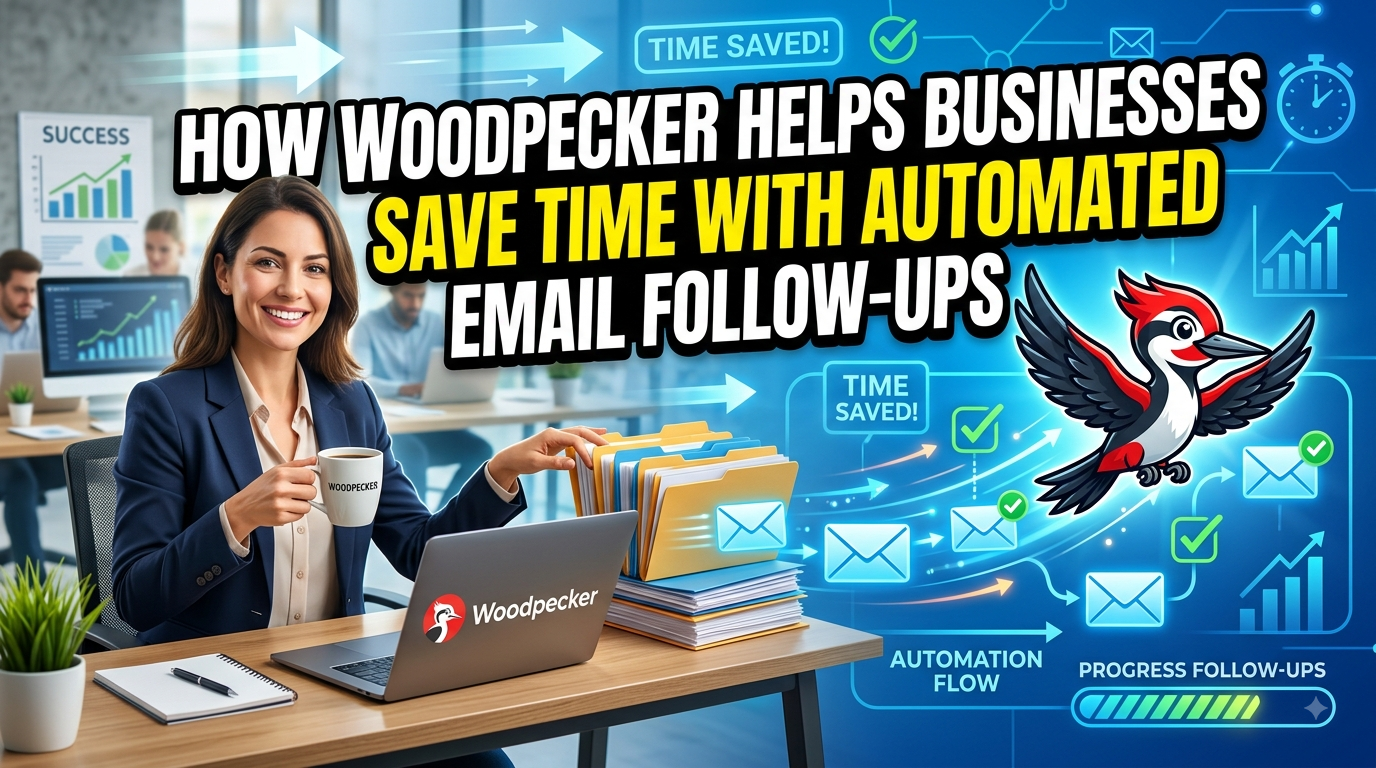
Woodpecker helps businesses streamline their sales outreach by automating email follow-ups, personalized campaigns, scheduling, and reply detection. With Woodpecker, sales teams can spend less time managing repetitive email tasks and more time building meaningful customer relationships, nurturing leads, and closing opportunities. Its automation features make follow-up campaigns more consistent, organized, and efficient while helping businesses improve productivity and manage outreach at scale.
Table of Contents
- Why Email Follow-Ups Take So Much Time
- What Is Woodpecker?
- How Automated Follow-Ups Work in Woodpecker
- Reply Detection Saves Teams From Unnecessary Work
- Personalization Without Manual Rewriting
- Behavior-Based Follow-Ups Make Outreach Smarter
- Time-Zone Scheduling and Delivery Control
- Managing Out-of-Office Replies Automatically
- Campaign Analytics Reduce Manual Reporting
- How Woodpecker Fits Into a Sales Workflow
- Woodpecker Pricing and Resource Efficiency
- Best Practices for Saving More Time With Woodpecker
- Common Mistakes Businesses Should Avoid
- Who Can Benefit Most From Automated Follow-Ups?
- Woodpecker vs. Manual Email Follow-Ups
- Why Automation Does Not Have to Feel Robotic
- The Long-Term Business Value of Automated Follow-Ups
- Conclusion
- FAQs
Why Email Follow-Ups Take So Much Time
Email outreach sounds simple until a sales team has hundreds or thousands of prospects to manage. Sending the first message is usually the easy part; remembering who needs a second message, when that message should go out, what was said previously, whether someone has already replied, and which prospects should receive a different version can quickly become a full-time administrative task. A salesperson might start the morning intending to spend an hour on follow-ups and end up spending several hours opening inboxes, checking spreadsheets, searching old conversations, writing reminders, and manually scheduling messages. The problem becomes even bigger when several campaigns are running simultaneously. Some prospects need one follow-up, some need three or four, while others should immediately leave the sequence after replying. This is exactly where automation can change the economics of sales work. Woodpecker is designed around outbound campaigns where follow-ups can be scheduled as part of a sequence instead of being managed manually one prospect at a time. Its current campaign system supports sequences with multiple steps, configurable delays, conditions, and automatic stopping when prospects respond. The real time-saving benefit is therefore not simply that a tool “sends emails.” It removes dozens of tiny decisions and repetitive actions from a salesperson’s daily workload, allowing the person to spend more time on conversations that actually require human attention.
The Hidden Cost of Manual Follow-Ups
Manual follow-ups create a surprisingly expensive productivity problem because the work is fragmented. A salesperson may spend only two or three minutes checking an individual prospect, but when that process is repeated hundreds of times, the minutes become hours. There is also a mental cost that is harder to measure: people have to remember dates, keep track of previous messages, decide what to say next, and make sure they do not accidentally follow up with somebody who has already responded. A spreadsheet can help, but spreadsheets do not automatically understand a conversation or pause a sequence when a prospect replies. This is why manual outreach often becomes inconsistent as a business grows. Some leads receive excellent, timely follow-ups, while others are forgotten simply because the salesperson was busy with meetings or higher-priority work. Automation turns follow-up timing into a predefined process rather than a memory test. Woodpecker lets users configure delays in minutes, hours, or days and automatically sends the next message according to the campaign settings unless a prospect replies or opts out. The result is a workflow where consistency does not depend entirely on someone’s ability to remember every task. That may sound like a small improvement, but for a growing sales organization, eliminating repetitive administrative work can have a meaningful impact on how much productive selling time each employee has.
Repetitive Tasks That Slow Sales Teams Down
Think about everything that happens between an initial email and a successful sales conversation. Someone has to decide when to follow up, locate the correct contact, open the previous conversation, remember what was promised, write a relevant message, schedule it, check whether the prospect has already answered, and update the CRM or tracking sheet. Now multiply that process by 100, 500, or several thousand prospects. The challenge is no longer writing emails; it is coordinating a large number of small activities without making mistakes. Woodpecker addresses many of these repetitive steps through campaign automation. Its current features include automated follow-ups, reply detection, customizable sending intervals, dynamic personalization, conditions, tracking, and campaign statistics. Businesses can therefore build a sequence once and allow the software to handle routine execution. A salesperson still needs to create the strategy and write useful messages, but the repetitive delivery work can happen automatically in the background. That division of labor is important. Humans are better at understanding context, building relationships, handling objections, and having nuanced conversations. Software is better at remembering that someone should receive a message three days after another message. When each side does the work it is best suited for, the entire sales process becomes less cluttered.
What Is Woodpecker?
Woodpecker is an outbound sales and cold-email platform built to help businesses manage personalized outreach, follow-ups, deliverability, and campaign workflows from one system. The platform currently combines email campaigns with features such as email verification, warm-up options, inbox rotation, personalization, reply detection, campaign conditions, analytics, and integrations. For a business trying to save time, the important distinction is that Woodpecker is not simply an email scheduler. A basic scheduler can send an email at a particular time, but effective follow-up automation needs to understand what happens after the message is sent. Did the prospect reply? Did they unsubscribe? Did they send an out-of-office message? Did they click something? Should the next email follow one path or another? Woodpecker’s campaign architecture is designed to accommodate these kinds of decisions. Its new campaign editor separates the sequence, workflows, and settings, allowing users to define follow-ups, delays, conditions, schedules, and campaign behavior before adding prospects. This means a business can build a repeatable outreach process rather than relying on individual employees to recreate the same process every day. Once the system is configured correctly, the team can focus less on administration and more on reviewing responses, qualifying opportunities, and moving promising conversations forward.
How Woodpecker Automates Outreach
The simplest way to understand Woodpecker’s automation is to imagine building a digital sales assistant that never forgets a scheduled task. You create the opening email, add the follow-up messages, choose the waiting periods, define relevant conditions, and then allow the campaign to execute according to those rules. Woodpecker supports campaign sequences of up to 16 steps in its current editor, and those steps can include email plus other supported outreach or manual-task actions depending on the workflow. This can save significant time because the salesperson does not need to repeatedly open the campaign and decide what should happen next. The system can handle the predictable part of the process while the salesperson handles the unpredictable part: replies, objections, questions, pricing discussions, and relationship building. This distinction is crucial because automation should not attempt to replace every human interaction. Instead, it should remove the mechanical work surrounding those interactions. When configured thoughtfully, the result is a workflow where the salesperson opens the inbox and sees conversations that need attention rather than a giant list of administrative tasks. That shift can make the workday feel completely different. Instead of asking, “Who should I follow up with today?” the salesperson can ask, “Which of today’s replies deserve my attention first?”
How Automated Follow-Ups Work in Woodpecker
Woodpecker’s follow-up automation is built directly into campaign sequences. After the opening message, users can add subsequent emails and define how long the system should wait before sending each one. According to Woodpecker’s current documentation, follow-up delays can be configured in minutes, hours, or days, and the system calculates the delay from the previous email. This gives businesses considerable flexibility when designing different outreach strategies. A simple campaign might send a first follow-up after several days and a second one later, while a more complex campaign could use different intervals based on the intended sales cycle. The important productivity advantage is that the timing is decided once rather than repeatedly. Once a prospect enters the sequence, the platform can execute the planned steps without someone creating individual calendar reminders. Woodpecker also states that follow-ups stop when a prospect replies, unsubscribes, or otherwise becomes ineligible for continued sending. That means the automation is not blindly sending the same sequence forever. It is designed to respond to changes in prospect status. For businesses, this reduces the amount of monitoring required after launching a campaign. The team can spend less time checking whether every person received the appropriate next message and more time reviewing overall campaign performance.
Setting Delays and Follow-Up Sequences
A good automated sequence is not simply a collection of emails sent as quickly as possible. Timing matters because prospects are busy people, and an overly aggressive campaign can become annoying instead of helpful. Woodpecker allows users to specify the delay between follow-up steps, with the platform’s documentation explaining that users can customize the number of minutes, hours, or days before the next message. This flexibility lets businesses design sequences around their particular audience rather than forcing every campaign into the same timetable. For example, a software company selling to enterprise buyers may need more breathing room between messages than a recruitment agency contacting candidates about a time-sensitive role. The key time-saving idea is that these rules can be established before the campaign begins. After that, the system handles the calendar-like work automatically. Teams can also use different sequences for different audiences, which reduces the temptation to manually modify every message for every recipient. The best approach is to think of automation as a framework rather than a shortcut. The sequence should contain useful, relevant information at each stage, while the automation simply makes sure the right message reaches the right person at the planned time.
Reply Detection Saves Teams From Unnecessary Work

Reply detection is one of the most useful time-saving features in automated follow-up.Imagine a prospect responds positively to the first email, but the salesperson is busy in a meeting and the automated second email goes out anyway. The prospect receives a message that ignores their reply, creating an awkward experience and potentially damaging trust. Woodpecker’s reply detection is designed to prevent this problem by automatically stopping subsequent follow-ups when a prospect responds. This means salespeople do not have to manually pause every sequence whenever someone answers. That might seem like a technical feature, but it has a direct productivity impact. Without it, employees would need to constantly monitor replies to ensure automated messages do not continue. With it, the software handles the routine status change automatically. The salesperson can then focus on the conversation itself. This is a good example of automation working quietly in the background: the best automation is often the work you never notice because it prevents problems before they happen. Businesses save time not only because fewer actions need to be performed, but also because fewer mistakes need to be corrected later.
Automatically Stopping Follow-Ups
Automatic stopping becomes especially valuable when outreach volume increases. If one employee is managing 30 prospects, manually pausing a few conversations may be manageable. If the same employee is managing several hundred prospects across multiple campaigns, it becomes much harder. Woodpecker’s current campaign documentation says that if a prospect responds to a previous message, the next follow-up will not be sent. The system can also stop future messages when a prospect unsubscribes or when other campaign conditions require the sequence to stop. This creates a protective layer around automated outreach. The salesperson can trust the system to handle predictable events while they concentrate on meaningful conversations. That reduces context switching, which is one of the biggest hidden productivity killers in sales. Every time someone stops a task to check whether a prospect replied, they lose some attention and have to rebuild their focus afterward. Automation removes many of those interruptions. Instead of constantly supervising the campaign, the team can review the results at planned intervals and step in when human judgment is actually required.
Personalization Without Manual Rewriting
Automation sometimes gets criticized for making outreach sound robotic, but automation and personalization are not opposites. In fact, a well-designed system can make personalization easier because it allows businesses to create structured messages with dynamic information. Woodpecker supports snippets, which are dynamic custom fields that can insert prospect-specific information into a message template. The platform also detects when required custom fields are empty and can prevent an email from being sent, helping avoid embarrassing blank personalization. This is particularly useful for businesses that need to send many messages while retaining a one-to-one feel. Instead of manually typing every person’s name, company, role, or other relevant information, the salesperson can prepare the template once and let the system populate the appropriate fields. That saves time while still allowing the message to feel targeted. The real skill lies in deciding which information should be personalized. A message with a person’s name inserted automatically is not necessarily personalized in a meaningful way. Better personalization connects the message to the prospect’s business, role, challenge, or recent activity. Automation handles the repetitive insertion; humans still need to provide the strategic thinking behind the message.
Using Dynamic Snippets and Conditions
Dynamic snippets become even more powerful when combined with campaign conditions. Woodpecker’s current feature set allows businesses to create different campaign paths based on criteria such as opens, clicks, tasks, and snippet-related conditions. This means a company does not necessarily have to send the same follow-up to everyone. Instead, the campaign can branch according to the prospect’s behavior or available information. For example, one group may receive a follow-up designed for people who engaged with an email, while another group may receive a different message because they did not engage. That type of branching saves time because the sales team does not have to manually sort every prospect into separate lists after each campaign step. The automation performs the sorting based on predefined rules. At the same time, this approach can improve the relevance of the communication because prospects are not all treated as if they behaved identically. Businesses can therefore use automation not just to send more emails, but to reduce repetitive decision-making. The software follows the rules, while the sales team determines what those rules should accomplish.
Behavior-Based Follow-Ups Make Outreach Smarter
Behavior-based automation is where email follow-ups move beyond simple scheduling. A basic sequence says, “Send message two after three days.” A behavior-based sequence says, “If the prospect interacted with the message, follow one path; if they did not,adhere to another. Different sequences can be employed based on prospect behavior thanks to Woodpecker’s current conditional campaign technology, which offers YES and NO courses based on specific conditions. This can save time because businesses no longer need employees to inspect every campaign result and manually decide which prospect should receive which message. The system can apply the same logic consistently across the campaign. It also creates an opportunity to make outreach more thoughtful. A prospect who engaged may need a direct next step, while someone who showed no interest may need a shorter or differently positioned message. Automation handles the branching, but the strategy still comes from the business. This is an important distinction: the goal is not to automate thinking, but to automate the repetitive execution of good thinking. Once the logic is established, every new prospect can move through the process without requiring someone to supervise each individual transition.
Time-Zone Scheduling and Delivery Control
Another common source of manual work is scheduling outreach around different time zones. A sales team in one country may contact prospects spread across North America, Europe, Asia, and other regions. Manually calculating the appropriate sending time for each person is tedious and easy to get wrong. Woodpecker supports sending campaigns according to a prospect’s timezone when the relevant country information is available. Its documentation explains that the platform can automatically match the prospect’s timezone based on country information. This turns another repetitive administrative job into a campaign setting. Instead of maintaining separate spreadsheets for time-zone calculations, the team can incorporate delivery preferences into the campaign itself. Woodpecker also allows users to control delivery schedules and daily sending limits, giving businesses greater control over how messages are distributed. The productivity benefit is subtle but significant. A sales representative can prepare campaigns during their own working hours while the platform manages delivery according to the defined rules. That creates a more scalable workflow, especially for businesses selling internationally.
Managing Out-of-Office Replies Automatically
Out-of-office replies are another small issue that can create unnecessary manual work. A salesperson sends a carefully timed message, receives an automated vacation response, and then has to remember to return to the prospect later. If that happens dozens of times, the team ends up maintaining another collection of reminders. Woodpecker’s smart autoreplies feature is designed to reduce this workload. According to its documentation, the system can detect an out-of-office response and automatically determine the earliest possible follow-up date after the prospect returns. This means the salesperson does not have to manually calculate when someone is likely to be back and then create another reminder. The platform can handle that routine scheduling task. Again, this is not about removing humans from the process. When the prospect returns and responds, the salesperson can take over the conversation. The software simply takes care of the waiting period in between. This kind of automation is especially useful for teams managing high volumes because small exceptions can otherwise consume a surprising amount of time.
Campaign Analytics Reduce Manual Reporting
Saving time is not only about sending emails faster. It is also about reducing the amount of work required to understand what happened afterward. Woodpecker provides campaign statistics and tracks metrics such as opens, clicks, replies, bounces, and opt-outs. This gives teams a centralized view of campaign performance instead of requiring employees to manually compile numbers from individual inboxes or spreadsheets. Better reporting can also reduce wasted effort because teams can identify which messages are performing well and which need improvement. Woodpecker supports A/B testing with multiple message versions, allowing users to compare approaches rather than relying entirely on intuition. Once a campaign is running, the data can help inform the next campaign, creating a feedback loop between execution and optimization. The time-saving benefit comes from having information available in the same environment where campaigns are managed. Employees spend less time assembling reports and more time interpreting the results. That distinction matters because data collection is necessary, but strategic interpretation is where the real business value lies.
How Woodpecker Fits Into a Sales Workflow
A useful way to think about Woodpecker is as one layer in a broader sales workflow. First, a business identifies suitable prospects. Next, it verifies or prepares the contact data, creates an outreach message, and places prospects into an appropriate campaign. The automated sequence then manages scheduled follow-ups while reply detection and conditions determine what happens next. Woodpecker also offers integrations, API capabilities, webhooks, and other connectivity options, allowing businesses to connect outbound activity with other systems and workflows. This can further reduce repetitive data movement between tools. Instead of copying information from one system to another, businesses can build a more connected process. The exact setup depends on the company’s sales stack, but the principle is straightforward: automate predictable transitions and reserve human time for decisions that require judgment. When the workflow is designed this way, Woodpecker can help reduce the administrative layer surrounding outbound sales. The team still needs good lead data, compelling messaging, responsible targeting, and clear sales processes. Automation cannot fix a weak offer or an irrelevant audience. What it can do is make a well-designed process easier to execute consistently.
Woodpecker Pricing and Resource Efficiency
Cost is naturally part of the time-saving conversation because businesses need to know whether automation creates enough value to justify the software expense. Woodpecker’s current pricing page shows a model based on contacted prospects and stored prospects, with different tiers and optional add-ons. The current displayed pricing includes a lowest tier of 500 contacted prospects and 2,000 stored prospects at $35, while pricing can vary depending on selected limits, billing frequency, currency, and add-ons. One useful detail is that Woodpecker states follow-up messages do not count toward the contacted-prospect limit, which can make automated sequences more attractive from a resource-planning perspective. Businesses should still evaluate the total cost based on their actual outreach volume and required features rather than assuming one plan will fit every team. The bigger question is whether the platform saves enough employee time to create a positive return. If a salesperson spends several hours each week manually scheduling, checking, and organizing follow-ups, even a modest reduction in administrative work can become meaningful over a year. Time has an opportunity cost, and sales employees can often generate more value by speaking with qualified prospects than by maintaining spreadsheets of reminders.
Best Practices for Saving More Time With Woodpecker
The biggest time savings do not come from turning on every available automation feature. They come from designing a simple process that eliminates unnecessary work. Start by defining the target audience and the purpose of the campaign before writing the sequence. Then create a small number of useful follow-ups that add something new rather than repeating the same request. Use personalization fields carefully, verify that required data exists, and build conditions only when they make the campaign genuinely more relevant. Woodpecker provides preview and testing capabilities, along with safeguards such as empty-field detection and duplicate detection, which can help reduce avoidable errors before messages are sent. It is also sensible to review campaign statistics regularly instead of constantly interrupting the workflow to check individual messages. The goal should be to create a system that runs predictably and requires human intervention primarily when something important happens. Businesses should also pay attention to deliverability, sending limits, domain configuration, and applicable email regulations. Automation increases efficiency, but it also increases the importance of having good processes. A poorly designed campaign can automate bad decisions just as efficiently as a well-designed one.
Common Mistakes Businesses Should Avoid
The biggest mistake is assuming that automation means sending more messages to more people as quickly as possible. That approach can create poor experiences and undermine the very productivity gains the business hoped to achieve. Another mistake is creating long sequences filled with nearly identical follow-ups. If every message simply says, “Just checking in,” the automation may save time for the sender while wasting time for the recipient. Businesses should also avoid excessive personalization that adds no real value. The purpose of personalization is to make a message more relevant, not to decorate a generic pitch with a prospect’s first name. Another common problem is failing to test the sequence before launching it. Woodpecker provides email preview and test options, and its documentation highlights safeguards such as duplicate detection and empty custom-field detection. Teams should use these capabilities before putting a campaign into production. Finally, businesses should not ignore replies. Automation should create more opportunities for human conversations, not become an excuse to avoid them. The moment a prospect engages meaningfully, the human side of the sales process should take priority.
Who Can Benefit Most From Automated Follow-Ups?

Automated follow-ups can be particularly valuable for agencies, consultants, B2B sales teams, recruiters, software companies, lead-generation firms, and other organizations that regularly perform structured outbound outreach. The common factor is not industry; it is repetition. If a business repeatedly contacts prospects with a defined sequence and spends significant time remembering when and how to follow up, automation can remove a large portion of that administrative burden. Small teams may benefit because automation allows a few employees to manage processes that would otherwise require additional administrative support. Larger teams may benefit from consistency because every salesperson can work from standardized campaign logic while still personalizing important parts of the communication. Woodpecker’s current feature set includes campaign automation, personalization, reply detection, conditions, analytics, and integrations, making it suitable for workflows that go beyond simple scheduled emails. The best candidates are businesses that already have a reasonably clear outreach strategy. Automation is most useful when there is a repeatable process worth automating. If every prospect requires a completely different approach, a heavily automated sequence may not be the right fit.
Woodpecker vs. Manual Email Follow-Ups
The difference between manual follow-ups and automated follow-ups becomes clear when you compare the tasks involved. With a manual process, a salesperson has to remember who needs attention, determine when to send the next message, open the previous conversation, compose or customize the follow-up, send it, and then repeat the process later. With Woodpecker, the salesperson can define the sequence and timing in advance, after which the platform handles scheduled follow-ups and can stop them when a prospect responds.
| Activity | Manual Follow-Up | Woodpecker Automation |
| Remembering follow-up dates | Usually manual | Automated through campaign delays |
| Sending follow-ups | Manually triggered | Automatically scheduled |
| Stopping after a reply | Requires monitoring | Reply detection can stop the sequence |
| Personalization | Often manual | Dynamic snippets and custom fields |
| Different campaign paths | Manually managed | Conditions can create different paths |
| Time-zone scheduling | Manual calculation may be required | Prospect timezone support |
| Campaign reporting | Often spread across tools | Built-in campaign statistics |
| Out-of-office handling | Manual reminder | Smart autoreply functionality |
The table highlights the core productivity advantage: automation moves repetitive coordination away from the salesperson. It does not eliminate the need for strategy or human communication, but it reduces the operational burden surrounding them.
Read More:-
How Does Strikingly Simplify the Website Building Process?
Building Your Dream Website with Site123
Boost Your E-commerce Strategy with YITH Plugins
Maximize Your Customer Engagement with LiveAgent’s Features
Why STRIPO is Essential for Digital Product Marketersa
Why Automation Does Not Have to Feel Robotic
A common fear is that automated follow-ups will make a business sound cold or impersonal. That happens when companies automate the message rather than the process. Good automation should make the timing and administration automatic while keeping the content useful and relevant. Woodpecker’s personalization features, dynamic snippets, conditional campaigns, and in-thread follow-up options can help businesses create sequences that remain connected to the original conversation. The trick is to give every follow-up a reason to exist. Maybe the second message adds a useful example, the third answers a common concern, and the final message makes it easy for the prospect to decline or reconnect later. When each step has a purpose, automation becomes almost invisible to the recipient. That is the ideal outcome. The prospect should experience a thoughtful sequence, not a machine operating on a timer. Businesses save time behind the scenes while the customer experience remains centered on relevance and respect.
The Long-Term Business Value of Automated Follow-Ups
The long-term benefit of automated follow-ups is larger than simply saving a few hours each week. Automation creates a repeatable sales process that can continue operating even when employees are busy, campaigns multiply, or the business grows. A process that once depended on individual memory becomes a documented system with defined steps, conditions, timing, and measurement. That makes it easier to test improvements and identify where prospects are dropping out of the funnel. Woodpecker’s campaign statistics, A/B testing, conditions, and automated sequences can support this kind of iterative approach. Over time, a business can discover which messages generate replies, which follow-up intervals work best, and which segments respond differently. Those insights can then improve future campaigns. The biggest win is therefore not simply speed; it is leverage. One well-designed process can support a much larger amount of outreach without requiring a proportional increase in administrative work. For growing businesses, that can make automation an important part of building a scalable outbound engine.



Conclusion
Woodpecker helps businesses save time with automated email follow-ups by taking repetitive scheduling, monitoring, personalization, and campaign-management tasks out of the salesperson’s daily workload. Instead of relying on spreadsheets, calendar reminders, and constant inbox monitoring, teams can create structured sequences with defined delays and allow the platform to manage routine follow-up execution. Features such as reply detection, dynamic snippets, conditional campaign paths, prospect time-zone scheduling, smart out-of-office handling, and campaign analytics extend the time-saving benefit beyond simple email scheduling. The result is a healthier division of labor: software handles predictable repetitive tasks while people focus on conversations, relationships, qualification, and closing opportunities. The strongest results will come when businesses treat automation as a way to improve a thoughtful sales process rather than as a reason to send more generic emails. When the strategy is sound, Woodpecker can turn follow-up from a daily administrative chore into a repeatable system that quietly works in the background. That is ultimately why automated follow-ups can be so valuable: they give sales teams something they can never create more of—more productive time.
FAQs
Q. What is Woodpecker used for?
A. Woodpecker is an outbound sales and cold-email platform used to create email campaigns, automate follow-ups, personalize outreach, manage campaign conditions, monitor replies, and analyze campaign performance. It also supports integrations and other outbound workflow capabilities.
Q. How does Woodpecker save time with follow-ups?
A. Woodpecker lets users create follow-up sequences in advance and define delays between messages. The system then sends scheduled follow-ups automatically and can stop subsequent messages when a prospect replies or unsubscribes, reducing the need for manual monitoring.
Q. Can Woodpecker personalize automated emails?
A. Yes. Woodpecker supports dynamic snippets and custom fields that can insert prospect-specific information into campaign messages. It also provides safeguards for missing personalization fields, helping reduce manual checking and potential sending errors.
Q. Can Woodpecker send different follow-ups based on prospect behavior?
A. Yes. Woodpecker’s conditional campaigns can create different paths depending on selected criteria, including conditions related to opens, clicks, tasks, and snippets. This allows businesses to create more targeted follow-up workflows without manually sorting every prospect.
Q. Is Woodpecker suitable for small businesses?
A. Woodpecker can be useful for small businesses that perform repeatable outbound sales or lead-generation activities and want to reduce manual follow-up work. The current pricing structure is based primarily on contacted and stored prospects, with additional features available through add-ons, so businesses can evaluate the plan against their outreach volume and requirements.