Murf AI is a powerful, cloud-based text-to-speech platform designed to help creators, marketers, and businesses generate high-quality, human-like voiceovers with ease. This comprehensive guide explores everything you need to know about Murf AI in 2026, including its core features, pricing plans, real-world use cases, and performance compared to competitors. Whether you’re a YouTuber, educator, or business owner, Murf AI simplifies audio production with advanced voice customization, multilingual support, and AI-driven voice cloning capabilities. The article also breaks down the key advantages and limitations of the platform, helping you decide if it’s the right tool for your needs.
What is Murf AI?
Overview of Murf AI Platform
If you’ve ever struggled with recording voiceovers, hiring voice artists, or editing audio clips, then Murf AI might feel like a breath of fresh air. At its core, Murf AI is a cloud-based text-to-speech platform designed to transform written scripts into realistic, human-like voiceovers. It’s not just a simple voice generator—it’s more like a full-fledged audio production studio packed inside your browser. According to recent data, the platform offers 120+ voices in 20+ languages, making it suitable for global content creators and businesses.
What makes Murf AI stand out is its ability to simplify something traditionally complex. Think about it—creating professional voiceovers used to involve studios, microphones, editing software, and sometimes expensive voice actors. Murf replaces all that with a few clicks. Whether you’re building a YouTube video, a podcast, or an online course, it helps you produce polished audio without technical expertise.
In 2026, Murf has evolved into more than just TTS (text-to-speech). It now integrates AI writing assistance, voice editing, and even collaboration tools, making it a complete audio content ecosystem rather than a standalone tool.
How Murf AI Works
Let’s break it down simply—because honestly, that’s the beauty of Murf AI. You start by typing or pasting your script into the editor. Then, you choose a voice from the available library. From there, you can tweak parameters like tone, pitch, speed, and emphasis. Within seconds, Murf converts your text into audio that sounds surprisingly natural.
Under the hood, Murf uses advanced deep learning and neural voice technology to generate speech. Its newer engine even includes features like “breath-aware pauses,” which mimic how humans naturally speak.
The workflow is incredibly intuitive. No prior experience with audio engineering is required. It’s almost like editing a PowerPoint slide—you drag, drop, adjust, and export. This simplicity is exactly why Murf is gaining popularity among beginners and professionals alike.
Key Features of Murf AI
AI Voice Generator
The main attraction of Murf AI is its high-quality voice generation engine. Unlike robotic voices you might have heard years ago, Murf produces voices that sound close to real humans. The platform includes hundreds of voices across multiple accents and tones, allowing you to pick one that fits your brand or personality.
What’s interesting is how flexible these voices are. You can switch between formal, conversational, or even energetic tones. This makes it ideal for everything from corporate presentations to storytelling videos.
Voice Customization Options
Customization is where Murf really shines. You’re not stuck with a fixed voice output—you can tweak almost every aspect of speech. Want a slower pace for an educational video? Done. Need emphasis on certain words? Easy.
This level of control gives creators the power to fine-tune their audio just like a professional sound engineer would. And honestly, that’s a big deal because it reduces the need for post-production editing.
Multi-Language Support
In today’s global content landscape, language matters. Murf AI supports 30+ languages and multiple accents, making it easier to reach international audiences.
Imagine creating one script and converting it into multiple languages with natural-sounding voices—it’s like having a multilingual voice team at your fingertips.
AI Voice Cloning Technology
One of the most exciting advancements is voice cloning. Murf allows users to create custom voices using just a short audio sample. In some cases, even 10 seconds of audio can be enough to generate a realistic clone.
This opens up endless possibilities—branding, personalized content, or even maintaining a consistent voice across projects.
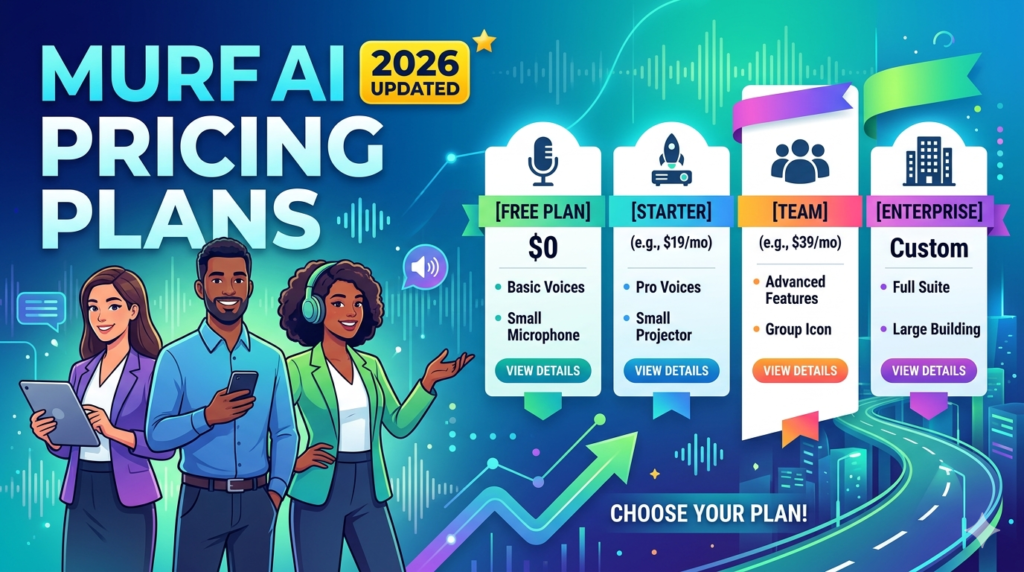
Murf AI Pricing Plans (2026 Updated)
Free Plan Breakdown
The free plan is basically a trial version. You get around 10 minutes of voice generation, but you can’t download the output or use it commercially.
It’s useful for testing, but not for serious work.
Creator Plan
The Creator plan starts at around $19/month (annual billing) and includes 24 hours of voice generation per year.
This plan is ideal for freelancers, YouTubers, and solo creators who need consistent voiceovers without breaking the bank.
Business Plan
The Business plan costs about $66/month (annual) and offers significantly more usage—up to 96 hours per year.
It’s designed for teams, agencies, and businesses producing large volumes of content.
Enterprise Plan
Enterprise pricing is custom and includes advanced features like unlimited generation, voice cloning, and dedicated support.
📊 Pricing Comparison Table
| Plan | Price | Voice Generation | Best For |
| Free | $0 | 10 minutes | Testing |
| Creator | $19/month | 24 hrs/year | Individuals |
| Business | $66/month | 96 hrs/year | Teams |
| Enterprise | Custom | Unlimited | Large companies |
Pros and Cons of Murf AI
Advantages
Murf AI offers several compelling benefits that make it stand out in the crowded AI tools market. First, it significantly reduces costs compared to hiring human voice actors, which can cost hundreds of dollars per project.
Another advantage is its ease of use. Even if you’re not tech-savvy, you can create professional-grade audio in minutes. The platform also supports a wide range of use cases—from YouTube videos to corporate training modules.
Limitations
No tool is perfect, and Murf AI has its downsides too. The free plan is quite restrictive, making it unsuitable for real projects. Also, while the voices are impressive, they may still lack emotional depth compared to human voice actors.
Another limitation is the usage cap. If you’re producing a lot of content, you might quickly run out of allocated voice hours.
Murf AI Use Cases
YouTube & Content Creation
If you’re a content creator, Murf AI can save you hours of recording and editing. Instead of struggling with microphones or background noise, you can generate clean audio instantly.
E-learning & Training
Murf is widely used in e-learning because it delivers clear, consistent narration. It’s perfect for online courses, tutorials, and corporate training programs.
Marketing & Advertising
For marketers, Murf AI is like having a voiceover artist on demand. You can create ads, product demos, and promotional videos quickly and efficiently.
Murf AI vs Competitors

Murf AI vs Lovo AI
Both tools offer AI voice generation, but Murf stands out with its editing interface and integrations. Lovo, on the other hand, offers more voices but slightly less customization.
Murf AI vs Human Voiceovers
Here’s the reality—AI voices are cheaper and faster, but human voices still win in emotional storytelling. If your project requires deep emotional connection, human voiceovers might still be better.
Read More:-
Why STRIPO is Essential for Digital Product Marketers
Maximize Your Customer Engagement with LiveAgent’s Features
Boost Your E-commerce Strategy with YITH Plugins
Building Your Dream Website with Site123
How Does Strikingly Simplify the Website Building Process?
Why ContentStudio & Leadpages Are Essential for E-commerce Success
LiveChat: Transforming Customer Support for Digital Entrepreneurs
User Experience & Interface
Ease of Use
Murf AI is designed with simplicity in mind. The interface feels intuitive, almost like using a presentation tool.
Editing & Workflow
Editing audio in Murf is straightforward. You can adjust timing, add pauses, and sync voiceovers with visuals easily.
Is Murf AI Worth It in 2026?
If you’re looking for a reliable, affordable, and easy-to-use voiceover tool, Murf AI is definitely worth considering. It bridges the gap between professional audio production and accessibility, making it a powerful tool for creators and businesses alike.




Final Verdict
Murf AI is one of the most versatile AI voice generators available today. It combines quality, ease of use, and affordability, making it a strong choice for anyone who needs voiceovers regularly. While it’s not perfect, its advantages far outweigh its limitations.
FAQs
Q. Is Murf AI free to use?
A. Yes, but the free plan is limited and doesn’t allow downloads or commercial use.
Q. Can Murf AI replace human voice actors?
A. For most use cases, yes—but not for highly emotional or cinematic projects.
Q. How many languages does Murf AI support?
A. It supports over 30+ languages and multiple accents.
Q. Is Murf AI good for YouTube videos?
A. Absolutely. It’s widely used for YouTube voiceovers and explainer videos.
Q. Does Murf AI offer voice cloning?
A. Yes, advanced plans include voice cloning features for custom voices.