Discover how Pagecloud empowers entrepreneurs, creators, and small businesses to build a strong digital presence with ease. In this blog post, “Pagecloud Essentials: Building Your Digital Presence,” you’ll explore key features, SEO tools, design flexibility, and e-commerce capabilities that make Pagecloud a powerful website-building solution. Whether you’re starting from scratch or upgrading your online brand, this guide shows how Pagecloud helps you create a professional, high-performing website without coding.
Table of Contents
- Introduction to Pagecloud
- Understanding the Core Features of Pagecloud
- Why Choose Pagecloud Over Other Website Builders?
- Getting Started With Pagecloud
- Designing a Website That Converts
- Pagecloud and SEO Optimization
- E-Commerce Capabilities
- Integrations and Extensions
- Security and Hosting
- Performance Optimization
- Branding with Pagecloud
- Scaling Your Digital Presence
- Real-World Use Cases
- Common Mistakes to Avoid
- The Future of Website Building
- Conclusion
- FAQs
Introduction to Pagecloud
What Is Pagecloud?
If you’ve ever thought, “I need a website, but I don’t want to code,” then Pagecloud might just be your new best friend. It’s a modern website builder designed for people who want creative freedom without getting lost in technical jargon.
Think of it like digital Lego blocks. You drag, you drop, you design. Simple.
Why Digital Presence Matters in 2026
Let’s be honest—if your business isn’t online, does it even exist? In 2026, your website is your storefront, your salesperson, and your brand ambassador rolled into one. Whether you’re a freelancer, startup founder, or small business owner, your digital presence determines how seriously people take you.
Your website is your first impression. And we all know how powerful that can be.
Understanding the Core Features of Pagecloud
Drag-and-Drop Editor
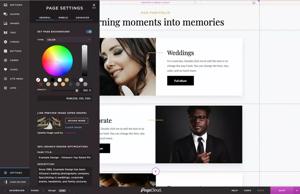
Pagecloud’s editor feels intuitive. You can place elements anywhere, resize images instantly, and edit text like you would in a document. No complicated grids. No rigid layouts.
It gives you design freedom without the chaos.
Customizable Templates
Not a designer? No problem. Pagecloud offers professionally crafted templates tailored for different industries—restaurants, photographers, agencies, online stores—you name it.
These templates are flexible, meaning you can customize them to match your brand identity without starting from scratch.
Mobile Responsiveness
Over half of web traffic comes from mobile devices. Pagecloud automatically optimizes your website for mobile screens, ensuring it looks sharp and loads smoothly on smartphones and tablets.
Your audience won’t pinch and zoom just to read your content.
Built-In SEO Tools
SEO isn’t optional anymore—it’s essential. Pagecloud provides built-in tools for editing meta titles, descriptions, URLs, and alt text. That means you’re not just building a pretty website—you’re building one that ranks.
Why Choose Pagecloud Over Other Website Builders?

Simplicity Meets Flexibility
Some platforms limit your creativity. Others overwhelm you with options. Pagecloud strikes the balance.
It’s like driving a car with both automatic comfort and manual control—you choose how hands-on you want to be.
Comparison With Competitors
While platforms like Wix and Squarespace offer solid features, Pagecloud stands out with its true drag-anywhere design capability. You’re not locked into rigid sections.
Creative professionals especially love that freedom.
Getting Started With Pagecloud
Creating Your Account
Signing up is straightforward. Choose a plan, create your account, and you’re ready to design within minutes.
No technical barriers. No steep learning curve.
Choosing the Right Template
Picking the right template sets the tone for your entire brand.
Industry-Specific Templates
Are you a consultant? A restaurant owner? An online coach? Pagecloud provides templates tailored to your niche, helping you launch faster.
It’s like having a head start in a race.
Designing a Website That Converts
Crafting an Engaging Homepage
Your homepage should answer three questions instantly:
- Who are you?
- What do you offer?
- Why should I care?
Clarity beats cleverness every time.
Adding Clear Call-to-Actions
Don’t leave visitors guessing. Use strong calls-to-action like “Book Now,” “Get Started,” or “Contact Us.”
Guide them like a tour guide, not a maze designer.
Using Visual Hierarchy Effectively
Headlines should stand out. Important buttons should pop. White space should breathe.
Think of your website as a story—your design directs the reader’s attention.
Read More:-
How Many Products Does Spocket Dropshipping Have?
How Does Spocket Dropshipping Work?
How Can Spocket Help You Compete in the E-commerce Space?
The Ultimate Guide to Shift Browser Managing Solutions
YITH: The Top Provider of WooCommerce Plugins and Add-Ons
Pagecloud and SEO Optimization
On-Page SEO Essentials
Use relevant keywords naturally. Structure content with headings. Add internal links. Optimize images.
SEO isn’t about stuffing keywords—it’s about answering real questions.
Optimizing Meta Tags and URLs
Short, descriptive URLs improve clarity. Compelling meta descriptions increase click-through rates.
Small tweaks can drive big results.
Image Optimization Techniques
Compress images for faster load times. Use descriptive alt text.
Speed and accessibility matter more than ever.
E-Commerce Capabilities

Setting Up an Online Store
Pagecloud allows seamless product uploads, pricing management, and order tracking.
You can go from idea to online store in hours—not weeks.
Payment Integrations
Integrations with popular payment gateways ensure secure transactions and smooth checkout experiences.
Trust builds conversions.
Product Page Optimization
High-quality images, persuasive descriptions, and customer reviews turn browsers into buyers.
It’s digital persuasion done right.
Integrations and Extensions
Marketing Tools Integration
Connect email marketing tools, CRM systems, and automation platforms effortlessly.
Social Media Embedding
Embed Instagram feeds, YouTube videos, and social proof directly on your website.
Analytics Tracking
Integrate tracking tools to understand visitor behavior and optimize performance.
Data drives smarter decisions.
Security and Hosting
Secure Hosting Features
Pagecloud provides reliable hosting infrastructure to keep your website online and stable.
SSL Certificates
SSL encryption ensures visitor data remains secure. That little padlock icon? It builds trust instantly.
Performance Optimization
Speed Optimization Tips
Minimize heavy animations. Compress files. Keep scripts clean.
A fast website feels professional.
Mobile Performance Best Practices
Test mobile layouts regularly. Keep buttons thumb-friendly. Avoid clutter.
Mobile-first thinking wins.
Latest Post



Branding with Pagecloud
Consistent Visual Identity
Use consistent colors, fonts, and imagery across pages.
Branding is repetition. Repetition builds memory.
Typography and Color Psychology
Fonts communicate personality. Colors evoke emotion.
Your design speaks before your words do.
Scaling Your Digital Presence
Blogging Strategy
Regular blogging improves SEO and positions you as an authority.
Consistency compounds over time.
Content Marketing Integration
Pair your website with email campaigns, lead magnets, and social media marketing.
Your website becomes your content hub.
Real-World Use Cases
Small Businesses
Local businesses can showcase services, testimonials, and booking options effortlessly.
Freelancers and Creators
Portfolios shine with creative flexibility.
Agencies
Agencies can build client-ready websites quickly while maintaining design control.
Common Mistakes to Avoid
Overloading Design
Too many animations. Too many fonts. Too many colors.
Less is more.
Ignoring SEO Basics
A beautiful website without SEO is like a billboard in the desert.
Visibility matters.
The Future of Website Building
AI and Automation
AI-driven design suggestions and automation tools are transforming how websites are built.
Expect smarter workflows.
Personalization Trends
Personalized experiences increase engagement and conversion rates.
Dynamic content is the future.
Conclusion
Building your digital presence doesn’t have to feel overwhelming. With Pagecloud, you get creative freedom, powerful SEO tools, e-commerce functionality, and scalability—all in one platform.
Think of your website as your digital home. Pagecloud gives you the tools to design it exactly the way you want. Whether you’re starting from scratch or upgrading your current site, the path to a stronger online presence begins with smart choices—and consistent action.
FAQs
Q. Is Pagecloud suitable for beginners?
A. Yes. Its drag-and-drop editor makes website building simple, even without technical skills.
Q. Can I build an e-commerce store with Pagecloud?
A. Absolutely. You can manage products, payments, and orders easily.
Q. Does Pagecloud support SEO optimization?
A. Yes, it includes built-in tools for meta tags, URLs, and image optimization.
Q. Is Pagecloud mobile-friendly?
A. All templates are mobile-responsive and optimized for performance.
Q. How does Pagecloud compare to other builders?
A. It offers more design freedom compared to many traditional website builders.