Discover how Sync.com empowers businesses with secure, encrypted, and efficient file-sharing solutions. This blog post explores Digielevator’s insights on why Sync.com is a top choice for privacy-focused companies, offering end-to-end encryption, zero-knowledge security, and seamless collaboration tools to protect sensitive business data.
Table of Contents
- Introduction to Secure File Sharing
- What Is Sync.com?
- Why Sync.com Is Ideal for Business Use
- How Sync.com Enhances Secure File Sharing
- Sync.com Business Tools and Integrations
- Real Business Benefits Explained (Digielevator Insights)
- Sync.com vs Other Cloud Storage Tools
- Use Cases for Different Business Types
- Pricing Plans for Sync.com
- Tips to Maximize Sync.com for Business
- Final Verdict – Why Digielevator Recommends Sync.com
- Conclusion
- FAQs
Introduction to Secure File Sharing
Data is the new currency of the digital world, and with cyber threats rising every day, businesses cannot afford to take risks. Secure file sharing is no longer optional—it’s essential. Whether you’re sharing contracts, financial reports, client documents, or internal data, you need a platform that protects your information at every step.
Why Secure File Sharing Matters for Businesses
Picture sending your confidential documents through an open window. That’s what unsecured file sharing feels like. Businesses today need airtight systems to protect both internal data and client information. Any breach could cost money, reputation, or even legal action.
The Rising Need for Privacy-Focused Solutions
With increasing data regulations and high-profile cyberattacks, organizations require tools built with privacy in mind. Sync.com is one of those platforms that stands out for prioritizing security without compromising usability.
What Is Sync.com?
Sync.com is a cloud storage and sharing service known for industry-leading security. It’s designed for businesses that want safe collaboration, seamless file access, and top-tier privacy.
Overview of Sync.com’s Services
Sync.com allows businesses to store, share, and collaborate on files from anywhere while ensuring that data stays fully protected under zero-knowledge principles.
Key Features That Stand Out
End-to-End Encryption
Every file you upload is protected with E2EE, ensuring only you and authorized users can access it.
Zero-Knowledge Privacy
Sync.com cannot read your files—even if they wanted to. Your encryption keys stay with you.
Cross-Platform Access
Files sync across desktop apps, mobile devices, and the web interface—perfect for hybrid teams.
Why Sync.com Is Ideal for Business Use
Advanced Security Architecture
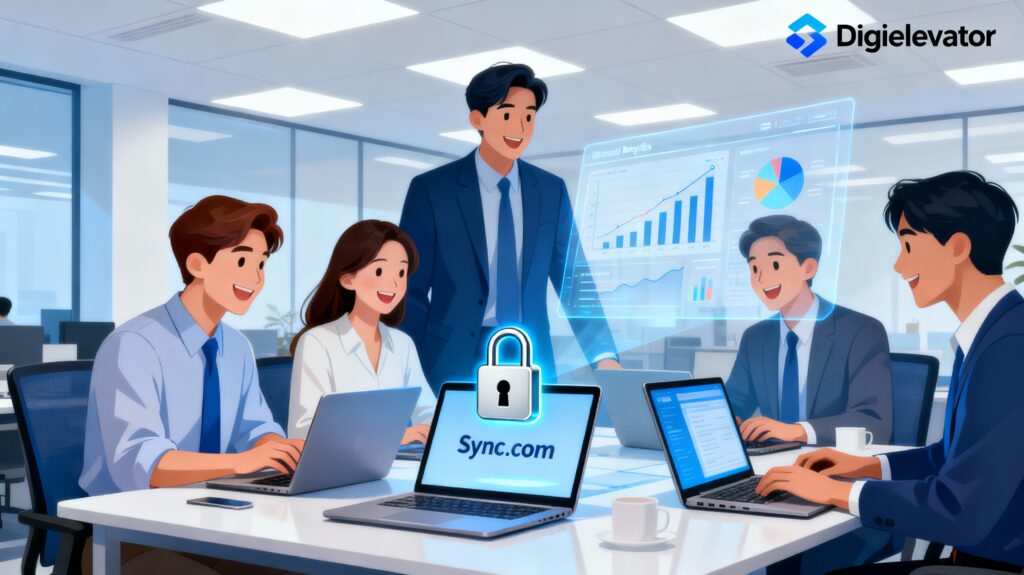
Sync.com delivers enterprise-grade protection that many businesses demand.
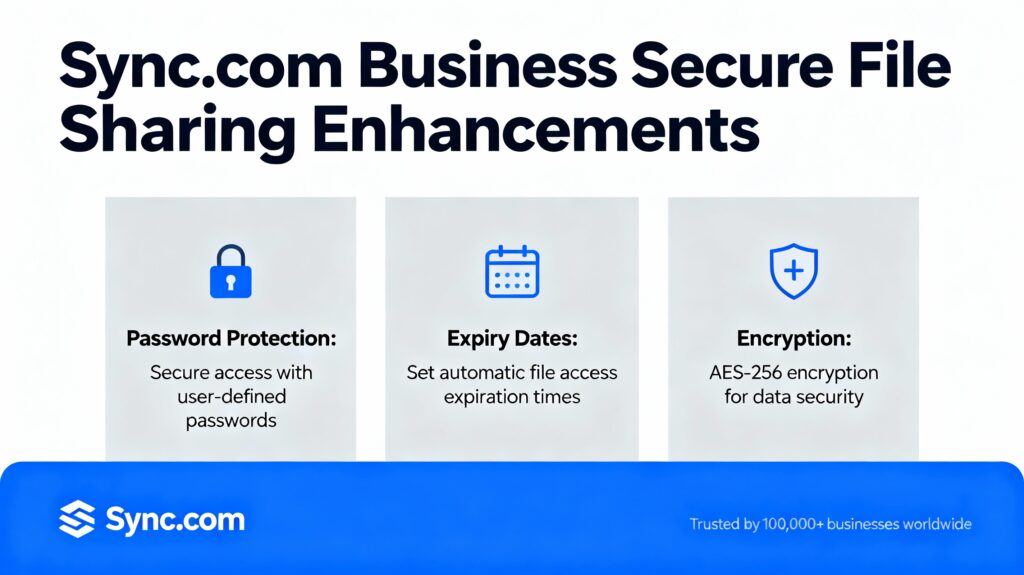
AES-256 Encryption
This military-grade encryption standard shields data from cybercriminals.
Secure Link Sharing
Share files via password-protected links, expiry timers, and download limits.
Remote Wipe Capability
Lost a device? You can instantly remove sensitive data remotely.
Ease of Use for Teams
Sync.com doesn’t just secure files—it makes teamwork easier.
Real-Time Backup and Sync
Automatic syncing ensures everything is backed up and updated across all devices.
Collaborative Folders
Give employees shared access to project files without worrying about unauthorized changes.
How Sync.com Enhances Secure File Sharing
Protecting Sensitive Data
Sync.com ensures every file, folder, and link stays protected with advanced encryption and security controls.
Controlling User Access
Admins can set fine-grained permissions—view-only, edit, download restrictions, expiry dates, and more.
Ensuring Compliance with Global Regulations
Regulations can be overwhelming, but Sync.com simplifies compliance.
GDPR
Keeps European client data secure and private.
HIPAA
Meets healthcare-level standards for data protection.
SOC-2
Provides validated controls for enterprise data governance.
Latest Post




Sync.com Business Tools and Integrations
Team Management Console
Admins can create teams, assign roles, and manage encryption keys easily.
File and User Activity Logs
Track every file action—upload, download, edit, delete—to maintain transparency.
Integration With Workflow Tools
Sync.com integrates with Microsoft Office, email systems, and internal communication tools.
Read More:-
Why ThemeIsle WordPress Themes Are Perfect for Business Websites
Why WP Engine Is the Ultimate Hosting Solution for High-Growth Businesses
How to Build a High-Converting Website on Weebly: A Complete Guide
How RNG INTERNATIONAL, INC. Leads the Global Trade Industry
Why Jackery US Is the #1 Choice for Portable Power Solutions
Real Business Benefits Explained (Digielevator Insights)
Digielevator’s review highlights real-world advantages businesses experience when using Sync.com.
Improved Efficiency
Fast uploads, secure sharing, and smart folders help teams work faster.
Reduced Risk of Data Breaches
Zero-knowledge design ensures hackers can’t gain access—even if servers are compromised.
Higher Team Productivity
No complicated setup; employees adapt quickly.
Seamless File Transfers for Clients
Clients receive secure, easy-to-access links without needing an account.
Sync.com vs Other Cloud Storage Tools
Sync.com vs Google Drive
Google offers convenience, but Sync.com wins in privacy and E2EE.
Sync.com vs Dropbox
Dropbox has better collaboration features, but lacks true zero-knowledge encryption.
Sync.com vs OneDrive
OneDrive integrates with Office, but Sync.com focuses on unbeatable security.
Use Cases for Different Business Types
Small Businesses
Affordable plans with essential protection.
Agencies and Freelancers
Share project files with clients securely.
Enterprises Handling Confidential Data
Full compliance controls and audit trails.
Legal, Finance, and Healthcare
Advanced encryption meets strict regulatory demands.
Pricing Plans for Sync.com
Business Solo
For individual professionals who need secure file sharing.
Business Teams
Multi-user plans with advanced administration features.
Enterprise Plans
Custom pricing for large organizations requiring tailored solutions.
Tips to Maximize Sync.com for Business
Using Permission-Based Sharing
Limit who can access, download, or edit files.
Enabling Two-Factor Authentication
Adds an extra layer of protection against unauthorized access.
Organizing Smart Folder Structures
Clean folder hierarchy boosts efficiency and reduces confusion.
Final Verdict – Why Digielevator Recommends Sync.com
Sync.com isn’t just another cloud storage provider—it’s a comprehensive, privacy-first platform built for modern businesses. With unmatched encryption, easy collaboration, and regulatory compliance, it stands out as a top choice for organizations handling sensitive information.
Conclusion
Secure file sharing is one of the pillars of successful business operations today. Sync.com makes this process safer, easier, and more efficient. With zero-knowledge encryption, simple team management, and strong compliance support, it empowers businesses to work confidently in a digital-first world. Digielevator’s insights highlight why Sync.com has become a go-to solution for companies that value security and productivity together.
FAQs
Q. Is Sync.com really secure for business use?
A. Yes. Sync.com uses end-to-end encryption and zero-knowledge architecture to ensure full data privacy.
Q. Can clients access shared files without a Sync.com account?
A. Yes. Secure links allow clients to open files instantly.
Q. Does Sync.com support remote work setups?
A. Absolutely. It works seamlessly across all devices, perfect for hybrid teams.
Q. Is Sync.com compliant with international standards?
A. Yes, including GDPR, HIPAA, and SOC-2.
Q. How does Sync.com compare to Dropbox?
A. Sync.com offers stronger encryption and zero-knowledge privacy, making it more secure.