
Running a growing business often feels like juggling flaming torches while riding a unicycle. Sales are increasing, customers are demanding faster service, and suddenly… accounting becomes complicated. That’s where Xero Accounting Software steps in.
If you’re tired of spreadsheets, manual bookkeeping, or clunky desktop tools, this guide will walk you through everything you need to know about Xero—in plain English, no accounting jargon overload.
Table of Contents
- What Is Xero Accounting Software?
- Why Growing Businesses Choose Xero
- How Xero Works: A Simple Overview
- Xero Dashboard Explained
- Invoicing Made Easy with Xero
- Bank Reconciliation: Xero’s Secret Weapon
- Expense Tracking Without the Headache
- Payroll Management in Xero
- Xero Reports: Turn Numbers into Insights
- Cash Flow Management with Xero
- Xero Integrations: Power Up Your Accounting
- Xero for Small vs Growing Businesses
- Xero Pricing Plans Explained
- Is Xero Secure?
- Xero Mobile App: Accounting on the Go
- Xero vs Traditional Accounting Software
- Who Should Use Xero Accounting Software?
- Pros and Cons of Xero
- How to Get Started with Xero
- Tips to Get the Most Out of Xero
- Common Mistakes to Avoid in Xero
- Future of Accounting with Xero
- Conclusion
- FAQs
What Is Xero Accounting Software?
Xero is a cloud-based accounting software designed for small and growing businesses. Instead of installing software on one computer, Xero lives online, meaning you can access your financial data anytime, anywhere.
Think of Xero as your digital finance assistant—tracking money in, money out, taxes, payroll, and reports while you focus on actually growing your business.
Why Growing Businesses Choose Xero
Growth brings complexity. Xero simplifies it.
Key Reasons Businesses Love Xero
- Easy-to-use dashboard
- Real-time financial visibility
- Scales as your business grows
- Works seamlessly with accountants
- Supports automation and integrations
In short, Xero grows with you, not against you.
How Xero Works: A Simple Overview
Xero connects your:
- Bank accounts
- Invoices
- Expenses
- Payroll
- Tax reports
All in one place.
Once connected, Xero automatically pulls transactions, categorizes them, and updates your financial reports in real time. No more end-of-month panic.
Xero Dashboard Explained
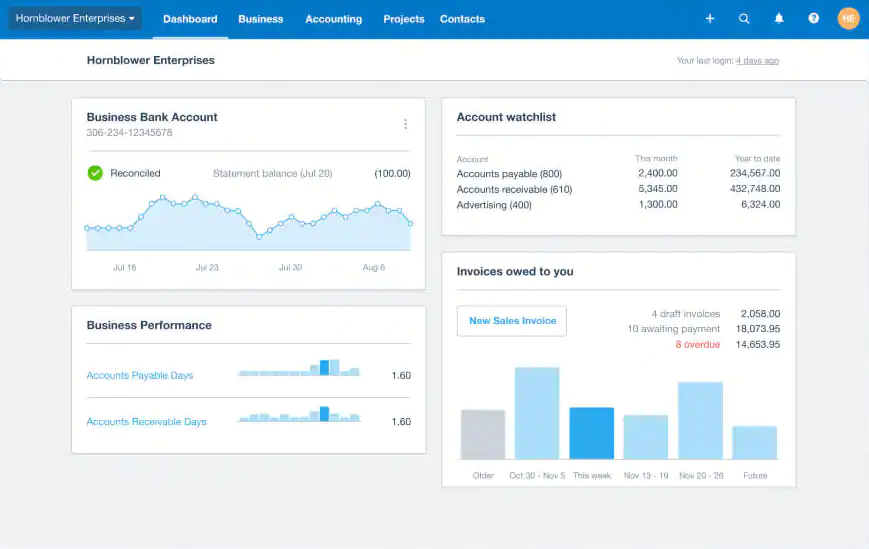
The dashboard is your financial command center.
What You See at a Glance
- Bank balances
- Cash flow snapshot
- Outstanding invoices
- Bills to pay
- Expense claims
It’s like checking your business’s pulse—every single day.
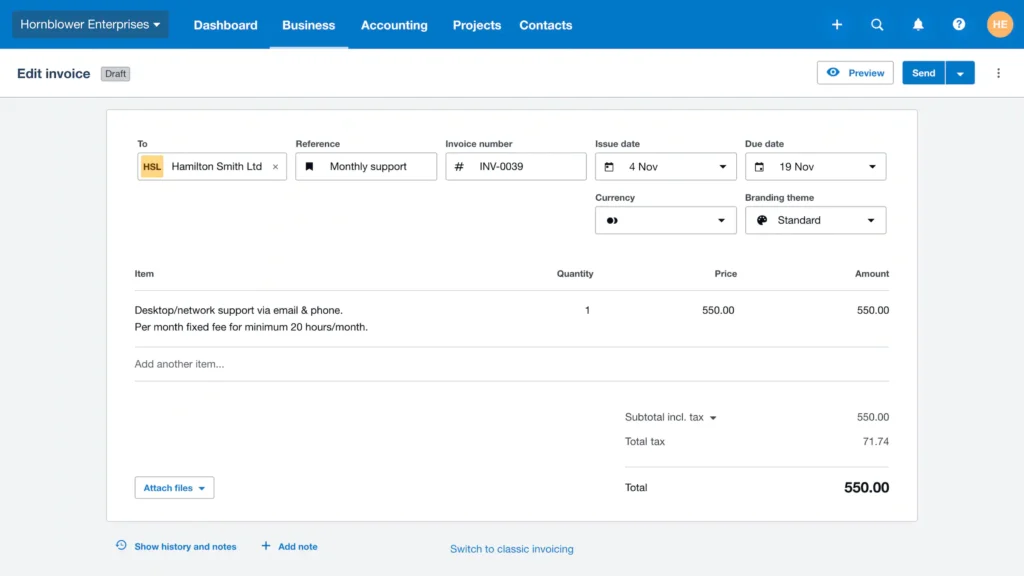
Invoicing Made Easy with Xero
Getting paid faster is critical for growth.
Xero Invoicing Features
- Create professional invoices in minutes
- Send invoices directly via email
- Set automatic payment reminders
- Accept online payments
- Track invoice status in real time
Why It Matters
Faster invoicing = faster payments = healthier cash flow.
Bank Reconciliation: Xero’s Secret Weapon
If bookkeeping feels painful, bank reconciliation is usually why.
How Xero Simplifies Reconciliation
- Automatically imports bank transactions
- Suggests matches using smart rules
- One-click approval
- Flags discrepancies instantly
It’s like having a super-fast accountant who never sleeps.
Expense Tracking Without the Headache
Growing teams mean growing expenses.
Xero Expense Management
- Capture receipts via mobile app
- Assign expenses to projects
- Submit and approve claims online
- Track reimbursable costs easily
No more shoeboxes full of receipts.
Payroll Management in Xero
Payroll mistakes can be costly and stressful.
Payroll Features
- Automatic salary calculations
- Tax and compliance support
- Payslip generation
- Direct deposit setup
- Leave management
Payroll becomes predictable, accurate, and stress-free.
Xero Reports: Turn Numbers into Insights
Data is useless unless you understand it.
Popular Xero Reports
- Profit & Loss statement
- Balance Sheet
- Cash Flow statement
- Expense reports
- Tax summaries
Why Reports Matter
They help you answer critical questions:
- Are we profitable?
- Where is money leaking?
- Can we afford to hire?
Cash Flow Management with Xero
Cash flow is the lifeblood of any business.
Xero Helps You
- Forecast future cash flow
- Monitor inflows and outflows
- Plan payments smartly
- Avoid cash crunch surprises
It’s like seeing the road ahead before you hit a pothole.
Xero Integrations: Power Up Your Accounting
Xero connects with 1,000+ apps.
Popular Integrations
- Payment gateways
- CRM tools
- Inventory management systems
- E-commerce platforms
- Payroll and HR software
These integrations turn Xero into a central business hub.
Latest Post




Xero for Small vs Growing Businesses
Small Businesses
- Simple invoicing
- Basic reports
- Affordable pricing
Growing Businesses
- Multi-user access
- Advanced reporting
- Project tracking
- Scalable integrations
Xero adapts as your needs evolve.
Xero Pricing Plans Explained
Xero offers flexible pricing based on features.
Typical Plans Include
- Starter plan for freelancers
- Standard plan for small teams
- Premium plan for scaling businesses
You pay for what you need—nothing more, nothing less.
Read More:-
How ZoomInfo Helps Marketing Agencies Find High-Quality Leads
How Geekbuying Supports Smart Tech Purchases for Agencies
Why Customon Is Gaining Popularity Among Online Brands
Silicon3: Innovative Digital Solutions Powering Modern Businesses
How eSureBuy Uses Digital Marketing to Increase Conversions
Is Xero Secure?
Security is non-negotiable.
Xero Security Measures
- Bank-level encryption
- Two-factor authentication
- Secure cloud infrastructure
- Regular backups
Your financial data stays protected 24/7.
Xero Mobile App: Accounting on the Go
Business doesn’t stop when you leave your desk.
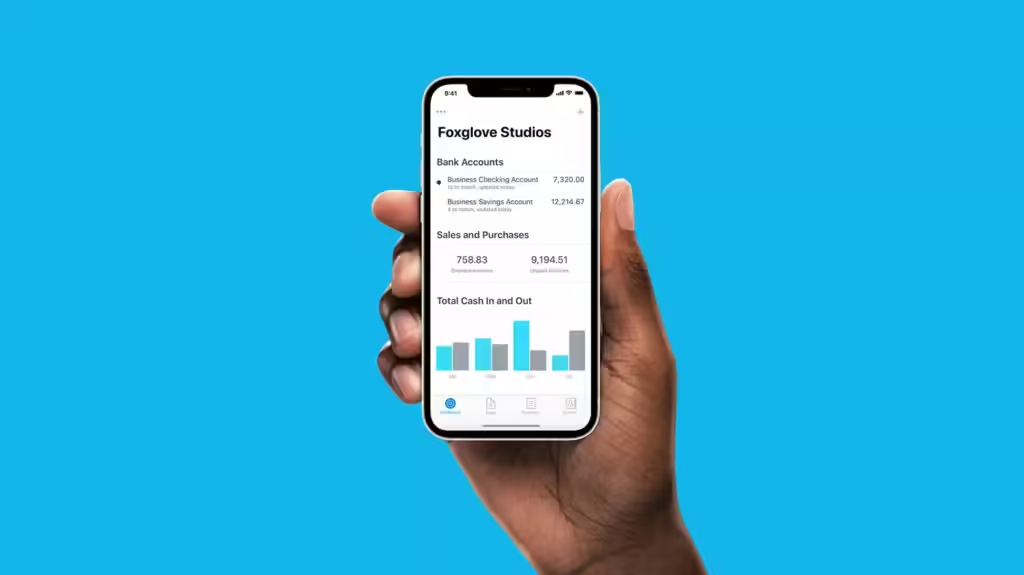
What You Can Do on Mobile
- Send invoices
- Reconcile bank transactions
- Capture receipts
- View cash flow
- Approve bills
Your accounting fits right in your pocket.
Xero vs Traditional Accounting Software
| Feature | Xero | Traditional Software |
|---|---|---|
| Cloud Access | Yes | No |
| Real-Time Data | Yes | Limited |
| Automation | High | Low |
| Collaboration | Easy | Difficult |
| Scalability | Excellent | Limited |
Xero wins when flexibility and growth matter.
Who Should Use Xero Accounting Software?
Xero is ideal for:
- Startups
- Freelancers
- Small businesses
- Growing companies
- Agencies and consultants
- E-commerce businesses
If your business handles money, Xero fits.
Pros and Cons of Xero
Pros
- User-friendly
- Cloud-based
- Strong automation
- Excellent reporting
- Great integrations
Cons
- Learning curve for beginners
- Pricing may increase with growth
- Limited built-in inventory tools
No tool is perfect, but Xero comes close.
How to Get Started with Xero
Step-by-Step
- Sign up for a free trial
- Choose a plan
- Connect bank accounts
- Set up invoices and bills
- Invite your accountant
- Start automating your finances
Setup is simple—even for non-accountants.
Tips to Get the Most Out of Xero
- Customize invoice templates
- Use bank rules for automation
- Review reports weekly
- Integrate essential apps
- Work closely with your accountant
Small tweaks make a big difference.
Common Mistakes to Avoid in Xero
- Not reconciling regularly
- Ignoring reports
- Overlooking integrations
- Poor user permissions
- Skipping backups
Avoid these, and Xero becomes a growth engine.
Future of Accounting with Xero
Xero continues to invest in:
- AI-powered automation
- Smarter insights
- Better compliance tools
- Enhanced mobile features
Accounting is moving from record-keeping to decision-making, and Xero is leading the way.
Conclusion
If your business is growing and spreadsheets are holding you back, Xero Accounting Software is a game-changer. It simplifies accounting, improves cash flow visibility, and frees up time so you can focus on what matters most—growth.
In a world where speed and clarity define success, Xero gives you both.
FAQs
Q. Is Xero suitable for beginners?
A. Yes. Xero is designed for non-accountants, with a clean interface and guided setup.
Q. Can Xero handle large transactions?
A. Absolutely. Xero scales well as transaction volume increases.
Q. Does Xero support multiple users?
A. Yes. You can add team members, accountants, and advisors with custom permissions.
Q. Is Xero better than spreadsheets?
A. Without a doubt. Xero automates processes and reduces human error.
Q. Can I switch to Xero from another accounting tool?
A. Yes. Xero supports data migration from most major accounting platforms.