Discover how to boost customer engagement and drive conversions with SimpleTexting in this comprehensive guide. Learn how to create powerful SMS campaigns, automate messaging, manage contacts, and stay compliant while maximizing the full potential of SimpleTexting for your business growth.
Table of Contents
- Introduction to SMS Marketing
- What is SimpleTexting?
- Getting Started with SimpleTexting
- Building and Managing Your Contact List
- Crafting High-Converting SMS Campaigns
- Automation and Drip Campaigns
- Two-Way Messaging and Customer Engagement
- Compliance and SMS Regulations
- Integrations and API Capabilities
- Tracking Performance and Analytics
- Pricing and Plans
- Benefits of Using SimpleTexting for Businesses
- Common Mistakes to Avoid
- Real-World Use Cases
- Comparing SimpleTexting with Other SMS Platforms
- Conclusion
- FAQs
Introduction to SMS Marketing
Let’s be honest—how often do you ignore a text message? Rarely, right? That’s the magic of SMS marketing. It’s direct, personal, and almost impossible to overlook.
Why Text Messaging Still Dominates Communication
Emails get buried. Social media posts get scrolled past. But texts? They get opened—fast. SMS boasts open rates that most marketing channels can only dream of. It’s like knocking directly on someone’s door instead of shouting from across the street.
The Rise of Business Text Messaging
Businesses have caught on. From appointment reminders to flash sales, text messaging has become a powerful communication weapon. And that’s where SimpleTexting steps in.
What is SimpleTexting?
Overview of the Platform
The SimpleTexting is a business SMS marketing and communication platform designed to help companies connect with their audience through text messages. It’s user-friendly, powerful, and built for both small businesses and large enterprises.
Key Features at a Glance
- Mass texting
- Two-way messaging
- SMS automation
- MMS support
- Contact segmentation
- Analytics dashboard
- Integrations with CRM tools
Think of it as your all-in-one messaging command center.
Getting Started with SimpleTexting
Starting is easier than you think.
Creating Your Account
Sign up, verify your email, and choose a plan. The dashboard is clean and intuitive—no tech wizardry required.
Setting Up Your First Campaign
Let’s break it down.
Choosing a Text-Enabled Number
You can select a local number, toll-free number, or short code. Your choice depends on branding and scale.
Importing Contacts
Upload CSV files or manually add contacts. Just make sure they’ve opted in. No shortcuts here—compliance matters.
Read More:-
Flamingo Shop: Your Ultimate Pink Shopping Destination
Ordnance Survey: Your Guide to Outdoor Discovery
Red Letter Days: Your Ticket to Unforgettable Experiences
Enhance Your Videos with Movavi (US): A Comprehensive Review
The Hussle Advantage: Elevate Your Performance
Building and Managing Your Contact List
Your list is your goldmine.
Growing Subscribers Organically
Use website popups, social media promotions, QR codes, and in-store signage. Offer incentives like discounts or exclusive updates.
Segmenting Your Audience for Better Results
Not all customers are the same. Divide your audience by purchase history, location, or behavior. Personalized messages convert better—every time.
Crafting High-Converting SMS Campaigns
Now comes the fun part—writing messages that actually get results.
Writing Compelling Text Messages
Keep it short. Clear. Action-oriented.
Example: “Flash Sale! 25% off ends tonight. Shop now: [link]”
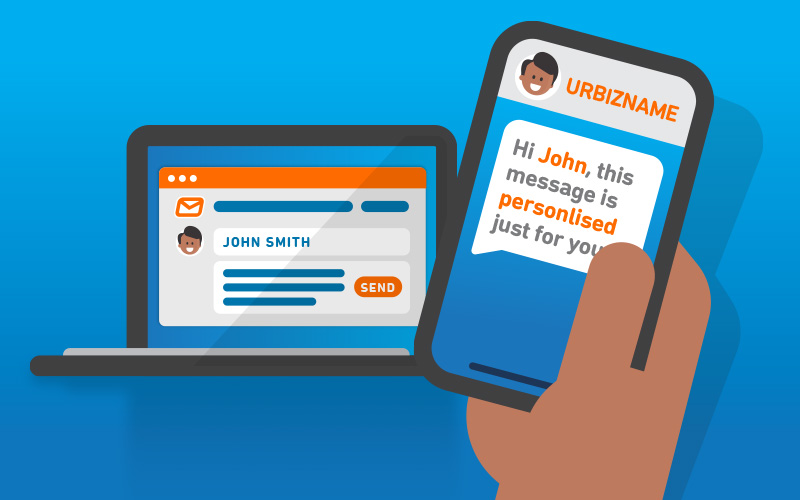
Personalization Strategies
Use first names. Reference past purchases. Make them feel seen, not spammed.
Adding Multimedia with MMS
Want to showcase a product image? Use MMS. A picture can sometimes do what 100 words cannot.
Automation and Drip Campaigns
Why send messages manually when automation can do the heavy lifting?
Setting Up Automated Responses
Trigger messages based on user actions—like subscribing or making a purchase.
Creating Scheduled Campaigns
Plan campaigns in advance. Schedule reminders, promotions, or updates at peak engagement times.
Automation is like having a 24/7 marketing assistant.
Two-Way Messaging and Customer Engagement
SMS isn’t just about broadcasting—it’s about conversation.
Handling Replies Efficiently
Manage incoming messages from your dashboard. Assign conversations to team members if needed.
Using Texting for Customer Support
Quick question? Quick answer. Customers love fast responses. Text support feels personal and immediate.
Compliance and SMS Regulations
Ignore this section at your own risk.
Understanding Opt-In and Opt-Out Rules
Always get explicit consent. Include opt-out instructions like “Reply STOP to unsubscribe.”
Staying Compliant with Industry Standards
Follow regulations such as TCPA guidelines. Respect privacy. Build trust.
Compliance isn’t optional—it’s foundational.
Integrations and API Capabilities
Connecting with CRM Tools
Integrate with platforms like HubSpot, Salesforce, or Zapier. Sync customer data seamlessly.
Using API for Custom Solutions
Developers can use API access to build custom workflows and automation tailored to business needs.
Tracking Performance and Analytics
If you’re not measuring, you’re guessing.
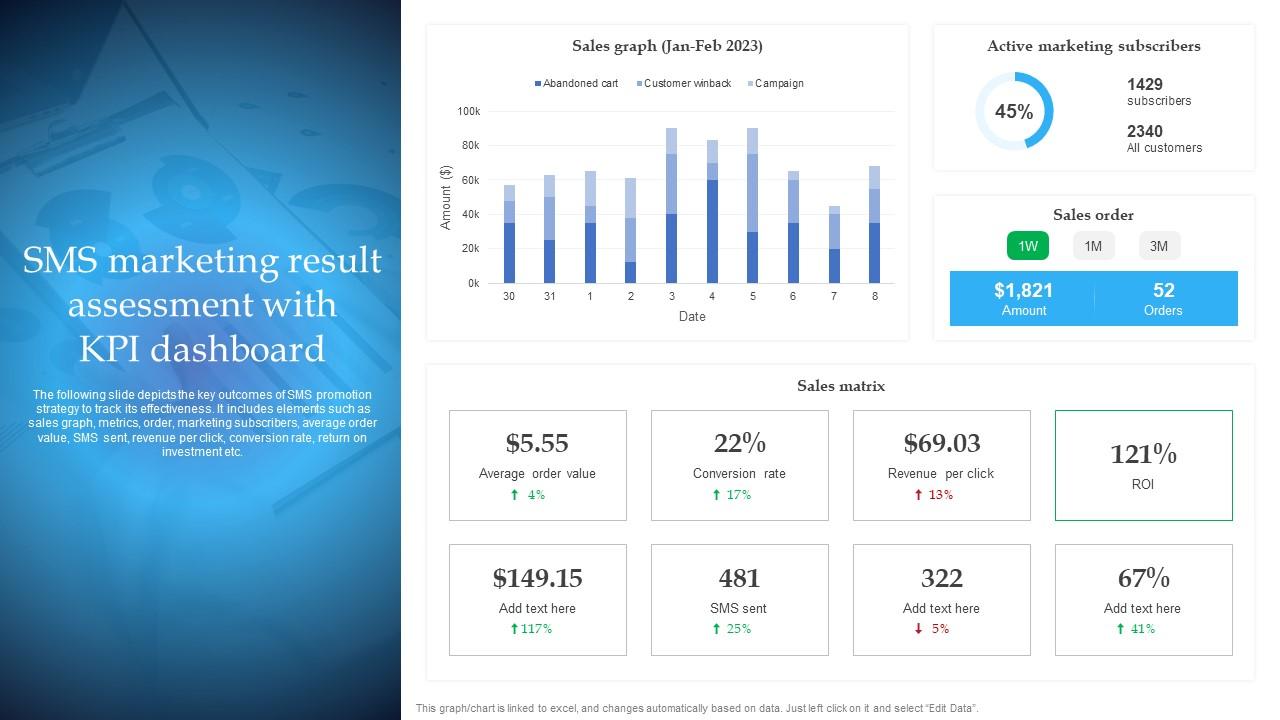
Key Metrics to Monitor
- Open rates
- Click-through rates
- Opt-outs
- Conversion rates
Optimizing Based on Data
Test different message styles. Adjust send times. Refine segmentation. Data is your roadmap.
Pricing and Plans
Understanding Credit-Based Pricing
The SimpleTexting uses a credit-based model. The more messages you send, the more credits you need.
Choosing the Right Plan for Your Business
Start small. Scale as your list grows. Don’t overpay for unused capacity.
Benefits of Using SimpleTexting for Businesses
Increased Engagement Rates
SMS cuts through noise. Your audience sees your message almost instantly.
Faster Customer Communication
Need immediate attention? Texting delivers speed like no other channel.
Common Mistakes to Avoid
Even powerful tools can backfire if misused.
Over-Messaging Your Audience
Too many texts = annoyance. Respect frequency.
Ignoring Compliance Guidelines
Skipping opt-ins can lead to fines and damaged reputation.
Latest Post




Real-World Use Cases
Retail and E-commerce
Announce sales, restock alerts, and exclusive offers.
Service-Based Businesses
Send appointment reminders and follow-ups.
Events and Promotions
Promote webinars, concerts, and limited-time deals.
Comparing SimpleTexting with Other SMS Platforms
Feature Comparison
It offers strong automation, intuitive UI, and scalable pricing compared to many competitors.
Ease of Use and Support
Customer support is responsive, and the interface is beginner-friendly.
Conclusion
Mastering messaging isn’t about sending more texts—it’s about sending smarter ones. With SimpleTexting, you get a powerful yet simple platform that helps you connect directly with your audience. It’s fast. Personal. Effective.
Think of SMS as your business’s secret handshake—private, immediate, and meaningful. When used strategically, it builds relationships, boosts engagement, and drives real results.
So the question isn’t whether you should use SMS marketing. It’s how soon you can start mastering it.
FAQs
Q. Is SimpleTexting suitable for small businesses?
A. Yes. Its scalable plans make it ideal for startups and growing businesses alike.
Q. Can I automate SMS campaigns with SimpleTexting?
A. Absolutely. You can create drip campaigns, auto-replies, and scheduled messages.
Q. Does SimpleTexting support multimedia messages?
A. Yes, MMS allows you to send images and longer messages.
Q. How do I stay compliant with SMS regulations?
A. Always obtain opt-in consent and provide opt-out instructions in every campaign.
Q. Can I integrate SimpleTexting with my CRM?
A. Yes, it supports integrations and API connections for seamless workflow automation.