This blog post offers an in-depth Instapage review, exploring its powerful landing page features, conversion optimization tools, pricing, and real-world use cases to help marketers and businesses create high-converting landing pages with ease.
Table of Contents
- Introduction to Instapage
- Understanding Instapage as a Platform
- Key Features of Instapage
- Instapage Templates and Design Quality
- Conversion Optimization Tools
- Integrations and Compatibility
- Instapage for Teams and Agencies
- Performance and Page Speed
- Instapage Pricing and Plans
- Pros and Cons of Instapage
- Instapage vs Competitors
- Real-World Use Cases
- Ease of Use and Learning Curve
- Security and Reliability
- Final Verdict on Instapage
- Conclusion
- FAQs
Introduction to Instapage
What Is Instapage?
Instapage is a powerful landing page platform designed to help businesses turn clicks into conversions. Think of it as a digital architect—one that builds sleek, high-converting landing pages without forcing you to wrestle with code. Whether you’re running paid ads, launching a product, or collecting leads, Instapage focuses on one thing: results.
Why Landing Pages Matter in Digital Marketing
Landing pages are like first impressions on a date—you rarely get a second chance. A well-optimized landing page can dramatically improve conversions, reduce ad spend waste, and guide visitors toward action. Instapage steps in here as a conversion-focused solution built specifically for performance marketers.
Understanding Instapage as a Platform
Cloud-Based Landing Page Builder Explained
Instapage operates entirely in the cloud, meaning no downloads, no hosting headaches, and no updates to manage. You log in, design, publish, and optimize—all from one dashboard. It’s convenience wrapped in performance.
Who Is Instapage Best Suited For?
Instapage shines brightest for marketers, agencies, SaaS companies, and enterprises running high-volume paid campaigns. If conversions directly impact your revenue, this tool feels less like an expense and more like an investment.
Key Features of Instapage
Drag-and-Drop Page Builder
Flexibility Without Coding
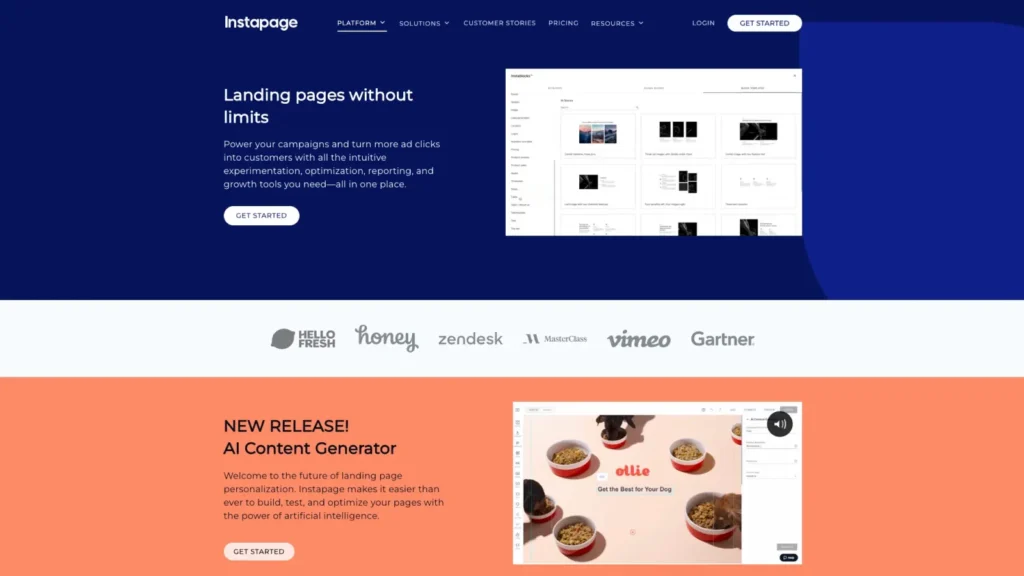
The drag-and-drop editor gives you pixel-perfect control. Want to move an element one inch left? Done. No grid restrictions. No coding. Just pure creative freedom—like designing on a blank canvas.
Instablocks for Faster Page Creation
Instablocks allow you to save reusable sections such as testimonials, headers, or pricing tables. It’s like meal prepping for marketers—once built, reuse everywhere and save hours.
Mobile-Responsive Design Capabilities
Every Instapage design is mobile-responsive by default. You can even customize mobile views separately, ensuring your pages look stunning on every device.
Instapage Templates and Design Quality
Pre-Built Conversion-Focused Templates
Instapage offers professionally designed templates optimized for conversions. These aren’t just pretty layouts—they’re built using proven UX principles that guide visitors toward action.
Customization Options for Branding
Fonts, colors, layouts, and visuals can all be tailored to match your brand. Your landing page won’t look like a cookie-cutter clone—it’ll feel uniquely yours.
Conversion Optimization Tools
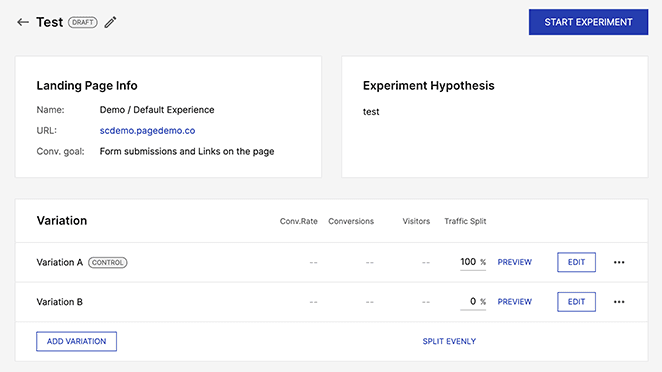
A/B Testing Made Simple
Instapage makes split testing painless. Duplicate a page, tweak a headline or CTA, and let the data decide the winner. No guesswork—just clarity.
Heatmaps and User Behavior Tracking
Heatmaps show where users click, scroll, and hesitate. It’s like reading your visitors’ minds, helping you refine layouts for better engagement.
Dynamic Text Replacement
Running ads? Dynamic text replacement automatically matches landing page copy with ad keywords, improving relevance and boosting conversion rates.
Read More:-
Elevate Your Art with Clip Studio Paint: A Practical Approach
Ayoa Mind Mapping Techniques: A Practical Approach to Creative Thinking
Navigate Financial Frontiers with Panorabanques FR: A Complete Overview
Legimi PL Affiliate Success Roadmap: Charting Your Financial Course
Elevate Your Income: Compara CL Affiliate Program Insights
Integrations and Compatibility
CRM and Email Marketing Integrations
Instapage integrates smoothly with tools like HubSpot, Salesforce, Mailchimp, and more. Leads flow seamlessly into your existing workflow.
Analytics and Advertising Platform Support
Google Analytics, Facebook Ads, Google Ads—Instapage plays nicely with all major platforms, making performance tracking effortless.
Instapage for Teams and Agencies
Collaboration and Workflow Features
Multiple team members can collaborate in real time. Designers, marketers, and clients can all work together without chaos.
Commenting and Version Control
Leave comments directly on page elements, track changes, and roll back versions if needed. It’s teamwork without friction.
Performance and Page Speed
Hosting and Global Page Load Speed
Instapage hosts pages on fast, global servers. Faster load times mean happier users and higher conversion rates.
Impact on Google Ads Quality Score
Better landing page relevance and speed can improve your Quality Score, potentially lowering ad costs. That’s a win-win.
Instapage Pricing and Plans
Overview of Pricing Structure
Instapage sits in the premium category. Pricing reflects its enterprise-grade features, focusing on ROI rather than affordability.
Is Instapage Worth the Cost?
If you’re serious about conversions and paid traffic, yes. For small bloggers or hobby projects, it might feel like overkill.
Pros and Cons of Instapage
Advantages That Stand Out
- Advanced conversion tools
- True drag-and-drop freedom
- Excellent collaboration features
- High-speed hosting
Limitations to Consider
- Higher price point
- Limited use for simple websites
Latest Post



Instapage vs Competitors
Instapage vs Unbounce
Instapage offers more design freedom and enterprise features, while Unbounce appeals to smaller teams with simpler needs.
Instapage vs Leadpages
Leadpages is budget-friendly but less flexible. Instapage wins in customization and optimization power.
Real-World Use Cases
SaaS Businesses
Perfect for free trials, demos, and onboarding funnels.
E-commerce Campaigns
Great for product launches and seasonal promotions.
Digital Marketers and Advertisers
Built for high-conversion paid traffic campaigns.
Ease of Use and Learning Curve

Beginner-Friendly or Advanced Tool?
Despite its power, Instapage is intuitive. Beginners can launch pages quickly, while pros can dive deep into optimization.
Support and Documentation
Live chat, help docs, and onboarding resources make getting started smooth.
Security and Reliability
Data Protection and Compliance
Instapage follows industry-standard security practices, including GDPR compliance.
Uptime and Reliability
Reliable hosting ensures your pages stay live when traffic spikes.
Final Verdict on Instapage
Who Should Use Instapage?
Businesses running paid ads, agencies managing clients, and teams focused on conversion optimization.
Who Might Want Alternatives?
Casual bloggers or small projects with limited budgets.
Conclusion
Instapage isn’t just another landing page builder—it’s a conversion powerhouse. If your goal is turning traffic into tangible results, Instapage gives you the tools, speed, and insights to make it happen. It’s not cheap, but neither is wasted traffic. When performance matters, Instapage delivers.
FAQs
Q.Is Instapage good for beginners?
A. Yes, the interface is intuitive, though beginners may need time to explore advanced features.
Q.Does Instapage support A/B testing?
A. Absolutely. A/B testing is one of its strongest features.
Q.Can Instapage replace my website builder?
A. No, it’s designed for landing pages, not full websites.
Q.Is Instapage suitable for small businesses?
A. It can be, but pricing may be high for very small budgets.
Q.Does Instapage improve conversion rates?
A. When used correctly, its optimization tools can significantly boost conversions.