
“Discover how Keap helps marketing agencies automate sales and marketing processes, streamline lead management, improve client communication, and boost productivity with powerful CRM and automation tools.”
Table of Contents
- Introduction to Keap for Marketing Agencies
- Why Automation Matters for Marketing Agencies
- What Is Keap? A Quick Overview
- Keap CRM: Managing Clients the Smart Way
- Sales Automation with Keap
- Marketing Automation Made Simple
- Lead Capture and Nurturing
- Appointment Scheduling Automation
- Invoicing and Payment Automation
- Workflow Automation for Agencies
- Reporting and Analytics
- Integrations with Other Tools
- Benefits of Using Keap for Marketing Agencies
- Real-World Use Cases
- Is Keap Worth It?
- Conclusion
- FAQs
Introduction to Keap for Marketing Agencies
Running a marketing agency isn’t just about creating stunning campaigns. It’s about managing leads, closing deals, nurturing clients, sending invoices, and following up—again and again. Sounds exhausting, right?
That’s where Keap comes in.
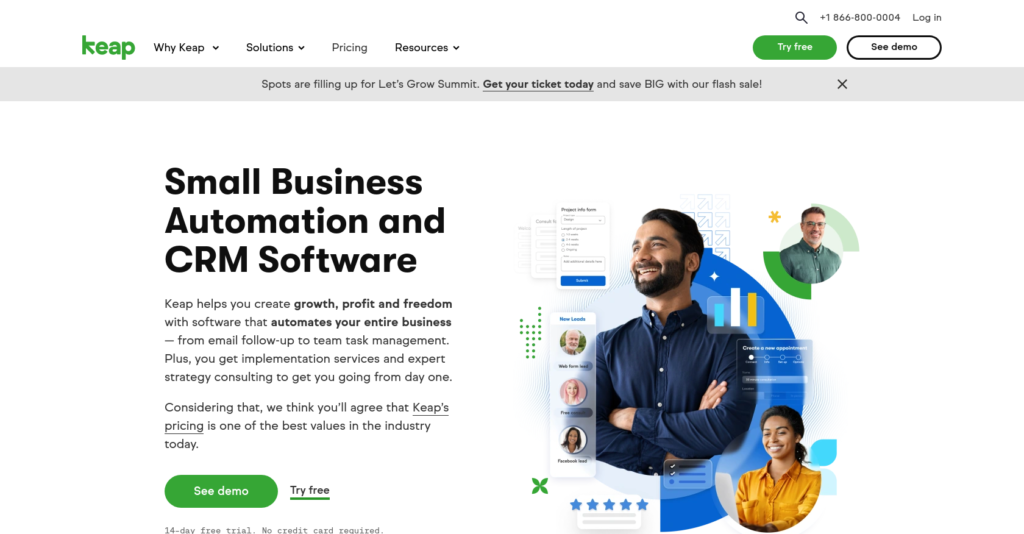
Keap helps marketing agencies automate their sales and marketing processes so they can focus on what really matters: growing their business and delivering amazing results for clients.
Think of Keap as your digital assistant that never sleeps. It handles the boring stuff while you focus on creativity.
Why Automation Matters for Marketing Agencies
Time-Saving Benefits
Time is money in the agency world. Manually sending emails, tracking leads, and updating spreadsheets eats up hours every week. Automation gives you those hours back.
Keap automates:
- Lead follow-ups
- Email campaigns
- Appointment reminders
- Invoices
Less manual work, more productivity.
Improved Lead Management
Ever lost a lead because you forgot to follow up? Yeah, we’ve all been there.
Keap makes sure no lead slips through the cracks. Every inquiry is captured, tracked, and nurtured automatically.
What Is Keap? A Quick Overview
Keap’s Core Features
Keap is an all-in-one CRM and marketing automation platform that offers:
- Contact management
- Email marketing
- Sales pipelines
- Automation workflows
- Invoicing & payments
- Appointment scheduling
Everything under one roof.
Who Keap Is Best For
Keap is perfect for:
- Marketing agencies
- Digital consultants
- Small businesses
- Coaches & service providers
If you rely on leads and client relationships, Keap fits like a glove.
Keap CRM: Managing Clients the Smart Way
Centralized Client Data
Keap stores all your client information in one place—emails, calls, notes, purchases, and more.
No more messy spreadsheets.
Smart Contact Segmentation
You can tag and segment contacts based on:
- Interests
- Behavior
- Lead source
- Purchase history
This makes personalized marketing super easy.
Sales Automation with Keap
Automated Follow-Ups
Keap automatically sends follow-up emails after:
- A form submission
- A sales call
- A proposal
You stay professional without lifting a finger.
Pipeline Tracking
Visual Sales Pipelines
Keap shows your sales process like a roadmap. You can see:
- New leads
- Deals in progress
- Closed sales
It’s like Google Maps for your revenue.
Marketing Automation Made Simple
Email Campaign Automation
With Keap, you can create:
- Welcome sequences
- Nurture campaigns
- Re-engagement emails
Once set up, they run on autopilot.
Behavior-Based Triggers
Personalized Messaging
Keap sends emails based on user actions like:
- Clicking a link
- Visiting a page
- Downloading a resource
It feels personal, even when it’s automated.
Lead Capture and Nurturing
Landing Pages and Forms
Keap lets you build high-converting forms and landing pages to capture leads from:
- Websites
- Ads
- Social media
Lead Scoring System
Keap tracks how engaged a lead is and ranks them automatically. Hot leads? You’ll know instantly.
Appointment Scheduling Automation
Calendar Integration
Clients can book calls directly from your website. No back-and-forth emails.
Automated Reminders
Keap sends reminders so no one forgets the meeting. Fewer no-shows = more revenue.
Invoicing and Payment Automation
Easy Invoicing
Create and send professional invoices in minutes.
Payment Tracking
Keap tracks:
- Paid invoices
- Pending payments
- Overdue bills
No more chasing clients.
Workflow Automation for Agencies
Task Automation
Keap assigns tasks automatically when:
- A deal closes
- A new client signs up
- A project starts
Internal Team Collaboration
Your team stays aligned without endless meetings.
Reporting and Analytics
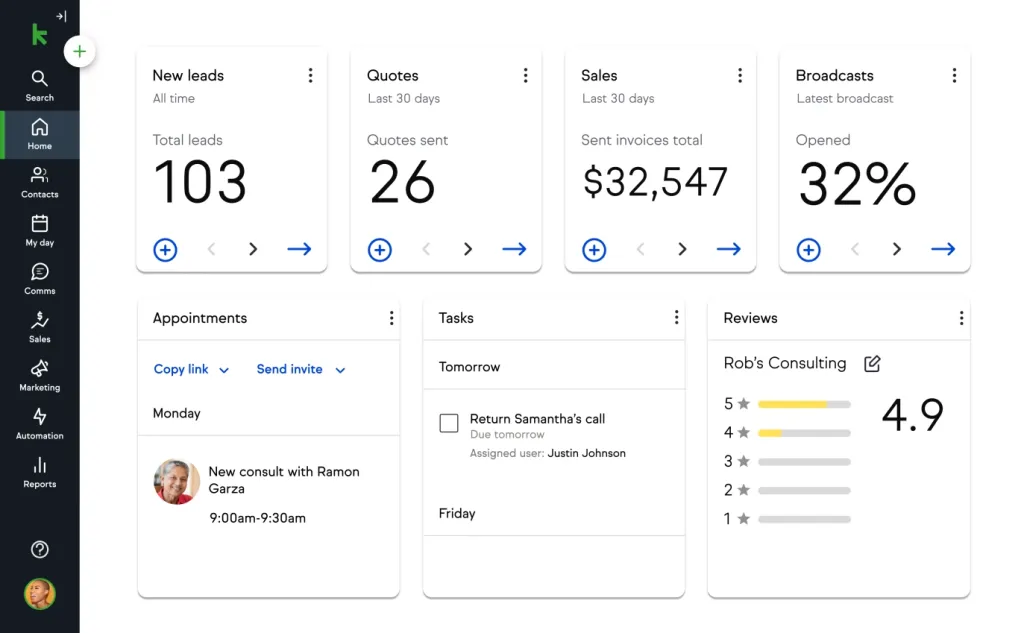
Sales Performance Reports
See what’s working and what’s not.
Campaign Insights
Track:
- Email open rates
- Click-through rates
- Conversions
Data beats guesswork.
Latest Post




Integrations with Other Tools
Popular Integrations
Keap connects with:
- Zapier
- Google Workspace
- Stripe
- WordPress
Custom API Options
Need something custom? Keap’s API has you covered.
Read More:-
MASV Review: How MASV Simplifies Large File Transfers for Agencies
Why Landingi Is the Best Landing Page Builder for Digital Marketing Agencies
PGYTECH: Premium Gear for Creators, Travelers, and Tech Users
Why Trainual Is Essential for Scalable Business Growth
How Time Doctor Fiverr Helps Manage Freelance Work Better
Benefits of Using Keap for Marketing Agencies
Increased Productivity
Automation means less admin work and more strategy.
Better Client Experience
Faster responses, personalized communication, and smooth onboarding = happy clients.
Real-World Use Cases
Lead Generation Agencies
Keap nurtures leads automatically until they’re ready to buy.
Social Media Marketing Agencies
Automate client onboarding, reporting, and upsells.
Is Keap Worth It?
Pricing Overview
Keap offers flexible plans based on:
- Number of contacts
- Features needed
ROI for Agencies
One closed deal can pay for your subscription. Easy win.
Conclusion
Keap isn’t just a tool—it’s a growth partner for marketing agencies.
From lead capture to sales automation, email marketing to invoicing, Keap handles the heavy lifting so you can focus on creativity, strategy, and client success.
If your agency wants to scale without burning out, Keap is the smart move.
FAQs
Q. Is Keap good for small marketing agencies?
A. Yes, it’s perfect for small and growing teams.
Q. Can Keap replace multiple tools?
A. Absolutely. It combines CRM, email marketing, and automation.
Q. Does Keap support integrations?
A. Yes, with tools like Zapier, Stripe, and WordPress.
Q. Is Keap easy to use?
A. Very. The interface is beginner-friendly.
Q. Can Keap improve client retention?
A. Yes, through better communication and automation.